Last year, in a React side-project, I had to replace some content in a string with HTML markup. That is not a trivial thing to do with React, as you can't just put HTML as string in your content, unless you want to use dangerouslySetInnerHtml — which I don't. So, I hacked a little code to smartly split my string into an array of sub-strings and DOM elements.
More recently, while working on Translate.Next — the rewrite of Pontoon's translate page to React — I stumbled upon the same problem. After looking around the Web for a tool that would solve it, and coming up short handed, I decided to write my own and make it a library.
Introducing react-content-marker v1.0
react-content-marker is a library for React to mark content in a string based on rules. These rules can be simple strings or regular expressions. Let's look at an example.
Say you have a blob of text, and you want to make the numbers in that text more visible, for example by making them bold.
const content = 'The fellowship had 4 Hobbits but only 1 Dwarf.';
Matching numbers can be done with a simple regex: /(\d+)/. If we turn that into a parser:
const parser = {
    rule: /(\d+)/,
    tag: x => { x },
};
We can now use that parser to create a content marker, and use it to enhance our content:
import createMarker from 'react-content-marker'; const Marker = createMarker([parser]); render({ content } );
This will show:
The fellowship had 4 Hobbits but only 1 Dwarf.
Hurray!
Advanced usage
Passing parsers
The first thing to note is that you can pass any number of parsers to the createMarker function, and they will all be called in turn. The order of the parsers is very important though, because content that has already been marked will not be parsed again. Let's look at another example.
Say you have a rule that matches content between brackets: /({.*})/, and a rule that matches content between brackets that contain only capital letters: /({[A-W]+})/. Now let's say you are marking this content: I have {CATCOUNT} cats. Whichever rule you passed first will match the content between brackets, and the second rule will not apply. You thus need to make sure that your rules are ordered so that the most important ones come first. Generally, that means you want to have the more specific rules first.
The reason why this happens is that, behind the scene, the matched content is turned into a DOM element, and parsers ignore non-string content. With the previous example, the initial string, I have {CATCOUNT} cats, would be turned into ['I have ', <mark>{CATCOUNT}</mark>, ' cats'] after the first parser is called. The second one then only looks at 'I have ' and ' cats', which do not match.
Using regex
The second important thing to know relates to regex. You might have noticed that I put parentheses in my examples above: they are required for the algorithm to capture content. But that also gives you more flexibility: you can use a regex that matches some content that you do not want to mark. Let's say you want to match only the name of someone who's being greeted, with this rule: /hello (\w+)/i. Applying it to Hello Adrian will only mark the Adrian part of that content.
Sometimes, however, you need to use more complex regex that include several groups of parentheses. When that's the case, by default react-content-marker will mark the content of the last non-null capturing group. In such cases, you can add a matchIndex number to your parser: that index will be used to select the capture group to mark.
Here's a simple example:
const parser = {
    rule: /(hello (world|folks))/i,
    tag: x => { x },
};
Applying this rule to Hello World will show: Hello World. If we want to, instead, make the whole match bold, we'll have to use matchIndex:
const parser = {
    rule: /(hello (world|folks))/i,
    matchIndex: 0,
    tag: x => { x },
};
Now our entire string will correctly be made bold: Hello World.
Advanced example
If you're interested in looking at an advanced usage example of this library, I recommend you check out

I’ve announced this upcoming change and the requirements we’ve laid out for a replacement service for IRC, but I haven’t widely discussed the evaluation process in any detail, including what you can expect it to look like, how you can participate, and what you can expect from me. I apologize for that, and really should have done so sooner.
Briefly, I’ll be drafting a template doc based on our stated requirements, and once that’s in good, markdowny shape we’ll be putting it on GitHub with preliminary information for each of the stacks we’re considering and opening it up to community discussion and participation.
From there, we’re going to be taking pull requests and assembling our formal understanding of each of the candidates. As well, we’ll be soliciting more general feedback and community impressions of the candidate stacks on Mozilla’s Community Discourse forum.
I’ll be making an effort to ferry any useful information on Discourse back to GitHub, which unfortunately presents some barriers to some members of our community.
While this won’t be quite the same as a typical RFC/RFP process – I expect the various vendors as well as members the Mozilla community to be involved – we’ll be taking a lot of cues from the Rust community’s hard-won knowledge about how to effectively run a public consultation process.
In particular, it’s critical to me that this process to be as open and transparent as possible, explicitly time-boxed, and respectful of the Mozilla Community Participation Guidelines (CPG). As I’ve mentioned before, accessibility and developer productivity will both weigh heavily on our evaluation process, and the Rust community’s “no new rationale” guidelines will be respected when it comes time to make the final decision.
When it kicks off, this step will be widely announced both inside and outside Mozilla.
As part of that process, our IT team will be standing up instances of each of the candidate stacks and putting them behind the Participation Systems team’s “Mozilla-IAM” auth system. We’ll be making them available to the Mozilla community at first, and expanding that to include Github and via-email login soon afterwards for broader community testing. Canonical links to these trial systems will be prominently displayed on the GitHub repository; as the line goes, accept no substitutes.
Some things to note: we will also be using this period to evaluate these tools from a community moderation and administration perspective as well, to make sure that we have the tools and process available to meaningfully uphold the CPG.
To put this somewhat more charitably than it might deserve, we expect that some degree of this testing will be a typical if unfortunate byproduct of the participative process. But we also have plans to automate some of that stress-testing, to test both platform API usability and the effectiveness of our moderation tools. Which I suppose is long-winded way of saying: you’ll probably see some robots in there play-acting at being jerks, and we’re going to ask you to play along and figure out how to flag them as bad actors so we can mitigate the jerks of the future.
As well, we’re going to be doing the usual whats-necessaries to avoid the temporary-permanence trap, and at the end of the evaluation period all the instances of our various candidates will be shut down and deleted.
Our schedule is still being sorted out, and I’ll have more about that and our list of candidates shortly.
http://exple.tive.org/blarg/2019/05/14/the-next-part-of-the-process/

Spoke, the editor that lets you create 3D scenes for use in Hubs, is now available as a fully featured web app. When we announced the beta for Spoke back in October, it was the first step towards making the process of creating social VR spaces easier for everyone. At Mozilla, we believe in the power of the web, and it was a natural decision for us to make Spoke more widely available by making the editor entirely available online - no downloads required.
The way that we communicate is often guided by the spaces that we are in. We use our understanding of the environment to give us cues to the tone of the room, and understanding how to build environments that reflect different use cases for social collaboration is an important element of how we view the Hubs platform. With Spoke, we want everyone to have the creative control over their rooms from the ground (plane) up.
We’re constantly impressed by the content that 3D artists and designers create and we think that Spoke is the next step in making it easier for everyone to learn how to make their own 3D environments. Spoke isn’t trying to replace the wide range of 3D modeling or animation software out there, we just want to make it easier to bring all of that awesome work into one place so that more people can build with the media all of these artists have shared so generously with the world.
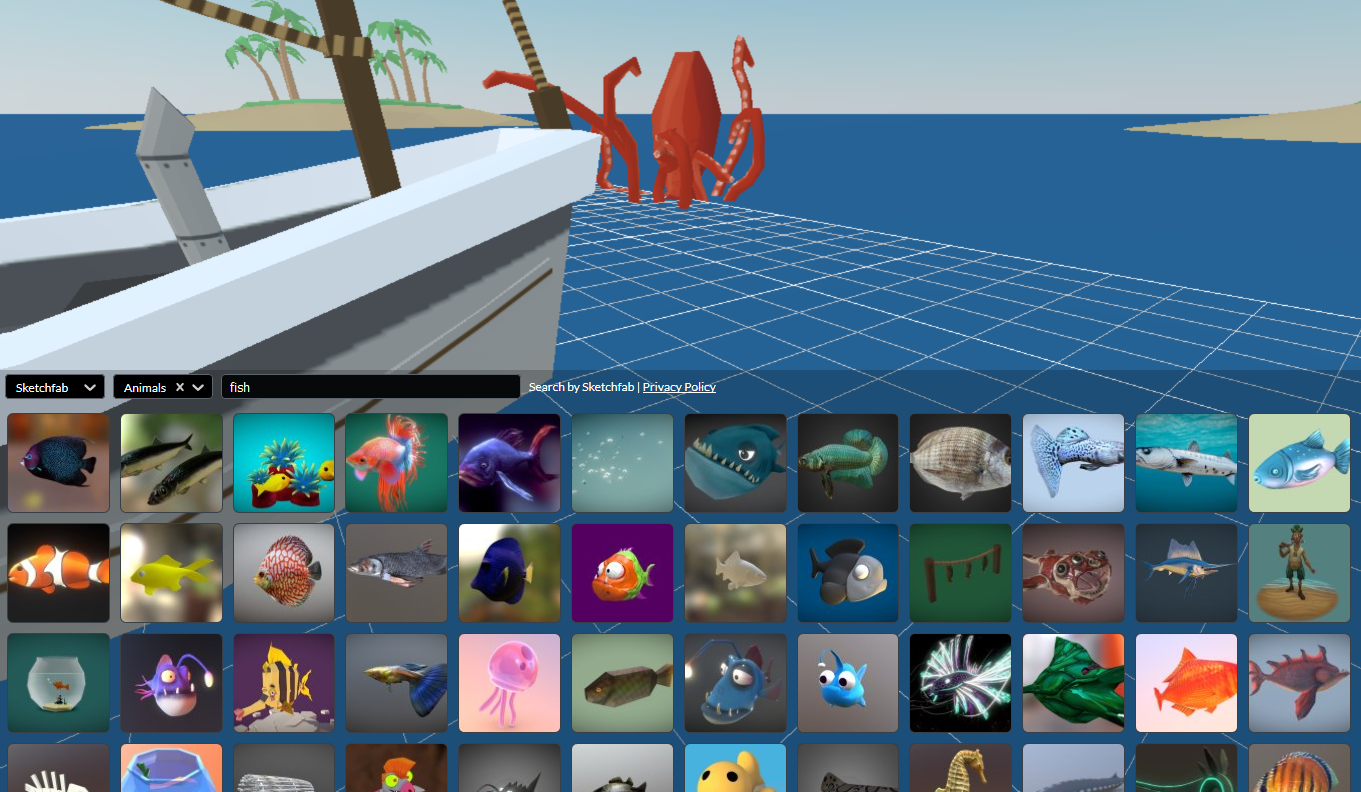
When it comes to building rooms for Hubs, we want everyone to feel empowered to create custom spaces regardless of whether or not they already have experience building 3D environments. Spoke aims to make it as simple as possible to find, add, and remix what’s already out there on the web under the Creative Commons license. You can bring in your own glTF models, find models on Sketchfab and Google Poly, and publish your rooms to Hubs with just a single click, which makes it easier than ever before to create shared spaces. In addition to 3D models, the Spoke editor allows you to bring in images, gifs, and videos for your spaces. Create your own themed rooms in Hubs for movie nights, academic meetups, your favorite Twitch streams: the virtual world is yours to create!
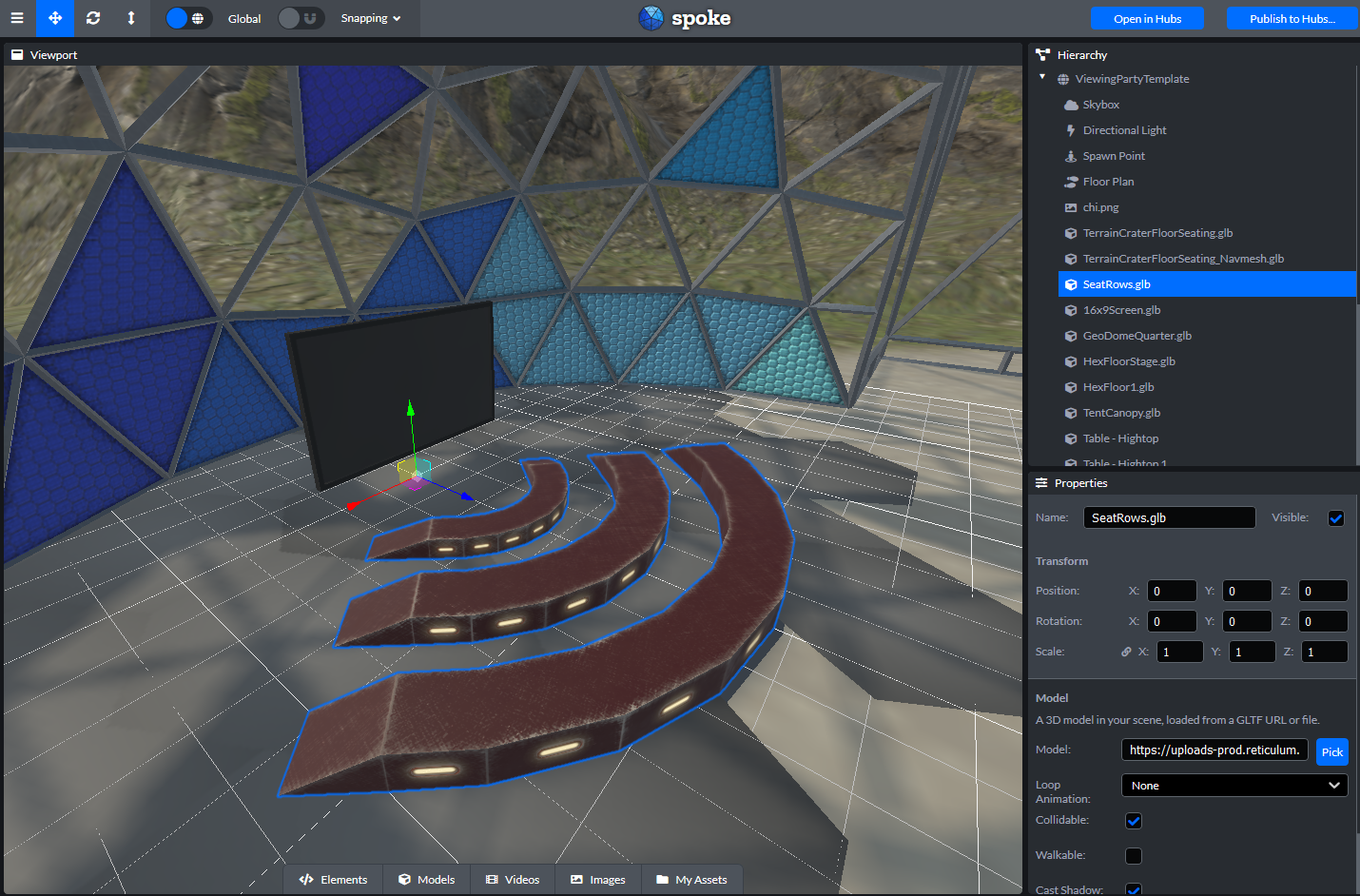
Spoke works by providing an easy-to-use interface to consolidate content into a glTF 2.0 binary (.glb) file that is read by Hubs to generate the base environment for a room. Basing Spoke on glTF, an extensible, standardized 3D file format, makes it possible to export robust scenes that could also be used in other 3D applications or programs.
Once you’ve created scenes in Spoke, you can access them from your Projects page and use them as a base for making new rooms in Hubs. You can keep your scenes private for your own use, or publish them and make them available through the media browser for anyone in Hubs to enjoy. In the future, we plan on adding functionality that allows you to remix environments that others have marked as being open to derivative works.
We want to hear your feedback as you start using Spoke to create environments - try it out at https://hubs.mozilla.com/spoke. You can view the source code and file issues on the GitHub repo, or jump into our community Discord server and say hi in the #spoke channel! If you have specific thoughts or considerations that you want to share with us, feel free to send us an email at hubs@mozilla.com to get in touch. We can’t wait to see what you make!
The Rust team has published a new point release of Rust, 1.34.2. Rust is a programming language that is empowering everyone to build reliable and efficient software.
If you have a previous version of Rust installed via rustup, getting Rust 1.34.2 is as easy as:
$ rustup update stable
If you don't have it already, you can get rustup from the
appropriate page on our website.
What's in 1.34.2 stable
Sean McArthur reported a security vulnerability affecting the standard
library that caused the Error::downcast family of methods
to perform unsound casts when a manual implementation of the
Error::type_id method returned the wrong
TypeId, leading to security issues such as out of bounds
reads/writes/etc.
The Error::type_id method was recently stabilized as part
of Rust 1.34.0. This point release destabilizes it, preventing any code on
the stable and beta channels to implement or use it, awaiting future plans that
will be discussed in issue #60784.
An in-depth explaination of this issue was posted in yesterday's security advisory. The assigned CVE for the vulnerability is CVE-2019-12083.
Please join us in congratulating Lidya Christina, Rep of the Month for April 2019!
Lidya Christina is from Jakarta, Indonesia. Her contribution in SUMO event in 2016 lead her into a proud Mozillian, an active contributor of Mozilla Indonesia and last March 2019 she joined the Reps program.

In addition to that, she’s also a key member that oversees the day to day operational work in Mozilla Community space Jakarta, while at the same time regularly organizing localization event and actively participating in campaigns like Firefox 66 Support Mozilla Sprint, Firefox Fights for you, Become a dark funnel detective and Common Voice sprints.
Congratulations and keep rocking the open web! 
https://blog.mozilla.org/mozillareps/2019/05/13/rep-of-the-month-april-2019/
Today the SUMO team would like to welcome Josh and Jeremy who will be joining our team from Boise, Idaho.
Josh and Jeremy will be joining our team to help out on Support for some of the new efforts Mozilla are working on towards creating a connected and integrated Firefox experience.
They will be helping out with new products, but also providing support on forums and social channels, as well as serving as an escalation point for hard to solve issues.
A bit about Josh:
Hey everyone! My name is Josh Wilson and I will be working as a contractor for Mozilla. I have been working in a variety of customer support and tech support jobs over the past ten years. I enjoy camping and hiking during the summers, and playing console RPG’s in the winters. I recently started cooking Indian food, but this has been quite the learning curve for me. I am so happy to be a part of the Mozilla community and look forward to offering my support.
A bit about Jeremy:
Hello! My name is Jeremy Sanders and I’m a contractor of Mozilla through a small company named PartnerHero. I’ve been working in the field of Information Technology since 2015 and have been working with a variety of government, educational, and private entities. In my free time, I like to get out of the office and go fly fishing, camping, or hiking. I also play quite a few video games such as Counterstrike: Global Offensive and League of Legends. I am very excited to start my time here with Mozilla and begin working in conjunction with the community to provide support for users!
Please say hi to them when you see them!
https://blog.mozilla.org/sumo/2019/05/13/introducing-josh-and-jeremy-to-the-sumo-team/
This is a cross-post of the official security advisory. The official post contains a signed version with our PGP key, as well.
The CVE for this vulnerability is CVE-2019-12083.
The Rust team was recently notified of a security vulnerability affecting
manual implementations of Error::type_id and their interaction with the
Error::downcast family of functions in the standard library. If your code
does not manually implement Error::type_id your code is not affected.
Overview
The Error::type_id function in the standard library was stabilized in the
1.34.0 release on 2019-04-11. This function allows acquiring the concrete
TypeId for the underlying error type to downcast back to the original type.
This function has a default implementation in the standard library, but it can
also be overridden by downstream crates. For example, the following is
currently allowed on Rust 1.34.0 and Rust 1.34.1:
struct MyType;

impl Error for MyType {
    fn type_id(&self) -> TypeId {
        // Enable safe casting to `String` by accident.
        TypeId::of::()
    }
}
When combined with the Error::downcast* family of methods this can enable
safe casting of a type to the wrong type, causing security issues such as out
of bounds reads/writes/etc.
Prior to the 1.34.0 release this function was not stable and could not be either implemented or called in stable Rust.
Affected Versions
The Error::type_id function was first stabilized in Rust 1.34.0, released on
2019-04-11. The Rust 1.34.1 release, published 2019-04-25, is also affected.
The Error::type_id function has been present, unstable, for all releases of
Rust since 1.0.0 meaning code compiled with nightly may have been affected at
any time.
Mitigations
Immediate mitigation of this bug requires removing manual implementations of
Error::type_id, instead inheriting the default implementation which is
correct from a safety perspective. It is not the intention to have
Error::type_id return TypeId instances for other types.
For long term mitigation we are going to destabilize this function. This is
unfortunately a breaking change for users calling Error::type_id and for
users overriding Error::type_id. For users overriding it's likely memory
unsafe, but users calling Error::type_id have only been able to do so on
stable for a few weeks since the last 1.34.0 release, so it's thought that the
impact will not be too great to overcome.
We will be releasing a 1.34.2 point release on 2019-05-14 (tomorrow) which
reverts #58048 and destabilizes the Error::type_id function. The
upcoming 1.35.0 release along with the beta/nightly channels will also all be
updated with a destabilization.
The final fate of the Error::type_id API isn't decided upon just yet and is
the subject of #60784. No action beyond destabilization is currently
planned so nightly code may continue to exhibit this issue. We hope to fully
resolve this in the standard library soon.
Timeline of events
- Thu, May 9, 2019 at 14:07 PM - Bug reported to security@rust-lang.org
- Thu, May 9, 2019 at 15:10 PM - Alex reponds, confirming the bug
- Fri, May 10, 2019 - Plan for mitigation developed and implemented
- Mon, May 13, 2019 - PRs posted to GitHub for stable/beta/master branches
- Mon, May 13, 2019 - Security list informed of this issue
- (planned) Tue, May 14, 2019 - Rust 1.34.2 is released with a fix for this issue
For the 6th consecutive year, the curl project is running a “user survey” to learn more about what people are using curl for, what think think of curl, what the need of curl and what they wish from curl going forward.
As in most projects, we love to learn more about our users and how to improve. For this, we need your input to guide us where to go next and what to work on going forward.
Please consider donating a few minutes of your precious time and tell me about your views on curl. How do you use it and what would you like to see us fix?
The survey will be up for 14 straight days and will be taken down at midnight (CEST) May 26th. We appreciate if you encourage your curl friends to participate in the survey.
Bonus: the analysis from the 2018 survey.

https://daniel.haxx.se/blog/2019/05/13/the-curl-user-survey-2019/
TL;DR
Prefer f(void) in C to potentially save a 2B instruction per function call
when targeting x86_64 as a micro-optimization. -Wstrict-prototypes can help.
Doesn’t matter for C++.
The Problem
While messing around with some C code in
godbolt Compiler Explorer,
I kept noticing a particular funny case. It seemed with my small test cases
that sometimes function calls would zero out the return register before calling
a function that took no arguments, but other times not. Upon closer
inspection, it seemed like a difference between function definitions,
particularly f() vs f(void). For example, the following C code:
1 2 3 4 5 6 7 8 | |
would generate the following assembly:
1 2 3 4 5 6 7 8 | |
In particular, focus on the call the foo vs the call to bar. foo is
preceded with xorl %eax, %eax (X ^ X == 0, and is the shortest encoding for
an instruction that zeroes a register on the variable length encoded x86_64,
which is why its used a lot such as in setting the return value). (If you’re
curious about the pushq/popq, see
point #1.)
Now I’ve seen zeroing before (see
point #3
and remember that %al is the lowest byte of %eax and %rax), but if it was
done for the call to foo, then why was it not additionally done for the call
to bar? %eax being x86_64’s return register for the C ABI should be treated
as call clobbered. So if you set it, then made a function call that may have
clobbered it (and you can’t deduce otherwise), then wouldn’t you have to reset
it to make an additional function call?
Let’s look at a few more cases and see if we can find the pattern. Let’s take
a look at 2 sequential calls to foo vs 2 sequential calls to bar:
1 2 3 4 5 6 | |
1 2 3 4 5 6 7 8 9 | |
curl, or libcurl specifically, is probably the world’s most popular and widely used HTTP client side library counting more than six billion installs.
curl is a rock solid and feature-packed library that supports a huge amount of protocols and capabilities that surpass most competitors. But this comes at a cost: it is not the smallest library you can find.
Within a 100K
Instead of being happy with getting told that curl is “too big” for certain use cases, I set a goal for myself: make it possible to build a version of curl that can do HTTPS and fit in 100K (including the wolfSSL TLS library) on a typical 32 bit architecture.
As a comparison, the tiny-curl shared library when built on an x86-64 Linux, is smaller than 25% of the size as the default Debian shipped library is.
FreeRTOS
But let’s not stop there. Users with this kind of strict size requirements are rarely running a full Linux installation or similar OS. If you are sensitive about storage to the exact kilobyte level, you usually run a more slimmed down OS as well – so I decided that my initial tiny-curl effort should be done on FreeRTOS. That’s a fairly popular and free RTOS for the more resource constrained devices.
This port is still rough and I expect us to release follow-up releases soon that improves the FreeRTOS port and ideally also adds support for other popular RTOSes. Which RTOS would you like to support for that isn’t already supported?
Offer the libcurl API for HTTPS on FreeRTOS, within 100 kilobytes.
Maintain API
I strongly believe that the power of having libcurl in your embedded devices is partly powered by the libcurl API. The API that you can use for libcurl on any platform, that’s been around for a very long time and for which you can find numerous examples for on the Internet and in libcurl’s extensive documentation. Maintaining support for the API was of the highest priority.
Patch it
My secondary goal was to patch as clean as possible so that we can upstream patches into the main curl source tree for the changes makes sense and that aren’t disturbing to the general code base, and for the work that we can’t we should be able to rebase on top of the curl code base with as little obstruction as possible going forward.
Keep the HTTPS basics
I just want to do HTTPS GET
That’s the mantra here. My patch disables a lot of protocols and features:
- No protocols except HTTP(S) are supported
- HTTP/1 only
- No cookie support
- No date parsing
- No alt-svc
- No HTTP authentication
- No DNS-over-HTTPS
- No .netrc parsing
- No HTTP multi-part formposts
- No shuffled DNS support
- No built-in progress meter
Although they’re all disabled individually so it is still easy to enable one or more of these for specific builds.
Downloads and versions?
Tiny-curl 0.9 is the first shot at this and can be downloaded from wolfSSL. It is based on curl 7.64.1.
Most of the patches in tiny-curl are being upstreamed into curl in the #3844 pull request. I intend to upstream most, if not all, of the tiny-curl work over time.
License
The FreeRTOS port of tiny-curl is licensed GPLv3 and not MIT like the rest of curl. This is an experiment to see how we can do curl work like this in a sustainable way. If you want this under another license, we’re open for business over at wolfSSL!
One of Mozilla’s goals is to deepen relationships with our users and better connect them with our products. For support this means integrating Firefox Accounts (FxA) as the authentication layer on support.mozilla.org
What does this mean?
Currently support.mozilla.org is using its own auth/login system where users are logging in using their username and password. We will replace this auth system with Firefox Accounts and both users and contributors will be asked to connect their existing profiles to FxA.
This will not just help align support.mozilla.org with other Mozilla products but also be a vehicle for users to discover FxA and its many benefits.
In order to achieve this we are looking at the following milestones (the dates are tentative):
Transition period (May-June)
We will start with a transition period where users can log in using both their old username/password as well as Firefox Accounts. During this period new users registering to the site will only be able to create an account through Firefox Accounts. Existing users will get a recommendation to connect their Firefox Account through their existing profile but they will still be able to use their old username/password auth method if they wish. Our intention is to have banners across the site that will let users know about the change and how to switch to Firefox Accounts. We will also send email communications to active users (logged in at least once in the last 3 years).
Switching to Firefox Accounts will also bring a small change to our AAQ (Ask a Question) flow. Currently when users go through the Ask a Question flow they are prompted to login/create an account in the middle of the flow (which is a bit of a frustrating experience). As we’re switching to Firefox Accounts and that login experience will no longer work, we will be moving the login/sign up step at the beginning of the flow – meaning users will have to log in first before they can go through the AAQ. During the transition period non-authenticated users will not be able to use the AAQ flow. This will get back to normal during the Soft Launch period.
Soft Launch (end of June)
After the transition period we will enter a so-called “Soft Launch” period where we integrate the full new log in/sign up experiences and do the fine tuning. By this time the AAQ flow should have been updated and non-authenticated users can use it again. We will also send more emails to active users who haven’t done the switch yet and continue having banners on the site to inform people of the change.
Full Launch (July-August)
If the testing periods above go well, we should be ready to do the full switch in July or August. This means that no old SUMO logins will be accepted and all users will be asked to switch over to Firefox Accounts. We will also do a final round of communications.
Please note: As we’re only changing the authentication mechanism we don’t expect there to be any changes to your existing profile, username and contribution history. If you do encounter an issue please reach out to Madalina or Tasos (or file a bug through Bugzilla).
We’re excited about this change, but are also aware that we might encounter a few bumps on the way. Thank you for your support in making this happen.
If you want to help out, as always you can follow our progress on Github and/or join our weekly calls.
SUMO staff team
https://blog.mozilla.org/sumo/2019/05/10/sumo-firefox-accounts-integration/
We strive to make Firefox a great experience. Last weekend we failed, and we’re sorry.
An error on our part prevented new add-ons from being installed, and stopped existing add-ons from working. Now that we’ve been able to restore this functionality for the majority of Firefox users, we want to explain a bit about what happened and tell you what comes next.
Add-ons are an important feature of Firefox. They enable you to customize your browser and add valuable functionality to your online experience. We know how important this is, which is why we’ve spent a great deal of time over the past few years coming up with ways to make add-ons safer and more secure. However, because add-ons are so powerful, we’ve also worked hard to build and deploy systems to protect you from malicious add-ons. The problem here was an implementation error in one such system, with the failure mode being that add-ons were disabled. Although we believe that the basic design of our add-ons system is sound, we will be working to refine these systems so similar problems do not occur in the future.
In order to address this issue as quickly as possible, we used our “Studies” system to deploy the initial fix, which requires users to be opted in to Telemetry. Some users who had opted out of Telemetry opted back in, in order to get the initial fix as soon as possible. As we announced in the Firefox Add-ons blog at 2019-05-08T23:28:00Z there is now no longer a need to have Studies on to receive updates anymore; please check that your settings match your personal preferences before we re-enable Studies, which will happen sometime after 2019-05-13T16:00:00Z. In order to respect our users’ potential intentions as much as possible, based on our current set up, we will be deleting all of our source Telemetry and Studies data for our entire user population collected between 2019-05-04T11:00:00Z and 2019-05-11T11:00:00Z.
Our CTO, Eric Rescorla, shares more about what happened technically in this post.
We would like to extend our thanks to the people who worked hard to address this issue, including the hundred or so community members and employees localizing content and answering questions on https://support.mozilla.org/, Twitter, and Reddit.
There’s a lot more detail we will be sharing as part of a longer post-mortem which we will make public — including details on how we went about fixing this problem and why we chose this approach. You deserve a full accounting, but we didn’t want to wait until that process was complete to tell you what we knew so far. We let you down and what happened might have shaken your confidence in us a bit, but we hope that you’ll give us a chance to earn it back.
The post What we do when things go wrong appeared first on The Mozilla Blog.
https://blog.mozilla.org/blog/2019/05/09/what-we-do-when-things-go-wrong/
Editor’s Note: May 9, 8:22 pt – Updated as follows: (1) Fixed verb tense (2) Clarified the situation with downstream distros. For more detail, see Bug 1549886.
Recently, Firefox had an incident in which most add-ons stopped working. This was due to an error on our end: we let one of the certificates used to sign add-ons expire which had the effect of disabling the vast majority of add-ons. Now that we’ve fixed the problem for most users and most people’s add-ons are restored, I wanted to walk through the details of what happened, why, and how we repaired it.
Background: Add-Ons and Add-On Signing
Although many people use Firefox out of the box, Firefox also supports a powerful extension mechanism called “add-ons”. Add-ons allow users to add third party features to Firefox that extend the capabilities we offer by default. Currently there are over 15,000 Firefox add-ons with capabilities ranging from blocking ads to managing hundreds of tabs.
Firefox requires that all add-ons that are installed be digitally signed. This requirement is intended to protect users from malicious add-ons by requiring some minimal standard of review by Mozilla staff. Before we introduced this requirement in 2015, we had serious problems with malicious add-ons.
The way that the add-on signing works is that Firefox is configured with a preinstalled “root certificate”. That root is stored offline in a hardware security module (HSM). Every few years it is used to sign a new “intermediate certificate” which is kept online and used as part of the signing process. When an add-on is presented for signature, we generate a new temporary “end-entity certificate” and sign that using the intermediate certificate. The end-entity certificate is then used to sign the add-on itself. Shown visually, this looks like this:

Note that each certificate has a “subject” (to whom the certificate belongs) and an “issuer” (the signer). In the case of the root, these are the same entity, but for other certificates, the issuer of a certificate is the subject of the certificate that signed it.
An important point here is that each add-on is signed by its own end-entity certificate, but nearly all add-ons share the same intermediate certificate [1]. It is this certificate that encountered a problem: Each certificate has a fixed period during which it is valid. Before or after this window, the certificate won’t be accepted, and an add-on signed with that certificate can’t be loaded into Firefox. Unfortunately, the intermediate certificate we were using expired just after 1AM UTC on May 4, and immediately every add-on that was signed with that certificate become unverifiable and could not be loaded into Firefox.
Although add-ons all expired around midnight, the impact of the outage wasn’t felt immediately. The reason for this is that Firefox doesn’t continuously check add-ons for validity. Rather, all add-ons are checked about every 24 hours, with the time of the check being different for each user. The result is that some people experienced problems right away, some people didn’t experience them until much later. We at Mozilla first became aware of the problem around 6PM Pacific time on Friday May 3 and immediately assembled a team to try to solve the issue.
Damage Limitation
Once we realized what we were up against, we took several steps to try to avoid things getting any worse.
First, we disabled signing of new add-ons. This was sensible at the time because we were signing with a certificate that we knew was expired. In retrospect, it might have been OK to leave it up, but it also turned out to interfere with the “hardwiring a date” mitigation we discuss below (though eventually didn’t use) and so it’s good we preserved the option. Signing is now back up.
Second, we immediately pushed a hotfix which suppressed re-validating the signatures on add-ons. The idea here was to avoid breaking users who hadn’t re-validated
I attended a Google I/O Extended event on Tuesday at Google’s Kitchener office. It’s a get-together where there are demos, talks, workshops, and networking opportunities centred around watching the keynote live on the screen.
I treat it as an opportunity to keep an eye on what they’re up to this time, and a reminder that I know absolutely no one in the tech scene around here.
The first part of the day was a workshop about how to build Actions for the Google Assistant. I found the exercise to be very interesting.
The writing of the Action itself wasn’t interesting, that was a bunch of whatever. But it was interesting that it refused to work unless you connected it to a Google Account that had Web & Search Activity tracking turned on. Also I found it interesting that, though they said it required Chrome, it worked just fine on Firefox. It was interesting listening to laptops (including mine) across the room belt out welcome phrases because the simulator defaults to a hot mic and a loud speaker. It was interesting to notice that the presenter spent thirty seconds talking about how to name your project, and zero seconds talking about the Terms of Use of the application we were being invited to use. It was interesting to see that the settings defaulted to allowing you to test on all devices registered to the Google Account, without asking.
After the workshop the tech head of the Google Home App stood up and delivered a talk about trying to get manufacturers to agree on how to talk to Google Home and the Google Assistant.
I asked whether these efforts in trying to normalize APIs and protocols was leading them to publish a standard with a standards body. “No idea, sorry.”
Then I noticed the questions from the crowd were following a theme: “Can we get finer privacy controls?” (The answer seemed to be that Google believes the controls are already fine enough) “How do you educate users about the duration the data is retained?” (It’s in the Terms of Service, but it isn’t read aloud. But Google logs every “consent moment” and keeps track of settings) “For the GDPR was there a challenge operating in multiple countries?” (Yes. They admitted that some of the “fine enough” privacy controls are finer in certain jurisdictions due to regs.) And, after the keynote, someone in the crowd asked what features Android might adopt (self-destruct buttons, maybe) to protect against Border Security-style threats.
It was very heartening to hear a room full of tech nerds from Toronto and Waterloo Region ask questions about Privacy and Security of a tech giant. It was incredibly validating to hear from the keynote that Chrome is considering privacy protections Firefox introduced last year.
Maybe we at Mozilla aren’t crazy to think that privacy is important, that users care about it, that it is at risk and big tech companies have the power and the responsibility to protect it.
Maybe. Maybe not.
Just keep those questions coming.
:chutten
https://chuttenblog.wordpress.com/2019/05/09/google-i-o-extended-2019-report/
I view myself as primarily a software developer. Perhaps secondary as someone who’s somewhat knowledgeable in networking and is participating in protocol development and discussions. I do not regularly proclaim myself to be a “speaker” or someone who’s even very good at talking in front of people.
Time to wake up and face reality? I’m slowly starting to realize that I’m actually doing more presentations than ever before in my life and I’m enjoying it.
Since October 2015 I’ve done 53 talks and presentations in front of audiences – in ten countries. That’s one presentation done every 25 days on average. (The start date of this count is a little random but it just happens that I started to keep a proper log then.) I’ve talked to huge audiences and to small. I done presentations that were appreciated and I’ve done some that were less successful.

My increased frequency in speaking engagements coincides with me starting to work full-time from home back in 2014. Going to places to speak is one way to get out of the house and see the “real world” a little bit and see what the real people are doing. And a chance to hang out with humans for a change. Besides, I only ever talk on topics that are dear to me and that I know intimately well so I rarely feel pressure when delivering them. 2014 – 2015 was also the time frame when HTTP/2 was being finalized and the general curiosity on that new protocol version helped me find opportunities back then.
Public speaking is like most other things: surprisingly enough, practice actually makes you better at it! I still have a lot to learn and improve, but speaking many times has for example made me better at figuring out roughly how long time I need to deliver a particular talk. It has taught me to “find myself” better when presenting and be more relaxed and the real me – no need to put up a facade of some kind or pretend. People like seeing that there’s a real person there.

I’m not even getting that terribly nervous before my talks anymore. I used to really get a raised pulse for the first 45 talks or so, but by doing it over and over and over I think the practice has made me more secure and more relaxed in my attitude to the audience and the topics. I think it has made me a slightly better presenter and it certainly makes me enjoy it more.
I’m not “a good presenter”. I can deliver a talk and I can do it with dignity and I think the audience is satisfied with me in most cases, but by watching actual good presenters talk I realize that I still have a long journey ahead of me. Of course, parts of the explanation is that, to connect with the beginning of this post, I’m a developer. I don’t talk for a living and I actually very rarely practice my presentations very much because I don’t feel I can spend that time.
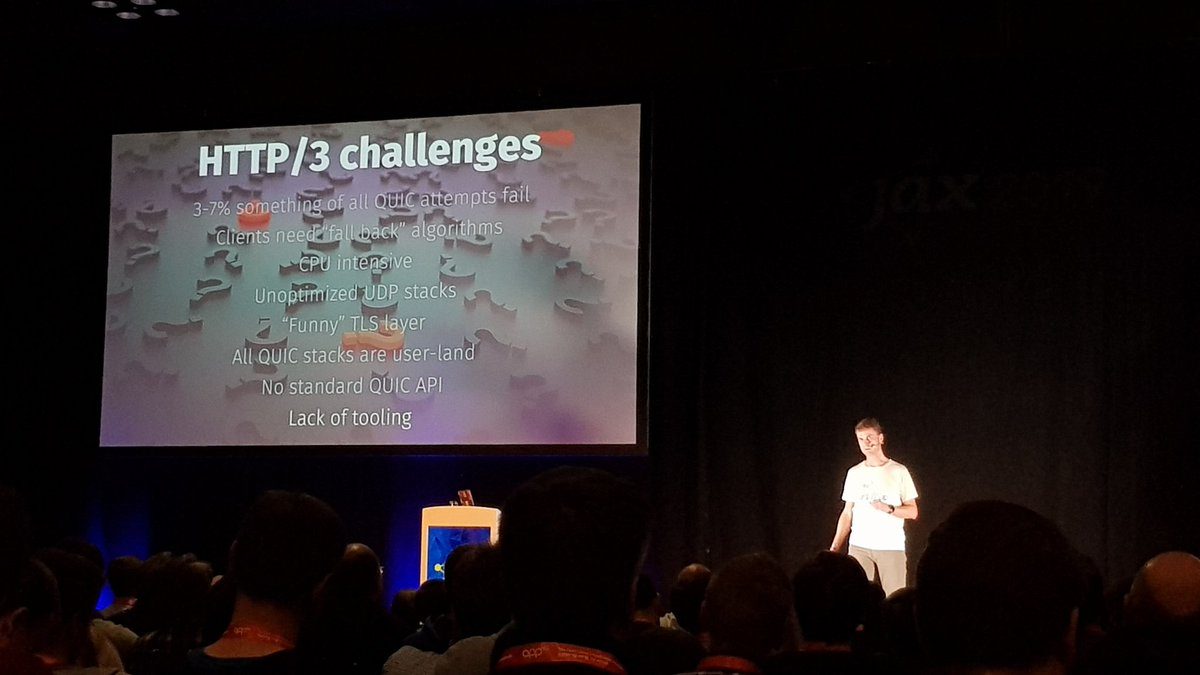
Some of the things that are still difficult include:
The money issue. I actually am a developer and that’s what I do for a living. Taking time off the development to prepare a presentation, travel to a distant place, sacrifice my spare time for one or more days and communicating something interesting to an audience that demands and expects it to be both good and reasonably entertaining takes time away from that development. Getting travel and accommodation compensated is awesome but unfortunately not enough. I need to insist on getting paid for this. I frequently turn down speaking opportunities when they can’t pay me for my time.
Saying no. Oh my god do I have a hard time to do this. This year, I’ve been invited to so many different conferences and the
Git-cinnabar is a git remote helper to interact with mercurial repositories. It allows to clone, pull and push from/to mercurial remote repositories, using git.
These release notes are also available on the git-cinnabar wiki.
What’s new since 0.5.0?
- Updated git to 2.21.0 for the helper.
- Experimental native mercurial support (used when mercurial libraries are not available) now has feature parity.
- Try to read the git system config from the same place as git does. This fixes native HTTPS support with Git on Windows.
- Avoid pushing more commits than necessary in some corner cases (see e.g. https://bugzilla.mozilla.org/show_bug.cgi?id=1529360).
- Added an –abbrev argument for
git cinnabar {git2hg,hg2git}to display shortened sha1s. - Can now pass multiple revisions to
git cinnabar fetch. - Don’t require the requests python module for
git cinnabar download. - Fixed
git cinnabar fsckfile checks to actually report errors. - Properly return an error code from
git cinnabar rollback. - Track last fsck’ed metadata and allow
git cinnabar rollback --fsckto go back to last known good metadata directly. git cinnabar reclonecan now be rolled back.- Added support for git bundles as cinnabarclone source.
- Added alternate styles of remote refs.
- More resilient to interruptions when HTTP Range requests are supported.
- Fixed off-by-one when storing mercurial heads.
- Better handling of mercurial branchmap tips.
- Better support for end of parts in bundle v2.
- Improvements handling urls to local mercurial repositories.
- Fixed compatibility with (very) old mercurial servers when using mercurial 5.0 libraries.
- Converted Continuous Integration scripts to Python 3.
WeTransfer’s file-sharing service is now available within Thunderbird for sending large files (up to 2GB) for free, without signing up for an account.
Even better, sharing large files can be done without leaving the composer. While writing an email, just attach a large file and you will be prompted to choose whether you want to use file link, which will allow you to share a large file with a link to download it. Via this prompt you can select to use WeTransfer.

Filelink prompt in Thunderbird
You can also enable File Link through the Preferences menu, under the attachments tab and the Outgoing page. Click “Add…” and choose “WeTransfer” from the drop down menu.

WeTransfer in Preferences
Once WeTransfer is set up in Thunderbird it will be the default method of linking for files over the size that you have specified (you can see that is set to 5MB in the screenshot above).
WeTransfer and Thunderbird are both excited to be able to work together on this great feature for our users. The Thunderbird team thinks that this will really improve the experience of collaboration and and sharing for our users.
WeTransfer is also proud of this feature. Travis Brown, WeTransfer VP of Business Development says about the collaboration:
“Mozilla and WeTransfer share similar values. We’re focused on the user and on maintaining our user’s privacy and an open internet. We’ll continue to work with their team across multiple areas and put privacy at the front of those initiatives.”
We hope that all our users will give this feature a try and enjoy being able to share the files they want with co-workers, friends, and family – easily.
https://blog.mozilla.org/thunderbird/2019/05/wetransfer-file-transfer-now-available-in-thunderbird/
As some of you already found out, I’ve tried live-streaming curl development recently. If you want to catch previous and upcoming episodes subscribe on my twitch page.
Why stream
For the fun of it. I work alone from home most of the time and this is a way for me to interact with others.
To show what’s going on in curl right now. By streaming some of my development I also show what kind of work that’s being done, showing that a lot of development and work are being put into curl and I can share my thoughts and plans with a wider community. Perhaps this will help getting more people to help out or to tickle their imagination.

For the feedback and interaction. It is immediately notable that one of the biggest reasons I enjoy live-streaming is the chat with the audience and the instant feedback on mistakes I do or thoughts and plans I express. It becomes a back-and-forth and it is not at all just a one-way broadcast. The more my audience interact with me, the more fun I have! That’s also the reason I show the chat within the stream most of the time since parts of what I say and do are reactions and follow-ups to what happens there.
I can only hope I get even more feedback and comments as I get better at this and that people find out about what I’m doing here.
And really, by now I also think of it as a really concentrated and devoted hacking time. I can get a lot of things done during these streaming sessions! I’ll try to keep them going a while.
Twitch
I decided to go with twitch simply because it is an established and known live-streaming platform. I didn’t do any deeper analyses or comparisons, but it seems to work fine for my purposes. I get a stream out with video and sound and people seem to be able to enjoy it.
As of this writing, there are 1645 people following me on twitch. Typical recent live-streams of mine have been watched by over a hundred simultaneous viewers. I also archive all past streams on Youtube, so you can get almost the same experience my watching back issues there.
I announce my upcoming streaming sessions as “events” on Twitch, and I announce them on twitter (@bagder you know). I try to stick to streaming on European day time hours basically because then I’m all alone at home and risk fewer interruptions or distractions from family members or similar.
Challenges
It’s not as easy as it may look trying to write code or debug an issue while at the same time explaining what I do. I learnt that the sessions get better if I have real and meaty issues to deal with or features to add, rather than to just have a few light-weight things to polish.
I also quickly learned that it is better to now not show an actual screen of mine in the stream, but instead I show a crafted set of windows placed on the output to look like it is a screen. This way there’s a much smaller risk that I actually show off private stuff or other content that wasn’t meant for the audience to see. It also makes it easier to show a tidy, consistent and clear “desktop”.
Streaming makes me have to stay focused on the development and prevents me from drifting off and watching cats or reading amusing tweets for a while
Trolls
So far we’ve been spared from the worst kind of behavior and people. We’ve only had some mild weirdos showing up in the chat and nothing that we couldn’t handle.
Equipment and software
I do all development on Linux so things have to work fine on Linux. Luckily, OBS Studio is a fine streaming app. With this, I can setup different “scenes” and I can change between them easily. Some of the scenes I have created are “emacs + term”, “browser” and “coffee break”.
When I want to show off me fiddling with the issues on github, I switch to the “browser” scene that primarily shows a big browser window (and the chat and the webcam in smaller windows).
When I want to show code, I switch to “emacs + term” that instead shows a terminal and an emacs window (and again the chat and the webcam in smaller windows), and so on.
OBS has built-in support for some of the major