Mozilla recently announced that we are planning to de-commission irc.mozilla.org in favour
of a yet to be determined solution. As a long time user and supporter of IRC, this decision causes
me some melancholy, but I 100% believe that it is the right call. Moreover, having had an inside
glimpse at the process to replace it, I’m supremely confident whatever is chosen will be the best
option for Mozilla’s needs.
I’m not here to explain why deprecating IRC is a good idea. Other people have already done so much more eloquently than I ever could have. I’m also not here to push for a specific replacement. Arguing over chat applications is like arguing over editors or version control. Yes, there are real and important differences from one application to the next, but if there’s one thing we’re spoiled for in 2019 it’s chat applications. Besides, so much time has been spent thinking about the requirements, there’s little anyone could say on the matter that hasn’t already been considered for hours.
This post is about an unrelated, but adjacent issue. An issue that began when mozilla.slack.com
first came online, an issue that will likely persist long after irc.mozilla.org rides off into
the sunset. An issue I don’t think is brought up enough, and which I’m hoping to start some
discussion on now that communication is on everyone’s mind. I’m talking about using two
communication platforms at once. For now Slack and IRC, soon to be Slack and something else.
Different platform, same problem.
Firefox 67 is available today, bringing a faster and better JavaScript debugger, support for CSS prefers-color-scheme media queries, and the initial debut of WebRender in stable Firefox.
These are just the highlights. For complete information, see:
CSS Color Scheme Queries
New in Firefox 67, the prefers-color-scheme media feature allows sites to adapt their styles to match a user’s preference for dark or light color schemes, a choice that’s begun to appear in operating systems like Windows, macOS and Android. As an example of what this looks like in the real world, Bugzilla uses prefers-color-scheme to trigger a brand new dark theme if the user has set that preference.

The prefers-color-scheme media feature is currently supported in Firefox and Safari, with support in Chrome expected later this year.
Additionally, the revert keyword is now supported, making it possible to revert one or more CSS property values back to their original values specified by the user agent’s default styles (or by a custom user stylesheet if one is set). Defined in Cascading and Inheritance Level 4, revert is also supported by Safari.
WebRender’s Stable Debut
Nearly four years ago we started work on a new rendering architecture for Firefox with the goal of better utilizing modern graphics hardware. Today, we’re beginning to gradually enable WebRender for users on Windows 10 with qualified hardware. This marks the first time that WebRender has been enabled outside of Nightly and Beta builds of Firefox, and we hope to expand the supported platforms in future releases.
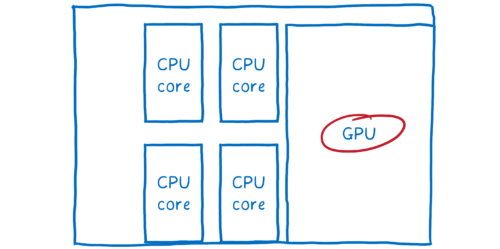
You can read more about WebRender in The whole web at maximum FPS: How WebRender gets rid of jank.
More Capable DevTools
Firefox 67 and 68 Developer Edition bring enormous improvements to Firefox’s JavaScript Debugger. Discover faster load times, amazing support for source maps, more predictable breakpoints, brand new logpoints, and much
Cryptocurrency, cryptomining. We hear these terms thrown around a lot these days. It’s a new way to invest. It’s a new way to pay. It’s a new way to be … Read more
The post No-Judgment Digital Definitions: What is Cryptocurrency? appeared first on The Firefox Frontier.
Is your computer fan spinning up for no apparent reason? Your electricity bill inexplicably high? Your laptop battery draining much faster than usual? It may not be all the Netflix … Read more
The post Let Firefox help you block cryptominers from your computer appeared first on The Firefox Frontier.
https://blog.mozilla.org/firefox/block-cryptominers-with-firefox/
If you wonder why you keep seeing the same ad, over and over, the answer could be fingerprinting. Fingerprinting is a type of online tracking that’s different from cookies or … Read more
The post How to block fingerprinting with Firefox appeared first on The Firefox Frontier.
https://blog.mozilla.org/firefox/how-to-block-fingerprinting-with-firefox/
Private browsing was invented 14 years ago, making it possible for users to close a browser window and erase traces of their online activity from their computers. Since then, we’ve … Read more
The post Save and update passwords in Private Browsing with Firefox appeared first on The Firefox Frontier.
https://blog.mozilla.org/firefox/save-passwords-in-private-browsing-firefox/
After many months of hard work and preparation, I’m pleased to announce the general availability of WebRender for selected Windows 10 devices. WebRender is a major rewrite of the Firefox rendering architecture using the same kind of GPU-based acceleration techniques used by games.
Until now, our browser rendering pipeline varied depending on the platform and OS. This has a number of drawbacks:
- In some of those variations, rendering happens on the main CPU, which consumes resources that could otherwise be used to run the rest of the browser.
- It is costly in terms of time and overhead to maintain and support multiple backends.
WebRender replaces this with a modern, unified architecture which consists of two major elements:
- The representation of the page in the compositor is no longer a set of rasterized layers, but now an unrasterized display list.
- The compositing and rasterization steps have been joined into a single GPU-powered rendering step.
For more details, refer to Lin Clark’s excellent Hacks article.
This design provides very fast throughput and eliminates the need for complicated heuristics to guess which parts of the website might change in future frames. Moreover, a single backend that we control means bringing hardware acceleration to more of our users: we run the same code across Windows, Mac, Linux, and Android, and we’re much better-equipped to work around driver bugs and avoid blacklisting. It also moves GPU work out of the content process which will let us have stricter sandboxing in the content process.
We’ve seen significant performance improvements on many websites already, but we’ve only scratched the surface of what’s possible with this architecture. Expect to see even more performance improvements as we begin to take full advantage of our architectural investment in WebRender.
Release Schedule
Since WebRender was quite a large undertaking, we decided to split up the release across a number of smaller targets. The aim of today’s release is to ship a WebRender MVP (minimum viable product) to one target; we plan to learn from that, and then gradually ship WebRender to additional platforms. This release of Firefox 67 will see us roll-out WebRender to users running Windows 10 on desktop machines with NVIDIA graphics cards. This currently represents approximately 4% of Firefox’s desktop population.
The go-live date for Firefox 67 is Tuesday, May 21st at 6am PST. WebRender will ship disabled by default. On May 27th, 25% of the qualified population will have WebRender enabled. We will then increase that rollout to 50% by Thursday, May 30th – assuming that everything is going smoothly. WebRender will then be enabled for 100% of the qualified population by the following week.
We will be keeping a close eye on various health metrics to ensure everything is working as expected. We also plan to conduct an A/B test to compare performance against non-WebRender-enabled Firefox instances in release. We have spent the past several months putting WebRender through its paces in Nightly and Beta and even conducted an experiment in the Firefox 66 release to help uncover any potential bugs and issues we might face.
This milestone is a significant one, and we are excited to get here! A big congrats goes out to everyone on the Graphics team and all of those who have pitched in to help us get to this point. We are all looking forward to shipping WebRender to more users throughout the rest of this year.
FAQs
So, is WebRender faster/better than non-WebRender?
When it came to performance, our main goal for the MVP was to avoid regressing performance or correctness vs. making it wildly better right away. That said, during our experiments in Nightly and Beta, we’ve observed that users with WebRender experience less jank, and that a number of website performance problems disappear. We will keep a close eye on our metrics as we ship throughout Firefox 67 and will report back on how things are looking in Release.
We are also continuing to prioritize performance work in WebRender. Picture caching 2.0, various display list improvements, and document splitting are all enhancements that leverage our flexible, new architecture to speed things up further.
How did you decide which hardware you were going to target for the MVP?
There are a couple of reasons why we choose to ship WebRender first on Windows 10 machines with
We're excited for the 2019 conference season, which we're actually late in writing up. Some incredible events have already happened! Read on to learn more about all the events occurring around the world, past and future.
December 15-16, 2018: RustRush
Yes, RustRush was actually in 2018, but we didn't cover it in the 2018 event lineup so we're counting it in 2019! This was the first Rust event in Russia. You can watch the talk videos and follow the conference on Twitter.
March 29-30, 2019: Rust Latam
The Rust Latam Conference is Latin America's leading event about Rust. Their first event happened in Montevideo this year, and the videos are available to watch! Rust Latam plans to be a yearly event, so watch Twitter for information about next year's event.
April 20-23, 2019: RustCon Asia
RustCon Asia was the first Rust conference in Asia! The talk videos are already available on YouTube! Follow @RustConAsia on Twitter for future updates.
April 26-29, 2019: Oxidize
Oxidize was a conference specifically about using Rust on embedded devices that took place in Berlin. Videos aren't out yet, but there'll probably be tweets when they are!
June 28-29, 2019: RustLab
RustLab is a new conference for this year that will be taking place in Florence, Italy. Their session and workshop lineup has been announced, and tickets are now available! Follow the conference on Twitter for the most up-to-date information.
August 22-23: RustConf
The official RustConf will again be taking place in Portland, OR, USA. Thursday is a day of trainings and Friday is the main day of talks. See Twitter for the latest announcements!
September 20-21: Colorado Gold Rust
Colorado Gold Rust is a new conference for this year, and is taking place in Denver, CO, USA. Their CFP and ticket sales are open now, and you can also follow them on twitter!
October 18-19: Rust Belt Rust
This year's Rust Belt Rust will be taking place in Dayton, OH, USA, the birthplace of flight! The CFP and ticket sales will open soon. Check Twitter for announcements.
November: RustFest
TenFourFox Feature Parity Release 14 final is now available for testing (downloads, hashes, release notes). Besides outstanding security updates, this release fixes the current tab with TenFourFox's AppleScript support so that this exceptional script now functions properly as expected:
tell application "TenFourFoxG5"
tell front browser window
set URL of current tab to "https://www.google.com/"
repeat while (current tab is busy)
delay 1
end repeat
tell current tab
run JavaScript "let f = document.getElementById('tsf');f.q.value='tenfourfox';f.submit();"
end tell
repeat while (current tab is busy)
delay 1
end repeat
tell current tab
run JavaScript "return document.getElementsByTagName('h3')[0].innerText + ' ' + document.getElementsByTagName('cite')[0].innerText"
end tell
end tell
end tell
The font blacklist has also been updated and I have also hard-set the frame rate to 30 in the pref even though the frame rate is capped at 30 internally and such a change is simply a placebo. However, there are people claiming this makes a difference, so now you have your placebo pill and I hope you like the taste of it. :P The H.264 wiki page is also available, if you haven't tried MPEG-4/H.264 playback. The browser will finalize Monday evening Pacific as usual.
For FPR15, the JavaScript update that slipped from this milestone is back on. It's hacky and I don't know if it will work; we may be approaching the limits of feature parity, but it should compile, at least. I'm trying to reduce the changes to JavaScript in this release so that regressions are also similarly limited. However, I'm also looking at adding some later optimizations to garbage collection and using Mozilla's own list of malware scripts to additionally seed basic adblock, which I think can be safely done simultaneously.
http://tenfourfox.blogspot.com/2019/05/tenfourfox-fpr14-available.html
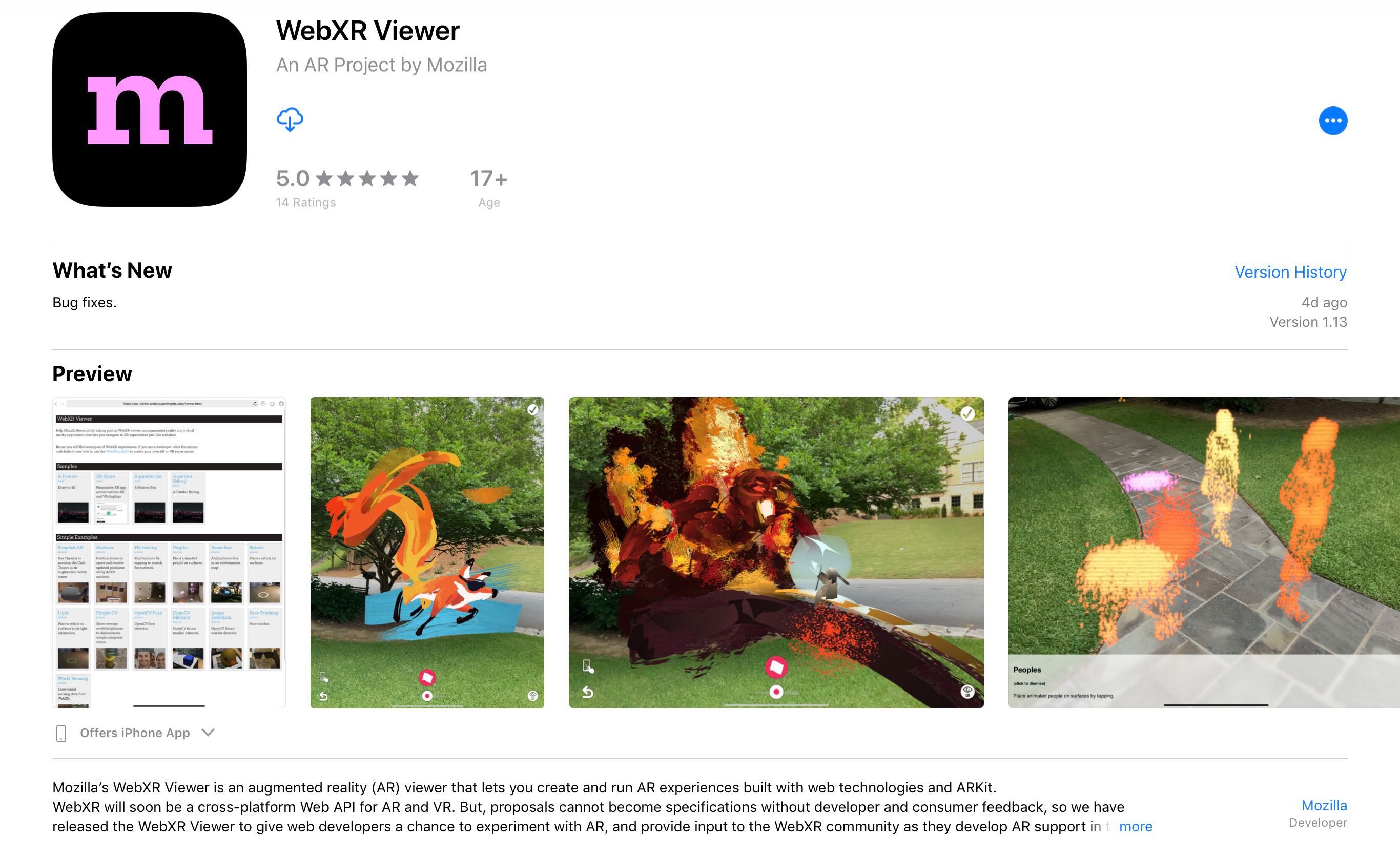
The first version of the WebXR Device API is close to being finalized, and browsers will start implementing the standard soon (if they haven't already). Over the past few months we've been working on updating the WebXR Viewer (source on github, new version available now on the iOS App Store) to be ready when the specification is finalized, giving developers and users at least one WebXR solution on iOS. The current release is a step along this path.
Most of the work we've been doing is hidden from the user; we've re-written parts of the app to be more modern, more robust and efficient. And we've removed little-used parts of the app, like video and image capture, that have been made obsolete by recent iOS capabilities.
There are two major parts to the recent update of the Viewer that are visible to users and developers.
A New WebXR API
We've updated the app to support a new implementation of the WebXR API based on the official WebXR Polyfill. This polyfill currently implements a version of the standard from last year, but when it is updated to the final standard, the WebXR API used by the WebXR Viewer will follow quickly behind. Keep an eye on the standard and polyfill to get a sense of when that will happen; keep an eye on your favorite tools, as well, as they will be adding or improving their WebXR support over the next few months. (The WebXR Viewer continues to support our early proposal for a WebXR API, but that API will eventually be deprecated in favor of the official one.)
We've embedded the polyfill into the app, so the API will be automatically available to any web page loaded in the app, without the need to load a polyfill or custom API. Our goal is to have any WebXR web applications designed to use AR on a mobile phone or tablet run in the WebXR Viewer. You can try this now, by enabling the "Expose WebXR API" preference in the viewer. Any loaded page will see the WebXR API exposed on navigator.xr, even though most "webxr" content on the web won't work right now because the standard is in a state of constant change.
You can find the current code for our API in the webxr-ios-js, along with a set of examples we're creating to explore the current API, and future additions to the API.These examples are available online. A glance at the code, or the examples, will show that we are not only implementing the initial API, but also building implementations of a number of proposed additions to the standard, including anchors, hit testing, and access to real world geometry. Implementing support for requesting geospatial coordinate system alignment allows integration with the existing web Geolocation API, enabling AR experiences that rely on geospatial data (illustrated simply in the banner image above). We will soon be exploring an API for camera access to enable computer vision.
Most of these APIs were available in our previous WebXR API implementation, but the former here more closely aligns with the work of the Immersive Web Community group. (We have also kept a few of our previous ARKit-specific APIs, but marked them explicitly as not being on the standards-track yet.)
A New Approach to WebXR Permissions
The most visible change to the application is a permissions API that is popped up when a web page requests a WebXR Session. Previously, the app was an early experiment and devoted to WebXR applications built with our custom API, so we did not explicitly ask for permission, inferring that anyone running an app in our experimental web browser intends to use WebXR capabilities.
When WebXR is released, browsers will need to obtain a user's permission before a web page can access the potentially sensitive data available via WebXR. We are particularly interested in what levels of permissions WebXR should have, so that users retain control of what data apps may require. One approach that seems reasonable is

On Thursday April 18, my primary mechanism for talking to friends notified me that it was going away. I’d been using BlackBerry Messenger (BBM) since I started work at Research in Motion in 2008 and had found it to be tolerably built. It messaged people instantly over any data connection I had access to, what more could I ask for?
The most important BBM feature in my circle of contacts was its Groups feature. A bunch of people with BBM could form a Group and then messages, video, pictures, lists were all shared amongst the people in the group.
Essentially it acted as a virtual private social network. I could talk to a broad group of friends about the next time were getting together or about some cute thing my daughter did. I could talk to the subset who lived in Waterloo about Waterloo activities, and whose turn it was for Sunday Dinner. The Beers group kept track of whose turn it was to pay, and it combined nicely with the chat for random nerdy tidbits and coordinating when each of us arrived at the pub. Even my in-laws had a group to coordinate visits, brag about child developmental milestones, and manage Christmas.
And then BBM announced it was going away, giving users six weeks to find a replacement… or, as seemed more likely to me, replacements.
First thing I did, since the notice came during working hours, was mutter angrily that Mozilla didn’t have an Instant Messaging product that I could, by default, trust. (We do have a messaging product, but it’s only for Desktop and has an email focus.)
The second thing I did was survey the available IM apps, cross-correlating them with whether or not various of my BBM contacts already had it installed… the existing landscape seemed to be a mess. I found that WhatsApp was by far the most popular but was bought by Facebook in 2014 and required a real phone number for your account. Signal’s the only one with a privacy/security story that I and others could trust (Telegram has some weight here, but not much) but it, too, required a phone number in order to sign up. Slack’s something only my tech friends used, and their privacy policy was a shambles. Discord’s something only my gaming friends used, and was basically Slack with push-to-talk.
So we fragmented. My extended friend network went to Google Hangouts, since just about everyone already had a Google Account anyway (even if they didn’t use it for anything). The Beers group went to Discord because a plurality of the group already had it installed.
And my in-laws’ family group… well, we still have two weeks left to figure that one out. Last I heard someone was stumping for Facebook Messenger, to which I replied “Could we not?”
The lack of reasonable options and the (sad, understandable) willingness of my relatives to trade privacy for convenience is bothering me so much that I’ve started thinking about writing my own IM/virtual private social network.
You’d think I’d know better than to even think about architecting anything even close to either of those topics… but the more I think about it the more webtech seems like an ideal fit for this. Notifications, Push, ServiceWorkers, WebRTC peer connections, TLS, WebSockets, OAuth: stir lightly et voila.
But even ignoring the massive mistake diving into either of those ponds full of crazy would be, the time was too short for that four weeks ago, and is trebly so now. I might as well make my peace that Facebook will learn my mobile phone number and connect it indelibly with its picture of what advertisements it thinks I would be most receptive to.
Yay.
:chutten
https://chuttenblog.wordpress.com/2019/05/16/virtual-private-social-network-tales-of-a-bbm-exodus/
Script debugging is one of the most powerful and complex productivity features in the web developer toolbox. Done right, it empowers developers to fix bugs quickly and efficiently. So the question for us, the Firefox DevTools team, has been, are the Firefox DevTools doing it right?
We’ve been listening to feedback from our community. Above everything we heard the need for greater reliability and performance; especially with modern web apps. Moreover, script debugging is a hard-to-learn skill that should work in similar fashion across browsers, but isn’t consistent because of feature and UI gaps.
With these pain points in mind, the DevTools Debugger team – with help from our tireless developer community – landed countless updates to design a more productive debugging experience. The work is ongoing, but Firefox 67 marks an important milestone, and we wanted to highlight some of the fantastic improvements and features. We invite you to open up Firefox Quantum: Developer Edition, try out the debugger on the examples below and your projects and let us know if you notice the difference.
A rock-solid debugging experience
Fast and reliable debugging is the result of many smaller interactions. From initial loading and source mapping to breakpoints, console logging, and variable previews, everything needs to feel solid and responsive. The debugger should be consistent, predictable, and capable of understanding common tools like webpack, Babel, and TypeScript.
We can proudly say that all of those areas have improved in the past months:
- Faster load time. We’ve eliminated the worst performance cliffs that made the debugger slow to open. This has resulted in a 30% speedup in our performance test suite. We’ll share more of our performance adventures in a future post.
- Excellent source map support. A revamped and faster source-map backend perfects the illusion that you’re debugging your code, not the compiled output from Babel, Webpack, TypeScript, vue.js, etc.
Generating correct source maps can be challenging, so we also contributed patches to build tools (i.e. babel, vue.js, regenerator) – benefiting the whole ecosystem. - Reduced overhead when debugger isn’t focused. No need to worry any longer about keeping the DevTools open! We found and removed many expensive calculations from running in the debugger when it’s in the background.
- Predictable breakpoints, pausing, and stepping. We fixed many long-standing bugs deep in the debugger architecture, solving some of the most common and frustrating issues related to lost breakpoints, pausing in the wrong script, or stepping through pretty-printed code.
- Faster variable preview. Thanks to our faster source-map support (and lots of additional work), previews are now displayed much more quickly when you hover your mouse over a variable while execution is paused.
These are just a handful of highlights. We’ve also resolved countless bugs and polish issues.
Looking ahead
Foremost, we must maintain a high standard of quality, which we’ll accomplish by explicitly setting aside time for polish in our planning. Guided by user feedback, we intend to use this time to improve new and existing features alike.
Second, continued investment in our performance and

One of the promises of immersive technologies is real time communication unrestrained by geography. This is as transformative as the internet, radio, television, and telephones—each represents a pivot in mass communications that provides new opportunities for information dissemination and creating connections between people. This raises the question, “what’s the immersive future we want?”
We want to be able to connect without traveling. Indulge our curiosity and creativity beyond our physical limitations. Revolutionize the way we visualize and share our ideas and dreams. Enrich everyday situations. Improve access to limited resources like healthcare and education.
The internet is an integral part of modern life—a key component in education, communication, collaboration, business, entertainment and society as a whole.
— Mozilla Manifesto, Principle 1
My first instinct is to say that I want an immersive future that brings joy. Do AR apps that help me maintain my car bring me joy? Not really.
What I really want is an immersive future that respects individual creators and users. Platforms and applications that thoughtfully approach issues of autonomy, privacy, bias, and accessibility in a complex environment. How do we get there? First, we need to understand the broader context of augmented and virtual reality in ethics, identifying overlap with both other technologies (e.g. artificial intelligence) and other fields (e.g. medicine and education). Then, we can identify the unique challenges presented by spatial and immersive technologies. Given the current climate of ethics and privacy, we can anticipate potential problems, identify the core issues, and evaluate different approaches.
From there, we have an origin for discussion and a path for taking practical steps that enable legitimate uses of MR while discouraging abuse and empowering individuals to make choices that are right for them.
For details and an extended discussion on these topics, see this paper.
The immersive web
Whether you have a $30 or $3000 headset, you should be able to participate in the same immersive universe. No person should be excluded due to their skin color, hairstyle, disability, class, location, or any other reason.
The internet is a global public resource that must remain open and accessible.
— Mozilla Manifesto, Principle 2
The immersive web represents an evolution of the internet. Immersive technologies are already deployed in education and healthcare. It's unethical to limit their benefits to a privileged few, particularly when MR devices can improve access to limited resources. For example, Americans living in rural areas are underserved by healthcare, particularly specialist care. In an immersive world, location is no longer an obstacle. Specialists can be virtually present anywhere, just like they were in the room with the patient. Trained nurses and assistants would be required for physical manipulations and interactions, but this could dramatically improve health coverage and reduce burdens on both patients and providers.
While we can build accessibility into browsers and websites, the devices themselves need to be created with appropriate accomodations, like settings that indicate a user is in a wheelchair. When we design devices and experiences, we need to consider how they'll work for people with disabilities. It's imperative to build inclusive MR devices and experiences, both because it's unethical to exclude users due to disability, and because there are so many opportunities to use MR as an assistive technology, including:
- Real time subtitles
- Gaze-based navigation
- Navigation with vehicle and obstacle detection and warning
The immersive web is for everyone.
Representation and safety
Mixed reality offers new ways to connect with each other, enabling us to be virtually present anywhere in the world instantaneously. Like most technologies, this is both a good and a bad thing. While it transforms how we can communicate, it also offers new vectors for abuse and harassment.
All social VR platforms need to have simple and obvious ways to report
Smart home devices can make busy lives a little easier, but they also require you to give up control of your usage data to companies for the devices to function. In a recent article from the New York Times’ Privacy Project about protecting privacy online, the author recommended people to not buy Internet of Things (IoT) devices unless they’re “willing to give up a little privacy for whatever convenience they provide.”
This is sound advice since smart home companies can not only know if you’re at home when you say you are, they’ll soon be able to listen for your sniffles through their always-listening microphones and recommend sponsored cold medicine from affiliated vendors. Moreover, by both requiring that users’ data go through their servers and by limiting interoperability between platforms, leading smart home companies are chipping away at people’s ability to make real, nuanced technology choices as consumers.
At Mozilla, we believe that you should have control over your devices and the data that smart home devices create about you. You should own your data, you should have control over how it’s shared with others, and you should be able to contest when a data profile about you is inaccurate.
Mozilla WebThings follows the privacy by design framework, a set of principles developed by Dr. Ann Cavoukian, that takes users’ data privacy into account throughout the whole design and engineering lifecycle of a product’s data process. Prioritizing people over profits, we offer an alternative approach to the Internet of Things, one that’s private by design and gives control back to you, the user.
User Research Findings on Privacy and IoT Devices
Before we look at the design of Mozilla WebThings, let’s talk briefly about how people think about their privacy when they use smart home devices and why we think it’s essential that we empower people to take charge.
Today, when you buy a smart home device, you are buying the convenience of being able to control and monitor your home via the Internet. You can turn a light off from the office. You can see if you’ve left your garage door open. Prior research has shown that users are passively, and sometimes actively, willing to trade their privacy for the convenience of a smart home device. When it seems like there’s no alternative between having a potentially useful device or losing their privacy, people often uncomfortably choose the former.
Still, although people are buying and using smart home devices, it does not mean they’re comfortable with this status quo. In one of our recent user research surveys, we found that almost half (45%) of the 188 smart home owners we surveyed were concerned about the privacy or security of their smart home devices.

User Research Survey Results
Last Fall 2018, our user research team conducted a diary study with eleven participants across the United States and the United Kingdom. We wanted to know how usable and useful people found our WebThings software. So we gave each of our research participants some Raspberry Pis (loaded with the Things 0.5 image) and a few smart home devices.

tl;dr Enable support for Transport Layer Security (TLS) 1.2 today!
As you may have read last year in the original announcement posts, Safari, Firefox, Edge and Chrome are removing support for TLS 1.0 and 1.1 in March of 2020. If you manage websites, this means there’s less than a year to enable TLS 1.2 (and, ideally, 1.3) on your servers, otherwise all major browsers will display error pages, rather than the content your users were expecting to find.

In this article we provide some resources to check your sites’ readiness, and start planning for a TLS 1.2+ world in 2020.
Check the TLS “Carnage” list
Once a week, the Mozilla Security team runs a scan on the Tranco list (a research-focused top sites list) and generates a list of sites still speaking TLS 1.0 or 1.1, without supporting TLS >= 1.2.

As of this week, there are just over 8,000 affected sites from the one million listed by Tranco.
There are a few potential gotchas to be aware of, if you do find your site on this list:
- 4% of the sites are using TLS <= 1.1 to redirect from a bare domain (https://example.com) to www (https://www.example.com) on TLS >= 1.2 (or vice versa). If you were to only check your site post-redirect, you might miss a potential footgun.
- 2% of the sites don’t redirect from bare to www (or vice versa), but do support TLS >= 1.2 on one of them.
The vast majority (94%), however, are just bad—it’s TLS <= 1.1 everywhere.
If you find that a site you work on is in the TLS “Carnage” list, you need to come up with a plan for enabling TLS 1.2 (and 1.3, if possible). However, this list only covers 1 million sites. Depending on how popular your site is, you might have some work to do regardless of whether you’re not listed by Tranco.
Run an online test
Even if you’re not on the “Carnage” list, it’s a good idea to test your servers all the same. There are a number of online services that will do some form of TLS version testing for you, but only a few will flag not supporting modern TLS versions in an obvious way. We recommend using one or more of the following:
- Hardenize will fail your site if it doesn’t support TLS 1.2.
- ImmuniWeb will indicate old versions of TLS as violations of PCI DSS requirements.
- Qualys’ SSL Server Test will penalize you if TLS 1.2 is not currently supported.
Check developer tools
Another way to do this is open up Firefox (versions 68+) or Chrome (versions 72+) DevTools, and look for the following warnings in the console as you navigate around your site.


What’s Next?
This October, we plan on disabling old TLS in Firefox Nightly and you can expect the same for
The latest in the continued death march of speculative execution attacks is ZombieLoad (see our previous analysis of Spectre and Meltdown on Power Macs). ZombieLoad uses the same types of observable speculation flaws to exfiltrate data but bases it on a new class of Intel-specific side-channel attacks utilizing a technique the investigators termed MDS, or microarchitectural data sampling. While Spectre and Meltdown attack at the cache level, ZombieLoad targets Intel HyperThreading (HT), the company's implementation of symmetric multithreading, by trying to snoop on the processor's line fill buffers (LFBs) used to load the L1 cache itself. In this case, side-channel leakages of data are possible if the malicious process triggers certain specific and ultimately invalid loads from memory -- hence the nickname -- that require microcode assistance from the CPU; these have side-effects on the LFBs which can be observed by methods similar to Spectre by other processes sharing the same CPU core. (Related attacks against other microarchitectural structures are analogously implemented.)
The attackers don't have control over the observed address, so they can't easily read arbitrary memory, but careful scanning for the type of data you're targeting can still make the attack effective even against the OS kernel. For example, since URLs can be picked out of memory, this apparent proof of concept shows a separate process running on the same CPU victimizing Firefox to extract the URL as the user types it in. This works because as the user types, the values of the individual keystrokes go through the LFB to the L1 cache, allowing the malicious process to observe the changes and extract characters. There is much less data available to the attacking process but that also means there is less to scan, making real-time attacks like this more feasible.
That said, because the attack is specific to architectural details of HT (and the authors of the attack say they even tried on other SMT CPUs without success), this particular exploit wouldn't work even against modern high-SMT count Power CPUs like POWER9. It certainly won't work against a Power Mac because no Power Mac CPU ever implemented SMT, not even the G5. While Mozilla is deploying a macOS-specific fix, we don't need it in TenFourFox, nor do we need other mitigations. It's especially bad news for Intel because nearly every Intel chip since 2011 is apparently vulnerable and the performance impact of fixing ZombieLoad varies anywhere from Intel's Pollyanna estimate of 3-9% to up to 40% if HT must be disabled completely.
Is this a major concern for users? Not as such: although the attacks appear to be practical and feasible, they require you to run dodgy software and that's a bad idea on any platform because dodgy software has any number of better ways of pwning your computer. So don't run dodgy programs!
Meanwhile, TenFourFox FPR14 final should be available for testing this weekend.
http://tenfourfox.blogspot.com/2019/05/zombieload-doesnt-affect-power-macs.html