TenFourFox Feature Parity Release 17 final is now available for testing (downloads, hashes, release notes). Apologies for the delay, but I was visiting family and didn't return until a few hours ago so I could validate and perform the confidence testing on the builds. There are no other changes in this release other than a minor tweak to the ATSUI font blacklist and outstanding security patches. Assuming all is well, it will go live tomorrow evening Pacific time.
The FPR18 cycle is the first of the 4-week Mozilla development cycles. It isn't feasible for me to run multiple branches, so we'll see how much time this actually gives me for new work. As previously mentioned, FPR18 will be primarily about parity updates to Reader mode, which helps to shore up the browser's layout deficiencies and is faster to render as well. There will also be some other minor miscellaneous fixes.
http://tenfourfox.blogspot.com/2019/12/tenfourfox-fpr17-available.html
This year, I am noticing an increased number of sentimental waves, as well as an unusually strong afinity towards the Christmas holiday season.
As it is now the first Advent Sunday, I feel it is time to share a little personal bit about how this year has been going so far. It has been a rather eventful year in terms of family matters, health conditions, and some other events that were emotionally challenging in one form or another. As a result, I have been noticing a very strong sense of longing for some peace and quiet. Something to slow things down a bit as the year winds down.
In February, I came down with a serious case of bacterial infection that hit me out of the blue. It was not the result of a cold or pneumonia, it was just a hugely increased level of infectious markers in my blood. It knocked me out within hours, and resulted in my first visit to a hospital in over 12 years. What followed was a real cold I acquired in the hospital waiting area, which shamelessly took advantage of my already weakened immune system.
In March, I then became sick for almost four months with a case of burnout. That got sorted, and resulted in some changes that feel better, but I have a feeling that that’s not completely finished and behind me yet.
Shortly afterwards, on July 13, my grandmother died at the age of 98 after a long life and a few years fighting with dementia. Her funeral was the first I had to attend in a long time, and it brought together family members like a lot of cousins and their children, and in one case grandchild, that I hadn’t seen in many years. I don’t live where the rest of my relatives live, so don’t get to see them often.
In August, after only nine months, my wife and I moved apartments again. We had moved to a different place, a little cheaper and more on the outskirts, that totally didn’t pan out the way we had hoped. Thankfully, due to a chain of totally lucky events, we got our old apartment back. It feels like we had only left for a prolonged vacation, although we actually feel better now that we moved back to the old place.
In October, my aunt, my mom’s younger sister, and her husband celebrated their golden anniversary. Yes, that’s 50 years married. They’re the first in our extended family that I am aware of to have reached this stage. If all goes well, my parents will follow suit in February of 2022. I’ll be 50 one year and two months later. This occasion made me visit my home village again, seeing the whole extended family for the second time this year, and this time actually celebrating.
Speaking of my parents: My mom will be 70 in a few days. I will go there to celebrate with her and see the whole family again, the third time this year.
And we
ve just made arrangements with my parents to spend Christmas Eve, which in Germany is the main afternoon/evening of family get-together, presents and such. We haven’t done this in a few years, but this year feels like we really want it. My sister, who lives in Vienna, Austria, now and who I haven’t seen in two years, will also be there.
Yes, family sense and the feeling of wanting to spend more time with them is very strong this year. We started listening to Christmas songs much earlier than usual, in fact the first time I felt all Christmassy was in late October when a random playlist played The House Martins “Caravan Of Love”. And since its release on November 22, Robbie Williams’ “The Christmas Present” has been on shuffle repeat for hours every day. If you haven’t listened to it, I can only encourage you to. It is a gorgeous, emotional, and yes also warm and fuzzy, Christmas album. And funny, too!
To all of you who celebrate it, a very happy first Advent!
CSS zoom is a non-standard feature.
It was initially implemented by Microsoft Internet Explorer, then was reversed engineered by Apple Safari team for WebKit, and exist in Google Chrome on Blink. Chris talks briefly about the origin.
Back in the days of IE6, zoom was used primarily as a hack. Many of the rendering bugs in both IE6 and IE7 could be fixed using zoom. As an example, display: inline-block didn't work very well in IE6/7. Setting zoom: 1 fixed the problem. The bug had to do with how IE rendered its layout. Setting zoom: 1 turned on an internal property called hasLayout, which fixed the problem.
In Apple docs:
Children of elements with the zoom property do not inherit the property, but they are affected by it. The default value of the zoom property is normal, which is equivalent to a percentage value of 100% or a floating-point value of 1.0.
Changes to this property can be animated.
There is no specification describing how it is working apart of the C++ code of WebKit and Blink. It predates the existence of CSS transforms, which is the right way of doing it. But evidently, the model is not exactly the same.
Firefox (Gecko) doesn't implement it. There is a very old open bug on Bugzilla about implementing CSS Zoom, time to time, we duplicate webcompat issues against it. Less often now than previously.
On the webcompat side, the fix we recommend to websites is to use CSS transform. A site which would have for example:
section {zoom: 1}
could replace this with
section {
    transform-origin: 0 0;
    transform: scale(100%)
}
And that would do the trick most of the time.
On October 2019, Emilio made an experiment trying to implement CSS zoom using only CSS transform, on the same model that the webcompat team is recommending. And we tested this for a couple of weeks in Nightly Firefox 72 until… it created multiple regressions such as this one.
After removing the rest of the rules, this the core of the issue:
.modal.modal--show .modal-container {

    transform: translate(-50%,-50%);
    zoom: 1;
}
so the fix would replace this by:
.modal.modal--show .modal-container {

    transform: translate(-50%,-50%);
    transform-origin: 0 0;
    transform: scale(100%)
}
hence cancelling the previous rule translate(-50%,-50%) and breaking the layout.
Emilio had to disable the preference and we need to think a better way of doing it.
Otsukare!

I’ve long held the position that our tools are so often ahumanist junk because we’re so deeply /exple.tive.org/blarg/2013/10/22/citation-needed/">beholden to a history we don’t understand, and in my limited experience with the various DevOps toolchains, they definitely feel like Stockholm Spectrum products of that particular zeitgeist. It’s a longstanding gripe I’ve got with that entire class of tools, Docker, Vagrant and the like; how narrow their notions of a “working development environment” are. Source, dependencies, deploy scripts and some operational context, great, but… not much else?
And on one hand: that’s definitely not nothing. But on the other … that’s all, really? It works, for sure, but it still seems like a failure of imagination that solving the Works On My Machine problem involves turning it inside out so that “deploy from my machine” means “my machine is now thoroughly constrained”. Seems like a long road around to where we started out but it was a discipline then, not a toolchain. And while I fully support turning human processes into shell scripts wherever possible (and checklists whenever not), having no slot in the process for compartmentalized idiosyncracy seems like an empty-net miss on the social ergonomics front; improvements in tooling, practice or personal learning all stay personal, their costs and benefits locked on local machines, leaving the burden of sharing the most human-proximate part of the developer experience on the already-burdened human, a forest you can never see past the trees.
This gist is a baby step in a different direction, one of those little tweaks I wish I’d put together 20 years ago; per-project shell history for everything under ~/src/ as a posix-shell default. It’s still limited to personal utility, but at least it gives me a way to check back into projects I haven’t touched in a while and remind myself what I was doing. A way, he said cleverly, of not losing track of my history.
The next obvious step for an idea like this from a tool and ergonomics perspective is to make containerized shell history an (opt-in, obvs) part of a project’s telemetry; I am willing to bet that with a decent corpus, even basic tools like grep and sort -n could draw you a straight line from “what people are trying to do in my project” to “where is my documentation incorrect, inadequate or nonexistent”, not to mention “what are my blind spots” and “how do I decide what to built or automate next”.
But setting that aside, or at least kicking that can down the road to this mythical day where I have a lot of spare time to think about it, this is unreasonably useful for me as it is and maybe you’ll find it useful as well.
Since its debut in Firefox 61, the Accessibility Inspector in the Firefox Developer Tools has evolved from a low-level tool showing the accessibility structure of a page. In Firefox 70, the Inspector has become an auditing facility to help identify and fix many common mistakes and practices that reduce site accessibility. In this post, I will offer an overview of what is available in this latest release.
Inspecting the Accessibility Tree
First, select the Accessibility Inspector from the Developer Toolbox. Turn on the accessibility engine by clicking “Turn On Accessibility Features.” You’ll see a full representation of the current foreground tab as assistive technologies see it. The left pane shows the hierarchy of accessible objects. When you select an element there, the right pane fills to show the common properties of the selected object such as name, role, states, description, and more. To learn more about how the accessibility tree informs assistive technologies, read this post by Hidde de Vries.

The DOM Node property is a special case. You can double-click or press ENTER to jump straight to the element in the Page Inspector that generates a specific accessible object. Likewise, when the accessibility engine is enabled, open the context menu of any HTML element in the Page Inspector to inspect any associated accessible object. Note that not all DOM elements have an accessible object. Firefox will filter out elements that assistive technologies do not need. Thus, the accessibility tree is always a subset of the DOM tree.
In addition to the above functionality, the inspector will also display any issues that the selected object might have. We will discuss these in more detail below.
The accessibility tree refers to the full tree generated from the HTML, JavaScript, and certain bits of CSS from the web site or application. However, to find issues more easily, you can filter the left pane to only show elements with current accessibility issues.
Finding Accessibility Problems
To filter the tree, select one of the auditing filters from the “Check for issues” drop-down in the toolbar at the top of the inspector window. Firefox will then reduce the left pane to the problems in your selected category or categories. The items in the drop-down are check boxes — you can check for both text labels and focus issues. Alternatively, you can run all the checks at once if you wish. Or, return the tree to its full state by selecting None.
Once you select an item from the list of problems, the right pane fills with more detailed information. This includes an MDN link to explain more about the issue, along with suggestions for fixing the problem. You can go into the page inspector and apply changes temporarily to see immediate results in the accessibility inspector. Firefox will update Accessibility information dynamically as you make changes in the page inspector. You gain instant feedback on whether your approach will solve the problem.
Text labels
Since Firefox 69, you have the ability to filter the list of accessibility objectss to only display those that are not properly labeled. In accessibility jargon, these are items that have no names. The name is the primary source of information that assistive technologies, such as screen readers, use to inform a user about what a particular element does. For example, a proper button label informs the user what action will occur when the button is activated.
The check for text labels goes through the whole document and flags all the issues it knows about. Among other things, it finds missing alt-text (alternative text) on images, missing titles on iframes or embeds, missing labels for form elements such as inputs or selects, and missing text in a heading element.

Check for Keyboard issues
Keyboard navigation and visual focus are common sources of accessibility issues for various types of users. To help debug these more easily,
This morning I merged pull-request #4651 into the curl repository and it happened to then become the 25000th commit.

The first ever public release of curl was uploaded on March 20, 1998. 7924 days ago.
3.15 commits per day on average since inception.
These 25000 commits have been authored by 751 different persons.
Through the years, 47 of these 751 authors have ever authored 10 commits or more within a single year. In fact, the largest number of people that did 10 commits or more within a single year is 13 that happened in both 2014 and 2017.
19 of the 751 authors did ten or more changes in more than one calendar year. 5 of the authors have done ten or more changes during ten or more years.
I wrote a total of 14273 of the 25000 commits. 57%.
Hooray for all of us!
(Yes of course 25000 commits is a totally meaningless number in itself, it just happened to be round and nice and serves as a good opportunity to celebrate and reflect over things!)
Mozilla supports the Contract for the Web and the vision of the world it seeks to create. We participated in helping develop the content of the principles in the Contract. The result is language very much aligned with Mozilla, and including words that in many cases echo our Manifesto. Mozilla works to build momentum behind these ideas, as well as building products and programs that help make them real.
At the same time, we would like to see a clear method for accountability as part of the signatory process, particularly since some of the big tech platforms are high profile signatories. This gives more power to the commitment made by signatories to uphold the Contract about privacy, trust and ensuring the web supports the best in humanity.
We decided not to sign the Contract but would consider doing so if stronger accountability measures are added. In the meantime, we continue Mozilla’s work, which remains strongly aligned with the substance of the Contract.
The post Mozilla and the Contract for the Web appeared first on The Mozilla Blog.
https://blog.mozilla.org/blog/2019/11/28/mozilla-and-the-contract-for-the-web/
Firefox toolbars got a significant improvement to keyboard navigability in version 67. It was once again enhanced in Firefox 70. Here’s how.
For a long time, Firefox toolbars were not keyboard accessible. You could put focus in the address bar, and tab to the search box when it was still enabled by default. But the next press of the tab key would take you to the document. Shift-tabbing from the address bar would take you to the Site Identity button, AKA the Lock icon, and another Shift+Tab would take you to the open tabs.
In 2018, we set out to come up with a new model to make this more accessible, and every item reachable via the keyboard. The goal was to make the navigation both efficient and be as close to the toolbar design pattern as possible. Here’s how it now works:
- Tab and Shift+Tab will move to the next or previous container block or text field.
- When in a container block, left and right arrows will move to the previous and next toolbar item.
- Press Enter or Space to activate.
In Firefox 70, Jamie made the navigation even faster by adding an incremental search to the whole toolbar system. The only prerequisite is that you are not currently focused on the address bar or a search or other edit control. For example, do the following:
- From your web page, press Ctrl+L or Alt+D to focus the address field.
- Press Tab once to get out of the address field onto the first button in the next container.
- Hit the letter F once or multiple times. Observe or listen as focus moves between all buttons whose tooltip or label start with F, like Firefox Accounts, Firefox menu, Facebook Account Containers (if you have that add-on installed), etc.
- Instead, if you type the letters f and i in rapid succession, you will land on the first item whose label or tooltip starts with fi, so Firefox Accounts, Firefox menu, but not Facebook Account Containers.
This also works with numbers, so if you have the 1Password extension installed, and type the alphanumeric number 1, you’ll jump straight to the 1Password button, no matter where in the various toolbars it is. Cool, ey?
Happy surfing!
https://marcozehe.de/2019/11/28/navigating-in-the-firefox-toolbars-using-the-keyboard/
I’m discuss three more vulnerabilities in Kaspersky software such as Kaspersky Internet Security 2019 here, all exploitable by arbitrary websites. These allowed websites to uninstall browser extensions, track users across Private Browsing session or even different browsers and control some functionality of Kaspersky software. As of Patch F for 2020 products family and Patch I for 2019 products family all of these issues should be resolved.
Note: This is the high-level overview. If you want all the technical details you can find them here. There are also older articles on Kaspersky vulnerabilities: Internal Kaspersky API exposed to websites and Kaspersky in the Middle - what could possibly go wrong?
Uninstalling browser extensions in Chrome
The Kaspersky Protection browser extension for Google Chrome (but not the one for Mozilla Firefox) has some functionality allowing it to uninstall other browser extensions. While I didn’t see this functionality in action, presumably it’s supposed to be used when one of your installed extensions is found to be malicious. As I noticed in December 2018, this functionality could be commanded by any website, so websites could trigger uninstallation of ad blocking extensions for example.
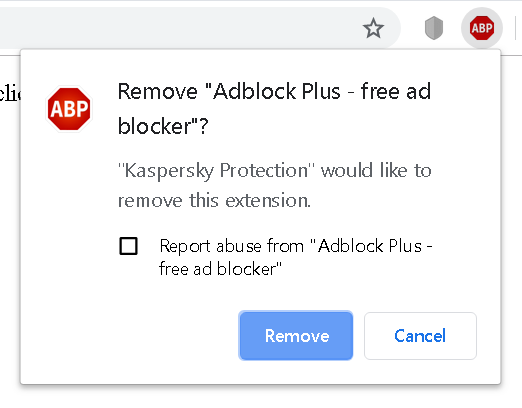
Luckily, Chrome doesn’t let extensions uninstall other browser extensions without asking the user to confirm. The only extension that can be uninstalled silently is Kaspersky Protection itself. For other extensions, websites would have to convince the user into accepting the prompt above – e.g. by making them think that the legitimate extension is actually malicious, with “Kaspersky Protection” mentioned in the prompt lending them some credibility.
Kaspersky initially claimed to have resolved this issue in July 2019. It turned out however that the issue hasn’t been addressed at all. Instead, my page to demonstrate the issue has been blacklisted as malicious in their antivirus engine. Needless to say, this didn’t provide any protection whatsoever, changing a single character was sufficient to circumvent the blacklisting.
The second fix went out a few weeks ago and mostly addressed the issue, this time for real. It relied on a plain HTTP (not HTTPS) website being trustworthy however, not something you can rely on when connected to a public network for example. That remaining issue is supposedly addressed by the final patch which is being rolled out right now.
Unique user identifiers once again
In August this year Heise Online demonstrated how Kaspersky software provided websites with a user identifier that was unique to the particular system. This identifier would always be present and unchanged, even if you cleared cookies, used Private Browsing mode or switched browsers. So it presented a great way for websites to track even the privacy-conscious users – a real privacy disaster.
After reading the news I realized that I saw Kaspersky software juggle more unique user identifiers that websites could use for tracking. Most of them have already been defused by the same patch that fixed the vulnerability reported by Heise Online. They overlooked one such value however, so websites could still easily get hold of a system-specific identifier that would never go away.
I have, for the most part, remained silent about the whole WordPress Gutenberg accessibility topic. Others who are closer to the project have been very vocal about it, and continue to do so. However, after a period of sickness, and now returning to more regular blogging, I feel the time has come to break that silence.
What is Gutenberg?
Gutenberg, or the new WordPress block editor, is the next generation writing and site building interface in the WordPress blogging platform. WordPress has evolved to a full content management system over the years, and this new editor is becoming the new standard way of writing posts, building WordPress pages, and more.
The idea is that, instead of editing the whole post or page in a single go, and having to worry about each type of element you want to insert yourself, WordPress takes care of much of this. So if you’re writing an ordinary paragraph, a heading, insert an image, video or audio, a quotation, a “read more” link, or many other types of content, WordPress will allow you to do each of these in separate blocks. You can rearrange them, delete a block in the middle of your content, insert a new block with rich media etc., and WordPress will do the heavy-lifting for you. It will take care of the correct markup, prompt you for the necessary information when needed, and show you the result right where and how it will appear with your theme in use. It is a WYSIWYG (what you see is what you get) editor, but in much more flexible form. You can even nest blocks and arrange them in columns nowadays.
Gutenberg also supports a rich programming interface so new blocks can easily be created, which then blend in with the rest of the editor. This is supposedly less complex than writing whole plugins for a new editor feature or post type. Imagine a block that adds a rich podcast player with chapter markers, show notes and other information, and you can easily embed this in your post or page where needed. Right now, this is a rather complex task. With Gutenberg, designing, arranging and customizing your content is supposed to become much easier and flexible.
The problem is complexity
So the main problem from the beginning was: How to make this seemingly complex user interface so simple even those who cannot code or have web design skills, can easily get around it? WordPress does several things to try and accomplish this. It focuses on each block individually and only shows the controls pertaining to that block. Everything else shrinks down so it doesn’t distract the user.
However, since its inception, the problem was that not everybody was on board with the notion that this editor should work for everybody from the start. In theory, the project leads were, but they were impatient and didn’t want to spend the extra time during the design phase to answer the hard questions around non-mouse interactions, keyboard workflows, non-visual communication of various states of the complex UI, etc. Accessibility was viewed as the thing that “held the web back”, or “could be added later”.
Fast-forward to the end of 2019, and it is clear that full accessibility, and therefore full participation in the experience, is not there yet. While there have been many improvements, there are still many gaps, and new challenges are introduced with almost every feature. But let’s take a look at what has happened so far.
A little bit of history
In March of 2018, some user testing was performed to evaluate the then current state of Gutenberg with screen readers. The accessibility simply was not there then. This is made evident by this report by the WordPress Accessibility team, a group of mainly volunteers who have made it their goal to try and keep on top of all things accessibility around WordPress and Gutenberg.
The whole state of affairs became so frustrating that Rian Rietveld, who had led the WordPress accessibility efforts for quite some time, resigned in October of 2018. Her post also covers a lot of the problems the team was, and from what I can see from the outer rim, still is, facing every day. The situation seems a bit better today, with some more core developers being more on board with accessibility and more aware of issues than they were a year ago, but the project lead, and the lead designers, are still an unyielding wall of resistance most of the time, not willing to embed accessibility
This will hopefully be my last article on vulnerabilities in Kaspersky products for a while. With one article on vulnerabilities introduced by interception of HTTPS connections and another on exposing internal APIs to web pages, what’s left in my queue are three vulnerabilities without any relation to each other.
Note: Lots of technical details ahead. If you only want a high-level summary, there is one here.
Summary of the findings
The first vulnerability affects Kaspersky Protection browser extension for Google Chrome (not its Firefox counterpart) which is installed automatically by Kaspersky Internet Security. Arbitrary websites can trick it into uninstalling Chrome browser extensions (CVE-2019-15684). In particular, they can uninstall Kaspersky Protection itself, which will happen silently. Uninstalling other browser extensions will make Google Chrome display an additional confirmation prompt, so social engineering is required to make the user accept it. While this prompt lowers the severity of the issue considerably, the way it has been addressed by Kaspersky is also quite remarkable. The initial attempt to fix this issue took eight months, yet the issue could be reproduced again after making a trivial change.
The second vulnerability is very similar to the one demonstrated by Heise Online earlier this year. While Kaspersky addressed their report in a fairly thorough way and most values exposed to the web by their application were made unsuitable for tracking, one value was overlooked. I could demonstrate how arbitrary websites can retrieve a user identifier which is unique to the specific installation of Kaspersky Internet Security (CVE-2019-15687). This identifier is shared across all browsers and is unaffected by protection mechanisms such as Private Browsing.
Finally, the last issue affects links used by special web pages produced by Kaspersky Internet Security, such as the invalid certificate or phishing warning pages. These links will trigger actions in the application, for example adding an exception for an invalid
Author's note: Unfortunately, my tweets and blogs on old-hat themes like "C++ sucks, LOL" get lots of traffic, while my messages about Pernosco, which I think is much more interesting and important, have relatively little exposure. So, it's troll time.
TL;DR Debuggers suck, not using a debugger sucks, and you suck.
If you don't use an interactive debugger then you probably debug by adding logging code and rebuilding/rerunning the program. That gives you a view of what happens over time, but it's slow, can take many iterations, and you're limited to dumping some easily accessible state at certain program points. That sucks.
If you use a traditional interactive debugger, it sucks in different ways. You spend a lot of time trying to reproduce bugs locally so you can attach your debugger, even though in many cases those bugs have already been reproduced by other people or in CI test suites. You have to reproduce the problem many times as you iteratively narrow down the cause. Often the debugger interferes with the code under test so the problem doesn't show up, or not the way you expect. The debugger lets you inspect the current state of the program and stop at selected program points, but doesn't track data or control flow or remember much about what happened in the past. You're pretty much stuck debugging on your own; there's no real support for collaboration or recording what you've discovered.
If you use a cutting-edge record and replay debugger like rr, it sucks less. You only have to reproduce the bug once and the recording process is probably less invasive. You can reverse-execute for a much more natural debugging experience. However, it's still hard to collaborate, interactive response can be slow, and the feature set is mostly limited to the interface of a traditional debugger even though there's much more information available under the hood. Frankly, it still sucks.
Software developers and companies everywhere should be very sad about all this. If there's a better way to debug, then we're leaving lots of productivity — therefore money — on the table, not to mention making developers miserable, because (as I mentioned) debugging sucks.
If debugging is so important, why haven't people built better tools? I have a few theories, but I think the biggest reason is that developers suck. In particular, developer culture is that developers don't pay for tools, especially not debuggers. They have always been free, and therefore no-one wants to pay for them, even if they would credibly save far more money than they cost. I have lost count of the number of people who have told me "you'll never make money selling a debugger", and I'm not sure they're wrong. Therefore, no-one wants to invest in them, and indeed, historically, investment in debugging tools has been extremely low. As far as I know, the only way to fix this situation is by building tools so much better than the free tools that the absurdity of refusing to pay for them is overwhelming, and expectations shift.
Another important factor is that the stagnation of debugging technology has stunted the imagination of developers and tool builders. Most people have still never even heard of anything better than the traditional stop-and-inspect debugger, so of course they're not interested in new debugging technology when they expect it to be no better than that. Again, the only cure I see here is to push harder: promulgation of better tools can raise expectations.
That's a cathartic rant, but of course my ultimate point is that we are doing something positive! Pernosco tackles all those debugger pitfalls I mentioned; it is our attempt to build that absurdly better tool that changes culture and expectations. I want everyone to know about Pernosco, not just to attract the customers we need for sustainable debugging investment, but so that developers everywhere wake up to the awful state of debugging and rise up to demand an end to it.
http://robert.ocallahan.org/2019/11/your-debugger-sucks.html
In December 2018 I discovered a series of vulnerabilities in Kaspersky software such as Kaspersky Internet Security 2019. Due to the way its Web Protection feature is implemented, internal application functionality can used by any website. It doesn’t matter whether you allowed Kaspersky Protection browser extension to be installed, Web Protection functionality is active regardless and exploitable.
Note: This is the high-level overview. If you want all the technical details you can find them here.
What does Web Protection do?
Indicating benign and malicious search results is a common antivirus feature by now, and so it is part of the Web Protection feature in Kaspersky applications. In addition, functionality like blocking advertising and tracking is included, as well as a virtual keyboard as a (questionable) measure to protect against keyloggers.

The issue
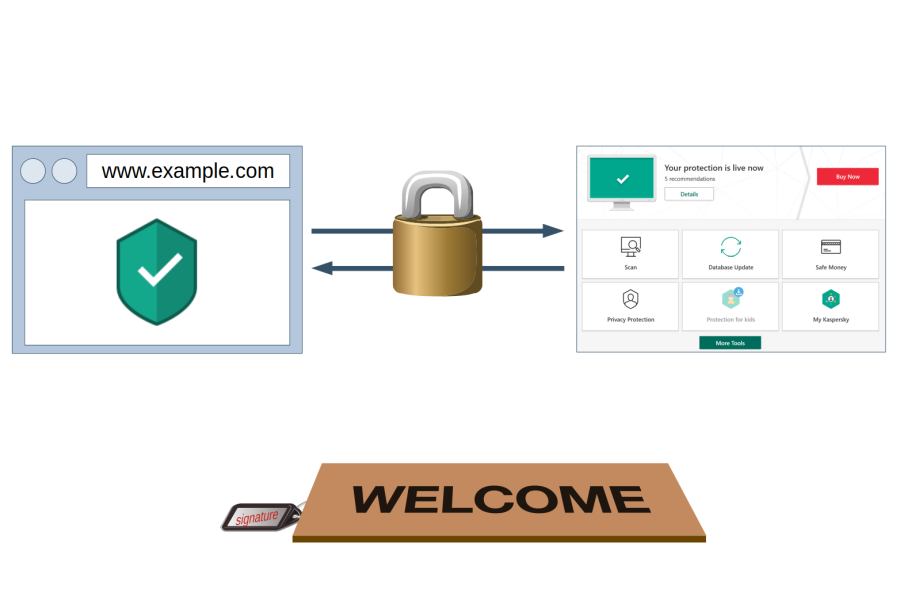
In order to do its job, Web Protection needs to communicate with the main Kaspersky application. In theory, this communication is protected by a “signature” value that isn’t known to websites. In practice however, websites can find the “signature” value fairly easily. This allows them to establish a connection to the Kaspersky application and send commands just like Web Protection would do.
As of December 2018, websites could use this vulnerability for example to silently disable ad blocking and tracking protection functionality. They could also do quite a few things where the impact wasn’t quite as obvious, I didn’t bother investigating all of them.
The fix that made things worse
Initially, Kaspersky declared the issue resolved in July 2019 when the 2020 family of their products was released. Unexpected to me, preventing websites from establishing a connection to the application wasn’t even attempted here. Instead, parts of the functionality were rendered inaccessible to websites. Which parts? The ones I used to demonstrate the vulnerabilities: completely disabling ad blocking and tracking protection.
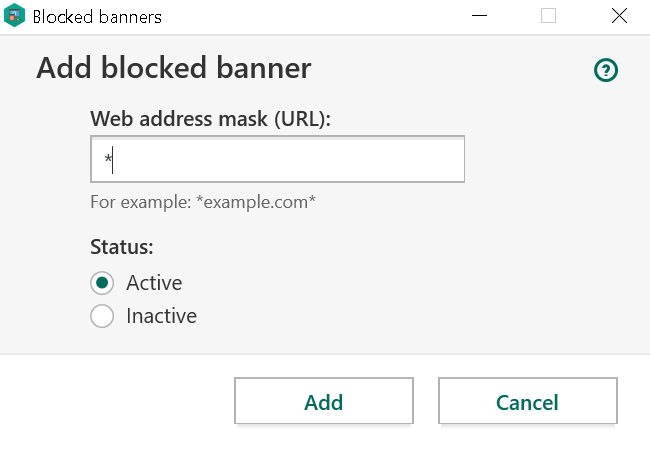
Other commands would still be accepted and I immediately pointed out that websites could still disable ad blocking on their own domain. They could also attempt to add ad blocking rules, something that the user still had to confirm however.
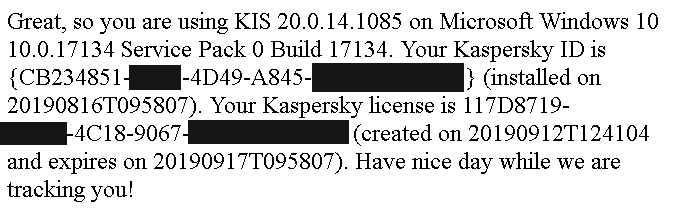
Also, new issues showed up which weren’t there before. Websites could now gather lots of information about the user’s system, including a unique user identifier which could be used to recognize the user even across different browsers on the same system.
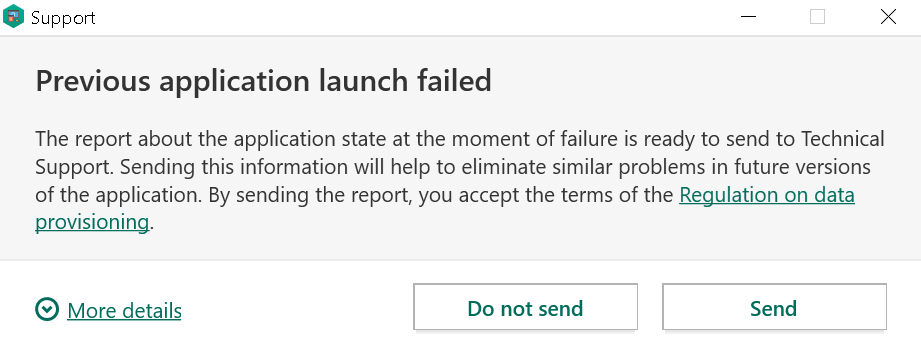
And last but not least, the fix introduced a bug that allowed websites to trigger a crash in the antivirus process! So websites could make the antivirus shut down and leave the system completely unprotected.
Further fix attempts
The next fix came out as Patch E for the 2020 family of Kaspersky products. It moved configuring ad blocking functionality into the “not for websites” section, and it would no longer leak data about the user’s system. The crash was also mostly fixed. As in: under some circumstances, antivirus would still crash. At least it doesn’t look like websites can still trigger it, only browser extensions or local applications.
So another patch
With the release of Firefox 71, we are pleased to welcome the 38 developers who contributed their first code change to Firefox in this release, 31 of whom were brand new volunteers! Please join us in thanking each of these diligent and enthusiastic individuals, and take a look at their contributions:
- abowler2: 1555310, 1578693, 1583387
- jcs: 1579323
- radovan.birdic-rk: 1585957
- Abimbola Olaitan: 1589564
- Adem'ilson F. Tonato: 1584520
- Alessandro: 1541411
- Alok: 1563242, 1585196
- Andreas Schuler: 1585009
- Andy Grover: 1584785
- Anmol Agarwal: 1433941, 1494090, 1554657
- Ayrton Mu~noz: 1575219, 1581052, 1581777
- Ben Campbell: 1427877, 1587199
- Biboswan Roy: 1551581
- Daniel Varga: 1581244
- Erik Rose: 1232403
- Janice Shiu: 1587242
- Jean: 1568847
- Laurent Bigonville: 1490059
- Marco Vega: 1587200
- Marcus Burghardt: 1585449
- Marius Gedminas: 1550721
- Matt Brandt: 1586067, 1586290, 1587598
- Mellina Yonashiro: 1582658
- Michael Droettboom: 1585853
- Miles Crabill: 1574657
- Mu Tao: 1579834
- Mustafa: 1582719
- Nat Quayle Nelson: 1529296
- Octavian Negru: 1583624
- Olga Bulat: 1553210
- Pranshu Chittora: 1584020
- Ricky Stewart: 1562996,
Mozilla and the African Union Commission (AUC) released a new study examining the misconceptions, challenges and real-life impact of additional taxes on Over the Top Services (OTTs) imposed by governments across the African continent. The Regulatory Treatment of OTTs in Africa study found that these taxation regimes – often imposed without public consultation and impact assessments – have increased barriers to access, pushed people offline, and limited access to information, and access to services. The study conducted the analysis based on the available evidence and a select number of case studies.
These regressive regulatory measures are taking place as governments rush to introduce digital transformation initiatives, and instead of focusing on how to connect more people to the internet, the region is building barriers that keep them off it.
The study examined the 2018 Ugandan government excise duties which included a mobile money tax of 1% on the transaction value of payments, transfers and withdrawals increasing mobile money fees from 10% to 15% and a new levy on more than 60 online platforms, including Facebook, WhatsApp, and Twitter that amounted to 200 Ugandan Shillings ($0.05) per day. The impact was immediate: the estimated number of internet users in Uganda dropped by nearly 30% between March and September 2018. But the impact is far wider than just the number of lost internet users. An initial estimate in August 2018 was that Uganda had forgone 2.8% in economic growth and 400 billion Ugandan shillings in taxes.
These types of sector-specific taxes pose a considerable threat to internet access and affordability for all users, but especially low income and marginalised people. Internet costs in Uganda are already prohibitively high. Uganda’s gross domestic product (GDP) per capita per day, is currently at 7,000 Ugandan shillings ($1.90), and many live off less. Paying 1,000 Ugandan shillings per day for internet data of 50 megabytes and an additional 200 shillings tax is a major challenge. 200 Ugandan shillings ($0.05), is a kilogram of maize in Uganda.
The study further dives into the misconceptions that have contributed to the rise of these types of taxes across the region. The fundamental misunderstanding of the impact of social media on the Internet value chain, and the lack of a clear definition of OTTs has made evidence-based discussions about the impact of OTTs difficult. As a result of these misconceptions, regulatory interventions have used unsuitable tools and have been carried out by the wrong organisations.
Moctar Yedaly, Head of Information Society Division of the African Union Commission (AUC) noted that this study is “a good starting point for understanding the nuances of the impact of OTTs on the ICT ecosystem. We hope that it will lead to regional discussions that would consider more progressive and productive digital taxation models, appropriate policies and regulatory frameworks.”
Finally, the study proposes best practices to help governments create an efficient taxation system while balancing the objectives of collecting taxes, and economic growth, job creation and inclusion of the poor into the information society.
Mozilla and the African Union Commission will continue to engage and support regional discussions, including policy and regulatory efforts, in line with the “Specialized Technical Committee on Communications and Information Technologies (STC-CICT) 3, 2019 declaration, which calls on the AUC to “develop guidelines on Privacy and Over The Top Services in collaboration with relevant institutions and submit the guidelines to the STC-CICT 4 in 2021”.
The post Disconnecting the Connected: How Regulatory and Tax Treatment of Over-the-Top-Services in Africa Creates Barriers for Internet Access. appeared first on Open Policy & Advocacy.
Kaspersky’s web protection feature will block ads and trackers, warn you about malicious search results and much more. The complication here: this functionality runs in the browser and needs to communicate with the main application. For this communication to be secure, an important question had to be answered: under which doormat does one put the keys to the kingdom?
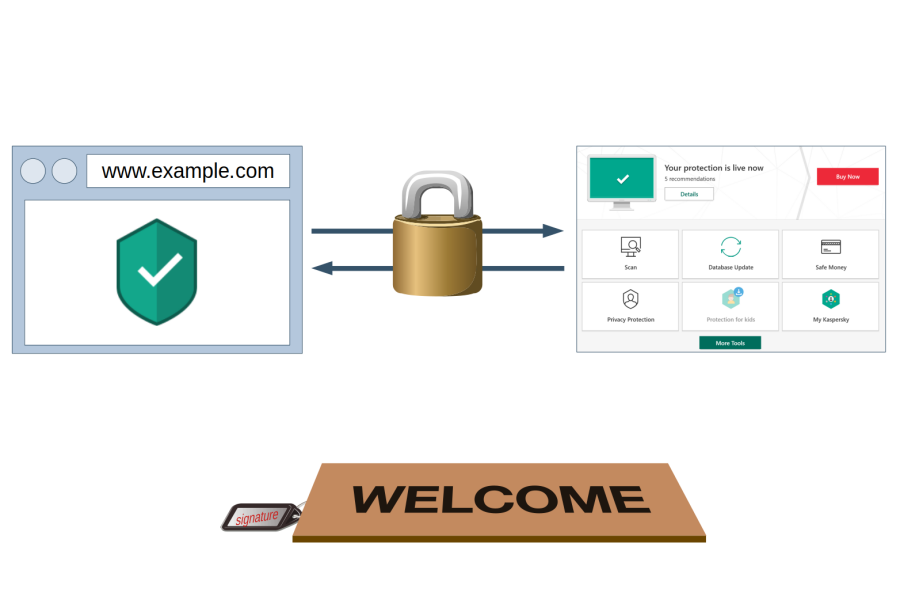
Note: Lots of technical details ahead. If you only want a high-level summary, there is one here.
This post sums up five vulnerabilities that I reported to Kaspersky. It is already more than enough ground to cover, so I had to leave unrelated vulnerabilities out. But don’t despair, there is a separate blog post discussing those.
Summary of the findings
In December 2018 I could prove that websites can hijack the communication between Kaspersky browser scripts and their main application in all possible configurations. This allowed websites to manipulate the application in a number of ways, including disabling ad blocking and tracking protection functionality.
Kaspersky reported these issues to be resolved as of July 2019. Yet further investigation revealed that merely the more powerful API calls have been restricted, the bulk of them still being accessible to any website. Worse yet, the new version leaked a considerable amount of data about user’s system, including a unique identifier of the Kaspersky installation. It also introduced an issue which allowed any website to trigger a crash in the application, leaving the user without antivirus protection.
Why is it so complicated?
Antivirus software will usually implement web protection via a browser extension. This makes communication with the main application easy: browser extensions can use native messaging which is trivial to secure. There are built-in security precautions, with the application specifying which browser extensions are allowed to connect to it.
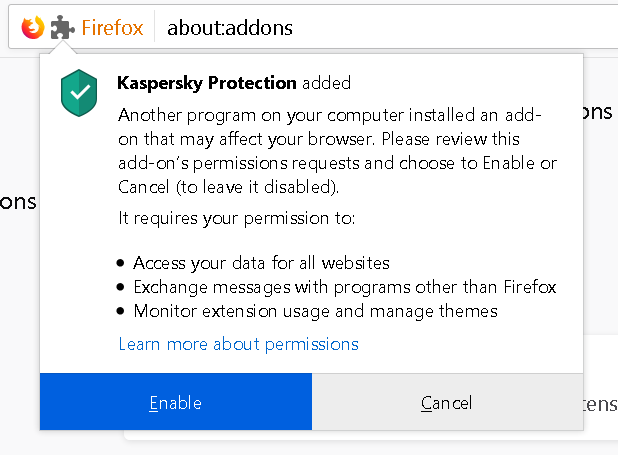
But browser extensions are not the only environment to consider here. If the user declines installing their browser extension, Kaspersky software