(“This Week in Glean” is a series of blog posts that the Glean Team at Mozilla is using to try to communicate better about our work. They could be release notes, documentation, hopes, dreams, or whatever: so long as it is inspired by Glean. You can find an index of all TWiG posts online.)
I had this goofy idea that, like Rust, the Glean SDKs (and Ecosystem) aim to bring safety and higher-level thought to their domain. This is in comparison to how, like C++, Firefox Telemetry is built out of flexible primitives that assume you very much know what you’re doing and cannot (will not?) provide any clues in its design as to how to do things properly.
I have these goofy thoughts a lot. I’m a goofy guy. But the more I thought about it, the more the comparison seemed apt.
In Glean wherever we can we intentionally forbid behaviour we cannot guarantee is safe (e.g. we forbid non-commutative operations in FOG IPC, we forbid decrementing counters). And in situations where we need to permit perhaps-unsafe data practices, we do it in tightly-scoped areas that are identified as unsafe (e.g. if a timing_distribution uses accumulate_raw_samples_nanos you know to look at its data with more skepticism).
In Glean we encourage instrumentors to think at a higher level (e.g. memory_distribution instead of a Histogram of unknown buckets and samples) thereby permitting Glean to identify errors early (e.g. you can’t start a timespan twice) and allowing Glean to do clever things about it (e.g. in our tooling we know counter metrics are interesting when summed, but quantity metrics are not). Speaking of those errors, we are able to forbid error-prone behaviour through design and use of language features (e.g. In languages with type systems we can prevent you from collecting the wrong type of data) and when the error is only detectable at runtime we can report it with a high degree of specificity to make it easier to diagnose.
There are more analogues, but the metaphor gets strained. (( I mean, I guess a timing_distribution’s `TimerId` is kinda the closest thing to a borrow checker we have? Maybe? )) So I should probably stop here.
Now, those of you paying attention might have already seen this relationship. After all, as we all know, glean-core (which underpins most of the Glean SDKs regardless of language) is actually written in Rust whereas Firefox Telemetry’s core of Histograms, Scalars, and Events is written in C++. Maybe we shouldn’t be too surprised when the language the system is written in happens to be reflected in the top-level design.
But! glean-core was (for a long time) written in Kotlin from stem to stern. So maybe it’s not due to language determinism and is more to do with thoughtful design, careful change processes, and a list of principles we hold to firmly as the number of supported languages and metric types continues to grow.
I certainly don’t know. I’m just goofing around.
:chutten
(( This is a syndicated copy of
(“This Week in Glean” is a series of blog posts that the Glean Team at Mozilla is using to try to communicate better about our work. They could be release notes, documentation, hopes, dreams, or whatever: so long as it is inspired by Glean. You can find an index of all TWiG posts online.)
I had this goofy idea that, like Rust, the Glean SDKs (and Ecosystem) aim to bring safety and higher-level thought to their domain. This is in comparison to how, like C++, Firefox Telemetry is built out of flexible primitives that assume you very much know what you’re doing and cannot (will not?) provide any clues in its design as to how to do things properly.
I have these goofy thoughts a lot. I’m a goofy guy. But the more I thought about it, the more the comparison seemed apt.
In Glean wherever we can we intentionally forbid behaviour we cannot guarantee is safe (e.g. we forbid non-commutative operations in FOG IPC, we forbid decrementing counters). And in situations where we need to permit perhaps-unsafe data practices, we do it in tightly-scoped areas that are identified as unsafe (e.g. if a timing_distribution uses accumulate_raw_samples_nanos you know to look at its data with more skepticism).
In Glean we encourage instrumentors to think at a higher level (e.g. memory_distribution instead of a Histogram of unknown buckets and samples) thereby permitting Glean to identify errors early (e.g. you can’t start a timespan twice) and allowing Glean to do clever things about it (e.g. in our tooling we know counter metrics are interesting when summed, but quantity metrics are not). Speaking of those errors, we are able to forbid error-prone behaviour through design and use of language features (e.g. In languages with type systems we can prevent you from collecting the wrong type of data) and when the error is only detectable at runtime we can report it with a high degree of specificity to make it easier to diagnose.
There are more analogues, but the metaphor gets strained. (( I mean, I guess a timing_distribution’s `TimerId` is kinda the closest thing to a borrow checker we have? Maybe? )) So I should probably stop here.
Now, those of you paying attention might have already seen this relationship. After all, as we all know, glean-core (which underpins most of the Glean SDKs regardless of language) is actually written in Rust whereas Firefox Telemetry’s core of Histograms, Scalars, and Events is written in C++. Maybe we shouldn’t be too surprised when the language the system is written in happens to be reflected in the top-level design.
But! glean-core was (for a long time) written in Kotlin from stem to stern. So maybe it’s not due to language determinism and is more to do with thoughtful design, careful change processes, and a list of principles we hold to firmly as the number of supported languages and metric types continues to grow.
I certainly don’t know. I’m just goofing around.
:chutten
Hey folks,
Please join me to welcome Joseph Cuevas (Joe) as part of the Customer Experience team and the broader SUMO family. Joe is going to be working as an Operations Manager specifically to build a premium customer experience for current and future Mozilla’s paid products.
Here’s a brief introduction from Joe:
Hi everyone! My name is Joe and I am the new User Support Operations Manager joining the Customer Experience Team. I’ll be working with my team to build a premium customer support experience for Mozilla VPN. I’m looking forward to working alongside and getting to know my fellow Mozillians. I just know we’re going to have a great time!
Welcome, Joe!
https://blog.mozilla.org/sumo/2021/07/21/introducing-joseph-cuevas/
[I’m Mark from block::block; we help build DAO backends and various NFT bits and bobs]
So what happened was that the 6th most rare Meebit was fractionalized into 1M pieces, and 30,000 (3%) of those fragments were graciously donated to MeebitsDAO by Divergence.VC. Kai proposed that a fun way to re-distribute those fractions would be to do a giveaway contest. Earn tickets for a raffle, have a shot at a chunk of a famous Meebit. Cool! There’s 3 different kinds of tickets, but for the 1st lottery Kai wanted to airdrop a raffle ticket in the form of an NFT — aka the “Red Ticket” — to every current Meebit holder so they could have a chance to win. Hype up the MeebitsDAO and have some fun!

The first question was “cool idea, but how do we not lose our shirts on gas fees minting 4700 NFTs!?”. There’s a bunch of low-gas alternative chains out there now, which, fortunately, we’d played around with quite a bit when we started doing community “Achievement” NFTs (see some here on OpenSea) for MeebitsDAO. Polygon, for the moment at least, had some really compelling advantages for this kind of “badge” NFT where there’s no/limited monetary value in the token:
- Polygon is 100% ethereum compatible — same solidity smart contracts, same metamask, even the same explorer (the etherscan team built polygonscan). Easy!
- For end users Polygon addresses are the same as their Ethereum addresses. 1:1. Nice!
- OpenSea natively/automatically displays NFTs from a user’s matching polygon address in their collection! This was huge, because we knew 99% of wallets we wanted to drop a ticket on wouldn’t otherwise notice activity on a side-chain.
- Polygon assets can be moved back to Ethereum mainnet by folks if they so desire, which has a nice feeling.
Getting up and running on Polygon is covered elsewhere, and is pretty simple:
- Add a “custom RPC” network to metamask.
- Get some fake test MATIC (the native token on the polygon chain) on the “Mumbai” testnet from a faucet and play around.
- Get some “real” MATIC on mainnet. Fees are super low on Polygon, so you don’t need much for minting, 5 MATIC ($5!) is plenty to mint thousands of NFTs. I swapped Eth for MATIC on 1inch, and then bridged that MATIC to Polygon. There are many other ways of doing it.
For MeebitsDAO, we create our own ERC721 smart contracts and mint from them instead of using a minting service. It gives us more control, and over time we’re building up a repo of code and scripts that gets better and better and is purpose-built to the needs of the MeebitsDAO community. This maybe sounds like a lot of work vs using a site like Cargo, but if you have some Node.js experience tools like Hardhat make deploying contracts and minting from them approachable.
If you’re new to Ethereum and NFTs, the first thing you need to do know is that you 1st deploy your smart contract to the blockchain, at which point it will get an address, and then you call that smart contract on that address to mint NFT tokens. As you mint the tokens you need to supply a URI that contains the metadata for that particular token (almost everything we think of as “the NFT” — the description, image, etc. — actually lives in the metadata file off-chain). We generate a JSON file for each ticket and upload it to IPFS via a Pinata gateway, and then pin the file with the Pinata SDK. (pinning is the mechanism where you entice IPFS nodes to not discard your files.. ah, IPFS..)
Like many projects, we lean on
[I’m Mark from block::block; we help build DAO backends and various NFT bits and bobs]
So what happened was that the 6th most rare Meebit was fractionalized into 1M pieces, and 30,000 (3%) of those fragments were graciously donated to MeebitsDAO by Divergence.VC. Kai proposed that a fun way to re-distribute those fractions would be to do a giveaway contest. Earn tickets for a raffle, have a shot at a chunk of a famous Meebit. Cool! There’s 3 different kinds of tickets, but for the 1st lottery Kai wanted to airdrop a raffle ticket in the form of an NFT — aka the “Red Ticket” — to every current Meebit holder so they could have a chance to win. Hype up the MeebitsDAO and have some fun!
The first question was “cool idea, but how do we not lose our shirts on gas fees minting 4700 NFTs!?”. There’s a bunch of low-gas alternative chains out there now, which, fortunately, we’d played around with quite a bit when we started doing community “Achievement” NFTs (see some here on OpenSea) for MeebitsDAO. Polygon, for the moment at least, had some really compelling advantages for this kind of “badge” NFT where there’s no/limited monetary value in the token:
- Polygon is 100% ethereum compatible — same solidity smart contracts, same metamask, even the same explorer (the etherscan team built polygonscan). Easy!
- For end users Polygon addresses are the same as their Ethereum addresses. 1:1. Nice!
- OpenSea natively/automatically displays NFTs from a user’s matching polygon address in their collection! This was huge, because we knew 99% of wallets we wanted to drop a ticket on wouldn’t otherwise notice activity on a side-chain.
- Polygon assets can be moved back to Ethereum mainnet by folks if they so desire, which has a nice feeling.
Getting up and running on Polygon is covered elsewhere, and is pretty simple:
- Add a “custom RPC” network to metamask.
- Get some fake test MATIC (the native token on the polygon chain) on the “Mumbai” testnet from a faucet and play around.
- Get some “real” MATIC on mainnet. Fees are super low on Polygon, so you don’t need much for minting, 5 MATIC ($5!) is plenty to mint thousands of NFTs. I swapped Eth for MATIC on 1inch, and then bridged that MATIC to Polygon. There are many other ways of doing it.
For MeebitsDAO, we create our own ERC721 smart contracts and mint from them instead of using a minting service. It gives us more control, and over time we’re building up a repo of code and scripts that gets better and better and is purpose-built to the needs of the MeebitsDAO community. This maybe sounds like a lot of work vs using a site like Cargo, but if you have some Node.js experience tools like Hardhat make deploying contracts and minting from them approachable.
If you’re new to Ethereum and NFTs, the first thing you need to do know is that you 1st deploy your smart contract to the blockchain, at which point it will get an address, and then you call that smart contract on that address to mint NFT tokens. As you mint the tokens you need to supply a URI that contains the metadata for that particular token (almost everything we think of as “the NFT” — the description, image, etc. — actually lives in the metadata file off-chain). We generate a JSON file for each ticket and upload it to IPFS via a Pinata gateway, and then pin the file with the Pinata SDK. (pinning is the mechanism where you entice IPFS nodes to not discard your files.. ah, IPFS..)
Like many projects,
As we’re all aware by now, we made some big platform changes at the end of 2020. Whilst the big move has happened, its given us a great opportunity to clear out the cupboards and closets.

Illustration by Daryl Alexsy
Most notably MDN now manages its content from a repository on GitHub. Prior to this, the content was stored in a database and edited by logging in to the site and modifying content via an in-page (WYSIWYG) editor, aka ‘The Wiki’. Since the big move, we have determined that MDN accounts are no longer functional for our users. If you want to edit or contribute content, you need to sign in to GitHub, not MDN.
Due to this, we’ll be removing the account functionality and removing all of the account data from our database. This is consistent with our Lean Data Practices principles and our commitment to user privacy. We also have the perfect opportunity to be doing this now, as we’re moving our database from MySQL to PostgreSQL this week.
Accounts will be disabled on MDN on Thursday, 22nd July.
Don’t worry though – you can still contribute to MDN! That hasn’t changed. All the information on how to help is here in this guide.
The post Spring Cleaning MDN: Part 1 appeared first on Mozilla Hacks - the Web developer blog.
https://hacks.mozilla.org/2021/07/spring-cleaning-mdn-part-1/
The File Transfer Protocol (FTP) has long been a convenient file exchange mechanism between computers on a network. While this standard protocol has been supported in all major browsers almost since its inception, it’s by now one of the oldest protocols still in use and suffers from a number of serious security issues.
The biggest security risk is that FTP transfers data in cleartext, allowing attackers to steal, spoof and even modify the data transmitted. To date, many malware distribution campaigns launch their attacks by compromising FTP servers and downloading malware on an end user’s device using the FTP protocol.
 Aligning with our intent to deprecate non-secure HTTP and increase the percentage of secure connections, we, as well as other major web browsers, decided to discontinue support of the FTP protocol.
Removing FTP brings us closer to a fully-secure web which is on a path to becoming HTTPS only and any modern automated upgrading mechanisms such as HSTS or also Firefox’s HTTPS-Only Mode, which automatically upgrade any connection to become secure and encrypted do not apply to FTP.
The FTP protocol itself has been disabled by default since version 88 and now the time has come to end an era and discontinue the support for this outdated and insecure protocol — Firefox 90 will no longer support the FTP protocol.
If you are a Firefox user, you don’t have to do anything to benefit from this security advancement. As soon as your Firefox auto-updates to version 90, any attempt to launch an attack relying on the insecure FTP protocol will be rendered useless, because Firefox does not support FTP anymore. If you aren’t a Firefox user yet, you can download the latest version here to start benefiting from all the ways that Firefox works to protect you when browsing the web.
The post Stopping FTP support in Firefox 90 appeared first on Mozilla Security Blog.
https://blog.mozilla.org/security/2021/07/20/stopping-ftp-support-in-firefox-90/
Firefox 90 is out, offering expanded and improved software WebRender (not really a problem if you've got a supported GPU as most of us in OpenPOWER land do, though), an enhanced SmartBlock which ups the arms race with Facebook, and private fields and methods in JavaScript among other platform updates. FTP is now officially and completely gone (and really should be part of registerProtocolHandler as Gopher is), but at least you can still use compact layout for tabs.
Unfortunately, a promising OpenPOWER-specific update for Fx90 bombed. Ordinarily I would have noticed this with my periodic smoke-test builds but I've been trying to continue work on the JavaScript JIT in my not-so-copious spare time (more on that in a moment), so I didn't notice this until I built Fx90 and no TLS connection would work (they all abort with SSL_ERROR_BAD_SERVER). I discussed this with Dan Hor'ak and the official Fedora build of Firefox seemed to work just fine, including when I did a local fedpkg build. After a few test builds over the last several days I determined the difference was that the Fedora Firefox package is built with --use-system-nss to use the NSS included with Fedora, so it wasn't using whatever was included with Firefox.
Going to the NSS tree I found bug 1566124, an implementation of AES-GCM acceleration for Power ISA. (Interestingly, I tried to write an implementation of it last year for TenFourFox FPR22 but abandoned it since it would be riskier and not much faster with the more limited facilities on 32-bit PowerPC.) This was, to be blunt, poorly tested and Fedora's NSS maintainer indicated he would disable it in the shipping library. Thus, if you use Fedora's included NSS, it works, and if you use the included version in the Firefox tree (based on NSS 3.66), it won't. The fixes are in NSS 3.67, which is part of Firefox 91; they never landed on Fx90.
The two fixes are small (to security/nss/lib/freebl/ppc-gcm-wrap.c and security/nss/lib/freebl/ppc-gcm.s), so if you're building from source anyway the simplest and highest-performance option is just to include them. (And now that it's working, I do have to tip my hat to the author: the implementation is about 20 times faster.) Alternatively, Fedora 34 builders can still just add --with-system-nss to their .mozconfig as long as you have nspr-devel installed, or a third workaround is to set NSS_DISABLE_PPC_GHASH=1 before starting Firefox, which disables the faulty code at runtime. In Firefox 91 this whole issue should be fixed. I'm glad the patch is done and working, but it never should have been committed in its original state without passing the test suite.
Another issue we have a better workaround for is bug 1713968, which causes errors building JavaScript with gcc. The reason that Fedora wasn't having any problem doing so is its rather voluminous generated .mozconfig that, amongst other things, uses -fpermissive. This is a better workaround than minor hacks to the source, so that is now in the .mozconfigs I'm using. I also did a minor tweak to the PGO-LTO patch so that it applies cleanly. With that, here are my current configurations:
Debug
export CC=/usr/bin/gcc
export CXX=/usr/bin/g++
mk_add_options MOZ_MAKE_FLAGS="-j24" # as you like
ac_add_options --enable-application=browser
ac_add_options --enable-optimize="-Og -mcpu=power9 -fpermissive"
ac_add_options --enable-debug
ac_add_options --enable-linker=bfd
export GN=/home/censored/bin/gn # if you have it
PGO-LTO Optimized
export
We are happy to welcome two new fully onboarded members to the Reps Council!
Hossain Al Ikram and Luis Sanchez join the other continuing members in leading the Reps Program. Tim Maks van den Broek was also re-elected and continues to contribute to the council.
Both Ikram and Luis are starting their activity as council members by contributing to the Mentorship project. They are focusing on supporting communication within the Mentors and the Council (such as preparing Mentors Calla) and on renewing and carrying out the onboarding for new Mentors.
As the new members become active in the Council, we want to thank outgoing members for their contributions. Thank you very much Shina and Faisal!
The Mozilla Reps Council is the governing body of the Mozilla Reps Program. It provides the general vision of the program and oversees day-to-day operations globally. Currently, 7 volunteers and 2 paid staff sit on the council. Find out more in the Reps wiki, and look up current members in the Community Portal.
https://blog.mozilla.org/mozillareps/2021/07/16/new-council-members-2021-h1-election/
Since last “What’s new in Perfherder” article a lot has changed. Our development team is making progresses towards automating the regression detection process. This post will cover the various improvements that have been made to Perfherder since July 2020.
Alerts view
We added tags for tests. They are meant to describe what type of test it is. For example, the alert below is the PerceptualSpeedIndex visual metric for the cold variant of reddit.
We improved the checkbox of the alert summaries so can all alert items be selected by a specific status.
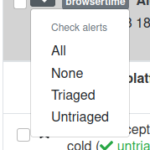
Check alerts menu
Talos tests now have links to documentation for every alert item, so if one isn’t very familiar to the regressed/improved test, this documentation can help for a better understanding of it. The alert items can be sorted by the various columns present in the alerts view. We split the Test and platform column into Test and Platform and we are now able to sort by platform also.
The Previous Value, New Value, Absolute Difference, and Magnitude of Change were joined together into a single Magnitude of Change column as they were showing basically the same information. Last but not least, the graph link at the end of each test name was moved under the star as a graph icon.
 [1229x310]
The documentation link is present at the end of every test name and platform The sorting buttons are available next to each column
Regression template
We’ve almost automated the filing of the regression bugs. We don’t have to copy-paste anymore the details from the regressor bug but just to input its number in the dialog below and the new bug screen the fields will auto-populate. The only thing that’s left to be automated is setting the Version of the bug, which should be the latest release of Firefox. It is currently set to unspecified.
Another cool thing that we improved is a link to the visual recordings of a browsertime pageload test. In the comment 0/description of the bug, the old and new (regressed) values are linked to a tgz archive that contains the video recording of the pageload test for each page cycle.
Compare view
We added pagination for compare view when the number of results is higher than 10 and now we don’t have the problem of loading too much results in one page anymore.
Hello and welcome to another issue of This Week in Rust! Rust is a programming language empowering everyone to build reliable and efficient software. This is a weekly summary of its progress and community. Want something mentioned? Tweet us at @ThisWeekInRust or send us a pull request. Want to get involved? We love contributions.
This Week in Rust is openly developed on GitHub. If you find any errors in this week's issue, please submit a PR.
Updates from Rust Community
Official
Newsletters
Project/Tooling Updates
- Announcing Arti, a pure-Rust Tor implementation
- Programmatic stream filtering using WebAssembly
- Filecoin Rust implementation "Forest" project update
- Mina Rust implementation update: Web 3.0 with Rust x Wasm
- This Week In TensorBase 11
- Rust Analyzer Changelog #85
Observations/Thoughts
- (Risp (in (Rust) (Lisp)))
- [series] Learning Rust #6: Understanding ownership in Rust
- [series] Why and how we wrote a compiler in Rust: Part 2
- [audio] What's New in Rust 1.52 and 1.53
Rust Walkthroughs
- Inline In Rust
- Using WebAssembly threads from C, C++ and Rust
- Host a wasm module on Raspberry Pi easily Part 1
- Hello, Video Codec! - Demystify video codecs by writing one in ~100 lines of Rust
- Learning Idiomatic Rust with FizzBuzz
- Rust + Tauri + Svelte Tutorial
- Rust Nibbles : Gazebo - An introduction to the Gazebo library
- A Rust controller for Kubernetes
- First steps with Docker + Rust
- [series] Writing an RPG using rg3d - #1 - Character Controller
- [series] Rust #4: Options and Results (Part 2)
- [series] Basic CRUD with rust using tide - refactoring
- [video] End-to-end Encrypted Messaging in Rust, with Ockam by Mrinal Wadhwa
- [video] [series] Building a Web Application with Rust - Part IX - Deploying on Kubernetes
- [video] [series] ULTIMATE Rust Lang
Getting lively with Firefox 90
As the summer rolls around for those of us in the northern hemisphere, temperatures are high and unwinding with a cool ice tea is high on the agenda. Isn’t it lucky then that Background Update is here for Windows, which means Firefox can update even if it’s not running. We can just sit back and relax!
Also this release we see a few nice JavaScript additions, including private fields and methods for classes, and the at() method for Array, String and TypedArray global objects.
This blog post just provides a set of highlights; for all the details, check out the following:
Classes go private
A feature JavaScript has lacked since its inception, private fields and methods are now enabled by default In Firefox 90. This allows you to declare private properties within a class. You can not reference these private properties from outside of the class; they can only be read or written within the class body.
Private names must be prefixed with a ‘hash mark’ (#) to distinguish them from any public properties a class might hold.
This shows how to declare private fields as opposed to public ones within a class:
class ClassWithPrivateProperties {

  #privateField;
  publicField;

  constructor() {

    // can be referenced within the class, but not accessed outside
    this.#privateField = 42;

    // can be referenced within the class aswell as outside
    this.publicField = 52;
}

  // again, can only be used within the class
  #privateMethod() {
    return 'hello world';
  }

  // can be called when using the class
  getPrivateMessage() {
    return this.#privateMethod();
  }
}
Static fields and methods can also be private. For a more detailed overview and explanation, check out the great guide: Working with private class features. You can also read what it takes to implement such a feature in our previous blog post Implementing Private Fields for JavaScript.
JavaScript at() method
The relative indexing method at() has been added to the Array, String and TypedArray global objects.
Passing a positive integer to the method returns the item or character at that position. However the highlight with this method, is that it also accepts negative integers. These count back from the end of the array or string. For example, 1 would return the second item or character and -1 would return the last item or character.
This example declares an array of values and uses the at() method to select an item in that array from the end.
const myArray = [5, 12, 8, 130, 44];

let arrItem = myArray.at(-2);

// arrItem = 130
It’s worth mentioning there are other common ways of doing this, however this one looks quite neat.
Conic gradients for Canvas
The 2D Canvas API has a new createConicGradient() method, which creates a gradient around a point (rather than from it, like createRadialGradient() ). This feature allows you to specify where you want the center to be and in which direction the gradient should
In this blog post we’ll talk about what the Firefox Performance team set out to achieve for 2021 and the Firefox 89 release last month. With the help of many people from across the Firefox organization, we delivered a 10-30% snappier, more instantaneous Firefox experience. That’s right, it isn’t just you! Firefox is faster, and we have the numbers to prove it.
Some of the things you might find giving you a snappier response are:
- Typing in the URL bar or a document editor (like Google Docs or Office 365)
- Opening a site menu like the file menu on Google Docs
- Playing a browser based video game and using your keyboard to control your movements within the video
Our Goals
We have made many page-load and startup performance improvements over the last couple of years which have made Firefox measurably faster. But we hadn’t spent much time looking at how quickly the browser responds to little user interactions like typing in a search bar or changing tabs. Little things can add up, and we want to deliver the best performance for every user experience. So, we decided it was time to focus our efforts on responsiveness performance starting with the Firefox June release.
Responsiveness
The meaning of the word responsiveness as used within computer applications can be rather broad, so for the purpose of this blogpost, we will define three types of experiences that can impact the responsive feel of a browser.
- Instantaneous responsiveness: These are simple actions taken by a user where the browser ought to respond instantly. An example is pressing a key on your keyboard in a document or an input field. You want these to be displayed as swiftly as possible, giving the user a sense of instantaneous feedback. In general this means we want the results for these interactions to be displayed within 50ms[1] of the user taking an action.
- Small but perceptible lag: This is an interaction where the response is not instantaneous and there is enough work involved that it is not expected to be. The lag is sufficient for the user to perceive it, even if they are not distracted from the task at hand. This is something like switching between channels on Slack or selecting an email in Gmail. A typical threshold for this would be that these interactions occur in under a second.
- Jank: This is when a site, or in the worst case the browser UI itself, actually becomes unresponsive to user input for a non-insignificant amount of time. These are disruptive and perceptible pauses in interaction with the browser.
Instantaneous Responsiveness
We’ve had some pretty solid indications (from tests and proofs of concepts) that we could make our already fast interactions feel even more instantaneous. One area in particular that stood out to us was the ‘depth’ of our painting pipeline.
About our painting pipeline
Let’s talk about that a little more. Here you can see a graphical representation of our old painting pipeline:
Most users currently use 60Hz monitors, which means their monitor displays 60 frames per second. Each segment of the timeline above represents a single frame on the screen and is approximately 16.67ms.
In most cases, when input is received from the operating system, it would take anywhere from 0 to 16.67ms for the next frame to occur (1), and at the start of that new frame, we would paint the resulting changes to the UI (the green rectangle).
Then another 16.67ms later (2), we would composite the results of that drawing onto the browser window, which would then be handed off to the OS (the blue rectangle).
At the earliest, it would be another 16.67ms later (3) when the operating system would actually present the result of the user interaction (input) to the user. This means even in the ideal case it would take at least 34-50ms for the result of an interaction to show up on the screen. But often there is other work the browser might be doing, or additional latency introduced by the input devices, the operating system, or the display hardware that would make this response even slower.
Shortening the Painting Pipeline
We set out to improve that situation by shortening the painting pipeline and by better scheduling when we handle input events. Some of the first results of this work were landed by Matt Woodrow, where he implemented a suggestion by Markus Stange in bug 1675614. This essentially changed
Today, with the launch of Firefox 90, we are excited to announce a new version of SmartBlock, our advanced tracker blocking mechanism built into Firefox Private Browsing and Strict Mode. SmartBlock 2.0 combines a great web browsing experience with robust privacy protection, by ensuring that you can still use third-party Facebook login buttons to sign in to websites, while providing strong defenses against cross-site tracking.
At Mozilla, we believe that privacy is a fundamental right. As part of the effort to provide a strong privacy option, Firefox includes the built-in Tracking Protection feature that operates in Private Browsing windows and Strict Mode to automatically block scripts, images, and other content from being loaded from known cross-site trackers. Unfortunately, blocking such cross-site tracking content can break website functionality.
Ensuring smooth logins with Facebook
Logging into websites is, of course, a critical piece of functionality. For example: many people value the convenience of being able to use Facebook to sign up for, and log into, a website. However, Firefox Private Browsing blocks Facebook scripts by default: that’s because our partner Disconnect includes Facebook domains on their list of known trackers. Historically, when Facebook scripts were blocked, those logins would no longer work.
For instance, if you visit etsy.com, the front page gives the following options to sign in, including a button to sign in using Facebook’s login service. If you click on the Enhanced Tracking Protection shield in the address bar, ( )and click on Tracking Content, however, you will see that Firefox has automatically blocked third-party tracking content from Facebook to prevent any possible tracking of you by Facebook on that page:
 Prior to Firefox 90, if you were using a Private Browsing window, when you clicked on the “Continue with Facebook” button to sign in, the “sign in” would fail to proceed because the third-party Facebook script required had been blocked by Firefox.
Now, SmartBlock 2.0 in Firefox 90 eliminates this login problem. Initially, Facebook scripts are all blocked, just as before, ensuring your privacy is preserved. But when you click on the “Continue with Facebook” button to sign in, SmartBlock reacts by quickly unblocking the Facebook login script just in time for the sign-in to proceed smoothly. When this script gets loaded, you can see that unblocking indicated in the list of blocked tracking content:
 SmartBlock 2.0 provides this new capability on numerous websites. On all websites where you haven’t signed in, Firefox continues to block scripts from Facebook that would be able to track you. That’s right — you don’t have to choose between being protected from tracking or using Facebook to sign in. Thanks to Firefox SmartBlock, you can have your cake and eat it too!
And we’re baking more cakes! We are continuously working to expand SmartBlock’s capabilities in Firefox Private Browsing and Strict Mode to give you an even better experience on the web while continuing to provide strong protection against trackers.
Thank you
Our privacy protections are a labor of love. We want to acknowledge the work and support of many people at Mozilla that helped to make SmartBlock possible, including Paul Z"uhlcke, Johann Hofmann, Steven Englehardt, Tanvi Vyas, Wennie Leung, Mikal Lewis, Tim Huang, Dimi Lee, Ethan Tseng, Prangya Basu, and Selena Deckelmann.
The post Firefox 90 introduces SmartBlock 2.0 for Private Browsing appeared first on Mozilla Security Blog.
Hey SUMO folks,
Welcome to a new quarter. Lots of projects and planning are underway. But first, let’s take a step back and see what we’ve been doing for the past month.
Welcome on board!
- Hello to strafy, Naheed, Taimur Ahmad, and Felipe. Thanks for contributing to the forum and welcome to SUMO!
Community news
- The advance search syntax is available on our platform now (read more about it here).
- Our wiki has a new face now. Please take a look and let us know if you have any feedback.
- Another reminder to check out Firefox Daily Digest to get daily updates about Firefox. Go check it out and subscribe if you haven’t already.
- Check out the following release notes from Kitsune in the month:
Community call
- Watch the monthly community call if you haven’t. Learn more about what’s new in June!
- Reminder: Don’t hesitate to join the call in person if you can. We try our best to provide a safe space for everyone to contribute. You’re more than welcome to lurk in the call if you don’t feel comfortable turning on your video or speaking up. If you feel shy to ask questions during the meeting, feel free to add your questions on the contributor forum in advance, or put them in our Matrix channel, so we can address them during the meeting.
Community stats
KB
KB Page views
| Month | Page views | Vs previous month |
| June 2021 | 9,125,327 | +20.04% |
Top 5 KB contributors in the last 90 days:
KB Localization
Top 10 locale (besides en) based on total page views
| Locale | Apr 2021 page views | Localization progress (per Jul, 8) |
| de | 10.21% | 100% |
| fr | 7.51% | 89% |
| es | 6.58% | 46% |
| pt-BR | 5.43% | 65% |
| ru | 4.62% | 99% |
| zh-CN | 4.23% | 99% |
| ja | 3.98% | 54% |
| pl | 2.49% | 84% |
| it | 2.42% | 100% |
| id | 1.61% | 2% |
Top 5 localization contributors in the last 90 days:
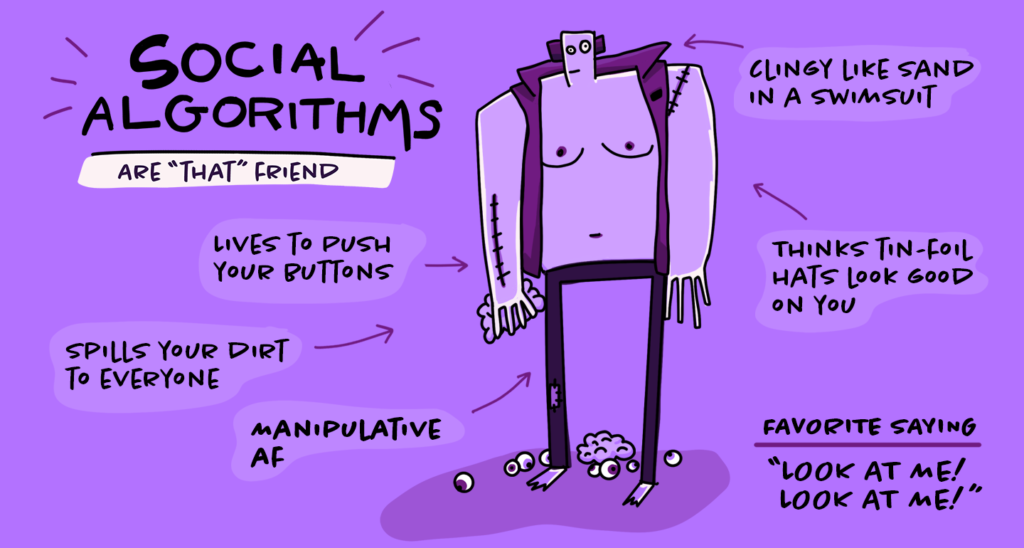
Last year a new phrase crept into the zeitgeist: doomscrolling, the tendency to get stuck in a bad news content cycle even when consuming it makes us feel worse. That’s no surprise given that 2020 was one for the books with an unrelenting flow of calamitous topics, from the pandemic to murder hornets to wild fires. Even before we had a name for it and real life became a Nostradamus prediction, it was all too easy to fall into the doomscroll trap. Many content recommendation algorithms are designed to keep our eyeballs glued to a screen, potentially leading us into more questionable, extreme or ominous territory.
Pocket, the content recommendation and saving service from Mozilla, offers a brighter view, inviting readers to take a different direction with high-quality content and an interface that isn’t designed to trap you or bring you down. You can get great recommendations and also save content to your Pocket, both in the app and through Firefox, every time you open a new tab in the browser. Pocket doesn’t send you down questionable rabbit holes or bombard you with a deluge of depressing or anxiety-producing content. Its recommendations are vetted by thoughtful, dedicated human editors who do a lot of reading and watching so you don’t have to dig through the muck.
“I’ve always loved reading, and it is definitely a thrill to read all day at my desk and not feel like I’m procrastinating. I’m actually doing my job,” said Amy Maoz, Pocket recommendations editor.
Amy and colleague Alex Dalenberg are two members of Pocket’s human curator team, and they are some of the people who look after the stories that appear on the Firefox new tab page.
Every day, Pocket users save millions of articles, videos, links and more from across the web, forming the foundation of Pocket’s recommendations. From this activity, Pocket’s algorithms surface the most-saved and most-read content from the Pocket community. Pocket’s human curators then sift through this material and elevate great reads for the recommendation mix: in-depth features, clever explainers, curiosity chasers, timely reads and evergreen pieces. The curator team makes sure that a wide assortment of publishers are represented, as well as a large variety of topics, including what’s happening in the world right now. And it’s done in a way that respects and preserves the privacy of Pocket readers.
“I’m consistently impressed and delighted by what great content Pocket users find all across the web,” said Maoz. “Our users do an incredible job pointing us to fascinating, entertaining and informative articles and videos and more.”
“Saving something in your Pocket is different from, say, pressing the ‘like’ button on it,” Alex Dalenberg, Pocket recommendations editor, added. “It’s more personal. You are saving it for later, so it’s less performative. And that often points us to real gems.”
It makes sense that a lot of big, juicy stories end up in Pocket; articles from The New York Times, The Guardian, Wired and The Ringer are regularly among the top-saved by readers. Pocket’s algorithms also flag stories from smaller publications that receive a notable number of saves and highlight them to the curators for consideration. That allows smaller publications and diverse voices to get wider exposure for content that might have otherwise flown under the radar.
“The power of the web is that everybody owns a printing press now, but I feel like we’ve lost a bit of that web 1.0 or 1.5 feeling,” Dalenberg said. “It’s always really exciting when we can surface exceptional content from smaller players and indie web publications, not just the usual suspects. It’s also great to hear people say how much they like discovering new publications because they saw them in Pocket’s recommendations.”

The power of a Pocket recommendation
Scalawag magazine is a small nonprofit publication dedicated to U.S. Southern culture and issues, with a belief that great storytelling and reporting can lead to policy changes. Last June, Scalawag published a round-up piece entitled Reckoning with white supremacy: Five