On 3 March, Mozilla will host the next installment of Mozilla Mornings – our regular breakfast series that brings together policy experts, policymakers and practitioners for insight and discussion on the latest EU digital policy developments.
In 2020 Mozilla Mornings is adopting a thematic focus, starting with a three-part series on the upcoming Digital Services Act. This first event on 3 March will focus on how content regulation laws and norms are shifting from mere liability frameworks to more comprehensive responsibility ones, and our panelists will discuss how the DSA should fit within this trend.
hhhh
Acting Head of Unit, E-Commerce and Platforms
European Commission, DG CNECTfff
Karen Melchior MEP
Renew Europe
Siada El-Ramly
Director-General, EDiMA
Owen Bennett
EU Internet Policy Manager, Mozilla
Moderated by Jennifer Baker
EU Tech Journalist
The post Mozilla Mornings on the EU Digital Services Act: Making responsibility a reality appeared first on Open Policy & Advocacy.
Hello! For the latest async interview, I spoke with Eliza Weisman (hawkw, mycoliza on twitter). Eliza first came to my attention as the author of the tracing crate, which is a nifty crate for doing application level tracing. However, she is also a core maintainer of tokio, and she works at Buoyant on the linkerd system. linkerd is one of a small set of large applications that were build using 0.1 futures – i.e., before async-await. This range of experience gives Eliza an interesting “overview” perspective on async-await and Rust more generally.
Video
You can watch the video on YouTube. I’ve also embedded a copy here for your convenience:
The days before question mark
Since I didn’t know Eliza as well, we started out talking a bit about
her background. She has been using Rust for 5 years, and I was amused
by how she characterized the state of Rust when she got started:
pre-“question mark” Rust. Indeed, the introduction of the ? operator
does feel one of those “turning points” in the history of Rust, and
I’m quite sure that async-await will feel similarly (at least for
some applications).
One interesting observation that Eliza made is that it feels like Rust has reached the point where there is nothing critically missing. This isn’t to say there aren’t things that need to be improved, but that the number of “rough edges” has dramatically decreased. I think this is true, and we should be proud of it – though we also shouldn’t relax too much. =) Getting to learn Rust is still a significant hurdle and there are still a number of things that are much harder than they need to be.
One interesting corrolary of this is that a number of the things that most affect Eliza when writing Async I/O code are not specific to async I/O. Rather, they are more general features or requirements that apply to a lot of different things.
Tokio’s needs
We talked some about what tokio needs from async Rust. As Eliza said, many of the main points already came up in my conversation with Carl:
- async functions in traits would be great, but they’re hard
- stabilizing streams, async read, and async write would be great
Communicating stability
One thing we spent a fair while discusing is how to best communicate our stability story. This goes beyond “semver”. semver tells you when a breaking change has been made, of course, but it doesn’t tell whether a breaking change will be made in the future – or how long we plan to do backports, and the like.
The easiest way for us to communicate stability is to move things to the std library. That is a clear signal that breaking changes will never be made.
But there is room for us to set “intermediate” levels of stability.
One thing that might help is to make a public stability policy for
crates like futures. For example, we could declare that the futures
crate will maintain compatibility with the current Stream crate for
the next year, or two ears.
These kind of timelines would be helpful: for example, tokio plans to
maintain a stable interface for the next 5 years, and so if
they want to expose traits from the futures crate, they would want a
guarantee that those traits would be supported during that period (and
ideally that futures would not release a semver-incompatible version
of those traits).
Depending on community crates
When we talk about interoperability, we are often talking about core
traits like Future, Stream, and AsyncRead. But as we move up the
stack, there are other things where having a defined standard could be
really useful. My go to example for this is the http crate,
The biggest ever update to Firefox browser for Android is on its way. Later this spring, everyone using the Firefox browser on their Android phones and tablets will get the … Read more
The post The 7 best things about the new Firefox browser for Android appeared first on The Firefox Frontier.
https://blog.mozilla.org/firefox/firefox-android-new-features/
As promised, the update on changes in Firefox 73 is short: There is a new sidebarAction.toggle API that will allow you to open and close the sidebar. It requires being called from a user action, such as a context menu or click handler. The sidebar toggle was brought to you by M'elanie Chauvel. Thanks for your contribution, M'elanie!
On the backend, we fixed a bug that caused tabs.onCreated and tabs.onUpdated events to be fired out-of-order.
We have also added more more documentation on changing preferences for managing settings values with experimental WebExtensions APIs. As a quick note, you will need to set the preference extensions.experiments.enabled to true to enable experimental WebExtensions APIs starting with Firefox 74.
That’s all there is to see for Firefox 73. We’ll be back in a few weeks to highlight changes in Firefox 74.
The post Extensions in Firefox 73 appeared first on Mozilla Add-ons Blog.
https://blog.mozilla.org/addons/2020/02/10/extensions-in-firefox-73/
(previously blogged about options are listed here.)
This option is named --keepalive-time even if the title above ruins the double-dash (thanks for that WordPress!). This command line option was introduced in curl 7.18.0 back in early 2008. There’s no short version of it.
The option takes a numerical argument; number of seconds.
What’s implied in the option name and not spelled out is that the particular thing you ask to keep alive is a TCP connection. When the keepalive feature is not used, TCP connections typically don’t send anything at all if no data is transmitted.
Idle TCP connections
Silent TCP connections typically cause the two primary issues:
- Middle-boxes that track connections, such as your typical NAT boxes (home WiFi routers most notoriously) will consider silent connections “dead” after a certain period of time and drop all knowledge about them, leading to the connection non functioning when the client (or server) later wants to resume operation of it.
- Neither side of the connection will notice when the network between them breaks, as it takes actual traffic to do so. This is of course also a feature, because there’s no need to be alarmed by a breakage if there’s no traffic as it might be fine again when it eventually gets used again.
TCP stacks then typically implement a low-level feature where they can send a “ping” frame over the connection if it has been idle for a certain amount of time. This is the keepalive packet.
--keepalive-time therefor sets the interval. After this many seconds of “silence” on the connection, there will be a keepalive packet sent. The packet is totally invisible to the applications on both sides but will maintain the connection through NATs better and if the connection is broken, this packet will make curl detect it.
Keepalive is not always enough
To complicate issues even further, there are also devices out there that will still close down connections if they only send TCP keepalive packets and no data for certain period. Several protocols on top of TCP have their own keepalive alternatives (sometimes called ping) for this and other reasons.
This aggressive style of closing connections without actual traffic TCP traffic typically hurts long-going FTP transfers. This, because FTP sets up two connections for a transfer, but the first one is the “control connection” and while a transfer is being delivered on the “data connection”, nothing happens over the first one. This can then result in the control connection being “dead” by the time the data transfer completes!
Default
The default keepalive time is 60 seconds. You can also disable keepalive completely with the --no-keepalive option.
The default time has been selected to be fairly low because many NAT routers out there in the wild are fairly aggressively and close idle connections already after two minutes (120) seconds.
For what protocols
This works for all TCP-based protocols, which is what most protocols curl speaks use. The only exception right now is TFTP. (See also QUIC below.)
Example
Change the interval to 3 minutes:
curl --keepalive-time 180 https://example.com/
Related options
A related functionality is the --speed-limit amd --speed-time options that will cancel a transfer if the transfer speed drops below a given speed for a certain time. Or just the --max-time that sets a global timeout for an entire operation.
QUIC?
Soon we will see QUIC getting used instead of TCP for some protocols: HTTP/3 being the first in line for that. We will have to see what exactly we do with this option when QUIC starts to get used and what the proper mapping and behavior shall be.
https://daniel.haxx.se/blog/2020/02/10/curl-ootw-keepalive-time/
Due to a busy work schedule and $REALLIFE, TenFourFox Feature Parity Release 19 final is just now available for testing (downloads, hashes, release notes). This version is the same as the beta except for a couple URL bar tweaks I meant to land and the outstanding security updates. If all goes well, it will go live tomorrow Pacific time in the evening.
Since the new NSS is sticking nicely, FPR20 will probably be an attempt at enabling TLS 1.3, and just in time, too.
http://tenfourfox.blogspot.com/2020/02/due-to-busy-work-schedule-and-reallife.html
With the release of Firefox 73, we are pleased to welcome the 19 developers who contributed their first code change to Firefox in this release, 18 of whom were brand new volunteers! Please join us in thanking each of these diligent and enthusiastic individuals, and take a look at their contributions:
- atul.ramkrishnan97: 1602401
- dawiha79: 1600554
- mohitsingh1930: 1601037
- saihemanth9019: 1566521
- Wendy: 1431214
- Alexander Kuleshov: 1513775
- Andres Ortega: 1591910
- Ash Tiwari: 1603690
- Edward Billington: 1579663
- Elliot Matthew: 1597190
- Jason Burton: 1598424
- Kimberly Sereduck: 1603808
- Ksenia Berezina: 1554913, 1554915
- Lyuben Krastev: 1600555
- Manish Giri: 1603696, 1604600, 1604606, 1605661, 1605662, 1605664
- Tanner Davies: 1600552, 1601404
- Thiago Arrais: 765651
- Tobias Fella: 1605878
- Tri: 1434405
- Vlad Zahorodnii: 1497066
https://blog.mozilla.org/community/2020/02/09/firefox-73-new-contributors/
Remember Rockbox? It is a free software firmware replacement for mp3 players. I co-founded the project back in 2001 together with Bj"orn and Linus. I officially left the project back in 2014.
The project is still alive today, even of course many of us can’t hardly remember the concept of a separate portable music player and can’t figure out why that’s a good idea when we carry around a powerful phone all days anyway that can do the job – better.
Already when the project took off, we at Haxx hosted the web site and related services. Heck, if you don’t run your own server to add fun toy projects to, then what kind of lame hacker are you?
None of us in Haxx no longer participates in the project and we haven’t done so for several years. We host the web site, we run the mailing lists, we take care of the DNS, etc.
Most of the time it’s no biggie. The server hosts a bunch of other things anyway for other project so what is a few extra services after all?
Then there are times when things stop working or when we get a refreshed bot attack or web crawler abuse against the site and we get reminded that here we are more than eighteen years later hosting things and doing work for a project we don’t care much for anymore.
It doesn’t seem right anymore. We’re pulling the plug on all services for Rockbox that occasionally gives us work and annoyances. We’re offering to keep hosting DNS and the mailing lists – but if active project members rather do those too, feel free. It never was a life-time offer and the time has come for us.
If people still care for the project, it is much better if those people will also care for these things for the project’s sake. And today there are more options than ever for an open source project to get hosting, bug tracking, CI systems etc setup for free with quality. There’s no need for us ex-Rockboxers to keep doing this job that we don’t want to do.
I created a wiki page to detail The Transition. We will close down the specified services on January 1st 2021 but I strongly urge existing Rockboxers to get the transition going as soon as possible.
I’ve also announced this on the rockbox-dev mailing list, and I’ve mentioned it in the Rockbox IRC.
https://daniel.haxx.se/blog/2020/02/08/rockbox-services-transition/
This is a post that tries to cover many aspects of the visual design of our recently released demo Hello WebXR! (more information in the introductory post), targeting those who can create basic 3D scenes but want to find more tricks and more ways to build things, or simply are curious about how the demo was made visually. Therefore this is not intended to be a detailed tutorial or a dogmatic guide, but just a write-up of our decisions. End of the disclaimer :)
Here it comes a mash-up of many different topics presented in a brief way:
- Concept
- Pipeline
- Special Shaders and Effects
- Performance
- Sound Room
- Vertigo Room
- Conclusion
Concept
From the beginning, our idea was to make a simple, down-paced, easy to use experience that gathered many different interactions and mini-experiences that introduces VR newcomers to the medium, and also showcased the recently released WebXR API. It would run on almost any VR device but our main target device was the Oculus Quest, so we thought that we could have some mini-experiences that could share the same physical space, but other experiences should have to be moved to a different scene (room), either for performance reasons and also due its own nature.
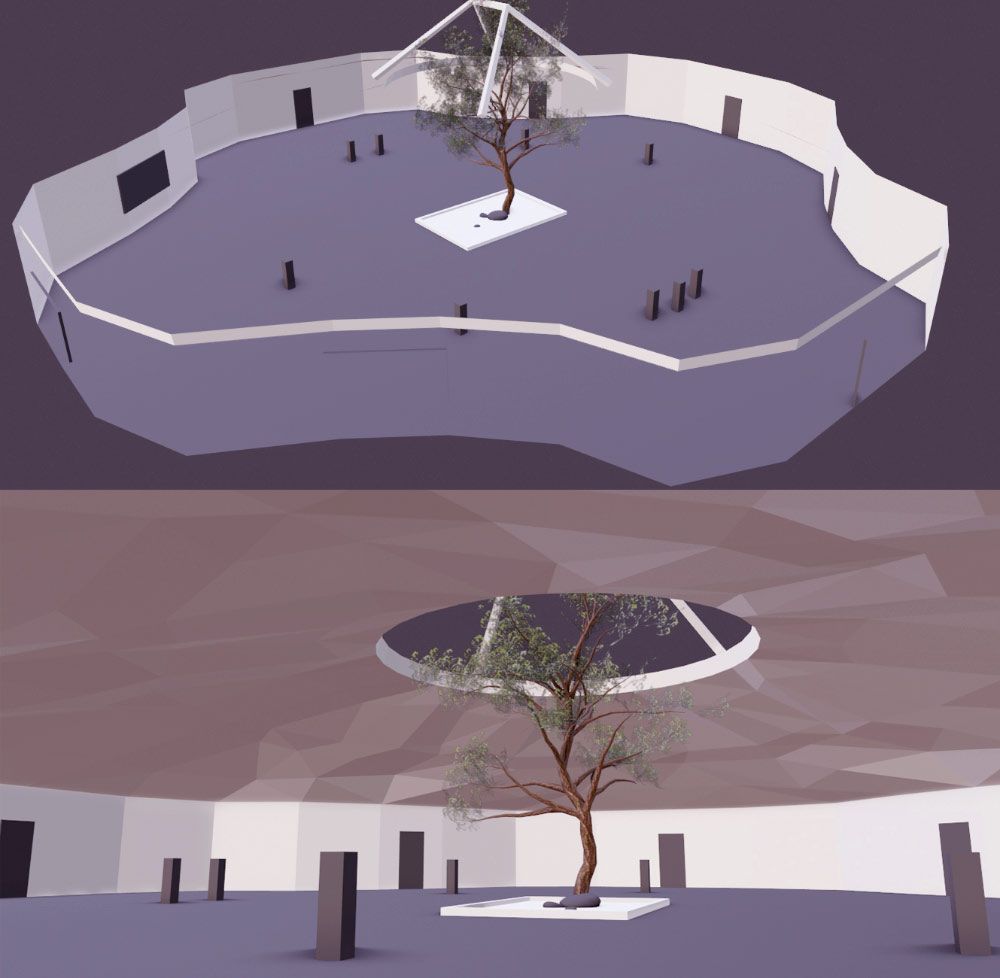
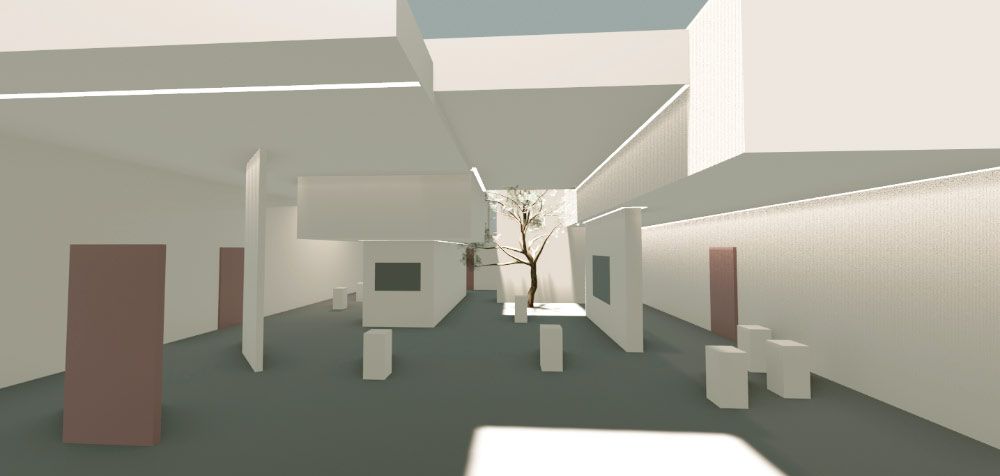
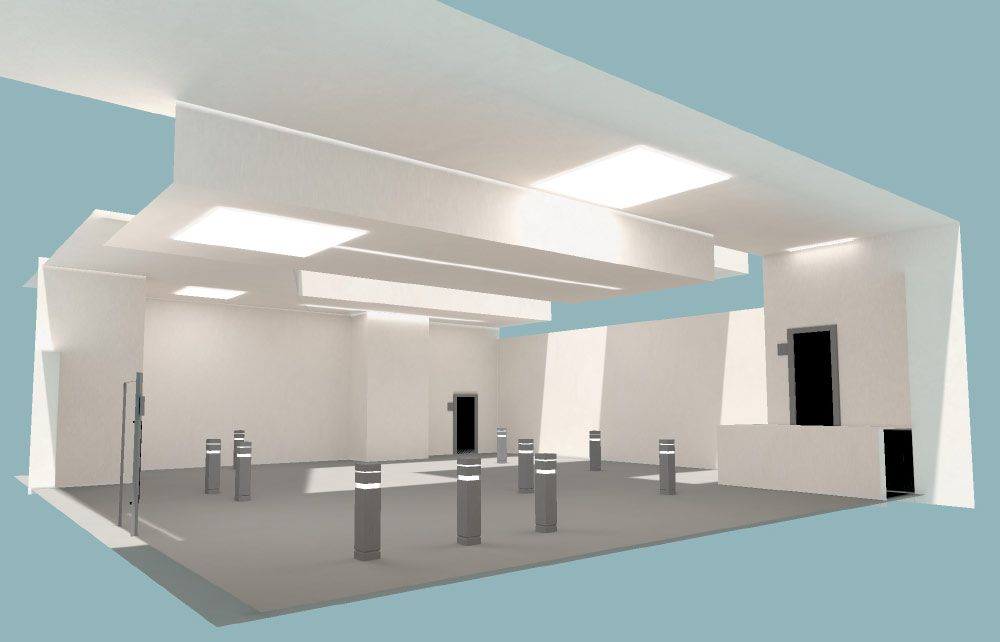
We started by gathering references and making concept art, to figure out how the "main hall" would look like:

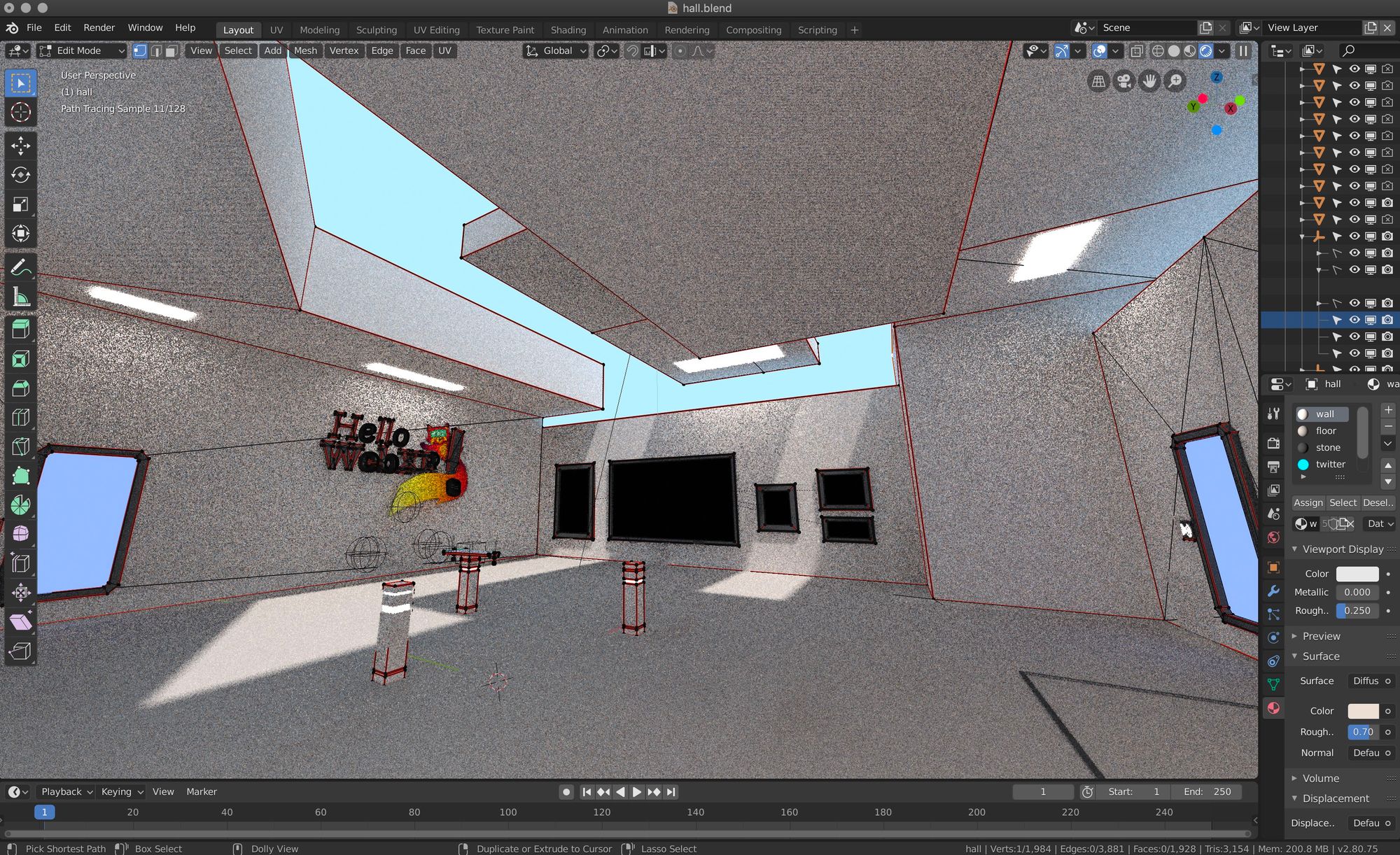
Then, we used Blender to start sketching the hall and test it on VR to see how it feels. It should have to be welcoming and nice, and kind of neutral to be suitable for all audiences.
Pipeline
3D models were exported to glTF format (Blender now comes with an exporter, and three.js provides a loader), and for textures PNG was used almost all the time, although on a late stage in the development of the demo all textures were manually optimized to drastically reduce the size of the assets. Some textures were preserved in PNG (handles transparency), others were converted to JPG, and the bigger ones were converted to BASIS using the basisu command line program. Ada Rose Cannon’s article introducing the format and how to use it is a great read for those interested.
glTF files were exported without materials, since they were created manually by code and assigned to the specific objects at load time to make sure we had the exact material we wanted and that we could also tweak easily.
In general, the pipeline was pretty traditional and simple. Textures were painted or tweaked using Photoshop. Meshes and lightmaps were created using Blender and exported to glTF and PNG.
For creating the lightmap UVs, and before unwrapping, carefully picked edges were marked as seams and then the objects were unwrapped using the default unwrapper, in the majority of cases. Finally, UVs were optimized with UVPackMaster 2 PRO.
Draco compression was also used in the case of the photogrammetry object, which reduced the size of the asset from 1.41MB to 683KB, less than a half.
Special Shaders and Effects
Some custom shaders were created for achieving special effects:
Beam shader
This was achieved offseting the texture along one axis and rendered in additive mode:
Hello, SUMO Nation!
Berlin 2020 has been my first All Hands and I am still experiencing the excitement the whole week gave me.
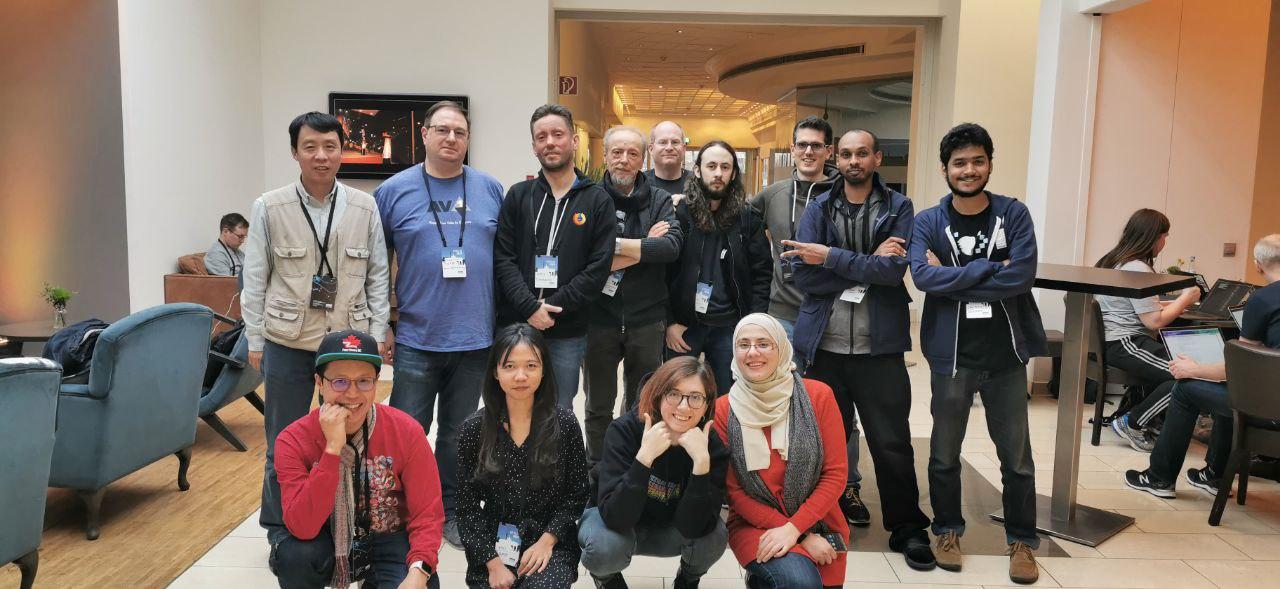
The intensity an event of this scale is able to build is slightly overwhelming (I suppose all the introverts reading this can easily get me), but the gratification and insights everyone of us has taken home are priceless.
The week started last Monday, on January 27th, when everyone landed in Berlin from all over the world. An amazing group of contributors, plus every colleague I had always only seen on a small screen, was there, in front of me, flesh and bones. I was both excited and scared by the number of people that suddenly were inhabiting the corridors of our conference/dorm/workspace.
The schedule for the SUMO team and SUMO contributors was a little tight, but we managed to make it work: Kiki and I decided to share our meetings between the days and I am happy about how we balanced the work/life energy.
On Tuesday we opened the week by having a conversation over the past, the current state and the future of SUMO. The community meeting was a really good way to break the ice, the whole SUMO team was there and gave updates from the leadership, products, as well as the platform team. This meeting was necessary also to lay down the foundations for the priorities of the week and develop an open conversation.
On Wednesday, Kiki and I were fully in the game. We decided to have two parallel sessions: one regarding the Forum and Social support and one focusing on the KB localization. The smaller groups were both really vibrant and lively. We highlighted pain points, things that are working and issues that we as community managers could focus more on at this time. In the afternoon, we had a face to face meeting between the community and the Respond Tool team. It was a feedback-based discussion on features and bugs.
Thursday was ON FIRE. In the morning we had the pleasure to host Vesta Zare, the Product Manager of Fenix, and we had a session focusing on Firefox Preview and its next steps. Vesta was thrilled to meet the SUMO community, excited to share information, and happy to answer questions. After the session, we had a 2-hour-long brainstorming workshop organized by Kiki and me for the community to help us build a priority pipeline for the Community plan we have been working on in the last few months. The session was long but incredibly helpful and everyone who participated was active and rich in insights. The day was still running at a fast pace and the platform team had an Ask-Me-Anything session with the contributors. Madalina and Tasos were great and they both set real expectations while leaving the community open doors to get involved.
On Friday the community members were free to follow their own schedule, while the SUMO team had the last meetings to run up to. The week was closing up with one of the most incredible parties I have ever experienced, and that was a great opportunity to finally collect the last feedback and friendly connections we lost along the way of this really busy week.
Here is a recollection of the pain points we got from the meetings with contributors:
- On-boarding new contributors: retainment is low for many reasons (time, skillset, etc.)
- Contributors’ tools, first and foremost, Kitsune, need attention.
- The bus factor is still very much real.
- The community needs Forum, Social and Respond Tool analyze:
- Which questions are being skipped and not answered?
- Device coverage from contributors.
- What about the non-EN locales on the community events?
- Localization quality and integrity are at risk.
- Language level of the KB is too technical and does not reach every audience.
We have also highlighted the many successes that we have from last year:
- The add-on apocalypse
- The 7 SUMO Sprints (Fx 65-71)
- The 36 community meetings
- More than 300 articles localized in every language
- One cool addons (SUMO Live Helper) (Thanks to Jhonatas, Wesley, and Danny!)
- The Respond tool campaign
As you’ve probably heard before, we’re currently working with an external agency called Context Partners on the community strategy project. The result from that collaboration is a set of recommendations on 3 areas that we managed to discuss
Last fall, we announced our intention to support add-ons in Mozilla’s reinvented Firefox for Android browser. This new, high-performance browser for Android has been rebuilt from the ground up using GeckoView, Mozilla’s mobile browser engine and has been available for early testing as Firefox Preview. A few weeks ago, Firefox Preview moved into the Firefox for Android Nightly pre-release channel, starting a new chapter of the Firefox experience on Android.
In the next few weeks, uBlock Origin will be the first add-on to become available in the new Firefox for Android. It is currently available on Firefox Preview Nightly and will soon be available on Firefox for Android Nightly. As one of the most popular extensions in our Recommended Extensions program, uBlock Origin helps millions of users gain control of their web experience by blocking intrusive ads and improving page load times.
As GeckoView builds more support for WebExtensions APIs, we will continue to enable other Recommended Extensions to work in the new Firefox for Android.
We want to ensure that any add-on supported in the new Firefox for Android provides an exceptional, secure mobile experience to our users. To this end, we are prioritizing Recommended Extensions that are optimized for different screen sizes and cover common mobile use cases. For these reasons, it’s possible that not all the add-ons you have previously installed in Firefox for Android will be supported in the near future. When an add-on you previously installed becomes supported, we will notify you.
When we have more information about how we plan to support add-ons in Firefox for Android beyond our near-term goals, we will post them on this blog. We hope you stay tuned!
The post uBlock Origin available soon in new Firefox for Android Nightly appeared first on Mozilla Add-ons Blog.
https://blog.mozilla.org/addons/2020/02/06/ublock-origin-for-firefox-android-nightly/
At work I help with maintaining two large documentation books:
- Firefox Data Docs aka docs.telemetry.mozilla.org aka dtmo
- The Glean SDK book
Back in 2018 I migrated dtmo from gitbook to mdbook (see the pull request). mdbook is maintained by the Rust project and hosts the Rust book as well as a multitude of other community projects. It provided all we need, plus a way to extend it with some small things, I blogged about ToC and mermaid before.
During the Mozilla All Hands last week my colleague Mike casually asked why we don't have links to quickly edit the documentation. When someone discovers a mistake or inaccuracy in the book the current process involves finding the repository of the book, then finding the right file, then edit that file (through the GitHub UI or by cloning the repository), then push changes, open a pull request, wait for review and finally get it merged and deployed.
I immediately set out to build this feature.
I present to you: mdbook-open-on-gh
It's another preprocessor for mdbook, that adds a link to the edit dialog on GitHub (if your book is actually hosted on GitHub). And that's how it looks:

It's already deployed on dtmo and the Glean SDK book and simplifies the workflow to: click the link, edit the file on GitHub, commit and open a PR, get a review and merge it to deploy.
If you want to use this preprocessor, install it:
cargo install mdbook-open-on-gh
Add it as a preprocessor to your book.toml:
[preprocessor.open-on-gh]
command = "mdbook-open-on-gh"
renderer = ["html"]
Add a repository URL to use as a base in your book.toml:
[output.html]
git-repository-url = "https://github.com/mozilla/glean"
To style the footer add a custom CSS file for your HTML output:
[output.html]
additional-css = ["open-in.css"]
And in open-in.css style the element or directly the CSS element id open-on-gh:
footer {
  font-size: 0.8em;
  text-align: center;
  border-top: 1px solid black;
  padding: 5px 0;
}
This code block shrinks the text size, center-aligns it under the rest of the content and adds a small horizontal bar above the text to separate it from the page content.
Finally, build your book as normal:
mdbook path/to/book
Coming to a Firefox near you in March
The Transport Layer Security (TLS) protocol is the de facto means for establishing security on the Web. The protocol has a long and colourful history, starting with its inception as the Secure Sockets Layer (SSL) protocol in the early 1990s, right up until the recent release of the jazzier (read faster and safer) TLS 1.3. The need for a new version of the protocol was born out of a desire to improve efficiency and to remedy the flaws and weaknesses present in earlier versions, specifically in TLS 1.0 and TLS 1.1. See the BEAST, CRIME and POODLE attacks, for example.
With limited support for newer, more robust cryptographic primitives and cipher suites, it doesn’t look good for TLS 1.0 and TLS 1.1. With the safer TLS 1.2 and TLS 1.3 at our disposal to adequately project web traffic, it’s time to move the TLS ecosystem into a new era, namely one which doesn’t support weak versions of TLS by default. This has been the abiding sentiment of browser vendors – Mozilla, Google, Apple and Microsoft have committed to disabling TLS 1.0 and TLS 1.1 as default options for secure connections. In other words, browser clients will aim to establish a connection using TLS 1.2 or higher. For more on the rationale behind this decision, see our earlier blog post on the subject.
What does this look like in Firefox?
We deployed this in Firefox Nightly, the experimental version of our browser, towards the end of 2019. It is now also available in Firefox Beta 73. In Firefox, this means that the minimum TLS version allowable by default is TLS 1.2. This has been executed in code by setting security.tls.version.min=3, a preference indicating the minimum TLS version supported. Previously, this value was set to 1. If you’re connecting to sites that support TLS 1.2 and up, you shouldn’t notice any connection errors caused by TLS version mismatches.
What if a site only supports lower versions of TLS?
In cases where only lower versions of TLS are supported, i.e., when the more secure TLS 1.2 and TLS 1.3 versions cannot be negotiated, we allow for a fallback to TLS 1.0 or TLS 1.1 via an override button. As a Firefox user, if you find yourself in this position, you’ll see this:

As a user, you will have to actively initiate this override. But the override button offers you a choice. You can, of course, choose not to connect to sites that don’t offer you the best possible security.
This isn’t ideal for website operators. We would like to encourage operators to upgrade their servers so as to offer users a secure experience on the Web. We announced our plans regarding TLS 1.0 and TLS 1.1 deprecation over a year ago, in October 2018, and now the time has come to make this change. Let’s work together to move the TLS ecosystem forward.
Deprecation timeline
We plan to monitor telemetry over two Firefox Beta cycles, and then we’re going to let this change ride to Firefox Release. So, expect Firefox 74 to offer TLS 1.2 as its minimum version for secure connections when it ships on 10 March 2020. We plan to keep the override button for now; the telemetry we’re collecting will tell us more about how often this button is used. These results will then inform our decision regarding when to remove the button entirely. It’s unlikely that the button will stick around for long. We’re committed to completely eradicating weak versions of TLS because at Mozilla we believe that user security should not be treated as optional.
Again, we would like to stress the importance of upgrading web servers over the
I've been meaning to blog again for some time, and just looked in disbelief at the date of my last post. Yes, I'm still around. I hope I get to write more often in the future.
Ludo just posted his thoughts on FOSDEM, which I also attended last weekend as a volunteer for Mozilla. I have been attending this conference since 2002, when it first went by that exact name, and since then AFAIK only missed the 2010 edition, giving talks in the Mozilla dev room almost every year - though funnily enough, in two of the three years where I've been a member of the Mozilla Tech Speakers program, my talks were not accepted into that room, while I made it all the years before. In fact, that's more telling a story of how interested speakers are in getting into this room nowadays, while in the past there were probably fewer submissions in total. So, this year I helped out Sunday's Mozilla developer room by managing the crowd entering/leaving at the door(s), similar to what I did in the last few years, and given that we had fewer volunteers this year, I also helped out at the Mozilla booth on Saturday. Unfortunately, being busy volunteering on both days meant that I did not catch any talks at all at the conference (I hear there were some good ones esp. in our dev room), but I had a number of good hallway and booth conversations with various people, esp. within the Mozilla community - be it with friends I had not seen for a while, new interesting people within and outside of Mozilla, or conversations clearing up lingering questions.
(pictures by Rabimba & Bob Chao)
Now, this was the 20th conference by the FOSDEM team (their first one went by "OSDEM", before they added the "F" in 2002), and the number 20 is coming up for me all over the place - not just that it works double duty in the current year's number 2020, but even in the months before, I started my row of 20-year anniversaries in terms of my Mozilla contributions: first bug reported in May, first contribution contact in December, first German-language Mozilla suite release on January 1, and will will continue with the 20th anniversaries of my first patches to shared code this summer - see 'My Web Story' post from 2013 for more details. So, being part of an Open-Source project with more than 20 years of history, celebrating a number of 20th anniversaries in that community, I see that number popping up quite a bit nowadays. Around the turn of the century/millennium, a lot of change happened, for me personally but all around as well. Since then, it has been a whirlwind, and change is the one constant that really stayed with me and has become almost a good friend. A lot of changes are going on in the Mozilla community right now as well, and after a bit of a slump and trying to find my new place in this community (since I switched back from staff to volunteer in 2016), I'm definitely excited again to try and help building this next chapter of the future with my fellow Mozillians.
There's so much more going around in my mind, but for now I'll leave it at that: In past times, when I was invited as volunteer or staff, the Mozilla Summits and All-hands were points that energized me and gave me motivation to push forward on making Mozilla better. This year, FOSDEM, with my volunteering and the conversations I had, did the same job. Let's build a better Internet and a better Mozilla community!
I've been attending Fosdem since 2004 when I was involved with Camino. I got enticed to come by a post of Tristan. On that particular year I got enrolled by Gerv to check a few mac things. I met Patrick who was working on enigmail, and we became friends. I was hooked - and have only missed Fosdem 2015. Over the years I gave talks. I met new people, made friends. 3 years ago I became a volunteer, by accident and ran the PGP key signing party. I enjoyed being a volunteer, it was fun and gave me an orange T-shirt to grow my collection. So the year after I signed up on volunteers.fosdem.org to help clean up on the Sunday evening. It was my first time attending the fosdem fringe (CentOS dojo and Configuration Management Camp).
2020 was very special: I helped organize the Mozilla dev room (thank you, Anthony and Jean-Yves for letting me be part of that). A few things happened that shortened the number of Volunteers this year. I Managed the room and had the pleasure to introduce speakers and talks. It was very smooth because Robert was directing people to the door where space was available in the auditorium. My two favorites were:
Once the talks were over, I attended the last two talks in the main auditorium Janson. The closing talk and the one remembering 20 year of conference. This later was a hell of a great show thanks MarquisdeGeek (Video is not ready yet).
https://www.hirlimann.net/Ludovic/carnet/?post/2020/02/06/Fosdem-turns-20
For a while I have brainstormed designs for a user experience (UX) to create, edit, and publish notes and other types of posts, that is fully undoable (like Gmail’s "Undo Send" yet generalized to all user actions) and redoable, works local first, and lastly, uses progressive enhancement to work without scripts in the extreme fallback case of not being installed, and scripts not loading.
I’d like to be able to construct an entire post on a mobile device, like a photo post with caption, people tags, location tag etc. all locally, offline, without any need to access a network.
This is like how old email applications used to work. You could be completely offline, open your email application (there was no need to login to it!), create a message, add attachments, edit it etc., click "Send" and then forget about it. Eventually it synced to the network but you didn’t worry or care about when that step would happen, you just knew it would eventually work without you having to tend to it or watch it.
I want to approach this from user-experience-first design perspective, rather than a bottom-up protocol/technology/backend first perspective. For one, I don’t know if any existing protocols actually have the necessary features to support such a UX.
Micropub has a lot of what’s needed, and I won’t know what else is needed until I build the user flows I want, and then use those to drive any necessary Micropub feature additions. I absolutely do not want to limit my UX by what an existing protocol can or cannot do (essentially the software design version of the tail wags dog problem).
Local First
I wrote up a brief stub article on the IndieWeb wiki on local first. I see local first as an essential aspect of an authoring experience that is maximally responsive to user input, and avoids any and all unnecessary ties to other services.
I want a 100% local first offline capable creating / editing / posting workflow which then “auto-syncs” once the network shows up. The presence / absence of internet access should not affect user flow at all. Network presence or absence should only be a status indicator (e.g. whether / how much a post has been sent to the internet or not, any edits / updates etc.). It should never block any user actions. I’ll say it again for emphasis:
The absence or presence of network access must not block any user actions. Ever. Any changes should be effective locally immediately, with zero data loss.
Nearly no one actually builds apps like that today. Even typical mobile “native” apps fail without network access (a few counter-examples are the iOS built-in Notes & Photos apps, as well as the independent maps.me 100% offline mapping program). Some “offline first” apps get close. But even those, especially on mobile, fail in both predictable (like requiring logging into a website or network service, just to edit a local text document) and strange ways.
Full Undo Redo
Every such user action should be undoable and redoable, again, without waiting for the network (it’s reasonable to apply some time limits for some actions, e.g. Gmail Undo can be configured to work for 30 seconds). Now imagine that for any user action, especially any user action that creates, edits, or deletes content or any aspects thereof (like name, tags, location etc.).
JS-Optional
In the case where a web application has not yet been installed, I also want it to be 100% capable without depending on loading any external scripts. This JS-Optional approach is more broadly known as progressive enhancement, which does require that you have at least some connection, enough for a browser to submit form requests and retrieve static HTML (and preferably though not required, static CSS and image files too).
Once you are connected and are running at least a Service Worker for the site, local first requires execution of some scripts, though even then dependencies on any external scripts should be minimized and preferably eliminated.
Incremental Progress
I believe aspects of this experience can be built and deployed incrementally, iterating over time until the full system is built.
I’ve got a handful of paper sketches of local-first undoable/redoable user flows. I have a Service Worker deployed on my site that allows offline browsing of previously visited pages, and I have a form submission user
Please partake in the git-cinnabar survey.
Git-cinnabar is a git remote helper to interact with mercurial repositories. It allows to clone, pull and push from/to mercurial remote repositories, using git.
These release notes are also available on the git-cinnabar wiki.
What’s new since 0.5.3?
- Windows helper is dynamically linked against libcurl again. Static linkage was causing more problems than it was fixing.
- Fix clonebundles support to ignore stream=v2 bundles.
- Ignore graft cinnabarclones when not grafting.
- Fixed a corner case where
git cinnabar fsckwould not skip files it was meant to skip and failed as a result.
Monday
Left home in between 5:30 AM and 6:00 AM. All geared up for the coronavirus outbreak just in case. Japan is not yet heavily affected. 3 cases at the time of this writing and all coming from Chinese traveling in Japan. Taking the train to Narita Airport. Then the plane to Brussels, and finally Brussels to Berlin.

Funny story about the mask. In Japan and many parts of Asia, wearing a mask is fairly common. You do it for mainly 3 reasons:
- You do not want to spread your cold to others
- You do not want to catch a cold when it's high season (public transportation is crowded)
- You do not want to show your face without makeup, or any personal reasons.
My mask has been unnoticeable in the eyes of anyone until I arrive… Brussels airport. First I was the only one wearing one. Second people were giving me a inquisitive look. I think some were worried.
I then walked from the Berlin airport to the hotel. It's something I do time to time to better understand the fabric of a city and how it changes from its periphery to its core. Walking is the best pace for thinking. It was only a 1 hour 45 minutes walk. It was night. First time for me doing it at night. The exit of Berlin airport on foot is not complicated, but the mood is a bit spooky for about 2 km with the motorway on one side and the forest on the other side.
I had a quick dinner with Kate that I bumped into at the registration desk. And then I didn't try to catch up with anyone and went directly to bed after 22 hours of trip.
Tuesday
Japan has now 6 cases of coronavirus, including one person infected through transmission, a bus driver who drove around a Chinese tour group.
This is a very special All Hands. It's happening just two weeks after the layoffs. So this was in the mind and talk of everyone. The catharsis may help and we need to rebuild our forces, hopes, and tackles some of the issues of the Web. When I think about Mozilla as a place for working, I still think it is one of the best places to work on the open web issues.
Open Web and Power Harassment
I had written something about the controversial tweet of the week, but i decided to give it a separate article, because it was starting to be longer. So it will be published soon on this blog.
Search engine indexer
During one of our discussions, someone wondered if Mozilla should enter the search space by providing a search engine.
Mozilla doesn't need to create a new search engine, but there is definitely a place for privacy-focused search engine. Currently there are solutions for people looking for information such as DuckDuckGo. But DuckDuckGo just use the index of Google, and a couple of other sources to give results. They do not have their own indexer. So as a site owner if you are blocking most of the search engines, because you do not want your website to appear in an environment full of ads, there is no possibility for you to provide this information to their users/readers.
I would love to see a indexer which is on-demand that would build an index for people who don't want to be for example on Google Search or Bing, but would still be willing to be on DuckDuckGo. Another consequence of this would be to have a leverage to improve the indexing of the information with better structured content. As the mission is not to index the web, but to catalog people who are requesting it. I even wonder if site owners would be ready to pay this as a service. What would be the cost of running such a thing? Would DuckDuckGo be interested?
Should Mozilla help with this? Create a deal with DuckDuckGo?
"Time Machine" for the browser or personal WebArchive.
I want to be able to browse the Web keeping the history of some of the sites I visited. Basically keep a records of some targeted websites. When I go to let's say NY times homepage, I want to be able to save this page. If I go a couple of days later, the browser would remember I already visited this site and I would be able to access the previous instances as layers of timestamped-information of my previous visits. A kind of personal webarchive.
Wednesday
Mozilla AI plenary session was a good wake up call. A couple of speakers gave examples on the policies, the instrumentalization of ai to maximize profits (and not knowledge). I wish these talks were video
(older options of the week)
-U, --proxy-user
The short version of this option uses the uppercase letter ‘U’. It is important since the lower case letter ‘u’ is used for another option. The longer form of the option is spelled --proxy-user.
This command option existed already in the first ever curl release!
The man page‘s first paragraph describes this option as:
Specify the user name and password to use for proxy authentication.
Proxy
This option is for using a proxy. So let’s first briefly look at what a proxy is.
A proxy is a “middle man” in the communication between a client (curl) and a server (the one that holds the contents you want to download or will receive the content you want to upload).
The client communicates via this proxy to reach the server. When a proxy is used, the server communicates only with the proxy and the client also only communicates with the proxy:
curl <===> proxy <===> server
There exists several different types of proxies and a proxy can require authentication for it to allow it to be used.
Proxy authentication
Sometimes the proxy you want or need to use requires authentication, meaning that you need to provide your credentials to the proxy in order to be allowed to use it. The -U option is used to set the name and password used when authenticating with the proxy (separated by a colon).
You need to know this name and password, curl can’t figure them out – unless you’re on Windows and your curl is built with SSPI support as then it can magically use the current user’s credentials if you provide blank credentials in the option: -U :.
Security
Providing passwords in command lines is a bit icky. If you write it in a script, someone else might see the script and figure them out.
If the proxy communication is done in clear text (for example over HTTP) some authentication methods (for example Basic) will transmit the credentials in clear text across the network to the proxy, possibly readable by others.
Command line options may also appear in process listing so other users on the system can see them there – although curl will attempt to blank them out from ps outputs if the system supports it (Linux does).
Needs other options too
A typical command line that use -U also sets at least which proxy to use, with the -x option with a URL that specifies which type of proxy, the proxy host name and which port number the proxy runs on.
If the proxy is a HTTP or HTTPS type, you might also need to specify which type of authentication you want to use. For example with --proxy-anyauth to let curl figure it out by itself.
If you know what HTTP auth method the proxy uses, you can also explicitly enable that directly on the command line with the correct option. Like for example --proxy-basic or --proxy-digest.
SOCKS proxies
curl also supports SOCKS proxies, which is a different type than HTTP or HTTPS proxies. When you use a SOCKS proxy, you need to tell curl that, either with the correct prefix in the -x argument or by with one of the --socks* options.
Example command line
curl -x http://proxy.example.com:8080 -U user:password https://example.com
See Also
The corresponding option for sending credentials to a server instead of proxy uses the lowercase version: -u / --user.
https://daniel.haxx.se/blog/2020/02/04/curl-ootw-u-for-proxy-credentials/
(“This Week in Glean” is a series of blog posts that the Glean Team at Mozilla is using to try to communicate better about our work. They could be release notes, documentation, hopes, dreams, or whatever: so long as it is inspired by Glean. You can find an index of all TWiG posts online.)
The last blog post: This Week in Glean: Glossary by Bea.
As :chutten outlined in the first TWiG blog post we're currently prototyping Glean on Desktop. After a couple rounds of review, some adjustements and some learnings from doing Rust on mozilla-central, we were ready to land the first working prototype code earlier this year (Bug 1591564).
Unfortunately the patch set was backed out nearly immediately 1 for 2 failures. The first one was a "leak" (we missed cleaning up memory in a way to satisfy the rigorous Firefox test suite, that was fixed in another patch). The second one was a build failure on a Windows platform.
This is what the log had to say about it (shortened to the relevant parts here, see the full log output):
lld-link: error: undefined symbol: __rbt_backtrace_pcinfo
>>> referenced by gkrust_gtest.lib(backtrace-5286ea09b9822175.backtrace.3kzojw1m-cgu.3.rcgu.o)
lld-link: error: undefined symbol: __rbt_backtrace_create_state
>>> referenced by gkrust_gtest.lib(backtrace-5286ea09b9822175.backtrace.3kzojw1m-cgu.3.rcgu.o)
lld-link: error: undefined symbol: __rbt_backtrace_syminfo
>>> referenced by gkrust_gtest.lib(backtrace-5286ea09b9822175.backtrace.3kzojw1m-cgu.3.rcgu.o)
clang-9: error: linker command failed with exit code 1 (use -v to see invocation)
/builds/worker/workspace/build/src/config/rules.mk:608: recipe for target 'xul.dll' failed]
I set out to investigate this error.
While I had not seen that particular error before, I knew about the backtrace crate. It caused me some trouble before (it depends on a C library, and won't work on all targets easily).
I knew that the Glean SDK doesn't really depend on its functionality2 and thus removing it from our dependency graph would probably solve the issue.
But first I had to find out why we depend on it somewhere and why it is causing these linker errors to begin with.
The first thing I noticed is that we didn't include anything new in the patch set that was now rejected.
Through some experimentation and use cargo-tree I could tell that backtrace was included in the build before our Glean patch3, as a transitive dependency of another crate: failure.
So why didn't it fail the build before? As per the errors above, the build failed only during linking, not compilation, which makes me believe those functions were never linked in previously, because no one passed around any errors that would cause these functions to be used.
As said before, the Glean SDK doesn't really need failure's backtrace feature, so I tried disabling its default features. Due to how cargo currently works, this needs to be done across all transitive dependencies (the final feature set a crate is compiled with is the union across everything).
- Disabling it in ffi-support in application-services
- Disabling it in Glean (and depending on that changed ffi-support
I then changed mozilla-central to use the crates from git directly for testing.
Turns out that still fails with the same issue on the Windows target.
Something was re-enabling the "std" feature of failure in tree.