The post An update from Firefox appeared first on The Mozilla Blog.
https://blog.mozilla.org/en/products/firefox/an-update-from-firefox/
For many online readers you simply can’t beat the convenience and clarity of reading e-books in EPUB form (i.e. “electronic publication”). EPUB literature adjusts nicely to any screen size or device, but if you want to read EPUBs in your browser, you’ll need an extension to open their distinct files. Here are a few extensions to help turn your browser into an awesome digital bookshelf.
EPUBReader
Extremely popular and easy to use, EPUBReader can take care of all your e-reading needs in one extension.
Whenever you encounter a website that offers EPUB, the extension automatically loads the ebook for you.
Access features by clicking EPUBReader’s toolbar icon, which launches a hub for all your EPUB activity. Here you’ll find all of your saved EPUB files (plus a portal for discovering new, free ebooks), as well as manage your layout settings like text font, size, colors, backgrounds, and more.

EPUBReader also works very well in tandem with…
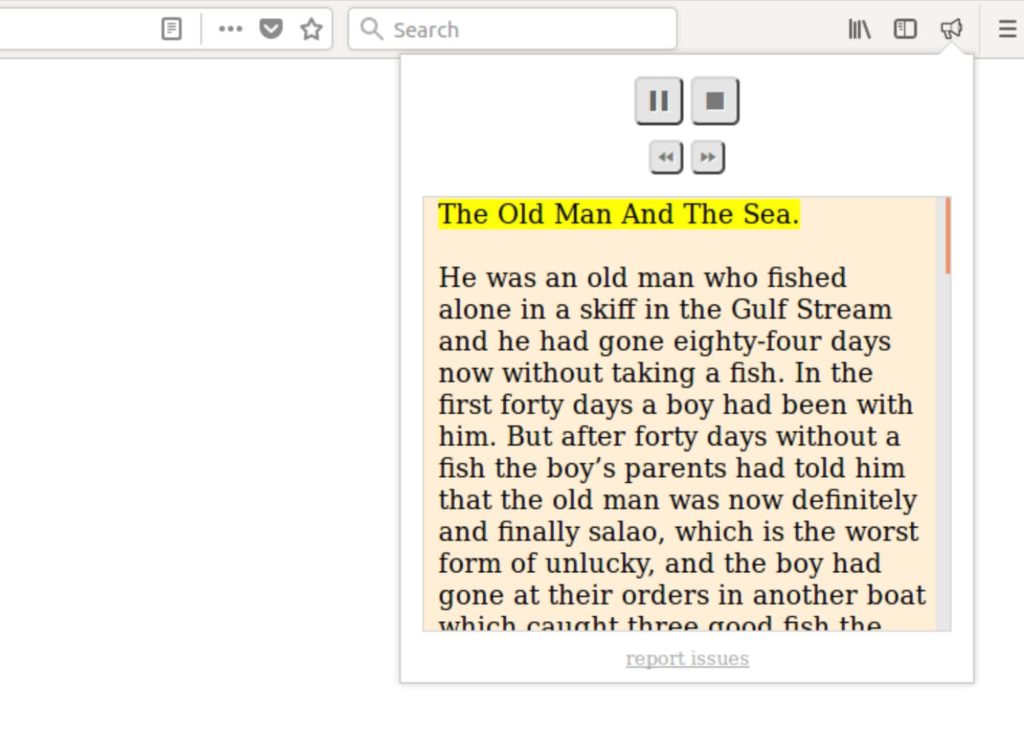
Read Aloud: text to speech voice reader
Think of Read Aloud: text to speech voice reader as an audio version of a traditional text-based e-reader. Sit back and let it read the web to you.
Key features:
- 40+ languages
- Male/female voice options
- Adjust the pitch and reading speed of any voice
- PDF support
EpubPress – read the web offline
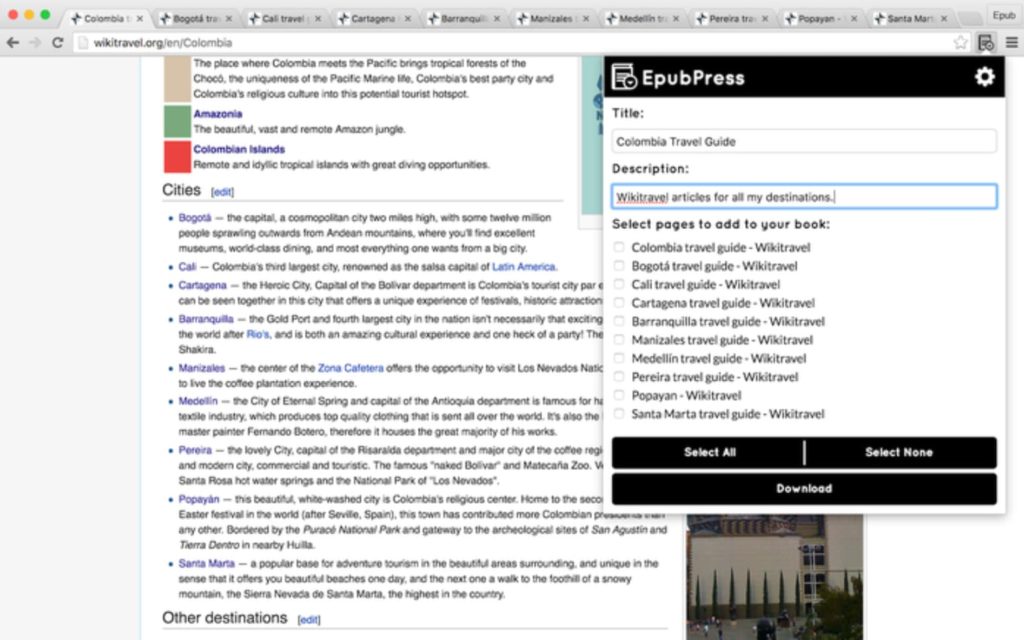
Optimized for offline reading, EpubPress lets you easily download and organize web pages into a “book” for offline reading. Use it to compile an actual long read book, or utilize it for saving news articles and other short form reading lists.
Very intuitive to operate. Once you have all the pages you want to collate opened in separate tabs, just order them how you want them to appear in your book. Ads and other distracting widgets are automatically removed from your saved pages.
We hope these extensions bring you great browser reading joy! Explore more reading extensions on addons.mozilla.org.
https://addons.mozilla.org/blog/read-epub-e-books-right-in-your-browser/
Recently the Surgeon General of the United States weighed in on the spread of disinformation on major platforms and its effects on people and society. He echoed the calls of researchers, activists and organizations, like Mozilla, for the major platforms to release more data, and to provide access to researchers in order to analyze the spread and impact of misinformation.
Yet Facebook has again taken steps to shut down this exact kind of research on its platform, a troubling pattern we have witnessed from Facebook including sidelining their own Crowdtangle and killing a suite of tools from Propublica and Mozilla in 2019.
Most recently, Facebook has terminated the accounts of New York University researchers that built Ad Observer, an extension dedicated to bringing greater transparency to political advertising that was critical for researchers and journalists during the presidential election.
Facebook claims the accounts were shut down due to privacy problems with the Ad Observer. In our view, those claims simply do not hold water. We know this, because before encouraging users to contribute data to the Ad Observer, which we’ve done repeatedly, we reviewed the code ourselves. And in this blog post, we want to explain why we believe people can contribute to this important research without sacrificing their privacy.
Anytime you give your data to another party, whether Facebook or Mozilla or researchers at New York University, it is important that you know whether that party is trustworthy, what data will be collected, and what will be done with that data. Those are critical things to consider before you potentially grant access to your data. And those are also key factors for Mozilla when we consider recommending an extension.
Before Mozilla decided to recommend Ad Observer, we reviewed it twice, conducting both a code review and examining the consent flow to ensure users will understand exactly what they are installing. In both cases the team responsible for this add-on responded quickly to our feedback, made changes to their code, and demonstrated a commitment to the privacy of their users. We also conducted an in-depth design review of Ad Observer, the results of which can be found here.
We decided to recommend Ad Observer because our reviews assured us that it respects user privacy and supports transparency. It collects ads, targeting parameters and metadata associated with the ads. It does not collect personal posts or information about your friends. And it does not compile a user profile on its servers. The extension also allows you to see what data has been collected by visiting the “My Archive” tab. It gives you the choice to opt in to sharing additional demographic information to aid research into how specific groups are being targeted, but even that is off by default.
You don’t have to take our word for it. Ad Observer is open source, so anybody can see the code and confirm it is designed properly and doing what it purports to do.
Of course, companies like Facebook need to be proactive about third-parties that might be collecting data on their platform and putting their users at risk. Figuring out what third-parties to allow under what circumstances is certainly not an easy task. But in this case, the application of its policy is counterproductive. This is why Mozilla makes exceptions for good-faith security research in our own products and why we have been supportive of calls for Facebook to create safe harbors for public-interest research.
The truth is that major platforms continue to be a safe haven for disinformation and extremism — wreaking havoc on people, our elections and society. We actually launched Mozilla Rally to take back control of research
Earlier this summer, we started a series of blog posts analyzing the technical merits of the various privacy-preserving advertising proposals out there. Our goal is to advance the debate and help break down this complex topic. In this new addition to this series, we look at the SWAN.community and United ID 2.0 proposals. We have conducted a detailed analysis and this post provides a summary.
The conclusion of our analysis is that, from a purely technical standpoint, these proposals are a regression in privacy in that they allow tracking of users who are presently protected against tracking.
- SWAN and Unified ID 2.0 each describe a new approach to web tracking. They provide a service which assigns a pseudonymous identifier to each user that can then be used for tracking or ad targeting. While these proposals do not depend on third party cookies, they rely on other technical mechanisms, like redirect tracking (aka bounce tracking) in the case of SWAN or the use of primary identifiers like email addresses in the case of UID2, to bypass browser anti-tracking mechanisms.
- These proposals depend heavily on policy controls: asking the user for consent before tracking them and then restricting the use of tracking data. However, it is not possible for the user to verify that these policies are being followed and it is unclear whether it will be practical to enforce them. Even if these policies were to be stronger and clearly enforceable, the end result would be a large number of entities possessing user browsing history, which is precisely the situation which browsers are currently trying to fix.
Advertising is central to the internet economy. But it is very intrusive. It is powered by ubiquitous surveillance and it is often used in ways that harm individuals and society. As a browser maker and as a nonprofit-backed organization driven by a clear mission, we want to ensure that the interests of users are represented and that privacy is a priority.
With the current debate on privacy-preserving advertising, we have a real opportunity now to challenge the status quo and improve the privacy properties of online advertising—an industry that hasn’t seen privacy improvement in years. Attempts by the advertising industry to improve privacy through voluntary and policy-based initiatives have demonstrably failed. These proposals rely on those same failed mechanisms.
As we continue to explore privacy preserving advertising proposals, our plan in the Firefox browser is to ratchet up the privacy and security protections we offer, with the goal of eliminating cross-site tracking from the browser entirely. That is the work we started with the launch of Enhanced Tracking Protection in 2019 and that work will continue.
Check out our analysis of SWAN and Unified ID 2.0.
For more on this:
Building a more privacy-preserving ads-based ecosystem
Mozilla responds to the UK CMA consultation on google’s commitments on the Chrome Privacy Sandbox
The post Privacy analysis of SWAN.community and United ID 2.0 appeared first on The Mozilla Blog.
Last month, Gregor Weber and I added an autocomplete search to MDN Web Docs, that allows you to quickly jump straight to the document you’re looking for by typing parts of the document title. This is the story about how that’s implemented. If you stick around to the end, I’ll share an “easter egg” feature that, once you’ve learned it, will make you look really cool at dinner parties. Or, perhaps you just want to navigate MDN faster than mere mortals.
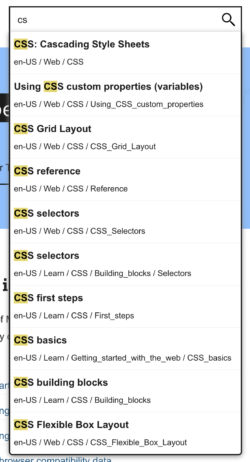
In its simplest form, the input field has an onkeypress event listener that filters through a complete list of every single document title (per locale). At the time of writing, there are 11,690 different document titles (and their URLs) for English US. You can see a preview by opening https://developer.mozilla.org/en-US/search-index.json. Yes, it’s huge, but it’s not too huge to load all into memory. After all, together with the code that does the searching, it’s only loaded when the user has indicated intent to type something. And speaking of size, because the file is compressed with Brotli, the file is only 144KB over the network.
Implementation details
By default, the only JavaScript code that’s loaded is a small shim that watches for onmouseover and onfocus for the search field. There’s also an event listener on the whole document that looks for a certain keystroke. Pressing / at any point, acts the same as if you had used your mouse cursor to put focus into the field. As soon as focus is triggered, the first thing it does is download two JavaScript bundles which turns the field into something much more advanced. In its simplest (pseudo) form, here’s how it works:
let started = false;
function startAutocomplete() {
  if (started) {
    return false;
  }
  const script = document.createElement("script");
  script.src = "/static/js/autocomplete.js";
  document.head.appendChild(script);
}
Then it loads /static/js/autocomplete.js which is where the real magic happens. Let’s dig deeper with the pseudo code:
(async function() {
  const response = await fetch('/en-US/search-index.json');
  const documents = await response.json();

  const inputValue = document.querySelector(
    'input[type="search"]'
  ).value;
  const flex = FlexSearch.create();
  documents.forEach(({ title }, i) => {
    flex.add(i, title);
  });

  const indexResults = flex.search(inputValue);
  const foundDocuments = indexResults.map((index) => documents[index]);
  displayFoundDocuments(foundDocuments.slice(0, 10));
})();
As you can probably see, this is an oversimplification of how it actually works, but it’s not yet time to dig into the details. The next step is to display the matches. We use (TypeScript) React to do this, but the following pseudo code is easier to follow:
function displayFoundResults(documents) {
  const container = document.createElement("ul");
  documents.forEach(({url, title}) => {
    const row = document.createElement("li");
    const link = document.createElement("a");
    link.href = url;
    link.textContent = title;
    row.appendChild(link);
    container.appendChild(row);
  });
  document.querySelector('#search').appendChild(container);
}
Then with some CSS, we just display this as an overlay just beneath the field. For example, we highlight each title according to the inputValue and various keystroke event handlers take care of highlighting the relevant row when you navigate up and down.
Ok, let’s dig deeper into the implementation details
We create the FlexSearch index just once and re-use it for every new keystroke. Because the user might type more while waiting for the network, it’s actually reactive so executes the actual search once all the JavaScript and the JSON XHR have arrived.
Before we dig into what this FlexSearch is, let’s talk about how the display actually works. For that we use a React library called downshift which handles all the interactions, displays, and makes sure the displayed search results are accessible. downshift is a mature library
As readers of this blog might remember, shopping assistants aren’t exactly known for their respect of your privacy. They will typically use their privileged access to your browser in order to extract data. For them, this ability is a competitive advantage. You pay for a free product with a privacy hazard.
Usually, the vendor will claim to anonymize all data, a claim that can rarely be verified. Even if the anonymization actually happens, it’s really hard to do this right. If anonymization can be reversed and the data falls into the wrong hands, this can have severe consequences for a person’s life.
Today we will take a closer look at a browser extension called “Keepa – Amazon Price Tracker” which is used by at least two million users across different browsers. The extension is being brought out by a German company and the privacy policy is refreshingly short and concise, suggesting that no unexpected data collection is going on. The reality however is: not only will this extension extract data from your Amazon sessions, it will even use your bandwidth to load various Amazon pages in the background.
Contents
The server communication
The Keepa extension keeps a persistent WebSocket connection open to its server dyn.keepa.com. The server parameters include your unique user identifier, stored both in the extension and as a cookie on keepa.com. As a result, this identifier will survive both clearing browse data and reinstalling the extension, you’d have to do both for it to be cleared. If you choose to register on keepa.com, this identifier will also be tied to your user name and email address.
Looking at the messages being exchanged, you’ll see that these are binary data. But they aren’t encrypted, it’s merely deflate-compressed JSON-data.
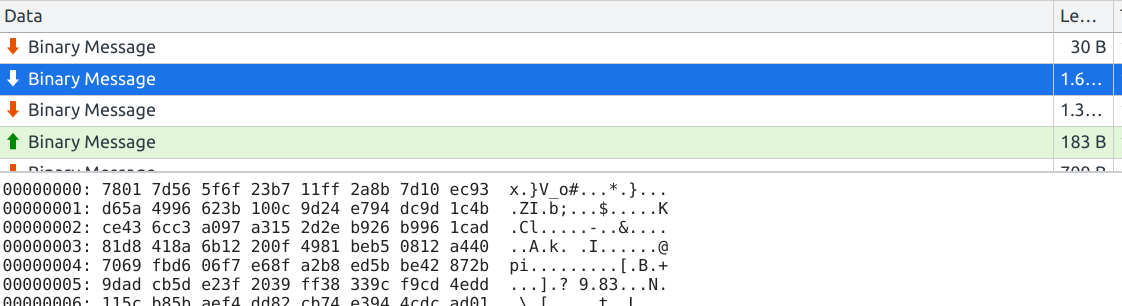
You can see the original message contents by copying the message as a Base64 string, then running the following code in the context of the extension’s background page:
pako.inflate(atob("eAGrViouSSwpLVayMjSw0FFQylOyMjesBQBQGwZU"), {to: "string"});
This will display the initial message sent by the server:
{
  "status": 108,
  "n": 71
}
What does Keepa learn about your
One of the most consistently popular old posts on this blog is our discussion on long-life computing and how to extend the working, arguably even useful, life of your Power Mac. However, what I think gives it particular continued traction is it has a section on how to swap out the liquid cooling system of the Quad G5, obviously the most powerful Power Macintosh ever made and one of the only two G5 systems I believe worth using (the other being the dual-processor 2.3GHz, as it is aircooled). LCSes are finicky beasts under the best of conditions and certain liquid-cooled models of the G5 line have notoriously bad reputations for leakage. My parents' dual 2.5GHz, for example, succumbed to a leak and it ended up being a rather ugly postmortem.
The Quad G5 is one of the better ones in this regard and most of the ones that would have suffered early deaths already have, but it still requires service due to evaporative losses and sediment, and any Quad on its original processors is by now almost certainly a windtunnel under load. An ailing LCS, even an intact one, runs the real risk of an unexpected shutdown if the CPU it can no longer cool effectively ends up exceeding its internal thermal limits; you'll see a red OVERTEMP light illuminate on the logic board when this is imminent, followed by a CHECKSTOP. Like an automotive radiator it is possible to open the LCS up and flush the coolant (and potentially service the pumps), but this is not a trivial process. Additionally, those instructions are for the single-pump Delphi version 1 assembly, which is the more reliable of the two; the less reliable double-pump Cooligy version 2 assemblies are even harder to work on.
Unfortunately our current employment situation requires I downsize, so I've been starting on consolidating or finding homes for excess spare systems. I had several spare Quad G5 systems in storage in various states, all version 2 Cooligy LCSes, but the only LCS assemblies I have in stock (and the LCS in my original Quad G5) are version 1. These LCSes were bought Apple Certified Refurbished, so they were known to be in good condition and ready to go; as the spare Quads were all on their original marginal LCSes and processors, I figured I would simply "upgrade" the best-condition v2 G5 with a v1 assembly. The G5 service manual doesn't say anything about this, though it has nothing in it indicating that they aren't interchangeable, or that they need different logic boards or ROMs, and now having done it I can attest that it "just works." So here's a few things to watch out for.
Both the v1 and the v2 assemblies have multiple sets of screws: four "captive" (not really) float plate screws, six processor mount screws, four terminal assembly screws (all of which require a 3mm flathead hex driver), and four captive ballheads (4mm ballhead hex). Here's the v1, again:


With more work and education happening online (and at home) you may find yourself needing new ways to juice your productivity. From time management to organizational tools and more, the right browser extension can give you an edge in the art of efficiency.
I need help saving and organizing a lot of web content
Gyazo
Capture, save, and share anything you find on the web. Gyazo is a great tool for personal or collaborative record keeping and research.
Clip entire pages or just pertinent portions. Save images or take screenshots. Gyazo makes it easy to perform any type of web clipping action by either right-clicking on the page element you want to save or using the extension’s toolbar button. Everything gets saved to your Gyazo account, making it accessible across devices and collaborative teams.
On your Gyazo homepage you can easily browse and sort everything you’ve clipped; and organize everything into shareable topics or collections.
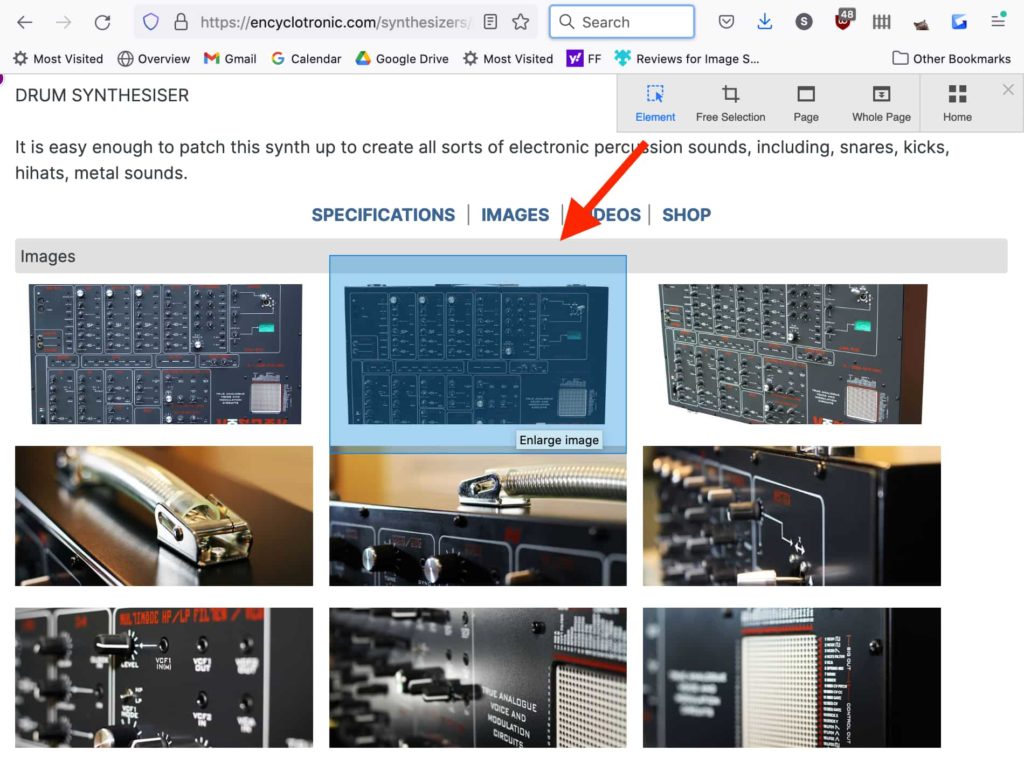
Evernote Web Clipper
Similar to Gyazo, Evernote Web Clipper offers a kindred feature set—clip, save, and share web content—albeit with some nice user interface distinctions.
Evernote places emphasis on making it easy to annotate images and articles for collaborative purposes. It also has a strong internal search feature, allowing you to search for specific words or phrases that might appear across scattered groupings of clipped content. Evernote also automatically strips out ads and social widgets on your saved pages.
Focus! Focus! Focus!
Anti-distraction extensions can be a major boon for online workers and students…
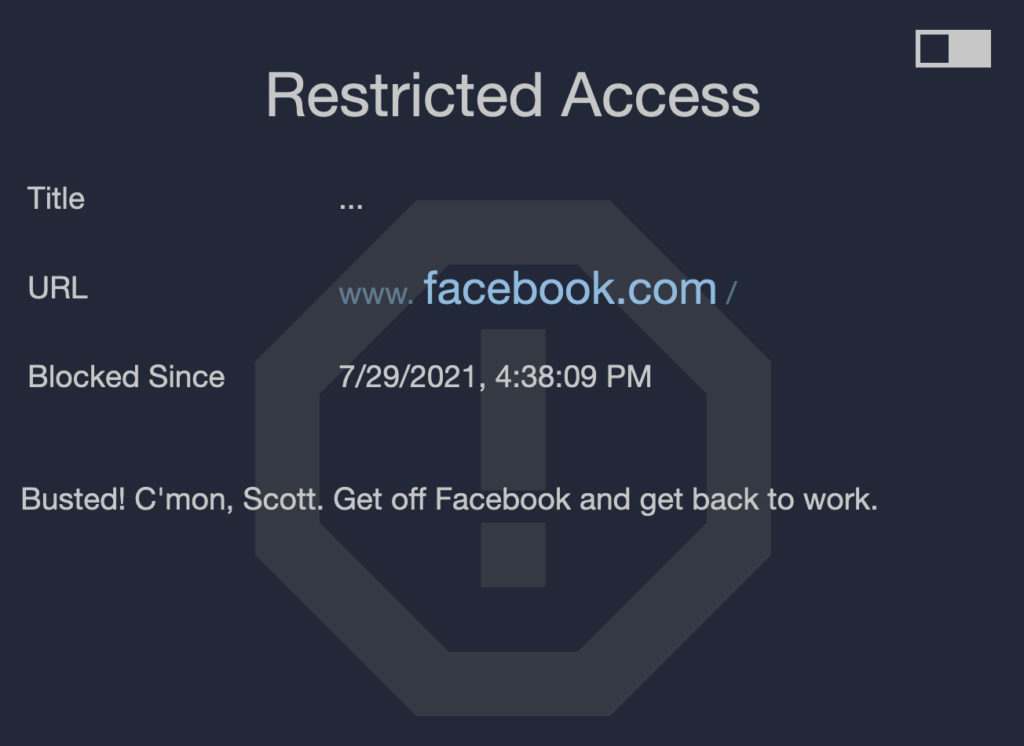
Block Site
Do you struggle avoiding certain time-wasting, productivity-sucking websites? With Block Site you can enforce restrictions on sites that tempt you away from good work habits.
Just list the websites you want to avoid for specified periods of time (certain hours of the day or some days entirely, etc.) and Block Site won’t let you access them until you’re out of the focus zone. There’s also a fun redirection feature where you’re automatically redirected to a more productive website anytime you try to visit a time waster
LeechBlock NG
Very similar in function to Block Site, LeechBlock NG offers a few intriguing twists beyond standard site-blocking features.
In addition to blocking sites during specified times, LeechBlock NG offers an array of granular, website-specific blocking abilities—like blocking just portions of websites (e.g. you can’t access the YouTube homepage but you can see video pages) to setting restrictions on predetermined days (e.g. no Twitter on weekends) to 60-second delayed access to certain websites to give you time to reconsider that potentially productivity killing decision.
Tomato Clock
A simple but highly effective time management tool, Tomato Clock (based on the Pomodoro technique) helps you stay on task by tracking short, focused work intervals.
The premise is simple: it assumes everyone’s productive attention span is limited, so break up your work into manageable “tomato” chunks. Let’s say you work best in 40-minute bursts. Set Tomato Clock and your browser will notify you when it’s break time (which is also time customizable). It’s a great way to stay focused via short sprints of productivity. The extension also keeps track of your completed tomato intervals so you can track your
It’s been a hell of a year so far for data privacy. Apple has been launching broadsides at the ad-tech industry with each new big privacy feature unveiling. Google is playing catch-up, promising that Android users will also soon be able to stop apps from tracking them across the internet. Then there’s WhatsApp, going on a global PR offensive after changes to its privacy policy elicited consumer backlash.
There’s no doubt about it, digital privacy is shaping up as the key tech battleground in 2021 and the years ahead. But how did this happen? Wasn’t digital privacy supposed to be dead and buried by now? After all, many tech CEOs and commentators have told us that a zero-privacy world was inevitable and that everyone should just get used to it. Until recently, it would have been tough to argue that they were wrong.
Over the last 18 months, events have conspired to accelerate this shift in public attitudes towards privacy from a niche concern to something much more fundamental and mainstream. In the process, more people also began to see how privacy and security are inextricably linked.
The abrupt shift to remote working prompted by COVID-19 “stay at home” orders globally was the first crank of the engine. Many of us have had to use personal devices and work in less-than-secure home environments, exposing vast swathes of corporate data to greater risk.
The result has been something of a crash course in cybersecurity for all involved. Workers have had to navigate VPNs in order to access their company networks and learn how to keep their employer’s data safe. Those that didn’t suffered the consequences. In August 2020, MalwareBytes reported that 20% of organizations had had a data breach due to remote working.

Mozilla VPN, a Virtual Private Network from the makers of Firefox.
Protect all your devicesWith home working here to stay in some form at least, employees must now be kept updated on cybersecurity best practice to ensure their networks stay protected. This should seep into people’s own online habits, prompting them to be more cautious and to adopt better everyday security hygiene.
Then there was the COVID-19 public health response, with contact tracing apps and vaccine passports putting health privacy front of mind. Their introduction raised thorny questions about how to balance managing the spread of the virus with respecting data privacy. In the UK, privacy fears forced the government to scrap the original version of its contact tracing app and switch to a decentralized operating model.
As mass vaccinations roll out, attention has since turned to vaccine passport apps. In New York, the Excelsior Pass controversially uses private blockchain technology leading to criticism that developer IBM and the state government are hiding behind the blockchain gimmick rather than genuinely earning the trust of the public to protect their information. As a result, the Linux Foundation is now working to develop a set of standards that protects our privacy when we use these apps. This is a significant step forward and provides a baseline for digital privacy protections that could be referenced in the development of other apps.
It’s not just the pandemic that has opened more eyes to privacy issues. Over a tumultuous summer, law enforcement agencies across the U.S. flaunted surveillance powers that brought home just how flimsy our privacy protections truly are.
At the peak of the Black Lives Matter protests, authorities were able to identify protestors via facial recognition tech and track them down using phone location data. To combat this, major news outlets like Time and human rights organizations such as Amnesty
There are multiple ways to find great add-ons on addons.mozilla.org (AMO). You can browse the content featured on the homepage, use the top navigation to drill down into add-on types and categories, or search for specific add-ons or functionality. Now, we’re adding another layer of classification and opportunities for discovery by bringing back a feature called tags.
We introduced tagging long ago, but ended up discontinuing it because the way we implemented it wasn’t as useful as we thought. Part of the problem was that it was too open-ended, and anyone could tag any add-on however they wanted. This led to spamming, over-tagging, and general inconsistencies that made it hard for users to get helpful results.
Now we’re bringing tags back, but in a different form. Instead of free-form tags, we’ll provide a set of predefined tags that developers can pick from. We’re starting with a small set of tags based on what we’ve noticed users looking for, so it’s possible many add-ons don’t match any of them. We will expand the list of tags if this feature performs well.
The tags will be displayed on the listing page of the add-on. We also plan to display tagged add-ons in the AMO homepage.

Example of a tag shelf in the AMO homepage
We’re only just starting to roll this feature out, so we might be making some changes to it as we learn more about how it’s used. For now, add-on developers should visit the Developer Hub and set any relevant tags for their add-ons. Any tags that had been set prior to July 22, 2021 were removed when the feature was retooled.
The post New tagging feature for add-ons on AMO appeared first on Mozilla Add-ons Community Blog.
https://blog.mozilla.org/addons/2021/07/29/new-tagging-feature-for-add-ons-on-amo/
Starting with version 90, Firefox will automatically find and offer to use client authentication certificates provided by the operating system on macOS and Windows. This security and usability improvement has been available in Firefox since version 75, but previously end users had to manually enable it.
When a web browser negotiates a secure connection with a website, the web server sends a certificate to the browser to prove its identity. Some websites (most commonly corporate authentication systems) request that the browser sends a certificate back to it as well, so that the website visitor can prove their identity to the website (similar to logging in with a username and password). This is sometimes called “mutual authentication”.
Starting with Firefox version 90, when you connect to a website that requests a client authentication certificate, Firefox will automatically query the operating system for such certificates and give you the option to use one of them. This feature will be particularly beneficial when relying on a client certificate stored on a hardware token, since you do not have to import the certificate into Firefox or load a third-party module to communicate with the token on behalf of Firefox. No manual task or preconfiguration will be necessary when communicating with your corporate authentication system.
If you are a Firefox user, you don’t have to do anything to benefit from this usability and security improvement to load client certificates. As soon as your Firefox auto-updates to version 90, you can simply select your client certificate when prompted by a website. If you aren’t a Firefox user yet, you can download the latest version here to start benefiting from all the ways that Firefox works to protect you when browsing the web.
The post Making Client Certificates Available By Default in Firefox 90 appeared first on Mozilla Security Blog.
On the internet you are never alone, and because of that at Mozilla we know that we can’t work to build a better internet alone. We believe in and rely on our community — from our volunteers, to our staff, to our users, fans and friends. Meet Lalo Luevano, partner and co-founder of Bodega, a natural wine bar in the North Beach neighborhood of San Francisco.
Tell me a little about yourself.
I was born and raised in Santa Cruz, California. It’s a little surf town, very tight knit, very laid back. I think it rubbed off on me a lot because I’m a laid back sort of person. I’m from a Mexican background. My parents always loved having big barbecues and having lots of friends over. They were involved with fundraisers for my baseball team or my sister’s soccer teams. I always wanted to be part of the production side, getting involved in what we were serving and in the cooking. My dad also loves to cook. He’d be on the grill and I was very much into manning the grill any chance I got. Cooking has been a big part of my family upbringing.
What do you love about cooking?
It’s like my therapy, essentially. I definitely get into a meditative state when cooking. I can just kind of zero in and focus on something and that’s really important to me when I’m doing it.

How long have you been involved in the restaurant scene?
Right out of college, I went into engineering, working for a defense contractor for about six to eight years. I was living in Santa Clara and I found myself coming to San Francisco quite a bit to indulge in the live music scene, the food and the bars, but never really considered it as a profession or a lifestyle. It just seemed very daunting. Everybody hears the horror stories of restaurants and the failure rate.
By becoming friends with restaurateurs and owners of different places, I started getting the idea that maybe this is something I can do. I met somebody who was a trained chef who invited me to get involved in a pop-up so I could understand how a restaurant works behind the scenes. It was so successful the first time that we ended up doing it seasonally.
We walked away with a good chunk of change that we weren’t really looking for. The pop-up was just a way to do something fun and have a bunch of friends and feed strangers, and such, but we would still walk away with a good amount of cash, at which point, I think that’s what really gave me the confidence of like saying hey, we can actually open up a spot.

And that led you to Bodega?
Yeah, this space in North Beach in San Francisco just happened to fall on our laps. I caught wind from a friend that this woman was considering selling her business, so I went and checked it out with my business partner, and it was just an amazing location right next to Washington Square Park. We’ve been doing this now for six years, and I’m proud to say, I think we were probably one of the first natural wine bars in the city. We have a really nice curated list of wines and a menu that rotates frequently but it’s really fresh and it’s inventive. It’s a really fun and energetic atmosphere.
What do you enjoy most about being a restaurateur?
The creativity of it. Like creating the concept itself. I really enjoy how the menu coincides with the wine list and the music. I just love the entire production of it. I feel like I picked the right profession because it’s where I get to have a good time and explore the fun side of my personality. I really enjoy being a curator.
A year goes by so quickly, and we have good reason to celebrate. Since our launch last year, Mozilla VPN, our fast and easy-to-use Virtual Private Network service, has expanded to seven countries including Austria, Belgium, France, Germany, Italy, Spain and Switzerland adding to 13 countries where Mozilla VPN is available. We also expanded our VPN service offerings and it’s now available on Windows, Mac, Linux, Android and iOS platforms. We have also given you more payment choices from credit card, paypal or through Apple in-app purchases. Lastly, our list of languages that we support continues to grow, and to date we support 28 languages. Thousands of people have signed up to subscribe to our Mozilla VPN, which provides encryption and device-level protection of your connection and information when you are on the Web.
Developed by Mozilla, a mission-driven company with a 20-year track record of fighting for online privacy and a healthier internet, we are committed to innovate and bring new features to the Mozilla VPN through feedback from our community. This year, the team has been working on additional security and customization features which will soon be available to our users.
Today, we’re launching a new feature, one that’s been requested by many users called split tunneling. This allows you to divide your internet traffic and choose which apps you want to secure through an encrypted VPN tunnel, and which apps you want to connect to an open network. Additionally, we recently released the captive portal feature which allows you to join public Wi-Fi networks securely. We continue to add new features to offer you the flexibility to use Mozilla VPN wherever you go.
Divide and conquer your apps with our split tunneling feature
Today, we’re launching the split tunneling feature so you can choose which apps that you want to use the Mozilla VPN and which ones you want to go through an open network. This allows you to prioritize and choose the internet connections on the apps that you want to continue to be kept safe with the Mozilla VPN. This feature is available on Windows, Linux and Android.
Joining public Wi-Fi networks securely through our captive portal
Recently, we added the option to join public Wi-Fi networks securely. It’s a feature to make sure you can easily use our trustworthy Mozilla VPN service to protect your device and data when you are on a public WiFi network. If your VPN is on and you first connect to the cafe’s public Wi-Fi network, you may be blocked from seeing the cafe or public Wi-Fi’s landing or login page, known as the captive portal. Mozilla VPN will recognize this, and provide a notification to turn off the Mozilla VPN so you can connect through the public Wi-Fi’s landing or login page. Then, once you’re logged in, you’ll receive a notification to click to connect to our Mozilla VPN. This feature is available on Windows, Linux and Android.
New and flexible pricing plans
Recently, we changed our prices after we heard from consumers who wanted more flexibility and different plan options at different price points. As a token of our appreciation to the users who signed up when we first launched last year, we will continue to honor the $4.99 monthly subscription to users in those six countries – the United States, Canada, the United Kingdom, Singapore, Malaysia, and New Zealand. For new customers in those six countries that subscribe after July 14, 2021, they can get the same low cost by signing up for a 12 month subscription.
We know that it’s more important than ever for you to be safe, and for you to know that what you do online is your own business. By subscribing to Mozilla VPN, users support both Mozilla’s product development and our mission to build a better web for all. Check out the Mozilla VPN and subscribe today from our website.
A year goes by so quickly, and we have good reason to celebrate. Since our launch last year, Mozilla VPN, our fast and easy-to-use Virtual Private Network service, has expanded to seven countries including Austria, Belgium, France, Germany, Italy, Spain and Switzerland adding to 13 countries where Mozilla VPN is available. We also expanded our VPN service offerings and it’s now available on Windows, Mac, Linux, Android and iOS platforms. We have also given you more payment choices from credit card, paypal or through Apple in-app purchases. Lastly, our list of languages that we support continues to grow, and to date we support 28 languages. Thousands of people have signed up to subscribe to our Mozilla VPN, which provides encryption and device-level protection of your connection and information when you are on the Web.
Developed by Mozilla, a mission-driven company with a 20-year track record of fighting for online privacy and a healthier internet, we are committed to innovate and bring new features to the Mozilla VPN through feedback from our community. This year, the team has been working on additional security and customization features which will soon be available to our users.
Today, we’re launching a new feature, one that’s been requested by many users called split tunneling. This allows you to divide your internet traffic and choose which apps you want to secure through an encrypted VPN tunnel, and which apps you want to connect to an open network. Additionally, we recently released the captive portal feature which allows you to join public Wi-Fi networks securely. We continue to add new features to offer you the flexibility to use Mozilla VPN wherever you go.
Divide and conquer your apps with our split tunneling feature
Today, we’re launching the split tunneling feature so you can choose which apps that you want to use the Mozilla VPN and which ones you want to go through an open network. This allows you to prioritize and choose the internet connections on the apps that you want to continue to be kept safe with the Mozilla VPN. This feature is available on Windows, Linux and Android.
Joining public Wi-Fi networks securely through our captive portal
Recently, we added the option to join public Wi-Fi networks securely. It’s a feature to make sure you can easily use our trustworthy Mozilla VPN service to protect your device and data when you are on a public WiFi network. If your VPN is on and you first connect to the cafe’s public Wi-Fi network, you may be blocked from seeing the cafe or public Wi-Fi’s landing or login page, known as the captive portal. Mozilla VPN will recognize this, and provide a notification to turn off the Mozilla VPN so you can connect through the public Wi-Fi’s landing or login page. Then, once you’re logged in, you’ll receive a notification to click to connect to our Mozilla VPN. This feature is available on Windows, Linux and Android.
New and flexible pricing plans
Recently, we changed our prices after we heard from consumers who wanted more flexibility and different plan options at different price points. As a token of our appreciation to the users who signed up when we first launched last year, we will continue to honor the $4.99 monthly subscription to users in those six countries – the United States, Canada, the United Kingdom, Singapore, Malaysia, and New Zealand. For new customers in those six countries that subscribe after July 14, 2021, they can get the same low cost by signing up for a 12 month subscription.
We know that it’s more important than ever for you to be safe, and for you to know that what you do online is your own business. By subscribing to Mozilla VPN, users support both Mozilla’s product development and our mission to build a better web for all. Check out the Mozilla VPN and subscribe today from our website.
Customize chat, optimize your video player, auto-collect channel points, and much much more. Explore some of the ways you can radically transform your Twitch experience with a browser extension…
BetterTTV
One of the most feature rich and popular Twitch extensions out there, BetterTTV has everything from fun new emoticons to advanced content filtering.
Key features:
- Auto-collect channel points
- Easier-to-read chat interface
- Select usernames, words, or specific phrases you want highlighted throughout Twitch; or blacklist any of those elements you want filtered out
- New emoticons to use globally or custom per channel
- See deleted messages
- Anonymous Chat—join a channel without notice
Alternative Player for Twitch.tv
While this extension’s focus is on video player customization, Alternate Player for Twitch.tv packs a bunch of other great features unrelated to video streaming.
Let’s start with the video player. Some of its best tweaks include:
- Ad blocking! Wipe away all of those suuuuper looooong pre-rolls
- Choose a new color for the player
- Instant Replay is a wow feature—go back and watch up to a minute of material that just streamed (includes ability to speed up/slow down replay)
Alternate Player for Twitch.tv also appears to run live streams at even smoother rates than Twitch’s default player. You can further optimize your stream by adjusting the extension’s bandwidth settings to better suit your internet speed. Audio Only mode is really great for saving bandwidth if you’re just tuning in for music or discussion.
Our favorite feature is the ability to customize the size and location of the chat interface while in full-screen mode. Make the chat small and tuck it away in a corner or expand it to consume most of the screen; or remove chat altogether if the side conversation is a mood killer.
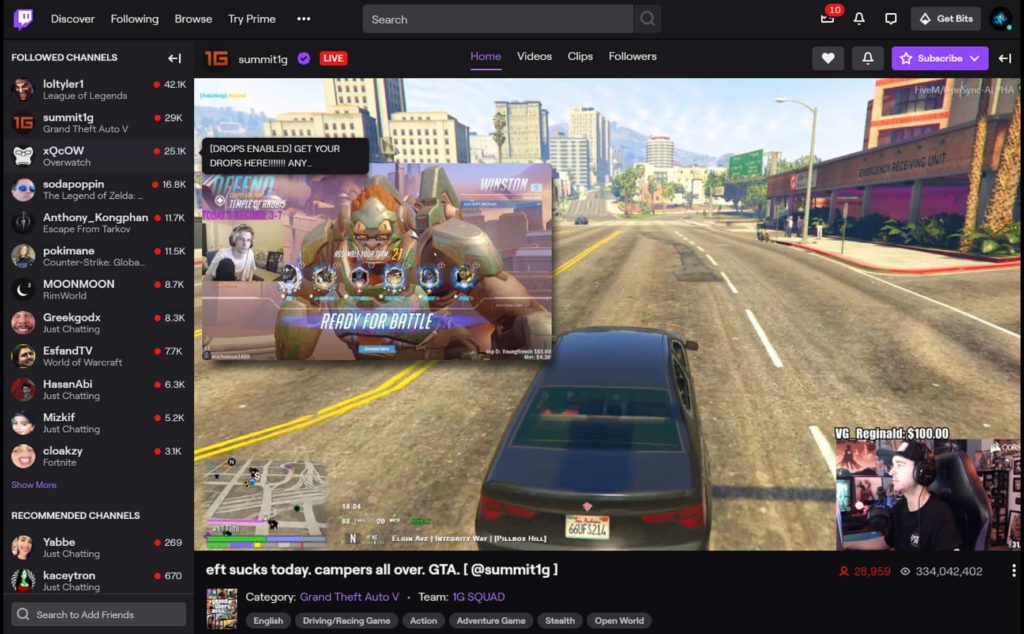
Twitch Previews
This is the best way to channel surf. Just hover over a stream icon in the sidebar and Twitch Previews will display its live video in a tiny player.
No more clicking away from the thing you’re watching just to check out other streams. Additional features we love include the ability to customize the video size and volume of the previews, a sidebar auto-extender (to more easily see all live streamers), and full-screen mode with chat.
Unwanted Twitch
Do you keep seeing the same channels over and over again that you’re not interested in? Unwanted Twitch wipes them from your experience.
Not only block specific channels you don’t want, but you can even hide entire categories (I’m done with dub step!) or specific tags (my #Minecraft days are behind me). Other niche “hide” features include the ability to block reruns and streams with certain words appearing in their title.
Twitch Chat Pronouns
What a neat idea. Twitch Chat Pronouns lets you add gender pronouns to usernames.
The pronouns will display next to Twitch usernames. You’ll need to enter a pronoun for yourself if you want one to appear to other extension users.
We hope your Twitch experience has been improved with a browser extension! Find more media enhancing extensions on addons.mozilla.org.
(“This Week in Glean” is a series of blog posts that the Glean Team at Mozilla is using to try to communicate better about our work. They could be release notes, documentation, hopes, dreams, or whatever: so long as it is inspired by Glean.) All “This Week in Glean” blog posts are listed in the TWiG index (and on the Mozilla Data blog).
Glean SDK
The Glean SDK is Mozilla’s telemetry library, used in most mobile products and now for Firefox Desktop as well. By now it has grown to a sizable code base with a lot of functionality beyond just storing some metric data. Since its first release as a Rust crate in 2019 we managed to move more and more logic from the language SDKs (previously also known as “language bindings”) into the core Rust crate. This allows us to maintain business logic only once and can easily share that across different implementations and platforms. The Rust core is shipped precompiled for multiple target platforms, with the language SDK distributed through the respective package manager.
I talked about how this all works in more detail last year, this year and blogged about it in a previous TWiG.
GeckoView
GeckoView is Mozilla’s alternative implementation for WebViews on Android, based on Gecko, the web engine that also powers Firefox Desktop. It is used as the engine behind Firefox for Android (also called Fenix). The visible parts of what makes up Firefox for Android is written in Kotlin, but it all delegates to the underlying Gecko engine, written in a combination of C++, Rust & JavaScript.
The GeckoView code resides in the mozilla-central repository, next to all the other Gecko code. From there releases are pushed to Mozilla’s own Maven repository.
One Glean too many
Initially Firefox for Android was the only user of the Glean SDK. Up until today it consumes Glean through its release as part of Android Components, a collection of libraries to build browser-like applications.
But the Glean SDK is also available outside of Android Components, as its own package. And additionally it’s available for other languages and platforms too, including a Rust crate. Over the past year we’ve been busy getting Gecko to use Glean through the Rust crate to build its own telemetry on top.
With the Glean SDK used in all these applications we’re in a difficult position: There’s a Glean in Firefox for Android that’s reporting data. Firefox for Android is using Gecko to render the web. And Gecko is starting to use Glean to report data.
That’s one Glean too many if we want coherent data from the full application.
Shipping it all together, take one
Of course we knew about this scenario for a long time. It’s been one of the goals of Project FOG to transparently collect data from Gecko and the embedding application!
We set out to find a solution so that we can connect both sides and have only one Glean be responsible for the data collection & sending.
We started with more detailed planning all the way back in August of last year and agreed on a design in October. Due to changed priorities & availability of people we didn’t get into the implementation phase until earlier this year.
By February I had a first rough prototype in place. When Gecko was shipped as part of GeckoView it would automatically look up the Glean library that is shipped as a dynamic library with the Android application. All function calls to record data from within Gecko would thus ultimately land in the Glean instance that is controlled by Fenix. Glean and the abstraction layer within Gecko would do the heavy work, but users of the Glean API would notice no difference, except their data would now show up in pings sent from Fenix.
This integration was brittle. It required finding the right dynamic library, looking up symbols at runtime as well as reimplementing all metric types to switch to the FFI API in a GeckoView build. We abandoned this approach and started looking for a better one.
Shipping it all together, take two
After the first failed
(“This Week in Glean” is a series of blog posts that the Glean Team at Mozilla is using to try to communicate better about our work. They could be release notes, documentation, hopes, dreams, or whatever: so long as it is inspired by Glean.) All "This Week in Glean" blog posts are listed in the TWiG index (and on the Mozilla Data blog). This article is cross-posted on the Mozilla Data blog.
Glean SDK
The Glean SDK is Mozilla's telemetry library, used in most mobile products and now for Firefox Desktop as well. By now it has grown to a sizable code base with a lot of functionality beyond just storing some metric data. Since its first release as a Rust crate in 2019 we managed to move more and more logic from the language SDKs (previously also known as "language bindings") into the core Rust crate. This allows us to maintain business logic only once and can easily share that across different implementations and platforms. The Rust core is shipped precompiled for multiple target platforms, with the language SDK distributed through the respective package manager.
I talked about how this all works in more detail last year, this year and blogged about it in a previous TWiG.
GeckoView
GeckoView is Mozilla's alternative implementation for WebViews on Android, based on Gecko, the web engine that also powers Firefox Desktop. It is used as the engine behind Firefox for Android (also called Fenix). The visible parts of what makes up Firefox for Android is written in Kotlin, but it all delegates to the underlying Gecko engine, written in a combination of C++, Rust & JavaScript.
The GeckoView code resides in the mozilla-central repository, next to all the other Gecko code. From there releases are pushed to Mozilla's own Maven repository.
One Glean too many
Initially Firefox for Android was the only user of the Glean SDK. Up until today it consumes Glean through its release as part of Android Components, a collection of libraries to build browser-like applications.
But the Glean SDK is also available outside of Android Components, as its own package. And additionally it's available for other languages and platforms too, including a Rust crate. Over the past year we've been busy getting Gecko to use Glean through the Rust crate to build its own telemetry on top.
With the Glean SDK used in all these applications we're in a difficult position: There's a Glean in Firefox for Android that's reporting data. Firefox for Android is using Gecko to render the web. And Gecko is starting to use Glean to report data.
That's one Glean too many if we want coherent data from the full application.
Shipping it all together, take one
Of course we knew about this scenario for a long time. It's been one of the goals of Project FOG to transparently collect data from Gecko and the embedding application!
We set out to find a solution so that we can connect both sides and have only one Glean be responsible for the data collection & sending.
We started with more detailed planning all the way back in August of last year and agreed on a design in October. Due to changed priorities & availability of people we didn't get into the implementation phase until earlier this year.
By February I had a first rough prototype in place. When Gecko was shipped as part of GeckoView it would automatically look up the Glean library that is shipped as a dynamic library with the Android application. All function calls to record data from within Gecko would thus ultimately land in the Glean instance that is controlled by Fenix. Glean and the abstraction layer within Gecko would do the heavy work, but users of the Glean API would notice no difference, except their data would now show up in pings sent from Fenix.
This integration was brittle. It required finding the right dynamic library, looking up symbols at runtime as well as reimplementing all