I've been waist-deep on AltiVec intrinsics for the last week converting some of those big inverse discrete cosine and Hadamard transforms for TenFourFox's vectorized PowerPC VP9 codec. The little ones cause a noticeable but minor improvement, but when I got the first large transform done there was a big jump in performance on this quad G5. Note that the G5, even though its vector unit is based on the 7400 and therefore weaker than the 7450's, likes long strings of sequential code it can reorder, which is essentially what that huge clot of vector intrinsics is, so I have not yet determined if I've just optimized it well for the G5 or it's generalizeable to the G4 too. My theory is that even though the improvement ratio is about the same (somewhere between 4:1 and 8:1 depending on how much data they swallow per cycle), these huge vectorized inverse transforms accelerate code that takes a lot of CPU time ordinarily, so it's a bigger absolute reduction. I'm going to work on a couple more this weekend and see if I can get even more money out of it. 720p playback is still out of the question even with the Quad at full tilt, but 360p windowed is pretty smooth and even 360p fullscreen (upscaled to 1080p) and 480p windowed can keep up, and it buffers a lot quicker.
The other thing I did was to eliminate some inefficiencies in the CoreGraphics glue we use for rendering pretty much everything (there is no Skia support on 10.4) except the residual Cairo backend that handles printing. In particular, I overhauled our blend and composite mode code so that it avoids a function call on every draw operation. This is a marginal speedup but it makes some types of complex animation much smoother.
Overall I'm pretty happy with this and no one has reported any issues with the little-endian typed array switchover, so I'll make a second beta release sometime next week hopefully. MSE will still be off by default in that build but unless I hear different or some critical showstopper crops up it will be switched on for the final public release.
When I sat down at my G5 this warm Southern California Saturday morning, however, I noticed that MenuMeters (a great tool to have if you don't already) showed the Quad was already rather occupied. This wasn't a new thing; I'd seen what I assumed was a stuck cron job or something for the last several Saturday mornings and killed it in the Activity Monitor. But this was the sixth week in a row it had happened and it looked like it had been running for over three hours wasting CPU time, so enough was enough.
The offending process was something running /usr/bin/find to find, well, everything (that wasn't in /tmp or /usr/tmp), essentially iterating over the whole damn filesystem. A couple of ps -wwjp (What Would Jesus Post?) later showed it was being kicked off as part of the update system for an old Unix dragon of yore, locate.
There are no less than three possible ways to find files from the command line in OS X macOS. One is the venerable find command, which is the slowest of the lot (it uses no cache) and the predicates can be somewhat confusing to novices, but is guaranteed to be up-to-date because it doesn't rely on a pre-existing database and will find nearly anything. The second is of course Spotlight, which is accessible from the Terminal using the mdfind command. There are man pages for both.
The third way is locate, which is easier than find and faster because it uses a database for quick lookups, but less comprehensive than Spotlight/mdfind because it only looks for filenames instead of within file content as well, and the updater has to run periodically to stay current. (There's a man page for it too.) It would seem that Spotlight could completely supersede locate, and Apple thinks so too, because it was turned into a launchd .plist in 10.6 (look at /System/Library/LaunchDaemons/com.apple.locate.plist) and disabled by default. That's not the case for 10.5 and previous, however, and I have so many files on my G5 by now that the runtime to update the locate database is now close to five hours -- on an SSD! And that's why it was still running when I sat down to do work after breakfast.
I don't use locate because Spotlight is more convenient and updates practically on demand instead of weekly. If you don't either, then niced or not it's wasted effort and you should disable it from running within your Mac's periodic weekly maintenance tasks. (Note: on 10.3 and earlier, since you don't have
But why automake? Cargo is nice.
Yes it is. But it is also limited to build the Rust crate. It does one thing, very well, and easily.
Although I'm writing a GNOME application and this needs more than building the code. So I decided I need to wrap the build process into automake.
Let's start with Autoconf for Rust Project. This post is a great introduction to solving the problem and give an actual example on doing it even though the author just uses autoconf. I need automake too, but this is a good start.
We'll basically write a configure.ac and a Makefile.am in the top level Rust crate directory.
AC_INIT([gpsami], m4_esyscmd([grep ^version Cargo.toml | awk '{print $3}' | tr -d '"' | tr -d "\n"]), [hub@figuiere.net])
AM_INIT_AUTOMAKE([1.11 foreign no-dependencies no-dist-gzip dist-xz subdir-objects])
Let's init autoconf and automake. We use the options: foreign to not require all the GNU files, no-dependencies because we don't have dependency tracking done by make (cargo do that for us) and subdir-objects because we have one Makefile.am and don't want recursive mode.
The m4_esyscmd macro is a shell command to extract the version out of the Cargo.toml.
VERSION=$(grep ^version Cargo.toml | awk '{print $3}' | tr -d '"' | tr -d "\n")
This does the same as above, but put it into VERSION
This shell command was adapted from Autoconf for Rust Project but fixed as it was being greedy and also captured the "version" strings from the dependencies.
AC_CHECK_PROG(CARGO, [cargo], [yes], [no])
AS_IF(test x$CARGO = xno,
    AC_MSG_ERROR([cargo is required])
)
AC_CHECK_PROG(RUSTC, [rustc], [yes], [no])
AS_IF(test x$RUSTC = xno,
    AC_MSG_ERROR([rustc is required])
)
Check for cargo and rustc. I'm pretty sure without rustc you don't have cargo, but better be safe than sorry. Note that this is considered a fatal error at configure time.
dnl Release build we do.
CARGO_TARGET_DIR=release
AC_SUBST(CARGO_TARGET_DIR)
This is a trick: we need the cargo target directory. We hardcode to release as that's what we want to build.
The end is pretty much standard.
So far just a few tricks.
desktop_files = data/gpsami.desktop

desktopdir   = $(datadir)/applications
desktop_DATA = $(desktop_files)
ui_files = src/mgwindow.ui \
	$(null)
Just some basic declarations in the Makefile.am. The desktop file with installation target and the ui_files. Note that at the moment the ui files are not installed because we inline them in Rust.
EXTRA_DIST = Cargo.toml \
	src/devices.json  \
	src/devices.rs  \
	src/drivers.rs  \
	src/gpsbabel.rs  \
	src/main.rs \
	src/mgapplication.rs \
	src/utils.rs \
	$(ui_files) \
	$(desktop_in_files) \
	$(null)
We want to distribute the source files and the desktop files. This will get more complex when the crate grows as we'll need to add more files to here.
all-local:
	cargo build --release

clean-local:
	-cargo clean
Drive build and clean targets with cargo.
install-exec-local:
	$(MKDIR_P) $(DESTDIR)$(bindir)
	$(INSTALL) -c -m 755 target/@CARGO_TARGET_DIR@/gpsami $(DESTDIR)$(bindir)
We have to install the binary by hand. That's one of the drawback of cargo.
We this, we do
$ autoreconf -si
$ ./configure
$ make
# make install
This build in release and install it in the prefix. You can even make dist, which is another of the reason why I wanted to do that.
Caveats: I know this will not work if we build in a different directory than the source directory. make distcheck fails for that reason.
I'm sure there are ways to improve this, and I will probably, but I wanted to give a recipe for something I wanted to do.
https://www.figuiere.net/hub/blog/?2016/10/07/862-rust-and-automake
As just announced on mozilla.dev.platform, we landed a set of changes in today's Nightly that tightens our sandboxing on Linux. The content process, which is the part of Firefox that renders webpages and executes any JavaScript on them, had been previously restricted in the amount of system calls that it could access. As of today, it no longer has write access to the filesystem, barring an exception for shared memory and /tmp. We plan to also remove the latter, eventually.
As promised, we're continuing to batten down the hatches gradually, making it harder for an attacker to successfully exploit Firefox. The changes that landed this night are an important step, but far from the end of the road, and we'll be continuing to put out iterative improvements.
Some of our next steps will be to address the interactions with the X11 windowing system, as well as implementing read restrictions.
http://www.morbo.org/2016/10/firefox-sandbox-on-linux-tightened.html
Last Friday, Brendan Dahl landed SpiderNode integration into Positron. Now, when you run an Electron app in Positron, the app’s main script runs in a JavaScript context that includes the Node module loader and the core Node modules.
The hello-world-server test app demonstrates an Electron BrowserWindow connecting to a Node HTTP server started by the main script. It’s similar to the hello-world test app (a.k.a. the Electron Quick Start app), with this added code to create the HTTP server:
// Load the http module to create an HTTP server.
var http = require('http');

// Configure our HTTP server to respond with Hello World to all requests.
var server = http.createServer(function (request, response) {
  response.writeHead(200, {"Content-Type": "text/plain"});
  response.end("Hello World from node " + process.versions.node + "\n");
});
The main script then loads a page from the server in an Electron BrowserWindow:
const electron = require('electron');
const app = electron.app;  // Module to control application life.
const BrowserWindow = electron.BrowserWindow;  // Module to create native browser window.
…
var mainWindow = null;
…
// This method will be called when Electron has finished
// initialization and is ready to create browser windows.
app.on('ready', function() {
    // Create the browser window.
    mainWindow = new BrowserWindow({width: 800, height: 600});

    // and load the index.html of the app.
    mainWindow.loadURL('http://localhost:8000');
    …
});
Which results in:

The simplicity of that screenshot belies the complexity of the implementation! It requires SpiderNode, which depends on SpiderShim (based on ChakraShim from node-chakracore). And it must expose Node APIs to the existing JavaScript context created by the Positron app runner while also synchronizing the SpiderMonkey and libuv event loops.
It’s also the first example of using SpiderNode in a real-world (albeit experimental) project, which is an achievement for that effort and a credit to its principal contributors, especially Ehsan Akhgari, Trevor Saunders, and Brendan himself.
Try it out for yourself:
git clone https://github.com/mozilla/positron
cd positron
git submodule update --init
MOZCONFIG=positron/config/mozconfig ./mach build
./mach run positron/test/hello-world-server/
Or, for a more interesting example, run the basic browser app:
git clone https://github.com/hokein/electron-sample-apps
./mach run electron-sample-apps/webview/browser/
(Note: Positron now works on Mac and Linux but not Windows, as SpiderNode doesn’t yet build there.)
Today we are beginning a phased roll out of a new account management feature to Firefox Accounts users. This new feature aims to give users a clear overview of all services attached to the account, and provide our users with full control over their synced devices.
With the new “Devices” panel in your Firefox Accounts settings, you will be able to manage all your devices that use Firefox Sync. The devices section shows all connected Firefox clients on Desktop, iOS and Android, making it an excellent addition to those who use Firefox Sync on multiple devices. Use the “Disconnect” button to get rid of the devices that you don’t want to sync.
This feature will be made available to all users soon and we have a lot more planned to make account management easier for everyone. Here’s what the first version of the devices view looks like:

To stay organized you can easily rename your device in the Sync Preferences using the “Device Name” panel:

Thanks to everyone who worked on this feature: Phil Booth, Jon Buckley, Vijay Budhram, Alex Davis, Ryan Feeley, Vlad Filippov, Mark Hammond, Ryan Kelly , Sean McArthur, John Morrison, Edouard Oger, Shane Tomlinson. Special thanks to developers on the mobile teams that helped with device registration: Nick Alexander, Michael Comella, Stephan Leroux and Brian Nicholson.
If you want to get involved with the Firefox Accounts open source project please visit: fxa.readthedocs.io. Make sure to visit the Firefox Accounts settings page in the coming weeks to take more control over your devices!
https://blog.mozilla.org/services/2016/10/06/device-management-coming-to-your-firefox-account/
We are happy to support National Cyber Security Awareness Month (NCSAM), a global effort between government and industry to ensure everyone has the resources they need to be safer, more secure and better able to protect their personal information online.
We’ve talked about how cybersecurity is a shared responsibility, and that is the theme for National Cybersecurity Awareness Month – the Internet is a shared resource and securing it is our shared responsibility. This means technology companies, governments, and even users have to work together to protect and improve the security of the Internet. We all have to do our part to make the Internet safer and more secure for everyone. This is a time for all Internet users to Stop. Think. Connect. This month, and all year long, we want to help you be more “CyberAware.”

Our responsibility as a technology company is to create secure platforms, build features that improve security, and empower people with education and resources to better protect their security. At Mozilla, we have security features like phishing and malware protection built into Firefox, Firefox Add-ons focused on cybersecurity, and a checkup site to make sure Firefox and all your add-ons and plugins up to date, just to name a few.
But, the increasing incidents we’ve seen in the news show that as cybersecurity efforts and technology protections advance, so do the threats against Internet security. Now, more than ever, each Internet user has a responsibility to protect themselves and help protect those around them.
What can you do?
There are lots of tips, tools, and resources available to you to help protect your privacy and security online. Try to take advantage of the resources available to increase your cybersecurity awareness and digital literacy skills. We believe that creating awareness and giving people access to the right tools to learn basic Web literacy skills — like reading, writing, and participating online — opens new opportunities to better utilize the Web for your needs.
We’ll list a few basic cybersecurity tips here, and you should also know how each of your devices, services, and accounts handles your private information.
These steps don’t just protect people who care about their own security, they help create a more secure Internet for the billions of people online.
The basic steps to protect your cybersecurity include: (here’s a fun infographic with these tips)
- Lock down your login: Use strong passwords and the strongest authentication tools available to protect your online accounts and personal information.
- Keep a clean machine: Make sure all your Internet connected devices, Web services, and apps are with up to date with the latest software and enable auto updates when you can.
- Remember- Personal information is like money: Value it and protect it- everything from your location to purchase history. Be aware and in control of what information is shared about you online.
- When in doubt, throw it out: Cybercriminals are sneaky and often use links in email, social media, and ads to steal your personal information. Even if you know the source, if something looks suspicious, don’t click on it- delete it.
- Share with Care: Think before your post. Consider who will see the post and how it might be perceived, now or in the future. And, don’t post something about someone else that you wouldn’t want posted about yourself.
- Own Your Online Presence: Consider limiting how and with whom you share information online. Make sure to set your individual app and website privacy and security settings to meet your needs.
If you’re interested in more ways you can protect your digital privacy, you should check out the Consumer Reports 10 minute digital privacy tuneup that
 Weekly project updates from the Mozilla Connected Devices team.
https://air.mozilla.org/connected-devices-weekly-program-update-20161006/
As of this week I am working in the DevTools team.
This isn’t entirely surprising, given that I’ve been collaborating with this team a lot in the past (proof!) and also that I care a lot about making sure web developers have the best tools so they can build the best web ever.
I will be managing a few folks and also plan on getting some bugs fixed myself (famous last words?
https://soledadpenades.com/2016/10/06/moving-to-the-devtools-team/
 This is a weekly call with some of the Reps to discuss all matters about/affecting Reps and invite Reps to share their work with everyone.
I’m delighted to see that Mozilla have worked with Digitalme to create new Open Badges based on their Web Literacy Map. Not only that, but the badges themselves are platform-agnostic, with a GitHub repository containing the details that can be used under an open license.
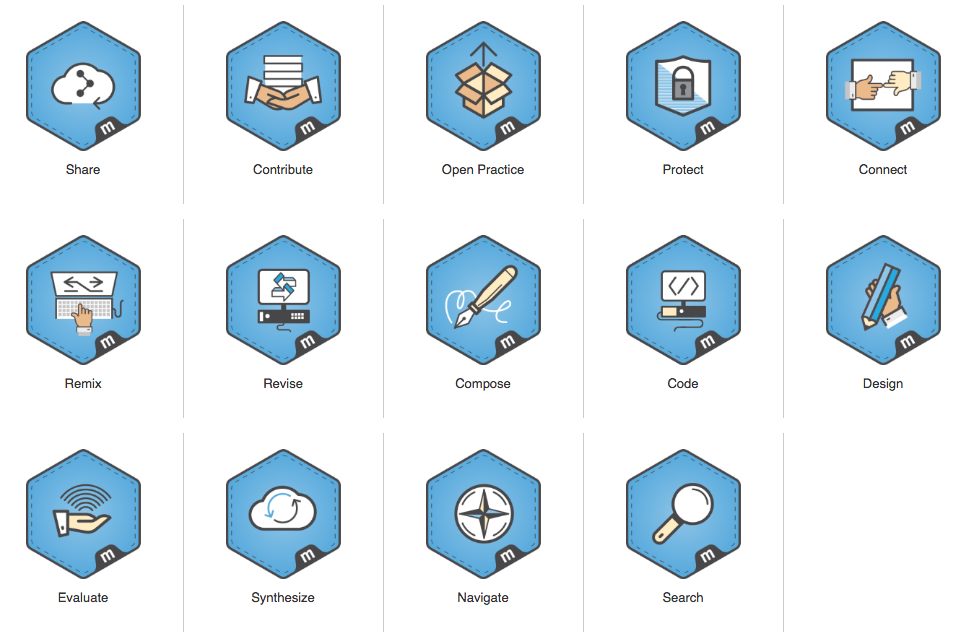
As Matt Rogers from Digitalme documents in A journey into the open, there’s several levels to working open:
In a recent collaboration with the Mozilla Learning team – I got to understand how I can take our work to the next level of openness. Creating publicly available badge projects is one thing, but it’s another when they’re confined to one platform – even if that is your own. What truly makes a badge project open is its ability to be taken, maybe remixed, and utilised anywhere across the web. Be that on a different badging platform, or via a completely different delivery means entirely.
This is exactly the right path for the Web Literacy work and Open Badges work at Mozilla. It’s along the same lines as something I tried to achieve during my time as Web Literacy Lead there. Now, however, it seems like they’ve got the funding and capacity to get on with it. A big hats-off to Digitalme for wrangling this, and taking the hard, but extremely beneficial and enlightening steps towards working (even) more openly.
If you’re interested in working more openly, why not get in touch with the co-operative I’m part of, We Are Open?
Comments? Questions? I’m @dajbelshaw on Twitter, or you can email me: hello@dynamicskillset.com
 Please meet our newest Friend of Add-ons: Atique Ahmed Ziad, who in September alone closed 14 AMO bugs!
Atique is primarily interested in front-end work. His recent contributions mostly focused on RTL language bugs, however it was this complex error messaging bug that proved the most challenging because it forced Atique to grapple with complex code.
Beyond crushing bugs, Atique also helps organize Activate campaigns.
When he’s not busy being a tireless champion for the open Web, Atique likes to unwind by taking in a good movie or playing video games; and while he’s one of the nicest guys you’ll ever meet, you’ll want to avoid him in the virtual settings of Grand Theft Auto and Call of Duty.
On behalf of the AMO staff and community, thank you for all of your great work, Atique!
Do you contribute to AMO in some way? If so, don’t forget to add your contributions to our Recognition page!
https://blog.mozilla.org/addons/2016/10/05/friend-of-add-ons-atique-ahmed-ziad/
This proposal is pulled verbatim from a message I sent to the Test Pilot mailing list a few minutes ago.
The question is: how do we best begin to build a community around Test Pilot?
My answer: start by making decisions in public.
If this seems interesting to you, read on below.
Proposed Participation Timeline
Q4 2016: Start by making decisions in public, in the Discourse user forums.
Q4 2016 - Q1 2017: Once we’ve made our process accessible to contributors, ask active Mozillians to get involved. Build an awesome core community. Advertise idea submissions to active Mozillians & iterate on the submission system before a huge public influx.
Q1-Q2 2017: Once the core community is in place, and idea submission has been tweaked, get Marketing involved with a public call for ideas. Our awesome core community will help manage the influx: greet newcomers, bash trolls, de-dupe suggestions.
Background
To frame the discussion, I wrote up some thoughts on what a more open, community-centered product development cycle might look like. TL;DR: give community a seat at the table by offering equal visibility into the process, and opportunities to provide input at decision points.
See also Producing OSS, which makes interesting points on the importance of public decision-making.
Suggested Q4 plan
In Q4, we can set the stage for community by making our work public:
- ask product and UX to move decision making discussions to Discourse
- ask experiment teams to post in Discourse as they launch, measure, iterate, and wind down
- make Discourse a secondary call to action on the Test Pilot experiment pages
- deprecate mailing list in favor of Discourse
- (if there’s time) ask vetted, active Mozillians to join the conversation
- (if there’s time) ask Mozillians to share ideas
If we make these changes in Q4, then by Q1, we’ll have plenty of content in Discourse. New community members will tend to model their input on the tone and content of the existing discussion; for this reason, I think we should hold the open call until a bit later. I realize I’m contradicting my own recent suggestion, but I do think this approach will yield better results.
Key Result: 100 monthly active Discourse users
One natural number to measure would be the number of monthly active Discourse users (MADU), meaning: users who post at least once a month in the Test Pilot category. Right now, this number is probably below 10. If all the dev teams and product/UX get involved, that’ll jump to, maybe, 30 MADUs. If we get Mozillians engaged, we could see this number jump into the hundreds. 100 MADUs seems ambitious, but possible.
Q4 plan in detail
It’s a bit buried in the list above, but I think we should deprecate the mailing list, and move discussion to Discourse instead. Our current list has little traffic, and a primitive, plain text archive that doesn’t allow search. It would be easy to move the current traffic to Discourse. Finally, moving to Discourse would encourage the Test Pilot team to use it.
Going into a bit more detail on the types of content that should move to Discourse to help seed our community:
Design phase (product / UX):
- Idea proposals & discussion
- Decision making discussions: which ideas to invest in, and why those ideas.
Development / iteration phase (product / UX / dev):
- Summaries of user interaction data (how are people using the product, how many keep using it)
- High level discussion of which features to add, change, or remove, grounded in the public interaction data
- I’m not yet sure how much development discussion should happen on Discourse vs. a specific mailing list; we can ask around to see what approaches different teams would like to try.
Graduation / end of cycle phase (product):
- Discussions about whether to keep an experiment running, move into Firefox, or retire it.
Wrapping up
That does it for the mailing list post.
What do you think about this proposal? Is this a good way to build the foundations of a participatory Test Pilot community?
Let me know! Twitter and email are in the footer below.
 mconley livehacks on real Firefox bugs while thinking aloud.
At almost every developer conference right now there will be a talk that features the following “funny GIF”:
 [100x]
Peter Griffin aka Family Guy trying to make some blinds close and making a total mess of it, randomly dragging the cords until he gives up and rips them off the window. With the caption CSS.
It is always a crowd pleaser, and can be a good introduction to the issues of CSS and some examples how to fix them. In most cases – and the likeliness of that increases with how “techy” the conference is – it is the start of a rant how bad CSS is, how its architecture is terrible and how inconsistent it is. And, and, and…
Here’s the thing: I am sick of this. It is not clever, it is not based in fact and it makes us appear as arrogant know-it-alls that want everything to work the way we are used to. It drives a firm divider between “developers” and “people who do web stuff”, aka “not real developers”. Which is nonsense. Arrogant, dangerous nonsense, not helping us – at all – to grow our developer community and be more exciting for a new, diverse, crowd to join.
Here’s a fact: we build incredibly complex, exciting and beautfiful things on the web. The most democratic distribution system of information and – by now – a high fidelity and exciting software platform. If you think you know every facet of this, you can do it all without relying on other experts to work with you, and in the one technology you like, you’re blinded by your own ambition. And an arrogant person I really could not be bothered to work with.
Yes, it is easy to poke fun at CSS and it’s Frankenstein-esque syntax. It is also easy to show that you can do all the things it does with other technologies. But that gives you no right – at all – to belittle and disregard the people who like CSS and took it as their weapon of choice to build great user interfaces.
In other words: if you don’t like it, don’t use it. Work with someone who does like it. It is a self-fulfilling prophecy that when you use a technology that you don’t take serious and you don’t like, the end result will be bad. It is a waste of time. When you complain about the issues you faced because you want the technology to bend to your comfort zone’s rules you really complain about your failure to use it. It doesn’t apply to those who happen to like the technology and play it to its strengths.
Another one that always crops up is the “CSS is awesome” coffee mug:

The joke here is that CSS is inadequate to fix that problem of overflowing text. Well, my question is how should that be handled? Overflow with scroll bars? That’s possible in CSS. Cutting the text off? Also possible. Shortening the text followed by an ellipsis? That’s also possible. Are either of those good solutions? No. The main thing here is that the text is too big to fit the container. And a fixed container is a mistake on the web. You can’t fix anything in an environment that by definition could be any size or form factor. So the mistake here is a “fixed container” thinking, not that CSS doesn’t magically do something to the text you can’t control. This, in interfaces, would really get you into trouble.
I challenge anyone to look at the mind-boggling things Ana Tudor does with CSS and tell me that’s not “real programming” and based on a “stupid language”.
See the Pen cube broadcast (pure CSS) by Ana Tudor (@thebabydino) on CodePen.
I challenge you not to see the benefit of flexbox and the ability it gives us to build dynamic interfaces that can adapt to different amounts of content and the needs of smaller versus bigger screens as explained by Zoe Mickley Gillenwater:
Zoe Mickley Gillenwater | Flexbox | CSS Day from Web Conferences Amsterdam on Vimeo.
I challenge you not to get excited about the opportunities of grid layouts as explained by Rachel Andrews:
I challenge you not to be baffled
Reading The GDS blog post on how to prototype in the browser, I realized that it's always good to explain little tips for the benefits of others. Their technique is something I use on a daily basis for modifying content, evolving a design, etc.
When diagnosing on webcompat.com, I often use a trick for having a better understanding of the way the elements flow with regards to each other.
Using CSS outline for visualizing
David Lorente reported an issue about the menu of Universia. Basically two items where missing in the main navigation bar of the Web site.
Hovering the menu with the mouse and doing ctrl+click to get the contextual menu, I can choose inspect.
It opens the developer tools and place the cursor on the right element and displays its associated CSS.
For this particular issue because the elements were not immediately visible. I decided to add a higher z-index in case there were hidden by another layer, but more specifically. I selected the wrapper element for the navigation bar
+ sign on the right side.
Clicking on it will help you to add a new rule for this selected node (element) in the inspector. In this case, it will add .header-nav.
which I usually edit for adding all the children of this node with .header-nav *. Then I proceed to add an outline CSS property with a color which will give an acceptable contrast, helping me to understand what is happening. In this case outline: 1px solid pink
The result helps to visualize all the children boxes of the div.
It is now a lot easier to understand what is going on.
Why CSS outline?
The reason I use CSS outline is that they do not participate to the intrinsic sizes of boxes and does not destroy the flow of boxes. It just makes them visible for the purpose of the diagnosis.
What are the tricks you are using which seems obvious to you? Share them with others.
Oh and the site has been fixed since.
Otsukare!
Test Pilot started out as a better way for Mozilla to build ambitious new features in Firefox: prototype features as add-ons, share with an opt-in beta testing community, and iterate much more quickly than the Firefox release cycle allows. This all makes sense, and it’s amazing how much we’ve accomplished in just over a year–but this conception leaves out the community algother.
How could Test Pilot be more open, more participatory?
Well, what if the Test Pilot team asked the community for feature ideas?
Even better: what if Test Pilot shipped prototypes built by self-organized teams of community members (volunteer or staff)?
What if we think about Test Pilot as a community of contributors interested in discussing and building new Firefox features?
Yeah, that’s the stuff!
I don’t have the time or space to get deeper into this vision right now, but I will mention it in another post, soon.
Assuming it makes sense to build products in the open from the early stages, how might we get there?
Here’s a rough sketch of an open product development lifecycle for Firefox features, centered around Test Pilot.
Generating and discussing feature ideas
An inventor with an idea creates a Discourse account and creates a post describing their idea. This could be anyone: a product manager at Mozilla, or a new Mozillian located anywhere in the world.
Interested community members discuss the idea, and help the inventor improve their proposal.
Community members with user research skills can help generate qualitative or quantitative insights about ideas they are interested in.
Turning ideas into working prototypes
Community members with design and development skills self-organize to build prototypes of ideas they believe in.
Companies (like Mozilla) can sponsor development of ideas.
Deciding which prototypes belong in Firefox Test Pilot
Every few months, someone from the Firefox product org leads a public discussion about which of the in-progress prototypes might be a good fit for the Firefox roadmap.
The decision-making process is a public, open conversation based on publicly defined criteria (the public Firefox roadmap and Mozilla’s guiding principles).
Input from the community is welcome, the Firefox product org makes the final decision, and deliberations happen in the same public channels used by the rest of the community.
Sharing prototypes with the Firefox Test Pilot audience
This is the part we’ve already built at https://testpilot.firefox.com.
Prototypes ship in the Test Pilot site, and Mozilla provides marketing support and a global audience. Firefox users interested in trying new features install different prototypes, and offer feedback on what they do or don’t like.
Sharing prototypes that don’t make it into Test Pilot
Like any other Firefox add-on, teams ship in AMO (or self-host) and self-promote.
It’s still possible to create a great feature that later makes it into Test Pilot, or becomes a great add-on on its own, and teams can continue to discuss features and updates with the Test Pilot community.
Iterating on the product concept
Once launched in Test Pilot, the product should evolve based on quantitative usage data, as well as qualitative user feedback.
Prototype building teams are encouraged to make their discussions public, so that interested community members can provide input.
From Test Pilot prototype to Firefox
The Firefox product org decides which Test Pilot experiments to turn into real browser features. Again, this is an open discussion, centered around criteria any contributor could understand (except for contractual / partner private factors).
From Test Pilot prototype to AMO
Ideas that fail to catch on with a big audience, at the end of their Test Pilot run, can still be supported by the original team, or handed off to other community members, and permanently hosted on AMO.
Next steps: I’m out of time for now, but I’d like to explore which parts of this theoretical open product dev cycle might make sense at Mozilla. In other words, stay tuned, more to come :-)
What do you think? Let me know! Twitter and email are in the footer below.

Pick of the Month: MailtoWebmails
by Noitidart
Now you can easily customize which Webmail client you want to use whenever you click a “mailto:” link, instead of being pushed to your default desktop email. Get completely set up in just a few simple steps.
“I searched repeatedly for a way to change from Gmail to inbox—this works like a treat.”
Featured: Messenger & Notifier for Facebook™
by glin, by Elen Norphen
Access Messenger right from the Firefox toolbar, and instantly receive notifications when you have inbound messages.
“Finally I can reply to messages without being distracted by the news feed! Thank you very much!”
Nominate your favorite add-ons
Featured add-ons are selected by a community board made up of add-on developers, users, and fans. Board members change every six months, so there’s always an opportunity to participate. Stayed tuned to this blog for the next call for applications. Here’s further information on AMO’s featured content policies.
If you’d like to nominate an add-on for featuring, please send it to amo-featured@mozilla.org for the board’s consideration. We welcome you to submit your own add-on!
https://blog.mozilla.org/addons/2016/10/04/october-2016-featured-add-ons/
 Once a month web developers across the Mozilla community get together (in person and virtually) to share what cool stuff we've been working on. This...
At the Brand New Conference in Nashville two weeks ago, we shared a snapshot of our progress and posted the designs here simultaneously. About 100 graphic designers and brand experts stayed after our presentation to share some snacks and their initial reactions.
Since then, we’ve continued to refine the work and started to gather feedback through quantitative testing, reflecting the great advice and counsel we’ve received online and in person. While we’ve continued to work on all four designs, Dino 2.0 and Flame show the most dramatic progress in response to feedback from conference attendees and Mozillians. We wanted to refine these designs prior to testing with broader audiences.
Meet Dino 2.1
Our early work on Dino 2.0 focused on communicating that Mozilla is opinionated, bold, and unafraid to be different. Embodying the optimism and quirkiness of our culture, the minimalist design of this dinosaur character needed to extend easily to express our wide array of programs, communities, events, and initiatives. Dino 2.0 met the challenge.
On the other hand, the character’s long jaw reminded some commenters of an alligator and others of a red stapler. Colleagues also pointed out that it’s playfulness might undermine serious topics and audiences. Would we be less believable showing up to testify about encryption with a dino logo smiling from our briefcases?
So the dinosaur has continued to evolve. A hand-cut font helps shorten the jaw while a rounder outline shifts the mis-perception that we sell office supplies. After much debate, we also decided to make the more serious Mozilla portion – the upper part of the jaw – the core mark.
[1500x1061] [1500x1061] [1500x1061]
Wait, does that doom the dino character? Not at all.
Since the bulk of our Mozilla brand expression occurs on screens, this shift would allow the animated dino to show an even wider range of emotions. Digitally, the core mark can come to life and look surprised, hungry, or annoyed as the situation warrants, without having those expressions show up on a printed report to Congress. And our communities would still have the complete Dino head to use as part of their own self expression.
Should Dino 2.1 end up as one of our finalists, we’ll continue to explore its expressions. Meanwhile, let us know what you think of this evolution.
Making Flame eternal.
The ink was still moist on Flame, our newest design direction, when we shared it in Nashville. We felt the flame metaphor was ideal for Mozilla, referencing being a torch-bearer for an equal, accessible internet, and offering a warm place for community to gather. Even so, would a newcomer seeing our name next to a traditional flame assume we were a religious organization? Or a gas company? We needed a flame that was more of the Web and more our own.
So we asked: what if our core mark was in constant motion — an eternal flame that represents and reinforces our purpose? Although we haven’t landed on the exact Flame or the precise font, we are on a better design path now.
[1500x1061] [1500x1061] [1500x1061] [1500x1061]
Should the Flame make it into our final round, we will continue to explore different flame motions, shapes, and static resting states, along with a flexible design system. Tell us what you think so far.
What about Protocol 2.0 and Burst? We’ve shifted Protocol 2.0 from Lubalin to an open source font, Arvo Bold, to make it more readily available globally. We continue to experiment with Burst in smaller sizes (with reduced spokes) and as a means to visualize data. All four designs are still in the running.
I am writing this blog post to share what happened to me, and make more people aware of that vicious illness.
If you don't know about Lyme, read up here: https://en.wikipedia.org/wiki/Lyme_disease
I am writing this blog post to share what happened to me, and make more people aware of that vicious illness. I've contracted the Lyme Disease a year ago and got gradually sick without knowing what was happening to me at first.
I am a avid runner and I live in a forest area. I do a lot of trail running and that exposes me to ticks. Winters are warmer these days and ticks are just craving to bite mammals.
On my case, I got bitten in the forest last summer by many ticks I've removed, and a week after, without making the link between the two events I got a full week of heavy fever. I did a bunch of tests back then including Lyme and we could not find what was happening. Just that my body was fighting something.
Then life went on and one month after that happened, I had a Erythema under the armpit that grew on half the torso.
I went back to the doctor, did some tests, and everything was negative again and life went on. The Erythema dissipated eventually.
About 3 months ago, I started to experience extreme eyes fatigue and muscle soreness. I blamed the short nights because of our new-born baby and I blamed over-training. But cutting the training down and sleeping more did not help.
This is where it gets interesting & vicious: for me, everything looked like my body was gradually reacting to over-training. I went to the osteopath and he started to tell me that I was simply doing too much, not stretching enough. etc. Every time I mentioned Lyme, people were skeptical. It's very weird how some doctors react when you tell them that it could be that.
This disease is not really known and since its symptoms are so different from one individual to the other due to its auto-immune behavior, some doctors will just end up saying you have psychosomatic reactions.
Yeah, doctors will end up telling you that it's all in your head just so they don't face their ignorance. Some Lyme victims turn nuts because of that. Suicides are happening in worst cases.
At some point, I felt like I simply broke my body with all those races I am doing. I felt 80 years old. Doing a simple 30 minutes endurance run would feel like doing a Marathon.
And I went to another doctor and did a new blood test to eventually discover I had late Lyme disease (probably phase 2) - that's when the borellia gets into your muscle/tendons/nerves.
I took me almost one year to get the confirmation. Right before I got that test result I really thought I had a cancer or something really bad. That is the worst: not knowing what's happening to you, and seeing your body degrading without being able to know what to do.
They gave me the usual 3 weeks of heavy antibiotics. I felt like crap the first week. Sometime raising my arm would be hard. But by the end of the 3 weeks, I felt much better and it looked like I was going to be ok.
After the 3 weeks ended, symptoms were back and I went to the hospital to see a neurologist that seemed to know a bit about Lyme. He said that I was probably having post Lyme symptoms, which is pretty common. e.g. your body continues to fight for something that's not there anymore. And that can last for months.
And the symptoms are indeed gradually fading out, like how they came.
I am just so worried about developing a chronic form. We'll see.
The main problem in my story is that my doctor did not give me some antibiotics when I had the Erythema. That was a huge mistake. Lyme is easy to get rid off when you catch it early. And it should be a no-brainer. Erythema == antibiotics.
Anyways, some pro tips so you don't catch that crap on trails:
- use long socks in the forest and put a bunch of tick/mosquito repellant on them. winters are warmer, ticks are nuts.
- full body check after the run & shower. Ticks are very small when they jump on you around 3-5mm. They wait for you to run by. Most of the time they are not attached under your skin yet
- use dog/cats tick remover
- if any byte gets red-ish - go to your doctor immediately and ask for antibiotics. If your doctor is skeptical about Lyme, go see another doctor.