
I know, has there been eight weeks since the previous release already? But yes it has – I double-checked! And then as the laws of nature dictates, there has been yet another fresh curl version released out into the wild.
Numbers
the 179th release
5 changes
56 days (total: 7,628)
76 bug fixes (total: 4,913)
128 commits (total: 23,927)
0 new public libcurl functions (total: 80)
3 new curl_easy_setopt() options (total: 265)
1 new curl command line option (total: 220)
56 contributors, 29 new (total: 1,904)
32 authors, 13 new (total: 658)
3 security fixes (total: 87)
Security fixes
This release we have no less than three different security related fixes. I’ll describe them briefly here, but for the finer details I advice you to read the dedicated pages and documentation we’ve written for each one of them.
CVE-2018-16890 is a bug where the existing range check in the NTLM code is wrong, which allows a malicious or broken NTLM server to send a header to curl that will make it read outside a buffer and possibly crash or otherwise misbehave.
CVE-2019-3822 is related to the previous but with much worse potential effects. Another bad range check actually allows a sneaky NTLMv2 server to be able to send back crafted contents that can overflow a local stack based buffer. This is potentially in the worst case a remote code execution risk. I think this might be the worst security issue found in curl in a long time. A small comfort is that by disabling NTLM, you will avoid it until patched.
CVE-2019-3823 is a potential read out of bounds of a heap based buffer in the SMTP code. It is fairly hard to trigger and it will mostly cause a crash when it does.
Changes
- curl now supports Mike West’s cookie update known as draft-ietf-httpbis-cookie-alone. It basically means that cookies that are set as “secure” has to be set over HTTPS to be allow to override a previous secure cookie. Safer cookies.
- The –resolve option as well as CURLOPT_RESOLVE now support specifying a wildcard as port number.
- libcurl can now send trailing headers in chunked uploads using the new options.
- curl now offers options to enable HTTP/0.9 responses, The default is still enabled, but the plan is to deprecate that and in 6 months time switch over the to default to off.
- curl now uses higher resolution timer accuracy on windows.
Bug-fixes
Check out the full change log to see the whole list. Here are some of the bug fixes I consider to be most noteworthy:
- We re-implemented the code coverage support for autotools builds due to a license problem. It turned out the previously used macro was GPLv2 licensed in an unusual way for autoconf macros.
- We make sure –xattr never stores URLs with credentials, following the security problem reported on a related tool. Not considered a security problem since this is actually what the user asked for, but still done like this for added safety.
- With -J, curl should not be allowed to append to the file. It could lead to curl appending to a file that was in the download directory since before.
- –tls-max didn’t work correctly on macOS when built to use Secure Transport.
- A couple of improvements in the libssh-powered SSH backend.
- Adjusted the build for OpenSSL 3.0.0 (the coming future version).
- We no longer refer to Schannel as “winssl” anywhere. winssl is dead. Long live Schannel!
- When built with mbedTLS, ignore SIGPIPE accordingly!
- Test cases were adjusted and verified to work fine up until February 2037.
- We fixed several parsing errors in the URL parser, mostly related
It’s 2019 friends. We don’t have to keep emailing and texting ourselves links. It’s fussy to copy and paste on a mobile device. It’s annoying to have to switch between … Read more
The post Stop texting yourself links. With Send Tabs there’s a better way. appeared first on The Firefox Frontier.
I was recently asked by the brother of a friend who is about to graduate for tips about working in IT in the US. His situation is not entirely dissimilar to mine, being a foreigner with a permit to work in America. Below is my reply to him, that I hope will be helpful to other young engineers in similar situations.
For background, I've been working in the US since early 2011. I had a few years of experience as a security engineer in Paris when we moved. I first took a job as a systems engineer while waiting for my green card, then joined a small tech company in the email marketing space to work on systems and security, then joined Mozilla in 2013 as a security engineer. I've been at Mozilla for almost six years, now running the Firefox operations security team with a team of six people scattered across the US, Canada and the UK. I've been hiring engineers for a few years in various countries.
Are there any skills or experiences beyond programming required to be an interesting candidate for foreign employers
You're just getting started in your career, so employers will mostly look for technical proficiency and being a pleasant person to work with. Expectations are fairly low at this stage. If you can solve technical puzzles and people enjoy talking to you, you can pass the bar at most companies.
This changes after 5-ish years of experience, when employers want to see project management, technical leadership, and maybe a hint of people management too. But for now, I wouldn't worry about it.
I would say the most important thing is to have a plan: where do you want to be 10/15/20 years from now? My aim was toward Chief Security Officer roles, an executive position that requires technical skills, strategic thinking, communication, risk and project management, etc. It takes 15 to 20 years to get to that level, so I picked jobs that progressively gave me the experience needed (and that were a lot of fun, because I'm a geek).
Were there any challenges that you faced, other than immigration, that I may need to be aware of as a foreign candidate?
Immigration is the only problem to solve. When I first applied for jobs in the US, I was on a J-1 visa doing my Master's internship at University of Maryland. I probably applied to 150 jobs and didn't get a single reply, most likely because no one wants to hire candidates that need a visa (a long and expensive process). i ended up going back to France for a couple years, and came back after obtaining my green card, which took the immigration question out of the way. So my advise here is to settle the immigration question in the country where you want to work before you apply for jobs, or if you need employer support to get a visa, be up front about it when talking to them. (I have several former students who now work for US companies that have hiring processes that incorporate visa applications, so it's not unheard of, but the bar is high).
I have a Master of Science from a small french university that is completely unknown to the US, yet that never came up as an issue. A Master is a Master. Should degree equivalence come up as an issue during an interview, offer to provide a grade comparison between US GPA and your country grades (some paid service provide that). That should put employers at ease.
Language has also never been an issue for me, even with my strong french accent. If you're good at the technical stuff, people won't pay attention to your accent (at least in the US). And I imagine you're fully fluent anyway, so having a deep-dive architecture conversation in English won't be a problem.
And lastly, do you have any advice on how to stand out from the rest of the candidates aside from just a good resume (maybe some specific volunteer experience or unique skills that I could gain while I am still finishing my thesis?)
Resume are mostly useless. I spend between 30 and 60 seconds on a candidate's resume. The problem is most people pad their resumes with a lot of buzzwords and fancy-sounding projects I cannot verify, and thus cannot trust. It would seem the length of a resume is inversely proportional to the actual skills of a candidate. Recruiters use them to check for minimal requirements: has the right level of education, knows programming language X, has the right level of experience. Engineering managers will instead focus on actual technical questions to assess your skills.
At your level, keep you resume short. My rule of thumb is one page per five years of experience (you should only have a single page, I have three). This might contradict advise you're reading elsewhere that recommend putting your entire life story in your resume, so if you're concerned about not having enough details, make two versions: the one page short overview (linkedin-style), and the longer version hosted on your personal site. Offer a link to the longer version in the short
I didn’t present anything during last year’s conference, so I submitted my DNS-over-HTTPS presentation proposal early on for this year’s FOSDEM. Someone suggested it was generic enough I should rather ask for main track instead of the DNS room, and so I did. Then time passed and in November 2018 “HTTP/3” was officially coined as a real term and then, after the Mozilla devroom’s deadline had been extended for a week I filed my second proposal. I might possibly even have been an hour or two after the deadline. I hoped at least one of them would be accepted.
Not only were both my proposed talks accepted, I was also approached and couldn’t decline the honor of participating in the DNS privacy panel. Ok, three slots in the same FOSDEM is a new record for me, but hey, surely that’s no problems for a grown-up..
HTTP/3
I of coursed hoped there would be interest in what I had to say.
I spent the time immediately before my talk with a coffee in the awesome newly opened cafeteria part to have a moment of calmness before I started. I then headed over to the U2.208 room maybe half an hour before the start time.
It was packed. Quite literally there were hundreds of persons waiting in the area outside the U2 rooms and there was this totally massive line of waiting visitors queuing to get into the Mozilla room once it would open.
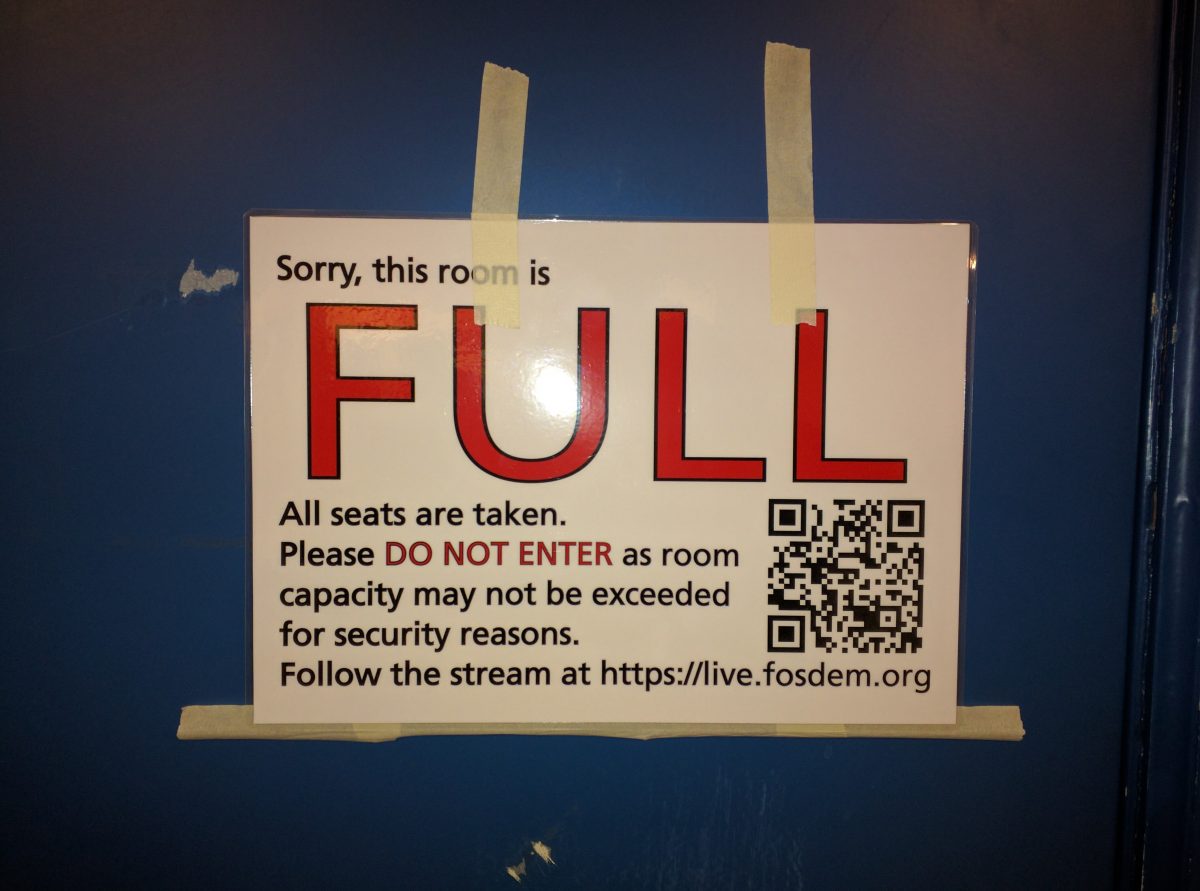
People don’t know who I am by my appearance so I certainly didn’t get any special treatment, waiting for my talk to start. I waited in line with the rest and when the time for my presentation started to get closer I just had to excuse myself, leave my friends behind and push through the crowd. I managed to get a “sorry, it’s full” told to me by a conference admin before one of the room organizers recognized me as the speaker of the next talk and I could walk by a very long line of humans that eventually would end up not being able to get in. The room could fit 170 souls, and every single seat was occupied when I started my presentation just a few minutes late.
This presentation could have filled a much larger room. Two years ago my HTTP/2 talk filled up the 300 seat room Mozilla had that year.
Video
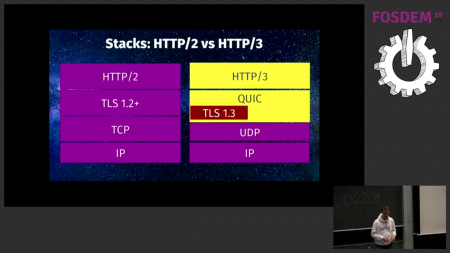
The slides from my HTTP/3 presentation.
DNS over HTTPS
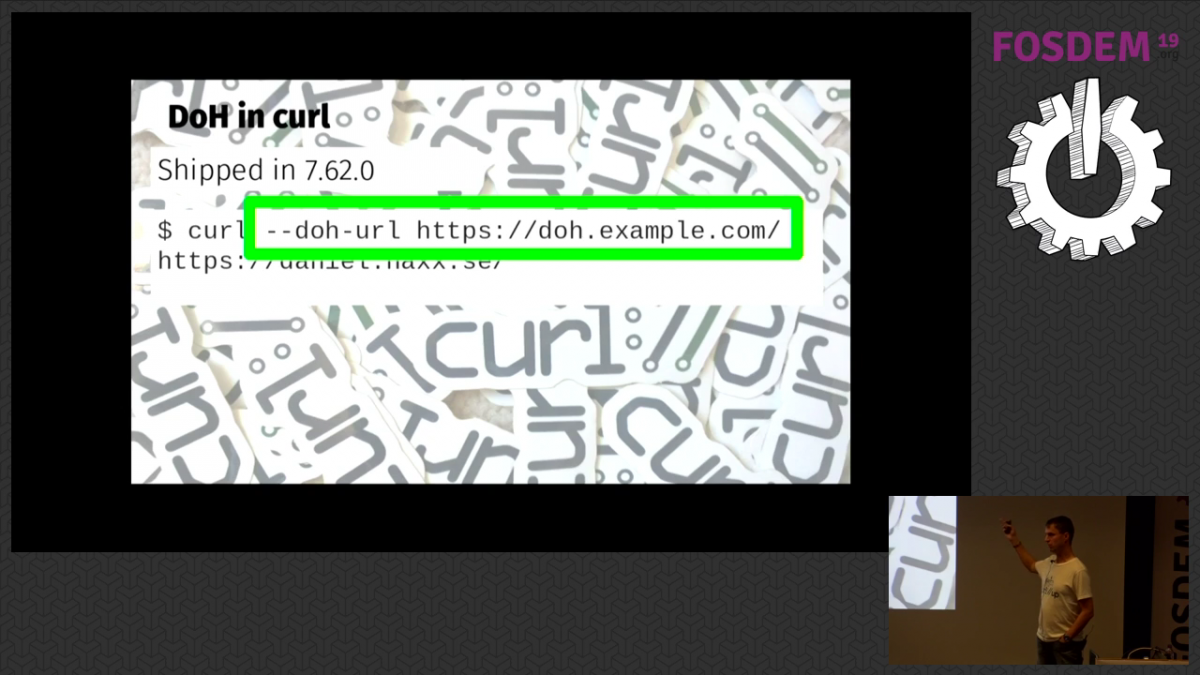
I tend to need a little “landing time” after having done a presentation to cool off an come back to normal senses and adrenaline levels again. I got myself a lunch, a beer and chatted with friends in the cafeteria (again). During this conversation, it struck me I had forgotten something in my coming presentation and I added a slide that I felt would improve it (the screenshot showing “about:networking#dns” output with DoH enabled). In what felt like no time, it was again to move. I walked over to Janson, the giant hall that fits 1,470 persons, which I entered a few minutes ahead of my scheduled time and began setting up my machine.
I started off with a little technical glitch because the projector was correctly detected and setup as a second screen on my laptop but it would detect and use a too high resolution for it, but after just a short moment of panic I lowered the resolution on that screen manually and the image appeared fine. Phew! With a slightly raised pulse, I witnessed the room fill up. Almost full. I estimate over 90% of the seats were occupied.

This was a brand new talk with all new material and I performed it for the largest audience I think I’ve ever talked in front of.
Video
Publishers are getting a raw deal in the current online advertising ecosystem. The technology they depend on to display advertisements also ensures they lose the ability to control who gets their users’ data and who gets to monetize that data. With third-party cookies, users can be tracked from high-value publishers to sites they have never chosen to trust, where they are targeted based on their behavior from those publisher sites. This strips value from publishers and fuels rampant ad fraud.
In August, Mozilla announced a new anti-tracking strategy intended to get to the root of this problem. That strategy includes new restrictions on third-party cookies that will make it harder to track users across websites and that we plan to turn on by default for all users in a future release of Firefox. Our motive for this is simple: online tracking is unacceptable for our users and puts their privacy at risk. We know that a large portion of desktop users have installed ad blockers, showing that people are demanding more online control. But our approach also offers an opportunity to rebalance the ecosystem in a way that is in the long-term interest of publishers.
There needs to be a profitable revenue ecosystem on the web in order to create, foster and support innovation. Our third-party cookie restrictions will allow loading of advertising and other types of content (such as videos and sponsored articles), but will prevent the cookie-based tracking that users cannot meaningfully control. This strikes a better balance for publishers than ad blocking – user data is protected and publishers are still able to monetize page visits through advertisements and other content.
Our new approach will deliver both upsides and downsides for publishers, and we want to be clear about both. On the upside, by removing more sophisticated, profile-based targeting, we are also removing the technology that allows other parties to siphon off data from publishers. Ad fraud that depends on 3rd party cookies to track users from high-value publishers to low-value fraudster sites will no longer work. On the downside, our approach will make it harder to do targeted advertising that depends on cross-site browsing profiles, possibly resulting in an impact on the bottomline of companies that depend on behavioral advertising. Targeting that depends on the context (i.e. what the user is reading) and location will continue to be effective.
In short, behavioral targeting will become more difficult, but publishers should be able to recoup a larger portion of the value overall in the online advertising ecosystem. This means the long-term revenue impact will be on those third-parties in the advertising ecosystem that are extracting value from publishers, rather than bringing value to those publishers.
We know that our users are only one part of the equation here; we need to go after the real cause of our online advertising dysfunction by helping publishers earn more than they do from the status quo. That is why we need help from publishers to test the cookie restrictions feature and give us feedback about what they are seeing and what the potential impact will be. Reach out to us at publisher-feedback@mozilla.com. The technical documentation for these cookie restrictions can be found here. To test this feature in Firefox 65, visit “about:preferences#privacy” using the address bar. Under “Content Blocking” click “Custom”, click the checkbox next to “Cookies”, and ensure the dropdown menu is set to “Third-party trackers”.
We look forward to working with publishers to build a more sustainable model that puts them and our users first.
The post Putting Users and Publishers at the Center of the Online Value Exchange appeared first on
TL;DR Fission is happening and our first "Milestone" is targeted at the end of February. Please file bugs related to fission and mark them as "Fission Milestone: ?" so we can triage them into the correct milestone.
A little than more a year ago, a serious security flaw affecting almost all modern processors was publicly disclosed. Three known variants of the issue were announced with the names dubbed as Spectre (variants 1 and 2) and Meltdown (variant 3). Spectre abuses a CPU optimization technique known as speculative execution to exfiltrate secret data stored in memory of other running programs via side channels. This might include cryptographic keys, passwords stored in a password manager or browser, cookies, etc. This timing attack posed a serious threat to the browsers because webpages often serve JavaScript from multiple domains that run in the same process. This vulnerability would enable malicious third-party code to steal sensitive user data belonging to a site hosting that code, a serious flaw that would violate a web security cornerstone known as Same-origin policy.
Thanks to the heroic efforts of the Firefox JS and Security teams, we were able to mitigate these vulnerabilities right away. However, these mitigations may not save us in the future if another security vulnerability is released exploiting the same underlying problem of sharing processes (and hence, memory) between different domains, some of which may be malicious. Chrome spent multiple years working to isolate sites in their own processes.
We aim to build a browser which isn't just secure against known security vulnerabilities, but also has layers of built-in defense against potential future vulnerabilities. To accomplish this, we need to revamp the architecture of Firefox and support full Site Isolation. We call this next step in the evolution of Firefox’s process model "Project Fission". While Electrolysis split our browser into Content and Chrome, with Fission, we will "split the atom", splitting cross-site iframes into different processes than their parent frame.
Over the last year, we have been working to lay the groundwork for Fission, designing new infrastructure. In the coming weeks and months, we’ll need help from all Firefox teams to adapt our code to a post-Fission browser architecture.
Planning and Coordination
Fission is a massive project, spanning across many different teams, so keeping track of what everyone is doing is a pretty big task. While we have a weekly project meeting, which someone on your team may already be attending, we have started also using a Bugzilla project tracking flag to keep track of the work we have in progress.
Now that we've moved past much of the initial infrastructure ground work, we are going to keep track of work with our milestone targets. Each milestone will contain a collection of new features and improved functionality which brings us incrementally closer to our goal.
Our first milestone, "Milestone 1" (clever, I know), is currently targeted for the end of February. In Milestone 1, we plan to have the groundwork for out-of-process iframes, which encompasses some major work, including, but not limited to, the following contributions:
- :rhunt is implementing basic out-of-process iframe rendering behind a pref. (Bug 1500257)
- :jdai is implementing native JS Window Actor APIs to migrate FrameScripts. (Bug 1467212)
- :farre is adding support for BrowsingContext fields to be synchronized between multiple content processes. (Bug 1523645)
- :peterv has implemented new cross-process WindowProxy objects to
correctly emulate the
Windowobject APIs exposed to cross-origin documents. (Bug 1353867) - :mattn is converting the FormAutoFillListeners code to the actors infrastructure. (Bug 1474143)
- :felipe simulated the Fission API for communicating between parent and child processes. (Bug
If, like me, you’re debugging a frontend issue and you think “I can just create some artifact builds on this device” — you might run in to a few issues. In the main, they’re caused by various bits of the build system attempting to use 64-bit x86 binaries. arm64 can run 32-bit x86 code under emulation, but not 64-bit. Here are the issues I encountered, chronologically.
- The latest mozilla-build doesn’t work, because it only supplies 64-bit tools. Using an older version (2.2) does work.
- Note: Obviously this comes with older software. You should update pip and mercurial (using pip). I’d recommend not using the old software to connect to anything you don’t trust, no warranty, etc. etc.
- You can now
hg clone mozilla-central. It’ll take a while. You can also use pip to install/run other useful things, like mozregression (which seems to work but chokes when trying to kill off and delete Firefox processes when done; unsure why). - Running
./mach bootstrapmostly works if you pick artifact builds, but:- It tries to install 64-bit x86 rustup, which doesn’t work (this bug should be fixed soon). Commenting out this line makes things work.
- It installs a 64-bit version of NodeJS, which also won’t work. You’ll want to remove
~/.mozbuild/node, download the 32-bit windows .zip from the NodeJS website and extract the contents at~/.mozbuild/nodeto placate it.
- If you now try to build, configure will choke on the lack of python3. This isn’t part of the old mozillabuild package, and so you want to download the latest python3 version as an “embeddable zip file” version off the python website , and extract it to
path/to/mozilla-build/python3. Then you will also want to make a copy ofpython.exein that directory available aspython3.exe, because that’s the path mozilla-build expects. - Next, configure will choke on the 64-bit version of
watchman.exethat mozilla-build has helpfully provided. Rename the watchman directory inside mozilla-build (or delete it if you’re feeling vengeful) to deal with this.
That’s it! Now artifact builds should work – or at least, they did for me. Some of the issues are caused by bootstrap, and thus fixable, but obviously we can’t retrospectively change an old copy of mozilla-build. I’ve filed a bug to provide mozilla-build for aarch64.
Isn’t it annoying when you click on a link or open a new browser tab and audible video or audio starts playing automatically?
We know that unsolicited volume can be a great source of distraction and frustration for users of the web. So we are making changes to how Firefox handles playing media with sound. We want to make sure web developers are aware of this new autoplay blocking feature in Firefox.
Starting with the release of Firefox 66 for desktop and Firefox for Android, Firefox will block audible audio and video by default. We only allow a site to play audio or video aloud via the HTMLMediaElement API once a web page has had user interaction to initiate the audio, such as the user clicking on a “play” button.
Any playback that happens before the user has interacted with a page via a mouse click, printable key press, or touch event, is deemed to be autoplay and will be blocked if it is potentially audible.
Muted autoplay is still allowed. So script can set the “muted” attribute on HTMLMediaElement to true, and autoplay will work.
We expect to roll out audible autoplay blocking enabled by default, in Firefox 66, scheduled for general release on 19 March 2019. In Firefox for Android, this will replace the existing block autoplay implementation with the same behavior we’ll be using in Firefox on desktop.
There are some sites on which users want audible autoplay audio and video to be allowed. When Firefox for Desktop blocks autoplay audio or video, an icon appears in the URL bar. Users can click on the icon to access the site information panel, where they can change the “Autoplay sound” permission for that site from the default setting of “Block” to “Allow”. Firefox will then allow that site to autoplay audibly. This allows users to easily curate their own whitelist of sites that they trust to autoplay audibly.

Firefox expresses a blocked play() call to JavaScript by rejecting the promise returned by HTMLMediaElement.play() with a NotAllowedError. All major browsers which block autoplay express a blocked play via this mechanism. In general, the advice for web authors when calling HTMLMediaElement.play(), is to not assume that calls to play() will always succeed, and to always handle the promise returned by play() being rejected.
If you want to avoid having your audible playback blocked, you should only play media inside a click or keyboard event handler, or on mobile in a touchend event. Another strategy to consider for video is to autoplay muted, and present an “unmute” button to your users. Note that muted autoplay is also currently allowed by default in all major browsers which block autoplay media.
We are also allowing sites to autoplay audibly if the user has previously granted them camera/microphone permission, so that sites which have explicit user permission to run WebRTC should continue to work as they do today.
At this time, we’re also working on blocking autoplay for Web Audio content, but have not yet finalized our implementation. We expect to ship with autoplay Web Audio content blocking enabled by default sometime in 2019. We’ll let you know!
The post Firefox 66 to block automatically playing audible video and audio appeared first on Mozilla Hacks - the Web developer blog.
https://hacks.mozilla.org/2019/02/firefox-66-to-block-automatically-playing-audible-video-and-audio/
In the past two weeks, we merged 80 PRs in the Servo organization’s repositories.
If Windows nightlies have crashed at startup in the past, try the latest nightly!
Planning and Status
Our roadmap is available online. Plans for 2019 will be published soon.
This week’s status updates are here.
Exciting works in progress
- ferjm is implementing parts of the Shadow DOM API in order to support UI for media controls and complex form controls.
Notable Additions
- Manishearth implemented initial support for getUserMedia and other WebRTC APIs.
- jdm fixed an issue preventing some brotli-encoded content from loading correctly.
- Hyperion101010 improved the debug output when interacting with large URLs.
- UK992 bundled all required DLLs in the Servo package for Windows.
- CYBAI implemented support for the new
formdataDOM event. - gterzian made the background hang reporter more resilient to unexpected stack values.
New Contributors
Interested in helping build a web browser? Take a look at our curated list of issues that are good for new contributors!
So, not having had time to post on here for a long time. I realized there's a problem a bunch of us at Mozilla are facing, we've been using mercurial queues for I don't know how long, but we're increasingly facing a toolchain that isn't compatible with the MQ workflow. I found patches in my queue inadvertently being converted into actual commits and other such things. I'm no expert on versioning systems, and as such mercurial queues provided me with an easy method of just having a bunch of patches, and a file which orders them, and that was easy for me to understand and work with. Seeing an increasing amount of tools not supporting it though, I decided to make the switch, and I'd like to document my experience here, some of my suggestions may not be optimal, please let me know if any of my suggestions are unwise. I also use Windows as my primary OS, mileage on other operating systems may vary, but hopefully not by much.
First, preparation, make sure you've got the latest version of mercurial using ./mach bootstrap, when you get to the mercurial configuration wizard, enable all the history editing and evolve extensions, you will need them for this to work.
Now, to go through the commands, first, the basics:
hg qnew basically just becomes hg ci we're going to assume none of our commits are necessarily permanent, and we're fine having hidden, dead branches in our repository.
hg qqueue is largely replaced by hg bookmark, it allows you to create a new 'bookmarked branch', list the bookmarked branches and which is active. An important difference is that a bookmark describes the tips of the different branches. Making new commits on top of a bookmark will migrate the bookmark along with that commit.
hg up [bookmark name] will activate a different bookmark, hopping to the tip of that branch.
hg qpop once you've created a new commit becomes hg prev an important thing to note is that unlike with qpop, 'tip' will remain the tip of your current bookmark. Note that unlike with qpop, you can 'prev' right past the root of your patch set and through the destination repository, so make sure you're at the right changeset! It's also important to note this deactivates the current bookmark.
Once you've popped all the way to the tree you're working on top of, you can just use hg ci and hg bookmark again to start a new bookmarked branch (or queue, if you will).
hg qpush when you haven't made any changes bascially becomes hg next, it will take you to the next changeset, if there's multiple branches coming off here, it will offer you a prompt to select which one you'd like to continue on.
Making changes inside a queue
Now this is where it gets a little more complicated, there's essentially two ways one could make changes to an existing queue, first, there is the most common action of changing an existing changeset in the queue, this is fairly straightforward:
- Use
hg prevto go to the changeset you wish to modify, much like in mq - Make your changes and use
hg ci --amendmuch like you wouldhg qref, this will orphan its existing children - Use
hg next --evolveas a qpush for your changesets, this will rebase them back on top of your change, and offer a 3-way merging tool if needed.
In short qpop, make change, qref, qpush becomes prev, make change, ci --amend, next --evolve.
The second method to make changes inside a queue is to add a changeset inbetween two changesets already in the queue. In the past this was straightforward, you qpopped, made changes, qnewed, and just happily qpushed the rest of your queue on top of it, the new method is this:
- Use
hg prevto go to the changeset you wish to modify, much like in mq - Make your changes and use
hg cimuch like you wouldhg qnew, this will create a new branching point - Use
hg rebase -b [bookmark name/revision], this will rebase your queue back on top of your change, and offer a 3-way merging tool if needed. - Use
hg nextto go back down your 'queue'
Pushing
Basically hg qfin is no longer needed, you go to the changeset where you want to push and you can push up until that changeset directly to, for example, central. ./mach try also seems to work as expected and submits the changeset you're currently at.
Some additional tips
The hg absorb extension I've found to be quite powerful in combination with the new system, particularly when processing review comments. Essentially you can make a bunch of changes

Let me start by saying thank you to all and everyone who sent me job offers or otherwise reached out with suggestions and interesting career moves. I received more than twenty different offers and almost every one of those were truly good options that I could have said yes to and still pulled home a good job. What a luxury challenge to have to select something from that! Publicly announcing me leaving Mozilla turned out a great ego-boost.
I took some time off to really reflect and contemplate on what I wanted from my next career step. What would the right next move be?
I love working on open source. Internet protocols, and transfers and doing libraries written in C are things considered pure fun for me. Can I get all that and yet keep working from home, not sacrifice my wage and perhaps integrate working on curl better in my day to day job?
I talked to different companies. Very interesting companies too, where I have friends and people who like me and who really wanted to get me working for them, but in the end there was one offer with a setup that stood out. One offer for which basically all check marks in my wish-list were checked.
wolfSSL
On February 5, 2019 I’m starting my new job at wolfSSL. My short and sweet period as unemployed is over and now it’s full steam ahead again! (Some members of my family have expressed that they haven’t really noticed any difference between me having a job and me not having a job as I spend all work days the same way nevertheless: in front of my computer.)

Starting now, we offer commercial curl support and various services for and around curl that companies and organizations previously really haven’t been able to get. Time I do not spend on curl related activities for paying customers I will spend on other networking libraries in the wolfSSL “portfolio”. I’m sure I will be able to keep busy.
I’ve met Larry at wolfSSL physically many times over the years and every year at FOSDEM I’ve made certain to say hello to my wolfSSL friends in their booth they’ve had there for years. They’re truly old-time friends.
wolfSSL is mostly a US-based company – I’m the only Swede on the team and the only one based in Sweden. My new colleagues all of course know just as well as you that I’m prevented from traveling to the US. All coming physical meetings with my work mates will happen in other countries.
commercial curl support!
We offer all sorts of commercial support for curl. I’ll post separately with more details around this.
We just released Firefox 65 with a number of new developer features that make it even easier for you to create, inspect and debug the web.
Among all the features and bug fixes that made it to DevTools in this new release, we want to highlight two in particular:
- Our brand new Flexbox Inspector
- Smarter JavaScript inspection and debugging
We hope you’ll love using these tools just as much as we and our community loved creating them.
Understand CSS layout like never before
The Firefox DevTools team is on a mission to help you master CSS layout. We want you to go from “trying things until they work” to really understanding how your browser lays out a page.
Introducing the Flexbox Inspector
Flexbox is a powerful way to organize and distribute elements on a page, in a flexible way.
To achieve this, the layout engine of the browser does a lot of things under the hood. When everything works like a charm, you don’t have to worry about this. But when problems appear in your layout it may feel frustrating, and you may really need to understand why elements behave a certain way.
That’s exactly what the Flexbox Inspector is focused on.
Highlighting containers, lines, and items
First and foremost, the Flexbox Inspector highlights the elements that make up your flexbox layout: the container, lines and items.
Being able to see where these start and end — and how far apart they are — will go a long way to helping you understand what’s going on.

Once toggled, the highlighter shows three main parts:
- A dotted outline that highlights the flex container itself
- Solid lines that show where the flex items are
- A background pattern that represents the free space between items
One way to toggle the highlighter for a flexbox container is by clicking its “flex” badge in the inspector. This is an easy way to find flex containers while you’re scanning elements in the DOM. Additionally, you can turn on the highlighter from the flex icon in the CSS rules panel, as well as from the toggle in the new Flexbox section of the layout sidebar.

Understanding how flex items got their size
The beauty of Flexbox is that you can leave the browser in charge of making the right layout decisions for you. How much should an element stretch, or should an element wrap to a new line?
But when you give up control, how do you know what the browser is actually doing?
The Flexbox Inspector comes with functionality to show how the browser distributed the sizing for a given item.

The layout sidebar now contains a Flex Container section that lists all the flex items, in addition to providing information about the container itself.
Clicking any of these flex items opens the Flex Item section that displays exactly how the browser calculated the item size.

The diagram at the top of the flexbox section shows a quick overview of the steps the browser took to give the item its size.
It shows your item’s base size (either its minimum content size or its flex-basis size), the amount of flexible space that was added (flex-grow) or removed (flex-shrink) from it, and any minimum or maximum defined sizes that restricted the item from becoming any shorter or longer.
If you are reading this on Firefox 65, you can take this for a
Greetings! WebRender’s best and only newsletter is here. The number of blocker bugs is rapidly decreasing, thanks to the efforts of everyone involved (staff and volunteers alike). The project is in a good enough shape that some people are now moving on to other projects and we are starting to experiment with webrender on new hardware. WebRender is now enabled by default in Nightly for some subset of AMD GPUs on Windows and we are looking into Intel integrated GPUs as well. As usual we start with small subsets with the goal of gradually expanding in order to avoid running into an overwhelming amount of platform/configuration specific bugs at once.
Notable WebRender and Gecko changes
- Bobby improved the test infrastructure for picture caching.
- Jeff added restrictions to filter inputs.
- Jeff enabled WebRender for a subset of AMD GPUs on Windows.
- Matt fixed a filter clipping issue.
- Matt made a few improvements to blob image performance.
- Emilio fixed perspective scrolling.
- Lee worked around transform animation detection disabling sub-pixel AA on some sites.
- Lee fixed fixed the dwrote font descriptor handling so we don’t crash anymore on missing fonts.
- Lee, Jeff and Andrew fixed how we handle snapping with the will-change property and animated transforms.
- Glenn improved the accuracy of sub-pixel box shadows.
- Glenn fixed double inflation of text shadows.
- Glenn added GPU timers for scale operations.
- Glenn optimized drawing axis-aligned clip rectangles into clip masks.
- Glenn used down-scaling more often to avoid large blur radii.
- Glenn and Nical fixed uneven rendering of transformed shadows with fractional offsets.
- Nical rewrote the tile decomposition logic to support negative tile offsets and arbitrary tiling origins.
- Nical surveyed the available GPU debugging tools and documented the workarounds.
- Sotaro fixed a bug with the lifetime of animations.
- Sotaro skipped a test which is specific to how non-webrender backends work.
- Sotaro fixed another test that was specific to the non-webrender rendering logic.
- Sotaro fixed a bug in the iteration over image bridges when dispatching compositing notifications.
- Doug made APZ document-splitting-aware.
- Kvark fixed a perspective interpolation issue.
Ongoing work
The team keeps going through the remaining blockers (3 P2 bugs and 11 P3 bugs at the time of writing).
Enabling WebRender in Firefox Nightly
In about:config, set the pref “gfx.webrender.all” to true and restart the browser.
Reporting bugs
The best place to report bugs related to WebRender in Firefox is the Graphics :: WebRender component in bugzilla.
Note that it is possible to log in with a github account.
https://mozillagfx.wordpress.com/2019/01/31/webrender-newsletter-38/
Today Denelle Dixon, Mozilla’s Chief Operating Officer, sent a letter to the European Commission surfacing concerns about the lack of publicly available data for political advertising on the Facebook platform.
It has come to our attention that Facebook has prevented third parties from conducting analysis of the ads on their platform. This impacts our ability to deliver transparency to EU citizens ahead of the EU elections. It also prevents any developer, researcher, or organization to develop tools, critical insights, and research designed to educate and empower users to understand and therefore resist targeted disinformation campaigns.
Mozilla strongly believes that transparency cannot just be on the terms with which the world’s largest, most powerful tech companies are most comfortable. To have true transparency in this space, the Ad Archive API needs to be publicly available to everyone. This is all the more critical now that third party transparency tools have been blocked. We appreciate the work that Facebook has already done to counter the spread of disinformation, and we hope that it will fulfill its promises made under the Commission’s Code of Practice and deliver transparency to EU citizens ahead of the EU Parliamentary elections.
Mozilla’s letter to European Commission on Facebook Transparency 31 01 19
The post Mozilla Raises Concerns Over Facebook’s Lack of Transparency appeared first on The Mozilla Blog.
the following changes have been pushed to bugzilla.mozilla.org:
- [1511490] BMO’s oauth tokens should be use jwt
- [1519782] The OrangeFactor extension should link back to Intermittent Failure View using ‘&tree=all’
- [1523004] Sort Phabricator revisions by numeric value instead of alphabetically
- [1523172] Advanced Search link on home page doesn’t always take me to Advanced Search
- [1523365]…
Lawmakers in the European Union are today focused on regulating online content, and compelling online services to make greater efforts to reduce the illegal and harmful activity on their services. As we’ve blogged previously, many of the present EU initiatives – while well-intentioned – are falling far short of what is required in this space, and pose real threats to users rights online and the decentralised open internet. Ahead of the May 2019 elections, we’ll be taking a close look at the current state of content regulation in the EU, and advancing a vision for a more sustainable paradigm that adequately addresses lawmakers’ concerns within a rights- and ecosystem-protective framework.
Concerns about illegal and harmful content online, and the role of online services in tackling it, is a policy issue that is driving the day in jurisdictions around the world. Whether it’s in India, the United States, or the European Union itself, lawmakers are grappling with what is ultimately a really hard problem – removing ‘bad’ content at scale without impacting ‘good’ content, and in ways that work for different types of internet services and that don’t radically change the open character of the internet. Regrettably, despite the fact that many great minds in government, academia, and civil society are working on this hard problem, online content regulation remains stuck in a paradigm that undermines users’ rights and the health of the internet ecosystem, without really improving users’ internet experience.
More specifically, the policy approaches of today – epitomised in Europe by the proposed EU Terrorist Content regulation and the EU Copyright Reform directive – are characterised by three features that, together, fail to mitigate effectively the harms of bad content, while also failing to protect the good:
- Flawed metrics: The EU’s approach to content regulation today frames ‘success’ in terms of the speed and quantity of content removal. As we will see later in this series, this quantitative framing undermines proportionality and due process, and is unfitting for an internet defined by user-uploaded content.
- The lack of user safeguards: Under existing content control paradigms, online service providers are forced to play the role of judge and jury, and terms of service (ToS) effectively function as a law unto themselves. As regulation becomes ‘privatised’ in this way, users have little access to the redress and oversight that one is entitled to when fundamental rights are restricted.
- The one-size-fits-all approach: The internet is characterised by a rich diversity of service providers and use-cases. Yet at the same time, today’s online content control paradigm functions as if there is only one type of online service – namely, large, multinational social media companies. Forcing all online services to march to the compliance beat of a handful of powerful and well-resourced companies has the effect of undermining competition and internet openness.
In that context, it is clear that the present model is not fit-for purpose, and there is an urgent need to rethink how we do online content regulation in Europe. At the same time, the fact that online content regulation at scale is a hard problem is not an excuse to do nothing. As we’ve highlighted before, illegal content is symptomatic of an unhealthy internet ecosystem, and addressing it is something that we care deeply about. To that end, we recently adopted an addendum to our Manifesto, in which we affirmed our commitment to an internet that promotes civil discourse, human dignity, and individual expression. The issue is also at the heart of our recently published Internet Health Report, through its dedicated section on