The Attention War. There have been many headlines related to it in the past decade. This is the idea that apps and companies are stealing attention. It’s the idea that technologists throw up ads on websites in a feeble attempt to get the attention of the people who visit the website.
In tech, or any industry really, people often say something to the effect of, “well if the person using this product or service only read the instructions, or clicked on the message, or read our email, they’d understand and wouldn’t have any problems”. We need people’s attention to provide a product experience or service. We’re all in the “attention war”, product designers and users alike.
And what’s a sure-fire way to grab someone’s attention? Interruptions. Regardless if they’re good, bad, or neutral. Interruptions are not necessarily a “bad” thing, they can also lead to good behavior, actions, or knowledge.

Here are a couple questions the Firefox Team had about interruptions:
- “How do participants feel about interruptions?”
- “Can participants distinguish between the sources of interruptions? (i.e. Can they tell if the interruption is from Firefox, a website, or the operating system?)”
To answer the questions, I ran a user research study about the interruptions people receive while using Firefox. Eight participants were in a week-long study. Each participant used Firefox as their main browser on their laptop. Four participants agreed to record their browsing sessions over the course of the week, and six participants agreed to share their browsing analytics with us. I logged interruptions that came from the operating system, desktop software, Firefox, and websites. All participants were interviewed on the first day and last day. On the last day, I asked each participant to complete five tasks that would trigger interruptions to gauge understanding, behavior, and attitudes towards interruptions.
Before I answer the two questions from above, I’ll describe how I categorized interruptions.
Stopping Power
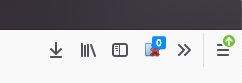
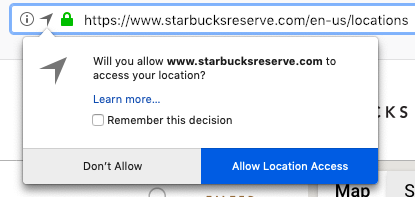
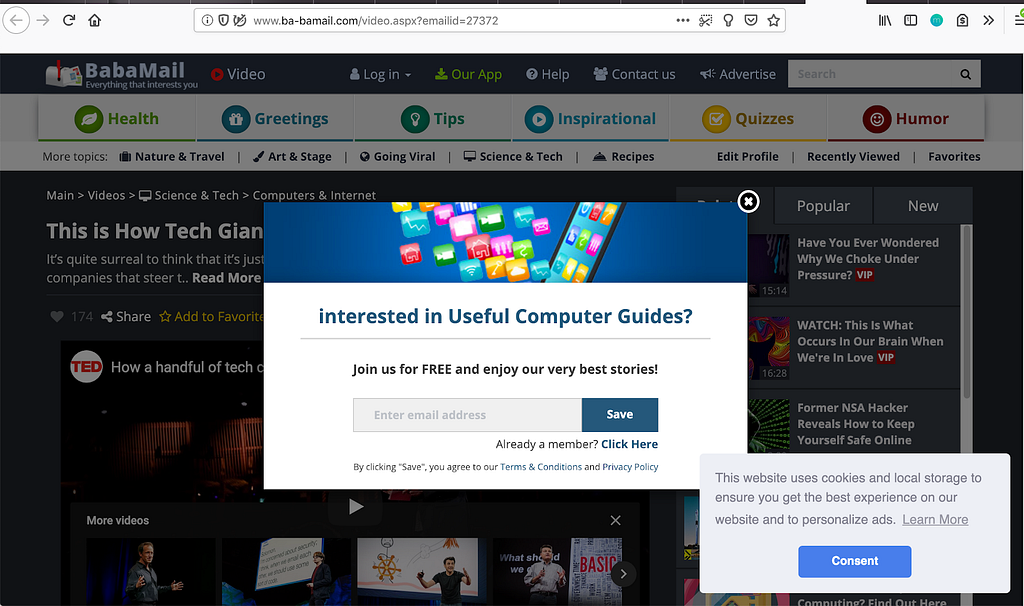
To analyze the data, I coded each interruption in terms of its stopping power. Mehrotra et al. coded interruptions as “low priority” and “high priority” depending on if the interruption stopped a person from completing their task [1]. Similarly, I coded each interruption as “low stopping power”, “medium stopping power”, and “high stopping power” (examples in the figures below). I defined stopping power as how much the design & implementation of an interruption makes it so that the user must interact with it to continue using the system. From the recorded interviews and browsing sessions (excluding the five tasks that triggered interruptions), I logged 83 low stopping power interruptions, 37 medium, and 15 high.
Now I’ll move on to answer our two research questions.
1. How did participants feel about interruptions?
Participants care about their safety and saving time
When I asked participants how they felt about the 5 interruptions they experienced during the post interview, a clear theme was safety. One task was for participants to visit a “Bad SSL*” page. This happens when a website has a malformed or outdated security certificate. An error will
Summary / TL;DR (new developments since last meeting in bold)
| Project | What’s in it? | Status |
| C++20 | See below | On track |
| Library Fundamentals TS v3 | See below | Under active development |
| Concepts TS | Constrained templates | Merged into C++20, including abbreviated function templates! |
| Parallelism TS v2 | Task blocks, library vector types and algorithms, and more | Published! |
| Executors | Abstraction for where/how code runs in a concurrent context | Not headed for C++20 |
| Concurrency TS v2 | See below | Under active development |
| Networking TS | Sockets library based on Boost.ASIO | Published! Not headed for C++20. |
| Ranges TS | Range-based algorithms and views | Merged into C++20! |
| Coroutines TS | Resumable functions, based on Microsoft’s await design |
Merged into C++20! |
| Modules v1 | A component system to supersede the textual header file inclusion model | Published as a TS |
| Modules v2 | Improvements to Modules v1, including a better transition path | Merged into C++20! |
| Numerics TS | Various numerical facilities | Under active development |
| Reflection TS | Static code reflection mechanisms | Approved for publication! |
| C++ Ecosystem TR | Guidance for build systems and other tools for dealing with Modules | Early development |
| Pattern matching | A match-like facility for C++ |
Under active development, targeting C++23 |
Introduction
A few weeks ago I attended a meeting of the ISO C++ Standards Committee (also known as WG21) in Kona, Hawaii. This was the first committee meeting in 2019; you can find my reports on 2018’s meetings here (November 2018, San Diego), here (June 2018, Rapperswil), and here (March 2018, Jacksonville). These reports, particularly the San Diego one, provide useful context for this post.
This week marked the feature-complete deadline of C++20, so there was a heavy focus on figuring out whether certain large features that hadn’t yet merged into the working draft would make it in. Modules and Coroutines made it; Executors and Networking did not.
Attendance at this meeting wasn’t quite at last meeting’s record-breaking level, but it was still quite substantial. We continued the experiment started at the last meeting of running Evolution Incubator (“EWGI”) and Library Evolution Incubator (“LEWGI”) subgroups to pre-filter / provide high-level directional guidance for proposals targeting the Evolution and Library Evolution groups (EWG and LEWG), respectively.
Another notable procedural development is that the committee started to track proposals in front of the committee in GitHub. If you’re interested in the status of a proposal, you can find its issue on GitHub by searching for its title or paper number, and see its status — such as which subgroups it has been reviewed by and what the outcome of the reviews were — there.
C++20
Here are the new changes voted into C++20 Working Draft at this meeting. For a list of changes voted in at previous meetings, see my
WebRender is a GPU based 2D rendering engine for web written in Rust, currently powering Mozilla’s research web browser servo and on its way to becoming Firefox‘s rendering engine.
What’s everyone working on?
- Glenn has been investigating WebRender’s performance on Android ARM Mali devices. There seem to be some reasonable overlap between optimizations affecting Intel integrated GPUs and Mobile GPUs which is good news. This investigation led to a few performance optimizations such as a fast path generating clip masks in the common cases reducing the number of fragment shader instructions, and some changes to the way data is provided to clip render tasks to use pixel local storage instead of the render task data texture.
-
Kvark made a few refactorings improving the internation code as well as framebuffer coordinates and document origin semantics. Kvark also improved plane-splitting accuracy and the way GL driver errors are reported.
Kvark also extracted a useful bit of WebRender into the copyless crate. This crate makes it possible to push large structures into standard vectors and hash maps in a way that llvm is better able to optimize than when using, says,Vec::push. This lets the large values get initialized directly in the container’s allocated memory without emitting extramemcpys. -
Kats has fixed a number of scrolling related bugs, and is improving the automatic synchronization of WebRender’s code between the mozilla-central and github repositories.
-
Nical is investigating optimizations of the render task tree (with the idea of turning it into a graph rather than a tree strictly speaking). Currently WebRender does not provide a way for the output of a render task to be read by several other render tasks. In other words, if an element has a dozen shadows, we currently re-compute the blur for that element a dozen times. There are ongoing experiments with various render graph scheduling strategies in a separate repository and some of the findings from these experiments are being ported to WebRender.
-
Sotaro has landed a series of improvements around the way we handle cross-process texture sharing and how GL contexts are managed.
-
Timothy is working on a GPU implementation of the component transfer SVG filter. Avoiding the CPU fallback for this particular filter is important because of its use in Google docs.
-
Jeff has been doing a lot WebRender bug triage and profiling. He also fixed a very bad interaction between tiled blob images and filters which was causing the whole filtered area to be re-rendered from scratch for tile.
-
Doug continues his work on document splitting. A large part of it has already been reviewed.
Stickers!
Jessie got some glitchy gfx team stickers printed. It’s not a WebRender news per se, but I didn’t want to pass on an occasion to put a fun picture on the blog.
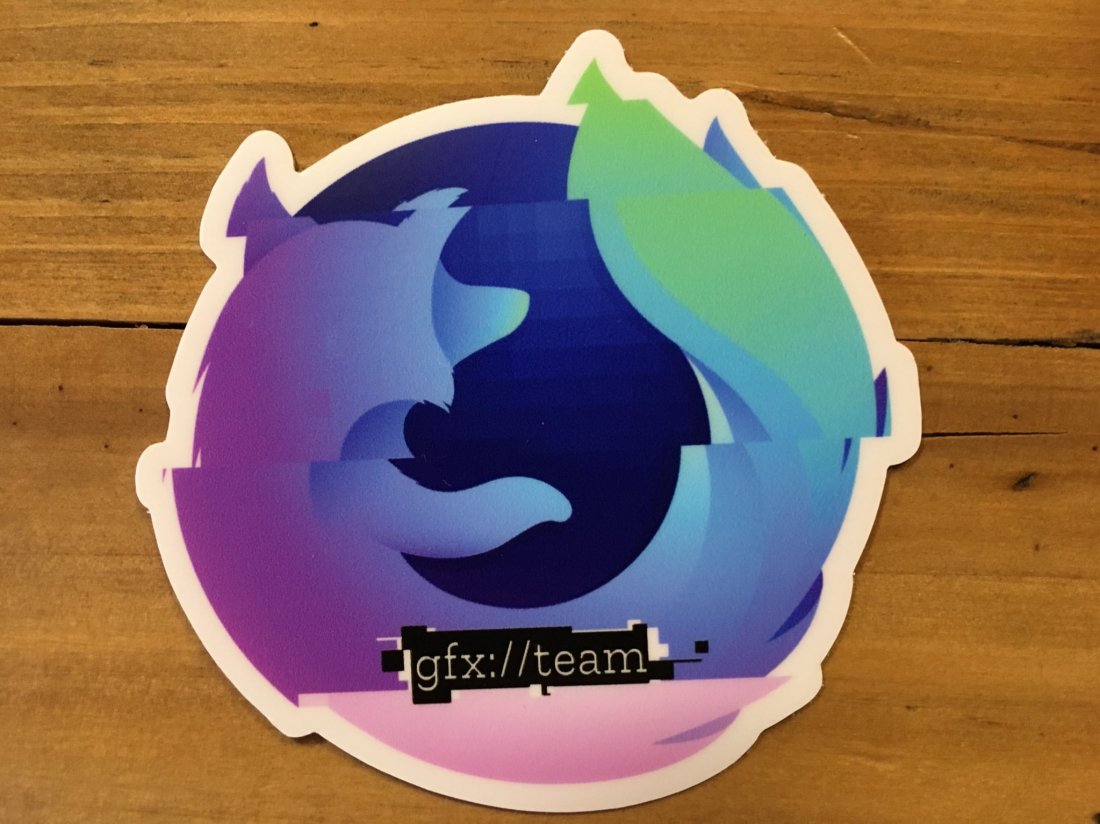
I originally made this (absolutely unofficial) logo to decorate the blog by simply flipping random bits in a png image of the Firefox Nightly logo. I recently re-did the logo in SVG using Inkscape to get a high enough resolution for the stickers.
Enabling WebRender in Firefox Nightly
In about:config, enable the pref gfx.webrender.all and restart the browser.
Reporting bugs
The best place to report bugs related to WebRender in Firefox is the Graphics :: WebRender component in bugzilla.
Note that it is possible to log in with a github account.
Using WebRender in a Rust project
WebRender is available as a standalone crate on

Another year has passed. The curl project is now 21 years old.
I think we can now say that it is a grown-up in most aspects. What have we accomplished in the project in these 21 years?
We’ve done 179 releases. Number 180 is just a week away.
We estimate that there are now roughly 6 billion curl installations world-wide. In phones, computers, TVs, cars, video games etc. With 4 billion internet users, that’s like 1.5 curl installation per Internet connected human on earth
669 persons have authored patches that was merged.
The curl source code now consists of 160,000 lines of code made in over 24,000 commits.
1,927 persons have helped out so far. With code, bug reports, advice, help and more.
The curl repository also hosts 429 man pages with a total of 36,900 lines of documentation. That count doesn’t even include the separate project Everything curl which is a dedicated book on curl with an additional 10,165 lines.
In this time we have logged more than 4,900 bug-fixes, out of which 87 were security related problems.
We keep doing more and more CI builds, auto-builds, fuzzing and static code analyzing on our code day-to-day and non-stop. Each commit is now built and tested in over 50 different builds and environments and are checked by at least four different static code analyzers, spending upwards 20-25 CPU hours per commit.
We have had 2 curl developer conferences, with the third curl up about to happen this coming weekend in Prague, Czech Republic.
The curl project was created by me and I’m still the lead developer. Up until today, almost 60% of the commits in the project have my name on them. I have done most commits per month in the project every single month since August 2015, and in 186 months out of the 232 months for which we have logged data.
Firefox 66 is out, and brings with it a host of great new features like screen sharing, scroll anchoring, autoplay blocking for audible media, and initial support for the Touch Bar on macOS.
These are just highlights. For complete information, see:
Audible Autoplay Blocking
Starting with version 66, Firefox will block audible autoplaying video and audio. This means media (audio and video) have to wait for user interaction before playing, unless the muted property is set on the associated HTMLMediaElement. Blocking can be disabled on a case-by-case basis in the site information overlay:
 Now you get to decide when to disturb the sound of silence.
Note: We’re rolling out blocking gradually to ensure that it doesn’t break legitimate use cases. All Firefox users should have blocking enabled within a few days.
Usability Improvements
Scroll Anchoring
Firefox now implements scroll anchoring, which prevents slow-loading content from suddenly appearing and pushing visible content off the page.
Touch Bar
The Touch Bar on macOS is now supported, offering quick access to common browser features without having to learn keyboard shortcuts.

Tab Search
Too many tabs? The overflow menu sports a new option to search through your open tabs and switch to the right one.
 Astute users will note that clicking on “Search Tabs” focuses the Awesomebar and types a
 % sign in front of your query. Thus, while the menu entry makes tab search much more discoverable, you can actually achieve the same effect by focusing the Awesomebar and manually typing a % sign or other modifier.
Extension Shortcuts
Speaking of shortcuts, you can now manage and change all of the shortcuts set by extensions by visiting about:addons and clicking “Manage Extension Shortcuts” under the gear icon on the Extensions overview page.
Better Security Warnings
We’ve completely redesigned Firefox’s security warnings to better encourage safe browsing practices (i.e., don’t ignore the warnings!)
Expanded CSS Features
Firefox is the first browser to support animating the CSS Grid grid-template-rows and grid-template-columns properties, as seen in the video below.
Almost a hundred years ago, John Maynard Keynes suggested that the industrial revolution would effectively end work for humans within a couple of generations, and our biggest challenge would be figuring what to do with that time. That definitely hasn’t happened, and we always seem to have lots to do, much of it online. When you’re on the web, you’re trying to get stuff done, and therefore online annoyances are just annoyances. Whether it’s autoplaying videos, page jumps or finding a topic within all your multiple tabs, Firefox can help. Today’s Firefox release minimizes those online inconveniences, and puts you back in control.
Block autoplaying content by default
Ever open a new page and all of a sudden get bombarded with noise? Well, worry no more. Starting next week, we will be rolling out the peace that silence brings with our latest feature, block autoplay. Here’s how to use block autoplay:
- Scenario #1 – For anyone who wants peace and quiet on the web: Go to a site that plays videos or audio, it could be a news site or site known for hosting movies and television shows, the Block Autoplay feature will stop the audio and video from automatically playing. If you want to view the video, simply click on the play button to watch it.
There will be instances where there are some sites, like social media, that automatically mute the sound but will continue to play the video. In this case, the new Block Autoplay Feature will not stop the video from playing.
- Scenario #2 – For the binge-watcher: If your weekend plans involve catching up on your favorite TV series, you’ll want to make it interruption-free. To play the videos continuously, hit play and all subsequent videos will play automatically, just as the site intended. This will apply to all streaming sites including Netflix, Hulu and YouTube. To continue to autoplay from the first video, you should add those sites to your permissions list.
To enable autoplay on your favorite websites, add them to your permissions list by visiting the control center — which can be found by clicking the lowercase “i” with a circle in the address bar. From there go to Permissions and select “allow” in the drop down to automatically play media with sound.
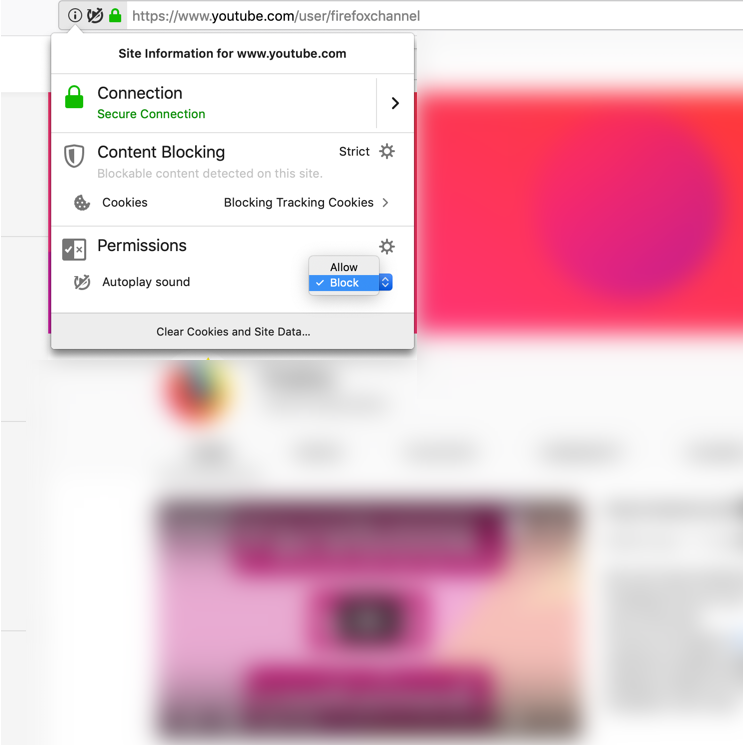
From Permissions, you can choose to allow or block
No more annoying page jumps with smoother scrolling
Do you ever find yourself immersed in an online article, then all of a sudden an image or ad loads from the top of the page and you lose your place. Images or ads load slower than the written content on a page, and without scroll anchoring in place, you’re left bouncing around the page. Today’s release features scroll anchoring. Now, the page remembers where you are so that you aren’t interrupted by slow loading images or ads.
Search made easier and faster
Search is one of the most common activities that people do whenever they go online, so we are always looking for ways to streamline that experience. Today, we’re improving the search experience to make it faster, easier and more convenient by enabling:
- Searching within Multiple Tabs – Did you know that if you enter a ‘%’ in your Awesome Bar, you can search the tabs on your computer? If you have more than one device on Firefox Sync, you can search the tabs on your other devices as well. Now you can search from the tab overflow menu, which appears when you have a large number of tabs open in a window. When this happens, you’ll see on the right side of the plus sign (where you typically open a new tab) a down arrow. This is called the tab overflow menu. Simply click on it to find the new box for searching your tabs.
- Searching in Private Browsing – Sometimes you’d prefer your search history to not be saved, like those times when you’re planning a surprise party or gift. Now, when you open a new tab in Private Browsing, you’ll see a search bar with your default search engine – Google, Bing, Amazon.com, DuckDuckGo, eBay, Twitter or Wikipedia. You can set your default search engine when you go to Preferences, Search, then Default Search Engine.
Additional features in today’s Firefox release include:
- Keeping you safe with easy-to-understand security warnings – Whenever you visit a site, it’s our job to make sure the site is safe. We review a security certificate, a proof of their identity, before letting you visit the site. If something isn’t right, you’ll get a security warning. We’ve updated these warnings to be simple and straightforward on why the site might not be safe.To read more about how we created these warnings,
Firefox 66, being released this week, supports using the Windows Hello feature for Web Authentication on Windows 10, enabling a passwordless experience on the web that is hassle-free and more secure. Firefox has supported Web Authentication for all desktop platforms since version 60, but Windows 10 marks our first platform to support the new FIDO2 “passwordless” capabilities for Web Authentication.

PIN Prompt on Windows 10 2019 April release
As of today, Firefox users on the Windows Insider Program’s fast ring can use any authentication mechanism supported by Windows for websites via Firefox. That includes face or fingerprint biometrics, and a wide range of external security keys via the CTAP2 protocol from FIDO2, as well as existing deployed CTAP1 FIDO U2F-style security keys. Try it out and give us feedback on your experience.
For the rest of Firefox users on Windows 10, the upcoming update this spring will enable this automatically.
Akshay Kumar from Microsoft’s Windows Security Team contributed this support to Firefox. We thank him for making this feature happen, and the Windows team for ensuring that all the Web Authentication features of Windows Hello were available to Firefox users.
For Firefox users running older versions of Windows, Web Authentication will continue to use our Rust-implemented CTAP1 protocol support for U2F-style USB security keys. We will continue work toward providing CTAP2/FIDO2 support on all of our other platforms, including older versions of Windows.
For Firefox ESR users, this Windows Hello support is currently planned for ESR 60.0.7, being released mid-May.
If you haven’t used Web Authentication yet, adoption by major websites is underway. You can try it out at a variety of demo sites: https://webauthn.org/, https://webauthn.io/, https://webauthn.me/, https://webauthndemo.appspot.com/, or learn more about it on MDN.
If you want to try the Windows Hello support in Firefox 66 on Windows 10 before the April 2019 update is released, you can do so via the Windows Insider program. You’ll need to use the “fast” ring of updates.
The post Passwordless Web Authentication Support via Windows Hello appeared first on Mozilla Security Blog.
I’m excited to let you know that today, Lindsey Shepard joins us as our VP of Product Marketing.
Lindsey brings a wealth of experience from a variety of sectors ranging from consumer technology to the jewelry industry.
“I’m thrilled to be joining Mozilla, an organization that has always been a champion for user agency and data privacy, during this pivotal time in the tech industry. I’m looking forward to showcasing to people the iconic Firefox brand, along with its quickly-expanding offering of products and services that realistically and respectfully meet the needs and challenges of online life today.”
Most recently, Lindsey headed up corporate-level marketing for Facebook Inc., including leading product marketing for Facebook’s core products: News Feed, News, Stories, Civic Engagement, Privacy and Safety. Before joining Facebook, Lindsey led marketing at GoldieBlox, a Bay Area start-up focused on bridging the gender gap in STEM.
As our new VP of Product Marketing Lindsey will be a core member of my marketing leadership team, responsible for building strong ties with our product organization. She will be a key driver of Mozilla’s future growth, overseeing new product launches, nurturing existing products, ideating on key campaigns and go-to-market strategies, and evangelizing new innovations in internet technologies.
Lindsey will be based in the Bay Area and will share her time between our Mountain View and San Francisco offices. Please join me in welcoming Lindsey to Mozilla.
The post Welcome Lindsey Shepard, VP Product Marketing appeared first on The Mozilla Blog.
https://blog.mozilla.org/blog/2019/03/18/welcome-lindsey-shepard-vp-product-marketing/
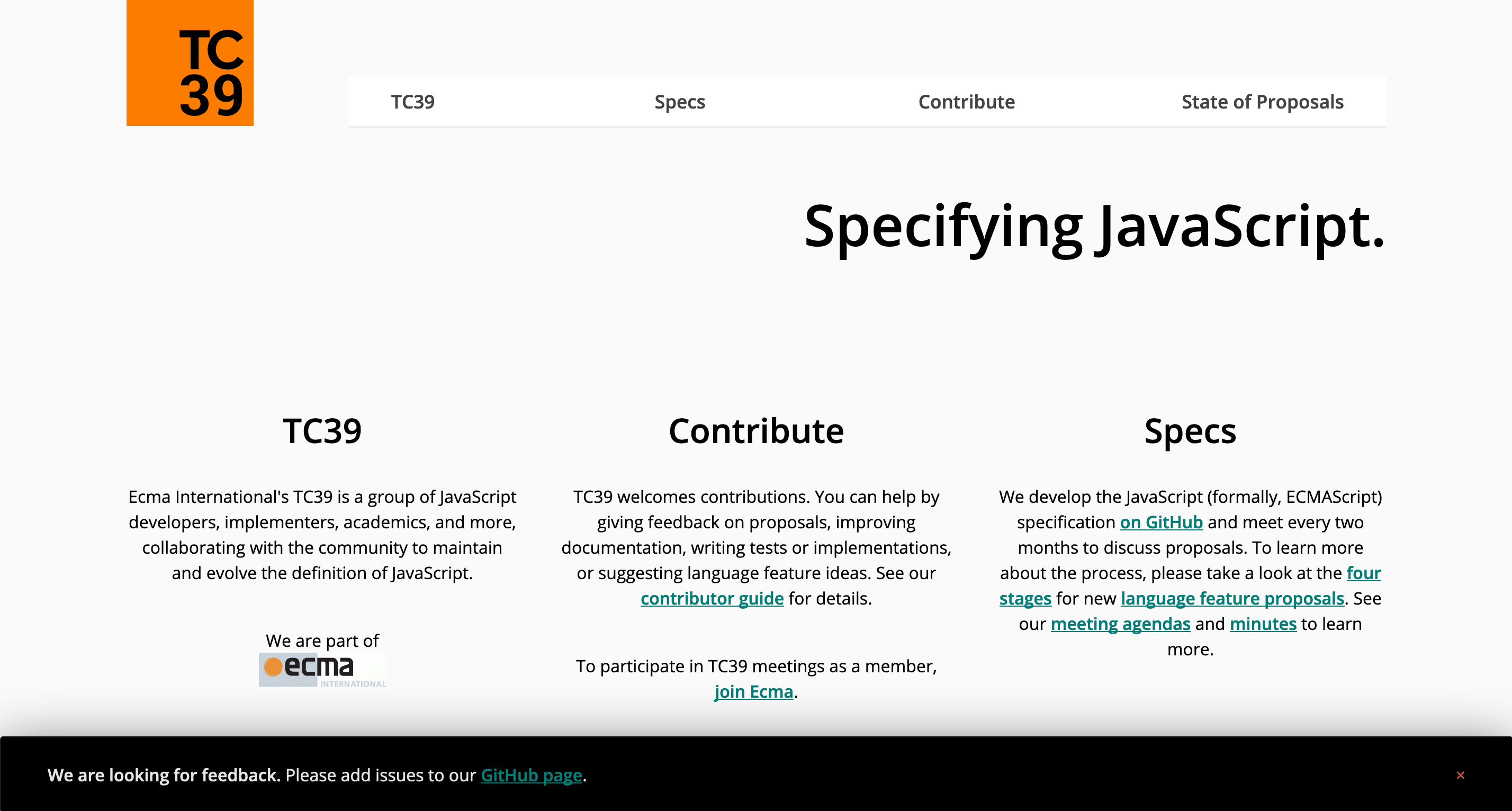
Screenshot of the TC39 website
Ecma TC39, the JavaScript Standards Committee, is proud to announce that we have shipped a website for following updates to the JavaScript specification. This is the first part of a two-part project aimed at improving our information distribution and documentation. The website provides links to our most significant documents, as well as a list of proposals that are near completion. Our goal is to help people find the information they need in order to understand the specification and our process.
While the website is currently an MVP and very simple, we have plans to expand it. These plans include a set of documentation about how we work. We will experiment with other features as the need arises.
The website comes as part of work that began last year to better understand how the community was accessing information about the work around the JavaScript specification. We did a series of in-person interviews, followed by a widely distributed survey to better understand what people struggled with. One of the biggest requests was that we publish and maintain a website that helps people find the information they are looking for.
Resource needs
The two most requested items with regard to resources were Learning Resources and a Website. These two are linked, but require very different types of work. Since this clearly highlighted the need for a website, we began work on this right away.
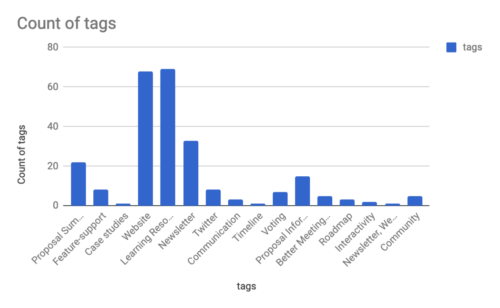
Aggregated tags in response to the question “What would you like to see as a resource for the language specification process?”
We identified different types of users: Learners who are discovering the specification for the first time, Observers of the specification who are watching proposal advancement, and Reference Users who need a central location where all of the significant documents can be found. The website was designed around these users. In order to not overwhelm people with information, the MVP is specifically focused on the most pertinent information, namely proposals in Stage 3 of our process. Links are contextualized in order to help people understand what documents they are looking at.
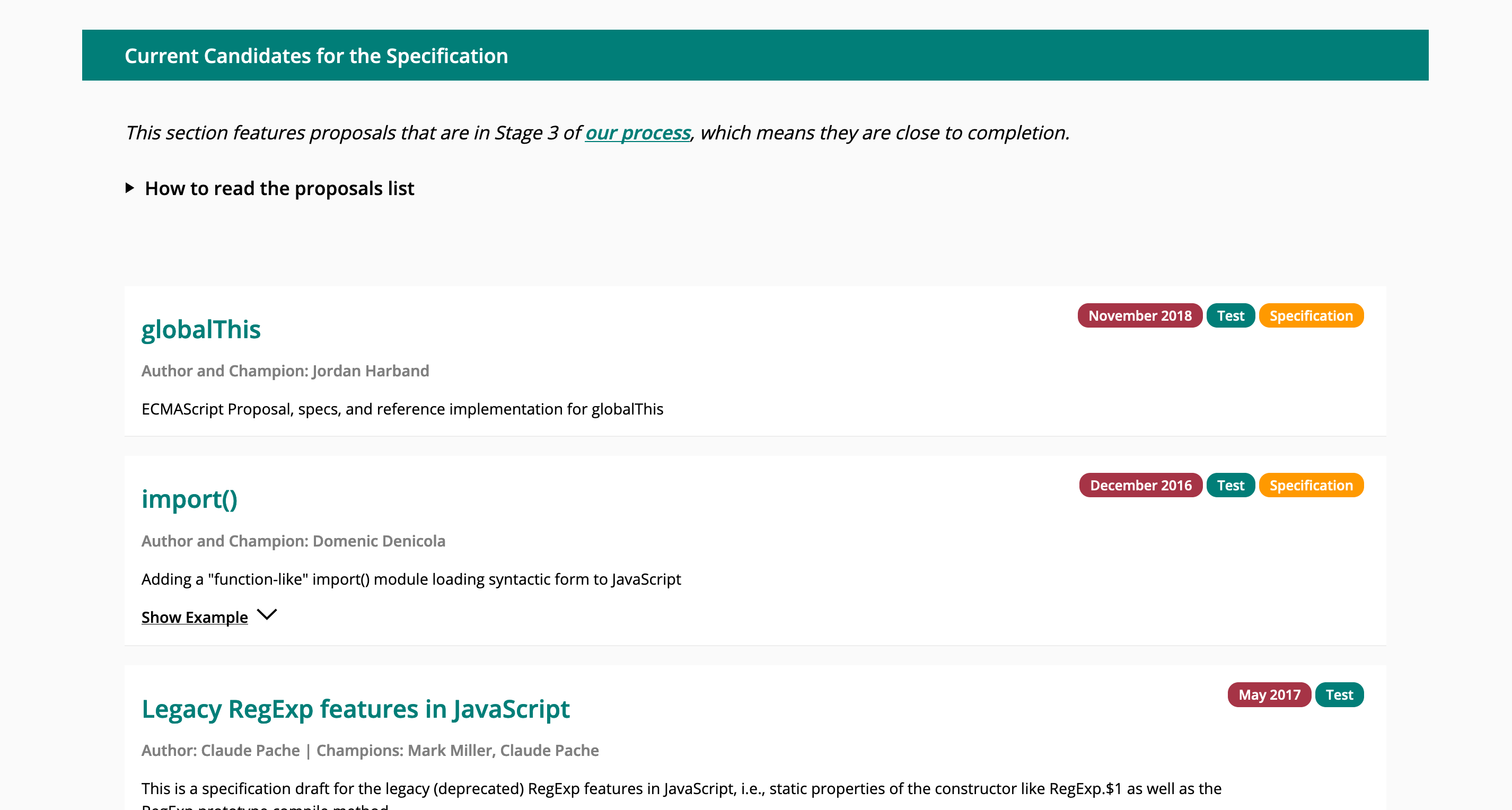
Stage 3 Proposal List
The website is very simple, but gives us a starting point from which to move forward. We are continuing to work on documenting our process. We hope to make more of these documents publicly available soon and to incorporate them into the website over time.
Developer frustrations
The survey surfaced a number of issues that have been impacting the community around JavaScript. Three of the top four frustrations were related to things that could be alleviated by building a website. One that was not directly related but heavily emphasized was that the unclear advancement of proposals. This was also surfaced in GitHub issues. This is challenging to resolve, but we are currently working through ideas. For the time being, we have added a link to the most recent presentation of each proposal. We also have a checklist in the TC39 Process document that is now being added to some proposals on GitHub.
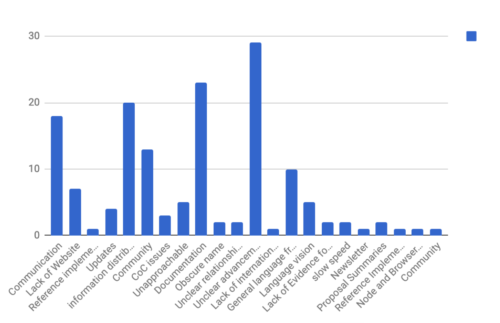
Aggregated tags in response to the question “Is there something we can do better, or that you find particularly frustrating right now?”
As part of the survey, we collected emails in order to get in touch later, as we were unsure how many responses we would get. The goal was to better understand specific concerns. However, we had an overwhelming amount of feedback that pointed us in the direction we needed to go. After reviewing this, we decided against keeping this personal information and to request feedback publicly on a case-by-case basis. Thank you to everyone who participated.
We are looking forward to your feedback and comments. This project was community-driven— thank you to everyone who made it possible!
