With Firefox, getting around the internet is fast, straight-forward and easy. Now you can go beyond the basics with these secret and not-so-secret tricks that make your internetting experience even more fun. Read on for some of our favorite Firefox features that you may not know about… yet.
1. Send tabs across the room
If you’ve ever been reading an article, recipe or website on your phone and thought it would look better and bigger on your computer, what do you do? Email or text yourself the link, right? Friends, there is a better way to do this with Firefox. Send that tab (or several tabs) to any device where you’re logged into your Firefox account, and it’ll be waiting for you when you get there. It also works in reverse, so you can send a tab from your computer to your phone as well. Pick up where you left off with send tabs in Firefox.
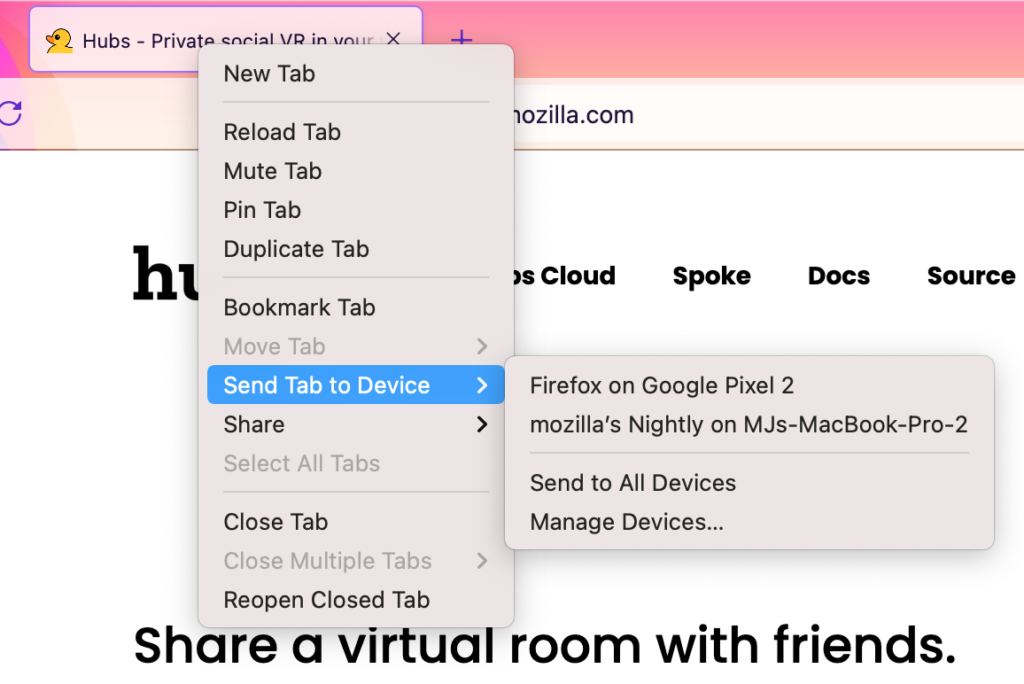
How to do it:
- From Firefox on your computer: Right-click (PC) or two-finger tap (Mac) on a tab and select Send Tab to Device.
- From Firefox on your phone: Tap the share icon, which will open up the Send to Device option.
- Don’t see these options? Sign into your Firefox account on both devices, then they’ll appear.
2. Search for a needle in a tabstack
Tab hoarders, we see you. Heck, we are you. Don’t ever let anyone shame you for having dozens (and dozens3) of open tabs, implying you don’t have it together and can’t find the right one. Instead, dazzle them with this trick. Add a % sign to your URL search to search specifically through all your open tabs, including tabs in different windows. Then you can click over to the already open tab instead of creating a duplicate, not that anyone has ever done that.
Bonus tip: If you love that tab search trick, try searching through your Bookmarks with * or your History with ^.
3. Screenshots made simple
Ever need a screenshot, but don’t remember how to do it? Or you snapped one successfully but lost it in the bowels of your hard drive? The built-in Firefox screenshot feature takes all the stress away. Right-click (PC) or two-finger tap (Mac) to call up the Firefox action menu (see above tip) and scroll to Take Screenshot. Bam, you’re screenshotting!
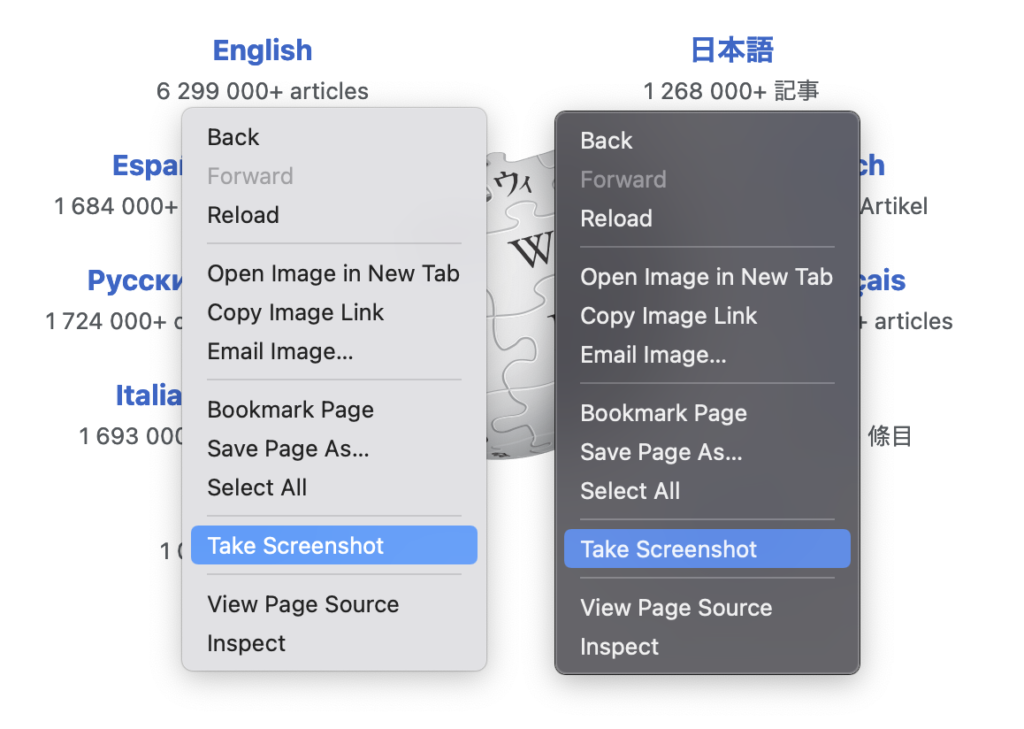
Bonus tip: Here’s how to add a screenshot button to your Firefox toolbar so it’s at your fingertips.
4. Reopen a closed tab
Tabs are life, and life is in tabs. Closing the wrong one leads to that sinking oh no feeling we know all too well. So we made a fix for that.
How to do it: Type Ctrl + shift + T for PC. Command + shift + T for Mac. Boom, tab instantly resurrected. You can even do that multiple times to reopen multiple closed tabs.
5. Pocket the best for later
There is so much good stuff to read and watch online that you’re not going to finish the internet in your lifetime. But, you can save the best for later. Click the Pocket icon to save any article, video or page straight from Firefox. Then, when you’ve got some extra time on your hands, it’ll be waiting in the Pocket app (available for Android and iOS) on your phone. How brilliant is that?
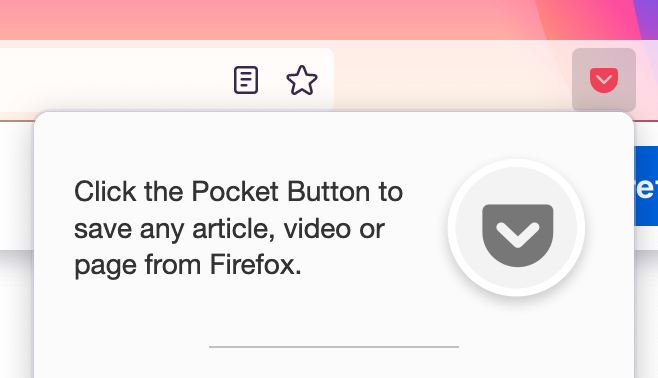
Where to get it: Look for the Pocket symbol to the right of your toolbar to get started saving any article, video or page from Firefox.
6. Video multitasking with picture-in-picture
Got things to do and games to watch? One of our most popular features,
Have you thought about the order of things recently? Purely from a web development perspective, I mean.
The chances are that you, just like me, usually don’t spend too much time thinking about the drawing order of elements on your site when writing HTML and CSS. And that’s generally fine because things usually just feel right. Consider the following little example:
Source:
span> id="order-demo-one">
span> class="box first">Result:
You could probably tell, without even looking at the result, that the second box - the red one - should be “on top”, completely covering up the blue box. After all, both boxes have the same size and the same position, but since the second box is placed after the first box, it’s drawn on top of the first one. To me, this feels pretty intuitive.
Let’s add some Flex to it
Now, let’s make things a bit more complicated. If you’re reading this article, I hope you’re at least slightly familiar with CSS Flexbox. And as you might know, flex-items have an order property, which you can use to reorder the items inside a flex container. Here’s the same example as before, but this time inside a flexbox container, with the items reordered. Note that this demo uses the same source as above, but I’m only showing relevant changes here.
Source:
span> id="order-demo-two">
span> class="box first">Result:
Okay, now we used order to swap positions of the first and second boxes. And as you can see in the demo … nothing changed. What? This is where things start becoming a bit counter-intuitive because this test case is actually a bit of a trick question.
Here is what the CSS Flexbox spec says about the order property:
- A flex container lays out its content in order-modified document order, starting from the lowest numbered ordinal group and going up. Items with the same ordinal group are laid out in the order they appear in the source document.
- This also affects the painting order, exactly as if the flex items were reordered in the source document.
- Absolutely-positioned children of a flex container are treated as having
order: 0for the purpose of determining their painting order relative to flex items.
(List points added by me; the original is a single block of text.)
Point 1 is what we intuitively know. An element with order: 2 is shown after order: 1. So far, so good. Point 2, however, says that if you specify order, the elements should behave as if they have been reordered in the HTML. For our example above, this should mean that both of these HTML snippets should behave the same:
span> id="order-demo-two">
  span> class="box first">
span> id="order-demo-two">
span> class="box second">But we can clearly see that that’s not how it works. That is because in the spec text above, point 3 says that if a flex item is absolutely-positioned, it is always treated as having order: 0, so what we define in our CSS doesn’t actually matter.
Flex order, for real this time.
So instead of having the absolutely positioned element as the flex item, let’s build another demo that has the absolute element inside the flex item.
This post is cross-posted from Matthew Gaudet’s blog
When implementing a language feature for JavaScript, an implementer must make decisions about how the language in the specification maps to the implementation. Sometimes this is fairly simple, where the specification and implementation can share much of the same terminology and algorithms. Other times, pressures in the implementation make it more challenging, requiring or pressuring the implementation strategy diverge to diverge from the language specification.
Private fields is an example of where the specification language and implementation reality diverge, at least in SpiderMonkey– the JavaScript engine which powers Firefox. To understand more, I’ll explain what private fields are, a couple of models for thinking about them, and explain why our implementation diverges from the specification language.
Private Fields
Private fields are a language feature being added to the JavaScript language through the TC39 proposal process, as part of the class fields proposal, which is at Stage 4 in the TC39 process. We will ship private fields and private methods in Firefox 90.
The private fields proposal adds a strict notion of ‘private state’ to the language. In the following example, #x may only be accessed by instances of class A:
class A {
  #x = 10;
}
This means that outside of the class, it is impossible to access that field. Unlike public fields for example, as the following example shows:
class A {
  #x = 10; // Private field
  y = 12; // Public Field
}

var a = new A();
a.y; // Accessing public field y: OK
a.#x; // Syntax error: reference to undeclared private field
Even various other tools that JavaScript gives you for interrogating objects are prevented from accessing private fields (e.g. Object.getOwnProperty{Symbols,Names} don’t list private fields; there’s no way to use Reflect.get to access them).
A Feature Three Ways
When talking about a feature in JavaScript, there are often three different aspects in play: the mental model, the specification, and the implementation.
The mental model provides the high-level thinking that we expect programmers to use mostly. The specification in turn provides the detail of the semantics required by the feature. The implementation can look wildly different from the specification text, so long as the specification semantics are maintained.
These three aspects shouldn’t produce different results for people reasoning through things (though, sometimes a ‘mental model’ is shorthand, and doesn’t accurately capture semantics in edge case scenarios).
We can look at private fields using these three aspects:
Mental Model
The most basic mental model one can have for private fields is what it says on the tin: fields, but private. Now, JS fields become properties on objects, so the mental model is perhaps ‘properties that can’t be accessed from outside the class’.
However, when we encounter proxies, this mental model breaks down a bit; trying to specify the semantics for ‘hidden properties’ and proxies is challenging (what happens when a Proxy is trying to provide access control to properties, if you aren’t supposed to be able see private fields with Proxies? Can subclasses access private fields? Do private fields participate in prototype inheritance?) . In order to preserve the desired privacy properties an alternative mental model became the way the committee thinks about private fields.
This alternative model is called the ‘WeakMap’ model. In this mental model you imagine that each class has a hidden weak map associated with each private field, such that you could hypothetically ‘desugar’
class A {
  #x = 15;
  g() {
    return this.#x;
  }
}
into something like
class A_desugared {
  static InaccessibleWeakMap_x = new WeakMap();
  constructor() {
    A_desugared.InaccessibleWeakMap_x.set(this, 15);
  }

  g() {
    return A_desugared.InaccessibleWeakMap_x.get(this);
  }
}
The WeakMap model is, surprisingly, not how the feature is written in the specification, but is an

Firefox 89 was released last week with much fanfare over its new interface, though being the curmudgeon I am I'm less enamoured of it. I like the improvements to menus and doorhangers but I'm a big user of compact tabs, which were deprecated, and even with compact mode surreptitously enabled the tab bar is still about a third or so bigger than Firefox 88 (see screenshot). There do seem to be some other performance improvements, though, plus the usual more lower-level changes and WebRender is now on by default for all Linux configurations, including for you fools out there trying to run Nvidia GPUs.
The chief problem is that Fx89 may not compile correctly with certain versions of gcc 11 (see bugs 1710235 and 1713968). For Fedora users if you aren't on 11.1.1-3 (the current version as of this writing) you won't be able to compile the browser at all, and you may not be able to compile it fully even then without putting a # pragma GCC diagnostic ignored "-Wnonnull" at the top of js/src/builtin/streams/PipeToState.cpp (I still can't; see bug 1713968). gcc 10 is unaffected. I used the same .mozconfigs and PGO-LTO optimization patches as we used for Firefox 88. With those changes the browser runs well.
While waiting for the updated gcc I decided to see if clang/clang++ could now build the browser completely on ppc64le (it couldn't before), even though gcc remains my preferred compiler as it generates higher performance objects. The answer is now it can and this time it did, merely by substituting clang for gcc in the .mozconfig, but even using the bfd linker it makes a defective Firefox that freezes or crashes outright on startup; it could not proceed to the second phase of PGO-LTO and the build system aborted with an opaque error -139. So much for that. For the time being I think I'd rather spend my free cycles on the OpenPOWER JavaScript JIT than figuring out why clang still sucks at this.
Some of you will also have noticed the Mac-style pulldown menus in the screenshot, even though this Talos II is running Fedora 34. This comes from firefox-appmenu, which since I build from source is trivial to patch in, and the Fildem global menu GNOME extension (additional tips) paired with my own custom gnome-shell theme. I don't relish adding another GNOME extension that Fedora 35 is certain to break, but it's kind of nice to engage my Mac mouse-le memory and it also gives me a little extra vertical room. You'll notice the window also lacks client-side decorations since I can just close the window with key combinations; this gives me a little extra horizontal tab room too. If you want that, don't apply this particular patch from the firefox-appmenu series and just use the other two .patches.
When we set out earlier this year to reimagine Firefox for desktop to be simpler, more modern and faster to use, we didn’t forget about your Apple mobile devices. We use our laptops and computers for work and play, but our tablets and phones sit a lot closer. They’re the first screens we see in the morning, and the last we see before we go to bed.
Firefox is only one of the many apps you use throughout the day, so our browser can’t just look good. It also needs to feel at home. The newest Firefox for iOS and iPadOS represents what we think online life should be: fast, beautiful and private – presented in a package that looks and feels intuitive and natural.
It’s fast
You can already one-tap to go to your top sites, and we’ve brought the same speed to search. Every time Firefox or a new tab opens, the keyboard will now come up, ready for you to start searching right away.
When typing takes too long, you can build search suggestions word by word.
Firefox syncs your bookmarks, history, passwords and more between devices. But when you have many tabs open on your iPhone, iPad and computer, they’re often hard to find. Now you can simply start typing the tab’s name, and Firefox will show the tabs you have opened, no matter where they’re located.
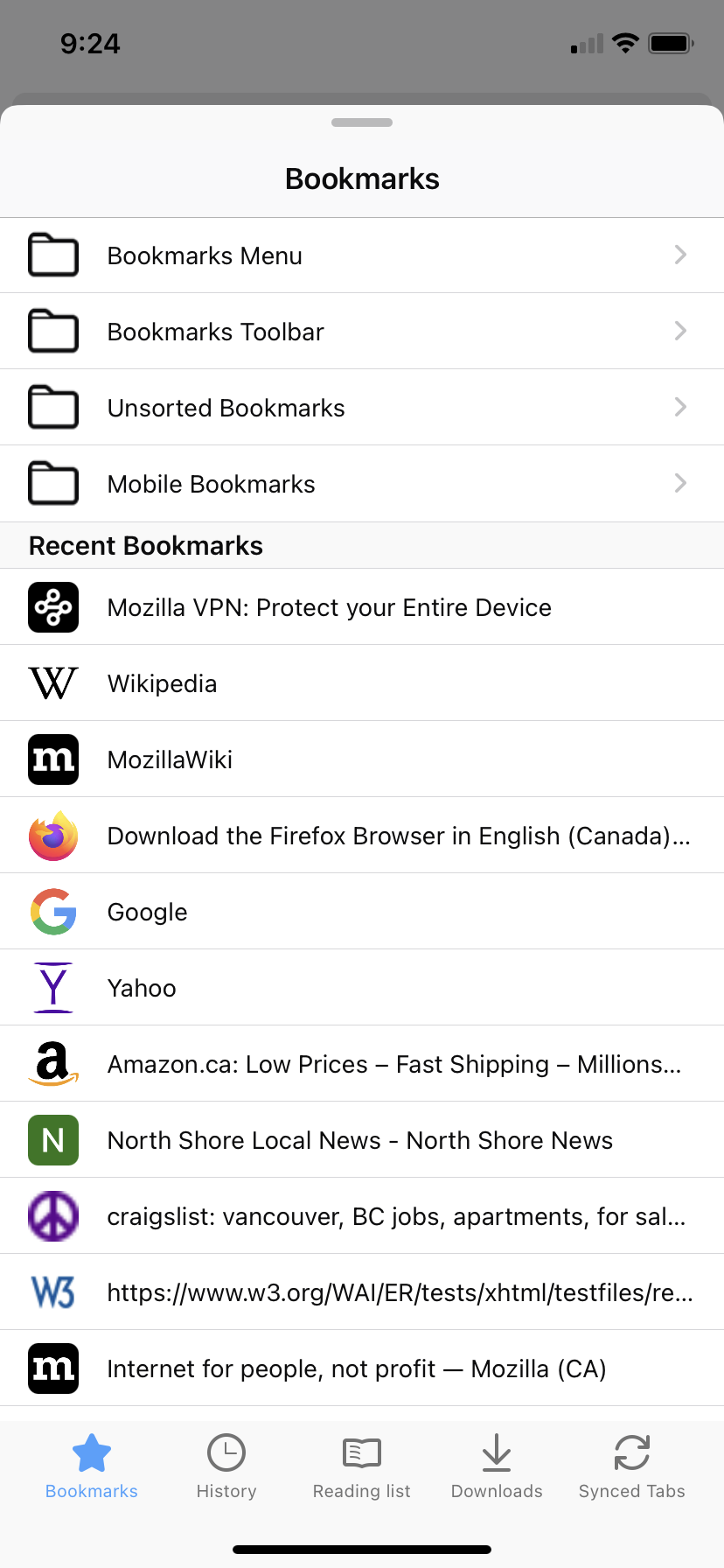
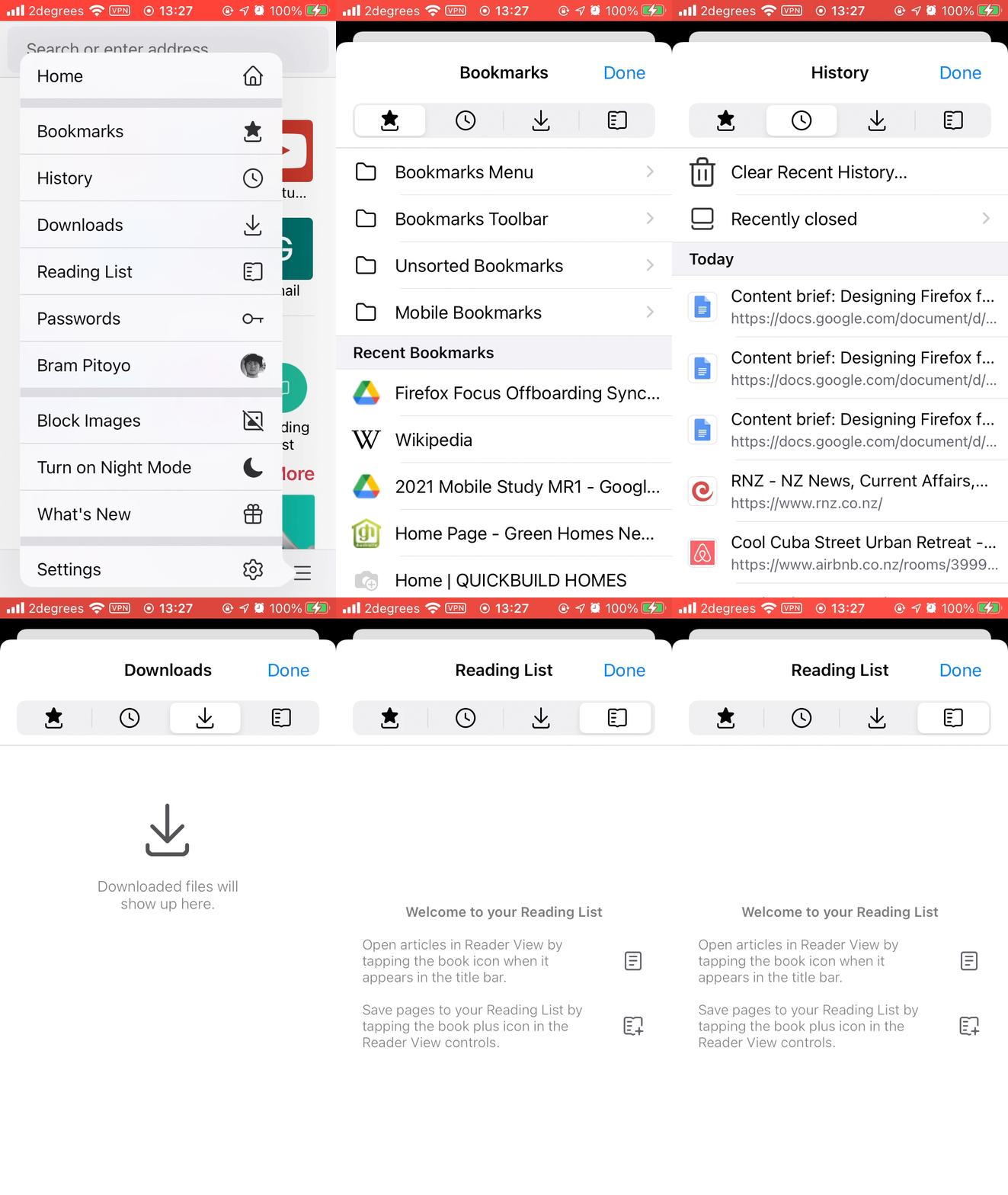
And if you don’t quite know what something is called, you can browse for it easily. Open the main application menu, and all your bookmarks, history, downloads and reading list are there.
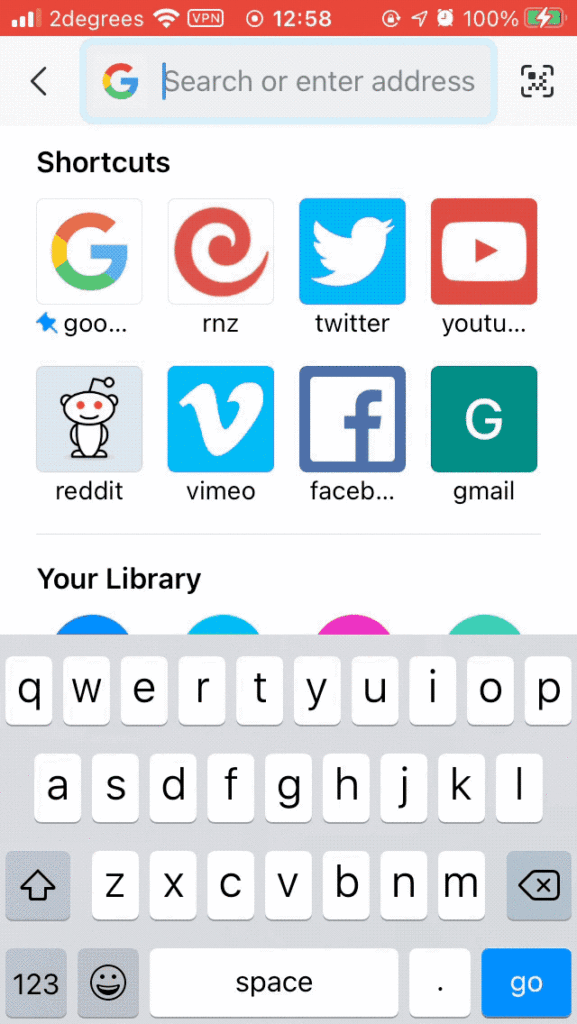
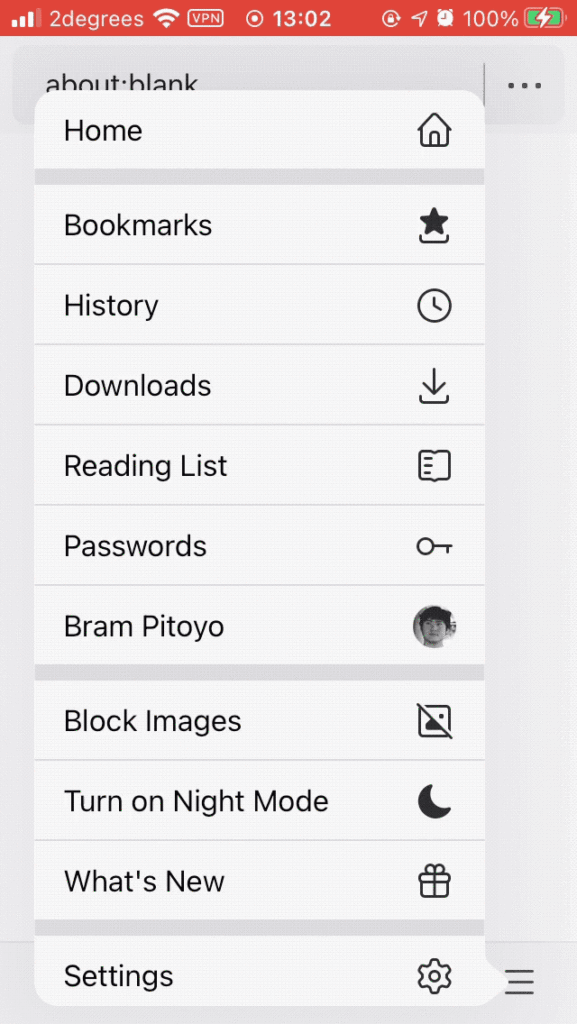
It’s beautiful
We’ve rebuilt parts of Firefox in native components, making it feel more iPhone and iPad-like than ever before. You’ll notice design elements that look and work identically to those found in many other apps, so our browser feels instantly familiar. We’ve also taken a major step up in accessibility. Firefox now supports more text sizes and integrates better with screen readers.
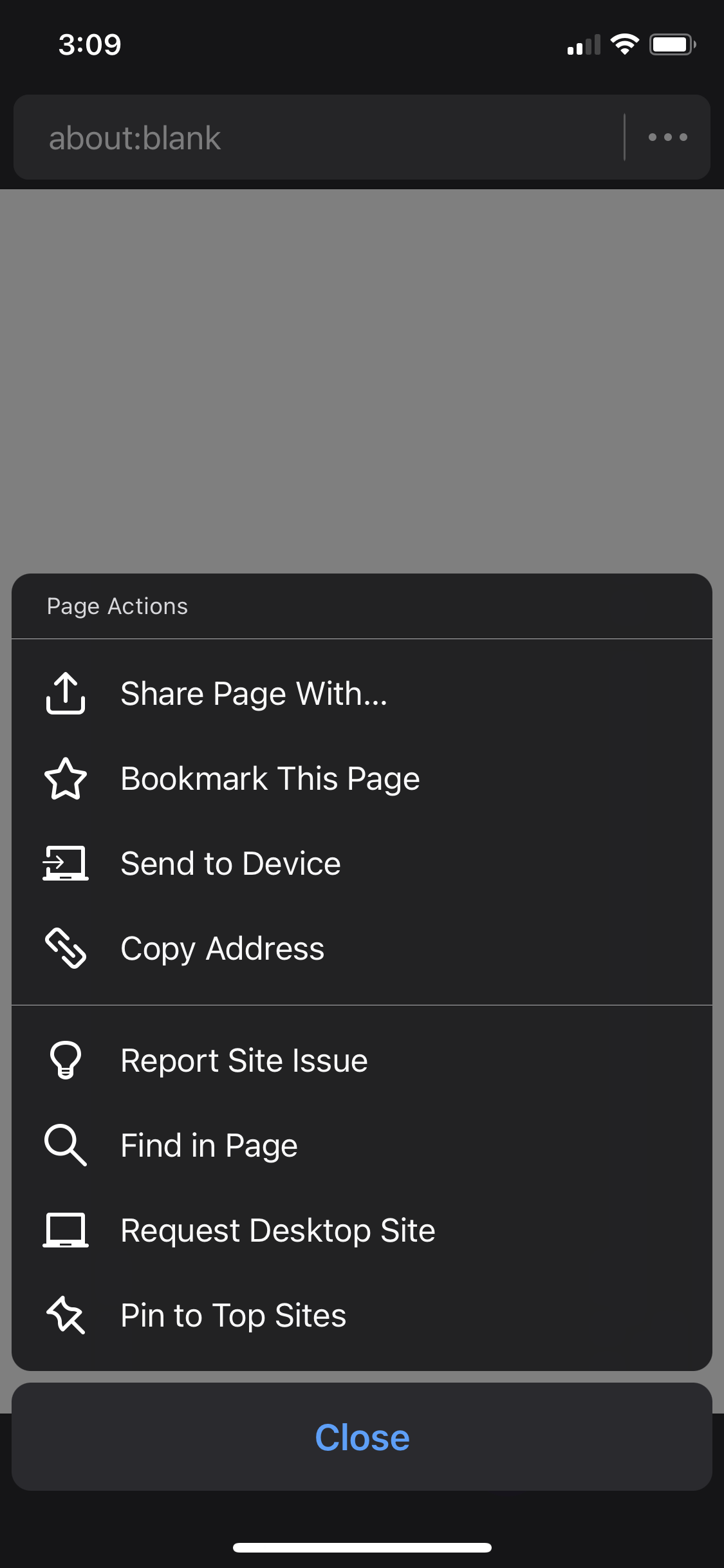
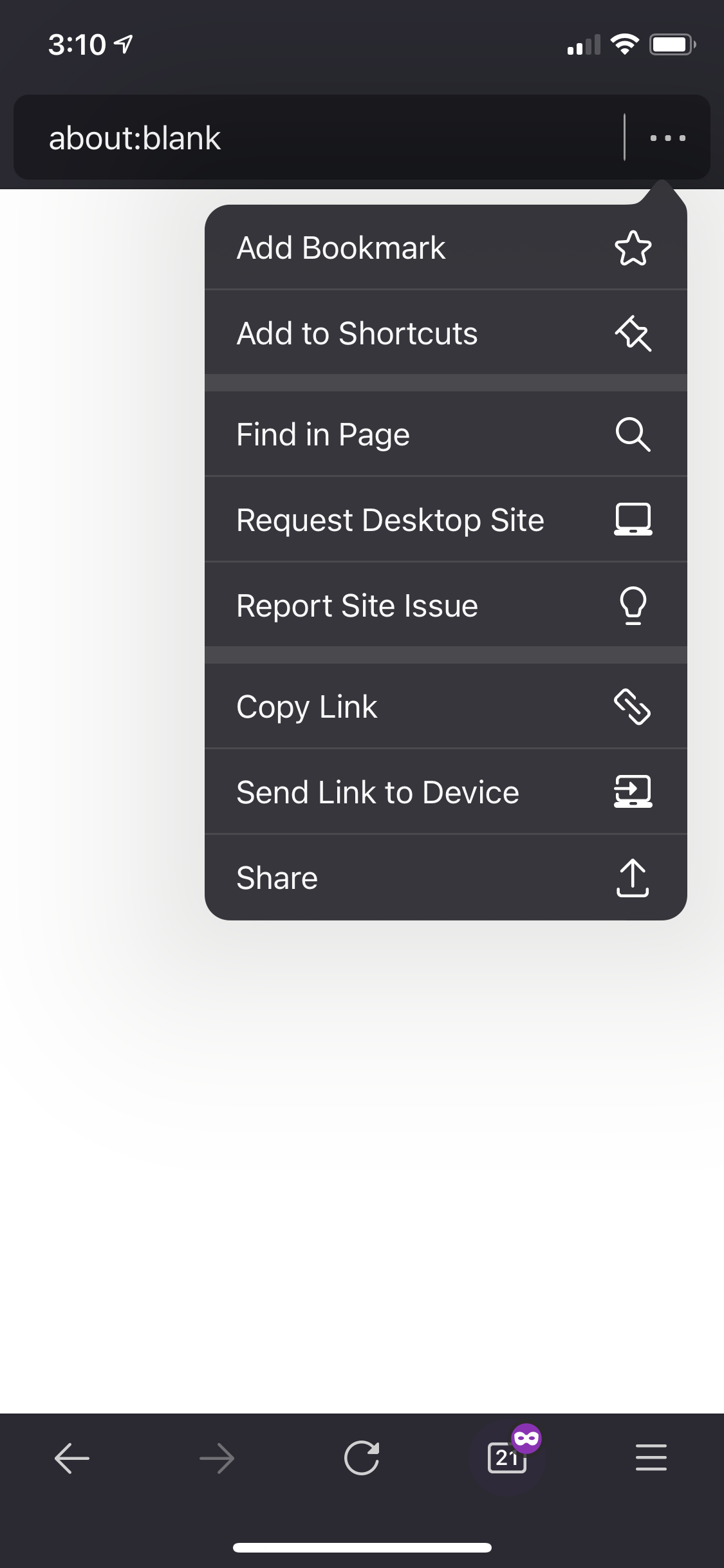
Our menus take up less space and work like all other menus you’re used to.
| Before | After |
|---|---|
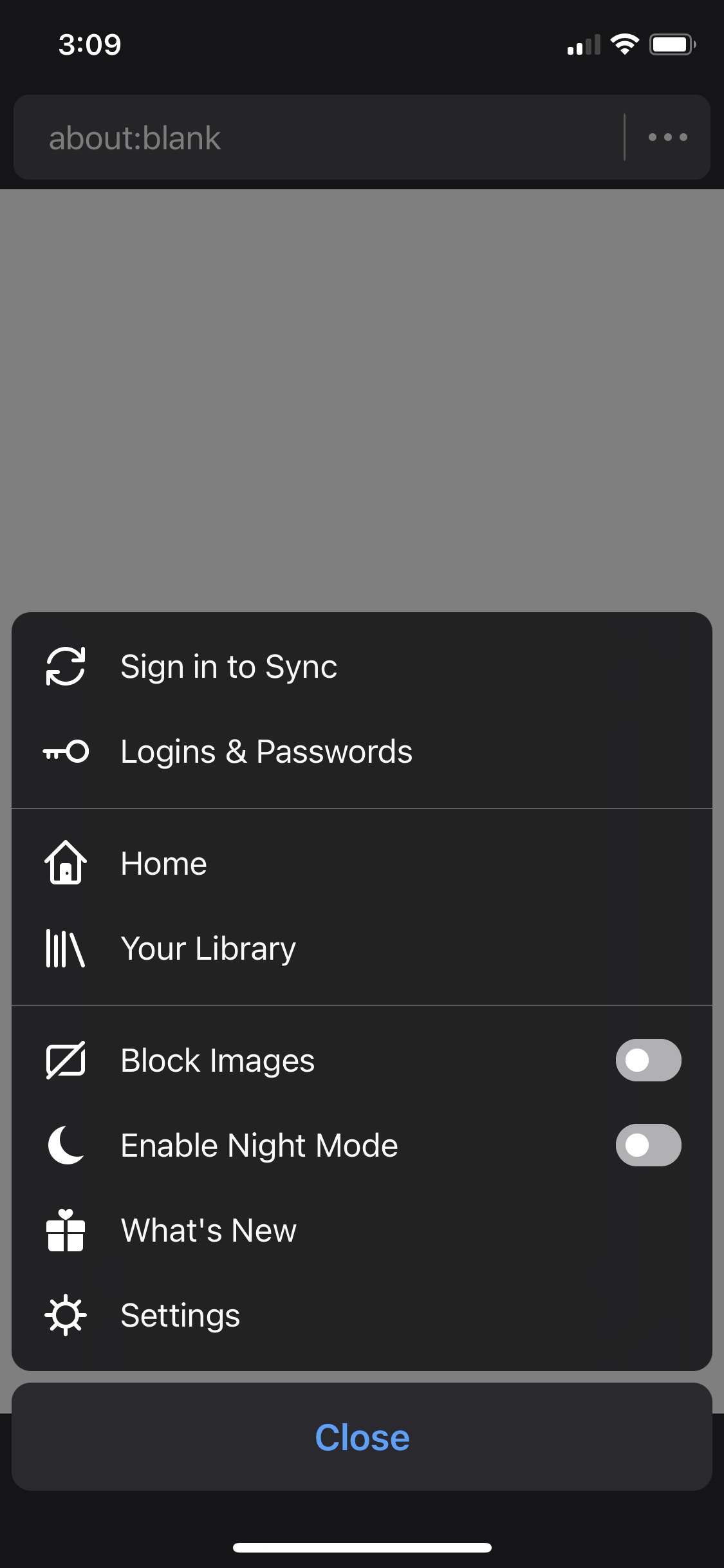 | 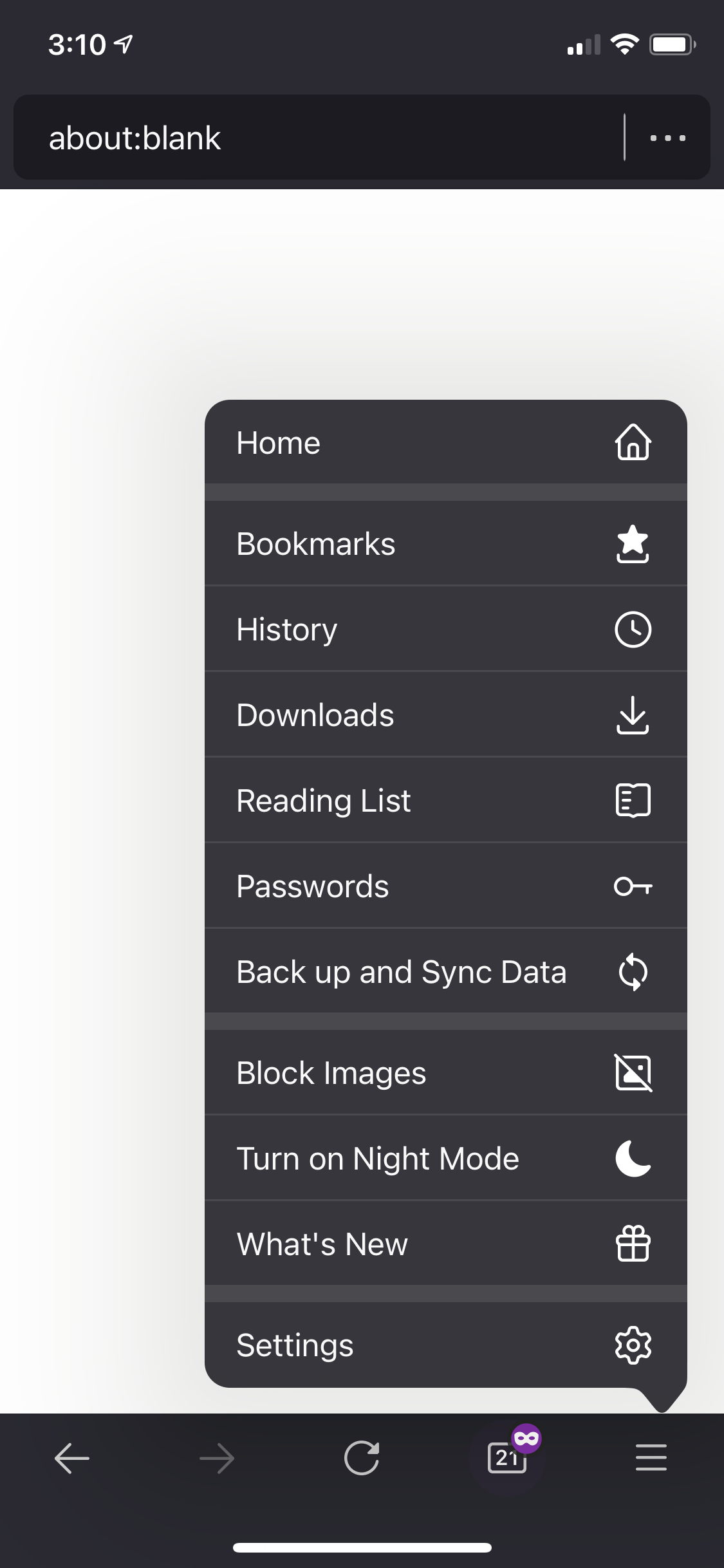 |
 |  |
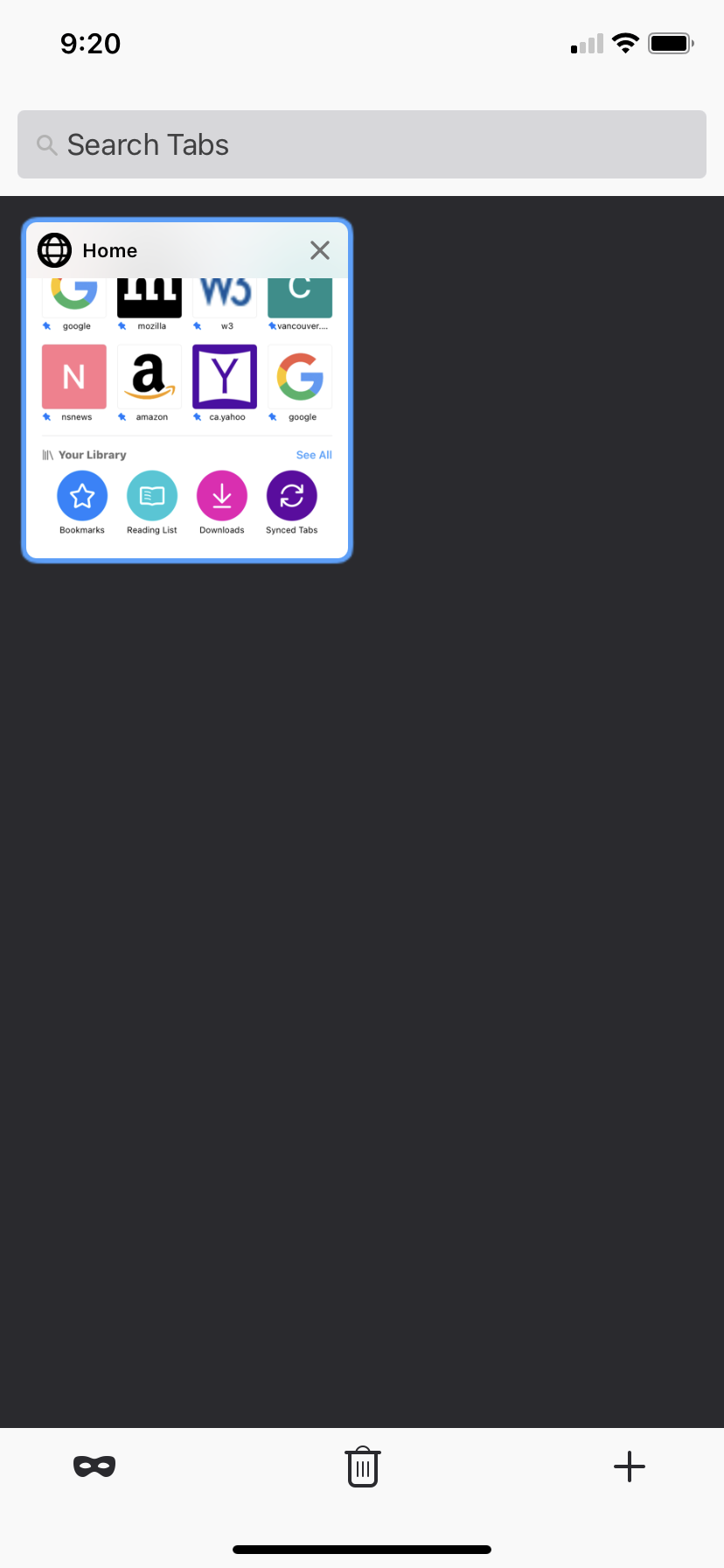
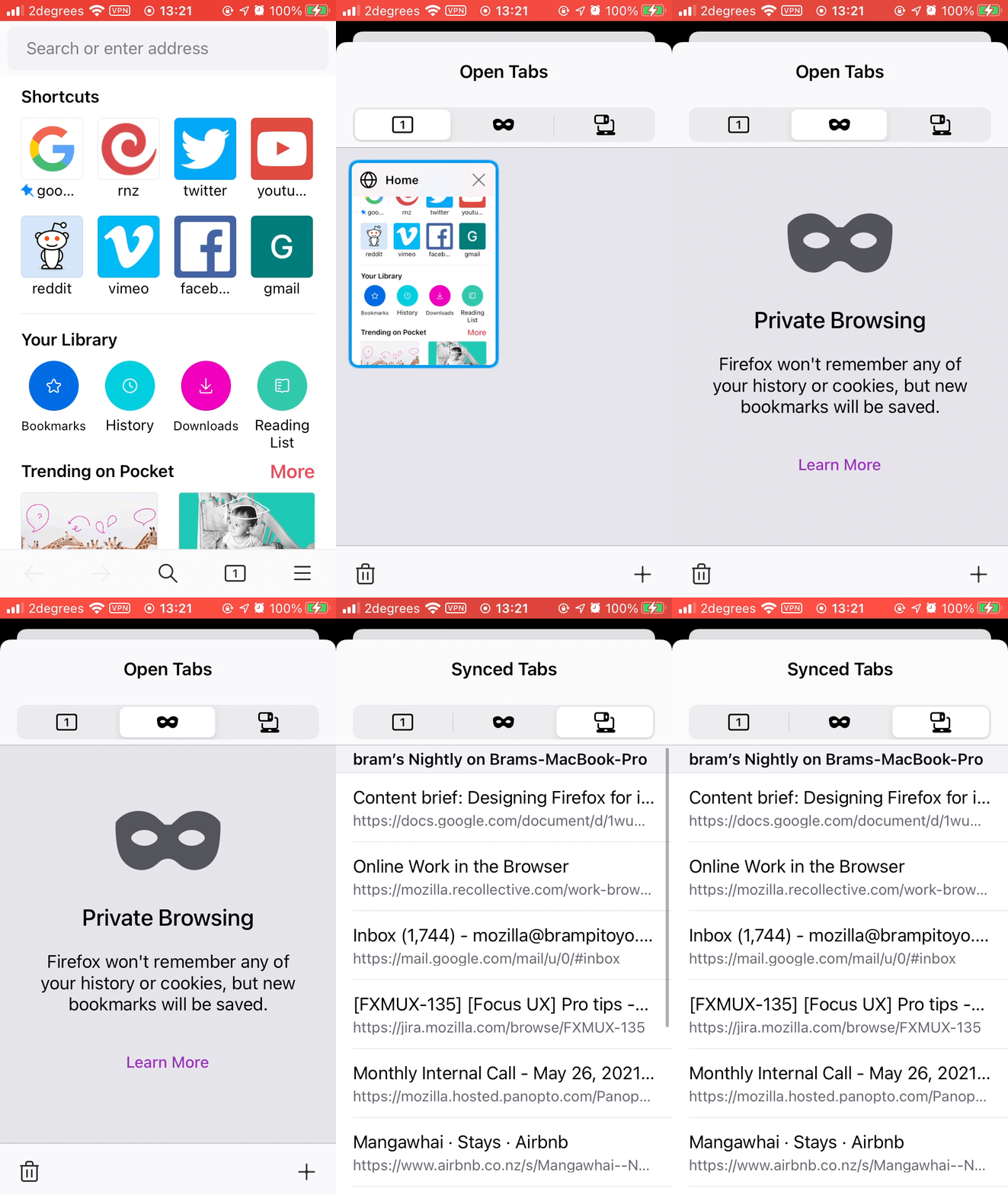
All your tabs, including ones synced from other devices, now appear side by side. And your bookmarks, history, downloads and reading list are browsed just like tabs do. Switching between them is a breeze.
| Before | After |
|---|---|
 |  |
 |  |
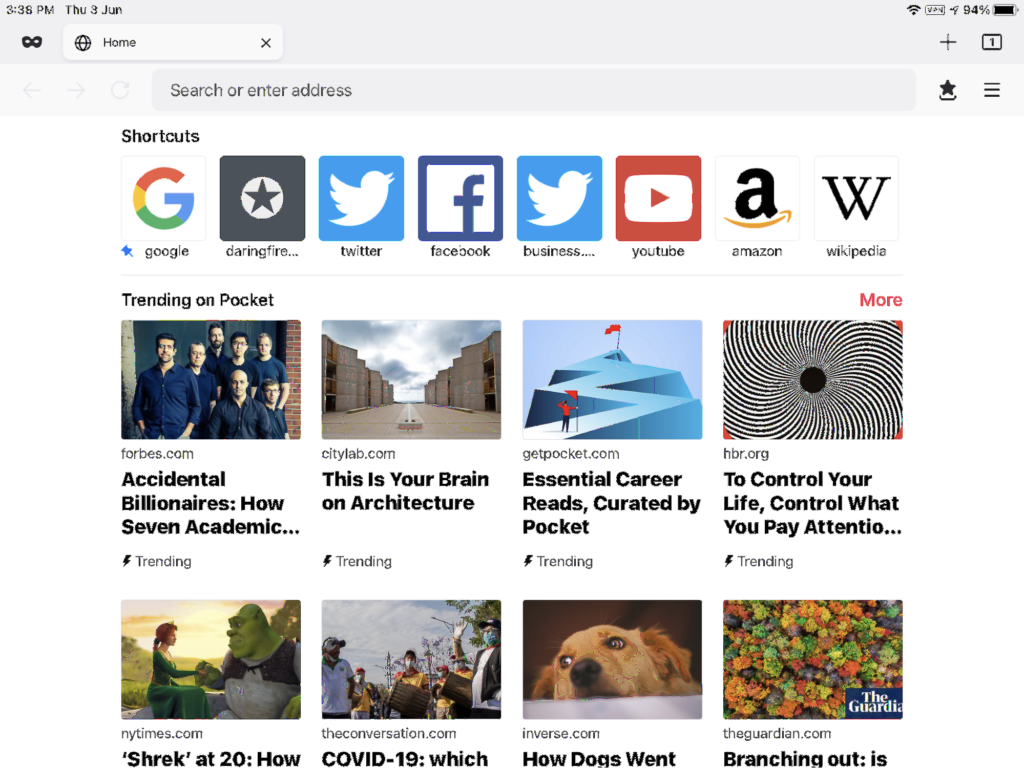
And we’ve given Firefox for iPadOS the same productivity-inspired new tab design, simplified navigation and streamlined menus. Your favourite browser now looks and feels consistent, no matter where you are.
It’s private
The App Store now includes app privacy labels that help you understand our data collection
In 2012 I wrote a blog post titled curling the metalink, describing how we added support for metalink to curl.
Today, we remove that support again. This is a very drastic move, and I feel obliged to explain it so here it goes! curl 7.78.0 will ship without metalink support.
Metalink problems
There were several issues found that combined led us to this move.
Security problems
We’ve found several security problems and issues involving the metalink support in curl. The issues are not detailed here because they’ve not been made public yet.
When working on these issues, it become apparent to the curl security team that several of the problems are due to the system design, metalink library API and what the metalink RFC says. They are very hard to fix on the curl side only.
Unusual use pattern
Metalink usage with curl was only very briefly documented and was not following the “normal” curl usage pattern in several ways, making it surprising and non-intuitive which could lead to further security issues.
libmetalink is abandoned
The metalink library libmetalink was last updated 6 years ago and wasn’t very actively maintained the years before that either. An unmaintained library means there’s a security problem waiting to happen. This is probably reason enough.
XML is heavy
Metalink requires an XML parsing library, which is complex code (even the smaller alternatives) and to this day often gets security updates.
Not used much
Metalink is not a widely used curl feature. In the 2020 curl user survey, only 1.4% of the responders said that they’d are using it. In the just closed 2021 survey that number shrunk to 1.2%. Searching the web also show very few traces of it being used, even with other tools.
The torrent format and associated technology clearly won for downloading large files from multiple sources in parallel.
Violating a basic principle
This change unfortunately breaks command lines that uses --metalink. This move goes directly against one of our basic principles as it doesn’t maintain behavior with previous versions. We’re very sorry about this but we don’t see a way out of this pickle that also takes care of user’s security – which is another basic principle of ours. We think the security concern trumps the other concerns.
Possible to bring back?
The list above contains reasons for the removal. At least some of them can be addressed given enough efforts and work put into it. If someone is willing to do the necessary investment, I think we could entertain the possibility that support can be brought back in a future. I just don’t think it is very probable.
Credits
Image by Ron Porter from Pixabay
https://daniel.haxx.se/blog/2021/06/07/bye-bye-metalink-in-curl/
Progress!
% gdb --args obj/dist/bin/js --no-baseline --no-ion --no-native-regexp --blinterp-eager -e 'print("hello world")'
GNU gdb (GDB) Fedora 10.1-14.fc34
Copyright (C) 2020 Free Software Foundation, Inc.
License GPLv3+: GNU GPL version 3 or later /gnu.org/licenses/gpl.html>
This is free software: you are free to change and redistribute it.
There is NO WARRANTY, to the extent permitted by law.
Type "show copying" and "show warranty" for details.
This GDB was configured as "ppc64le-redhat-linux-gnu".
Type "show configuration" for configuration details.
For bug reporting instructions, please see:
/www.gnu.org/software/gdb/bugs/>.
Find the GDB manual and other documentation resources online at:
/www.gnu.org/software/gdb/documentation/>.
For help, type "help".
Type "apropos word" to search for commands related to "word"...
Reading symbols from obj/dist/bin/js...
(gdb) run
Starting program: obj/dist/bin/js --no-baseline --no-ion --no-native-regexp --blinterp-eager -e print\(\"hello\ world\"\)
warning: Expected absolute pathname for libpthread in the inferior, but got .gnu_debugdata for /lib64/libpthread.so.0.
warning: Unable to find libthread_db matching inferior's thread library, thread debugging will not be available.
[New LWP 2797069]
[LWP 2797069 exited]
[New LWP 2797070]
[New LWP 2797071]
[New LWP 2797072]
[New LWP 2797073]
[New LWP 2797074]
[New LWP 2797075]
[New LWP 2797076]
[New LWP 2797077]
hello world
[LWP 2797072 exited]
[LWP 2797070 exited]
[LWP 2797074 exited]
[LWP 2797077 exited]
[LWP 2797073 exited]
[LWP 2797071 exited]
[LWP 2797076 exited]
[LWP 2797075 exited]
[Inferior 1 (process 2797041) exited normally]
This may not look like much, but it demonstrates that the current version of the OpenPOWER JavaScript JIT for Firefox can emit machine language instructions correctly (mostly — still more codegen bugs to shake out), handles the instruction cache correctly, handles ABI-compliant calls into the SpiderMonkey VM correctly (the IonMonkey JIT is not ABI-compliant except at those edges), and enters and exits routines without making a mess of the stack. Much of the code originates from TenFourFox's "IonPower" 32-bit PowerPC JIT, though obviously greatly expanded, and there is still ongoing work to make sure it is properly 64-bit aware and takes advantage of instructions available in later versions of the Power ISA. (No more spills to the stack to convert floating point, for example. Yay for VSX!)
Although it is only the lowest level of the JIT, what Mozilla calls the Baseline Interpreter, there is substantial code in common between the Baseline Interpreter and the second-stage Baseline Compiler. Because it has much less overhead compared to Baseline Compiler and to the full-fledged Ion JIT, the Baseline Interpreter can significantly improve page loads all by itself. In fact, my next step might be to get regular expressions and the OpenPOWER Baseline Interpreter to pass the test suite and then drag that into a current version of Firefox for continued work so that it can get banged on for reliability and improve performance for those people who want to build it (analogous to how we got PPCBC running first before full-fledged IonPower in TenFourFox). Eventually full Ion JIT and Wasm support should follow, though those both use rather different codepaths apart from the fundamental portions of the backend which still need to be shaped.
A big shout-out goes to Justin Hibbits, who took TenFourFox's code and merged it with the work I had initially done on JitPower way back in the Firefox 62 days but was never able to finish. With him having done most of the grunt work, I was able to get it to compile and then started attacking the various bugs in it.
Want to contribute? It's on Github. Tracing down bugs is labour-intensive, and involves a lot of emitting trap instructions and single-stepping in the debugger, but when you see those small steps add up into meaningful fixes (man, it was great to see those two words appear) it's really rewarding. I'm happy to give tips to anyone who wants to participate. Once it can pass the test suite at some JIT level, it will be time to forward-port it and if we can get our skates on it might even be possible to upstream it into the next Firefox ESR.
For better or worse, the Web is a runtime. Let's get OpenPOWER
In a victory for security research and other public interest work, yesterday the U.S Supreme Court held that the Computer Fraud and Abuse Act’s (CFAA) “exceeding authorized access” provision should be narrowly interpreted and cannot be used to criminalize every single violation of a computer-use policy. This is encouraging news for journalists, bug bounty hunters, social science researchers, and many other practitioners who could legitimately access information in a myriad of ways but were at the risk of being prosecuted as criminals.
As we stated in our joint amicus brief to the Court in July 2020, over the years some federal circuit courts had interpreted the CFAA so broadly as to threaten important practices to protect the public, including research and disclosure of software vulnerabilities by those in the security community. The scope of such broad interpretation went beyond security management and has also been used to stifle legitimate public interest research, such as looking into the advertising practices of online platforms, something Mozilla has pushed back against in the past.
In its ruling, the Supreme Court held that authorized access under the CFAA is not exceeded when information is accessed on a computer for a purpose that the system owner considers improper. For example, the ruling clarifies that employees would not violate the CFAA simply by using a work computer to check personal email if that is contrary to the company’s computer use policies. The decision overrules some of the most expansive interpretations of the CFAA and makes it less likely that the law will be used to chill legitimate research and disclosures. The decision does, however, leave some open questions on the role of contractual limits in the CFAA that will likely have to be settled via litigation over the coming years.
However, the net impact of the decision leaves the “exceeding authorized access” debate under the CFAA in a much better place than when it began and should be celebrated as a clear endorsement of the years of efforts by various digital rights organizations to limit its chilling effects with the goal of protecting public interest research, including in cybersecurity.
The post The Van Buren decision is a strong step forward for public interest research online appeared first on Open Policy & Advocacy.
Last month I gave a talk at csv,conf on "Getting Credit for Invisible Work". The (amazing) csv,conf organizers just published a recording of the talk. (slides here). Give it a watch! It's only 20m long (including the Q&A).
Invisible work is a concept I've been trying to …
Firefox 89 would not have been possible without our community, and it is a great privilege for us to thank all the developers who contributed their first code change to MR1, 44 of whom were brand new volunteers!
- rai.ankur0007: 1695253
- rashadmad: 1702452
- ryedu.09: 1633416, 1703119
- theodorasabalou: 1703126
- toby.she: 1703697
- tom: 1695466
- Aditi Singh: 1703128
- Anshul Sahai: 1700195, 1702013
- Ashita: 1697644, 1698105, 1699276
- Ashwini Wankhede: 1702601, 1703597, 1703599
- Bukola Felicia Akinnadeju: 1703596, 1704060, 1704976
- Cameron: 1687318
- Claudia Batista: 1625651, 1651012, 1701903
- Darryl Pogue: 1350237
- Dawit: 1701250
- Dhanesh: 1679985, 1685806
- Dylan Franken: 1680751
- Evgenia Kotovich: 1703598, 1705198
- Filipa Rocha: 1703131
- Garima Mazumdar: 1687586, 1698595
- George A. Michel: 1703408
- Hamza Mahfooz: 1701460
- Justus Winter: 1698510
- Kajal Sah: 1664259, 1673269, 1701461, 1702538, 1702539, 1702542, 1702543, 1702557,
Mozilla offers GPG signing to let you verify the integrity of our Firefox builds. GPG signatures for Linux based builds are particularly important, because it allows Linux distributions and other repackagers to verify that the source code they use to build Firefox actually comes from Mozilla.
We regularly rotate our GPG signing subkey — usually every two years — to guard against the unlikely possibility that the key has been leaked without our knowledge. Last week, such a rotation happened, and we switched over to the new signing subkey.
The new GPG subkey’s fingerprint is 14F2 6682 D091 6CDD 81E3 7B6D 61B7 B526 D98F 0353, and will expire on 2023-05-17.
If you are interested in performing a verification of your copy of Firefox, you can fetch the public key directly from our KEY files from the Firefox 89 release, or alternatively directly from below.
-----BEGIN PGP PUBLIC KEY
COVID-19 forced the U.S. into a new era of telehealth. Therapists hope it’s here to stay.
———
2020 was the worst year of Kali’s life.
“Going through something like the pandemic and not having family around, feeling out of control—I was on edge all year,” says the 30-year-old Colorado resident. And she wasn’t alone.
Amid the COVID-19 lockdowns of early 2020, millions of Americans found themselves trapped at home with a backlog of unaddressed mental-health issues. As with so many other things, computer screens and video calls became the only portals out of lockdown—for work, entertainment and, ultimately, real psychological help.
By spring 2020, nearly all therapy was forced online, a shift that initially worried therapists and patients alike.
“You do all these years of school to become a psychologist and all the training is in-person,” says Dr. Justin Puder, a therapist and licensed psychologist based in Boca Raton, Florida. “So when you transition to online, you have these doubts—will the connection be as genuine? Will it be as effective?”
But by summer, many therapists, including Puder, were experiencing an unprecedented surge in new-patient inquiries.
“About six months into the pandemic, I was over capacity, and that was the first time that my private practice had filled up like that,” Puder says.
Many of Puder’s clients were teens or young adults struggling with the transition to online school and the loss of important milestones like prom or graduation. Other therapists, like Dr. Jeff Rocker in Miami, Florida, saw an influx of Black men seeking therapy after a summer of highly publicized shootings of unarmed Black males at the hands of police. Others still, like K. Michelle Johnson, a sex and relationship coach and therapist based in Denver, Colorado, saw their practices flooded with struggling couples.
“I think the pandemic created a bit of a pressure cooker for people who were suddenly unable to avoid or escape the issues they’d been having,” Johnson says.
For Johnson’s clients, the shift to virtual therapy had both pros and cons. One issue was privacy. Virtual therapy nearly always takes place on specialized HIPAA-compliant platforms that ensure a secure connection, but interruptions from nosy roommates, curious children and needy pets are facts of life at home.
Still, Jennifer Dunkle, a Certified Gottman Couples Therapist who specializes in financial coaching and is based in Fort Collins, Colorado, says many of the parents she works with still prefer online therapy—it freed them to get the help they needed without having to find or pay for childcare, she says.
That new therapy-from-anywhere paradigm has also helped improve access for people in more rural settings. Angela, 31, raises pigs and vegetables with her partner on a farm in southern Colorado. They live about 60 miles from the nearest mental health center.
With that commute, “Going into therapy could be a three-hour ordeal,” Angela says. “So virtual—I’m all about it.”

The Pocket Joy List Project
The stories, podcasts, poems and songs we always come back toVirtual therapy also just feels more accessible for some patients.
Haley, a 26-year-old in Atlanta, Georgia, says the idea of having to meet a therapist face-to-face had always intimidated her. That was compounded by anxiety around having to locate a new office, find parking and be somewhere on time. Conversely, just opening up a laptop from the comfort of her kitchen or bedroom? “That felt so much easier,” she says.
Puder suspects that there’s another phenomenon at play in the public’s newfound openness to virtual therapy: social media.
Puder currently has 335,000 followers on his TikTok. Rocker, better known in Miami as the “Celebrity Therapist” for his work with elite athletes and entertainers, has over 62,000 followers on Instagram. Both are part of a new wave of influencer-therapists who build their followings through bite-size mental health tips, often infused with humor and a lot of personality.
The trend has been enormously effective, Rocker says.
“People are seeing that
While we’re sitting here feeling a bit frumpy after a year with reduced activity, Firefox 89 has smartened up and brings with it a slimmed down, slightly more minimalist interface.
Along with this new look, we get some great styling features including a force-colors feature for media queries and better control over how fonts are displayed. The long awaited top-level await keyword for JavaScript modules is now enabled, as well as the PerformanceEventTiming interface, which is another addition to the performance suite of APIs: 89 really has been working out!
This blog post provides merely a set of highlights; for all the details, check out the following:
forced-colors media feature
The forced-colors CSS media feature detects if a user agent restricts the color palette used on a web page. For instance Windows has a High Contrast mode. If it’s turned on, using forced-colors: active within a CSS media query would apply the styles nested inside.
In this example we have a .button class that declares a box-shadow property, giving any HTML element using that class a nice drop-shadow.
If forced-colors mode is active, this shadow would not be rendered, so instead we’re declaring a border to make up for the shadow loss:
.button {
  border: 0;
  padding: 10px;
  box-shadow: -2px -2px 5px gray, 2px 2px 5px gray;
}

@media (forced-colors: active) {
  .button {
    /* Use a border instead, since box-shadow is forced to 'none' in forced-colors mode */
    border: 2px ButtonText solid;
  }
}
Better control for displayed fonts
Firefox 89 brings with it the line-gap-override, ascent-override and descent-override CSS properties. These allow developers more control over how fonts are displayed. The following snippet shows just how useful these properties are when using a local fallback font:
@font-face {
  font-family: web-font;
  src: url("/example.com/font.woff>");
}

@font-face {
  font-family: local-font;
  src: local(Local Font);
  ascent-override: 90%;
  descent-override: 110%;
  line-gap-override: 120%;
}
These new properties help to reduce layout shift when fonts are loading, as developers can better match the intricacies of a local font with a web font. They work alongside the size-adjust property which is currently behind a preference in Firefox 89.
Top-level await
If you’ve been writing JavaScript over the past few years you’ve more than likely become familiar with async functions. Now the await keyword, usually confined to use within an async function, has been given independence and allowed to go it alone. As long as it stays within modules that is.
In short, this means JavaScript modules that have child modules using top level await wait for that child to execute before they themselves run. All while not blocking other child modules from loading.
Here is a very small example of a module using the >a href=”https://developer.mozilla.org/en-US/docs/Web/API/Fetch_API”>Fetch API and specifying await within the export statement. Any modules that include this will wait for the fetch to resolve before running any code.
// fetch request
const colors = Firefox 89 was released today. This release (again!) honors a character encoding declaration made via syntax that looks like an XML declaration used in text/html (if there are no other character encoding declarations).
Before HTML parsing was specified, Internet Explorer did not support declaring the encoding of a text/html document using the XML declaration syntax. However, Gecko, WebKit, and Presto did. Unfortunately, I didn’t realize that they did.
When Hixie specified HTML parsing, consistent with IE, he didn’t make the spec sensitive to the XML declaration syntax in a particular way. I am unable to locate any discussion in the WHATWG mailing list archives about whether an encoding declaration made using the XML declaration syntax in text/html should be honored when processing text/html.
When I implemented the specified HTML parsing algorithm in Gecko, I also implemented the internal encoding declaration handling per specification. As a side effect, in Firefox 4, I removed Gecko’s support for the XML declaration syntax for declaring the character encoding in text/html. I don’t recall this having been a knowingly-made decision: The rewrite just did strictly what the spec said.
When WebKit and Presto implemented the specified HTML parsing algorithm, they only implemented the tokenization and tree building parts and kept their old ways for handling character encoding declarations. That is, they continued to honor the XML declaration syntax for declaring the character encoding text/html. I don’t recall the developers of the either engine raising this as a spec issue back then.
The closest to the issue getting raised as a spec issue was for the wrong reason, which made people push back instead of fixing the spec.
When Blink forked, it inherited WebKit’s behavior. When Microsoft switched from EdgeHTML to Blink, Gecko became the only actively-developed major engine not to support the XML declaration syntax for declaring the character encoding text/html. Since unlabeled UTF-8 is not automatically detected, this became a Web compatibility issue with pages that declare UTF-8 but only using the XML declaration syntax (i.e. without a BOM, a meta, or HTTP-layer declaration as well).
And that’s why support for declaring the character encoding via the XML declaration syntax came to the HTML spec and back to Gecko.
What Can We learn?
When the majority of engines has a behavior, we should assume that content is authored with the expectation that that behavior exists, and we can’t rely on assuming that all content is tested with the engine that doesn’t have the behavior even if that engine has the majority market share.
(In general, the HTML parsing algorithm upheld IE behaviors a bit too much. I regret that I didn’t push for non-IE behavior in tokenization when a less-than sign is encountered inside a tag token.)
Instead of just trusting the spec, also check with other engines do.
If you aren’t willing to implement what the spec says, you should raise the issue of the standardization forum.
If an issue is raised for a bad reason, pay attention to if there is an adjacent issue that needs fixing for a good reason.
“We comply with the spec” is unlikely to be a winning response to a long-standing Web compatibilty bug.
Sometimes you need to take a screenshot of something online to save it or share it with someone. Firefox has a built-in feature that makes grabbing a screenshot quick and easy. Here’s how to use the Firefox screenshot feature in your desktop browser:
Use the menu
- Right-click for Windows or two-finger tap on Mac to call up the Firefox main action menu.
- Scroll to the Take Screenshot action.
- Drag your mouse around the area of your screen that you want to capture.
- Or, you can select one of the pre-set options:
- Save visible captures only what you see in your browser window without scrolling.
- Save full page captures everything on the page, which is handy for screenshotting a full webpage without awkwardly dragging your mouse the whole way down the screen.
- Once you’ve selected the area to screenshot, you have two options.
- Click the copy button to add it to your clipboard. Then paste it somewhere (control-v), like in a chat, email, document or presentation — and even other software other than Firefox.
- Or you can download the screenshot image, which is handy for saving and reusing later.
Changed your mind about taking a screenshot? Hit the ESC key to back out.
Add the Firefox screenshot feature to your toolbar
If you love the screenshot feature and want it front and center, you can add it as a button in the space next to the Firefox toolbar. Here’s how:
- Click the main menu in the upper right corner and select More Tools.
- Next, select Customize Toolbar.
- Locate the Screenshot shortcut:
- Grab it with your mouse and drag it up to the Toolbar.
- Then click the Done button.
- Now the Screenshot shortcut is at your fingertips everywhere you go in Firefox.
Using the Firefox screenshot feature is so easy anyone can use it. You don’t need to remember any shortcuts or download additional software. It’s all built-in and ready to roll with Firefox.
The post How to capture screenshots instantly with Firefox appeared first on The Mozilla Blog.
https://blog.mozilla.org/en/products/firefox/how-to-capture-screenshots-with-firefox/
We set out in 2021 to reimagine Firefox’s design to be fast, modern and inviting the first time you run it and every day after. We’ve always had your back on privacy, and still do. Now with today’s new Firefox release we’re also bringing you a modern new look designed to streamline and calm things down so you have a fresh new web experience every time you use Firefox.
We’re living in a frenetic time, where people are dealing with tough changes in our daily lives and hard to solve problems are popping up everywhere. We think the browser should be a piece of software you can rely on to have your back, pleasant to look at and working seamlessly with the web.
We’re also on a mission to save you time, whether that’s by making pages load faster, using less memory, or by streamlining everyday use of the browser. Good design is invisible. So if things just work, you don’t really think about it. But a ton of thought has been put into the flow. Our users who have tried the new Firefox have said, “the fact that I was using a new web browser slipped into the background of my consciousness.” And that’s just what we were going for.
Today’s desktop and mobile releases represent the intentional and thoughtful touches we made to give you a safe, calm, and useful experience online. We made these changes with you and your online habits in mind. Check it out for yourself:
Today’s Firefox gets you where you want to go online
Here’s a quick and easy breakdown of what you’ll find:
For starters we’ve cleaned up the amount of things that demand your attention from prompts and notifications to actions in the menu bar.
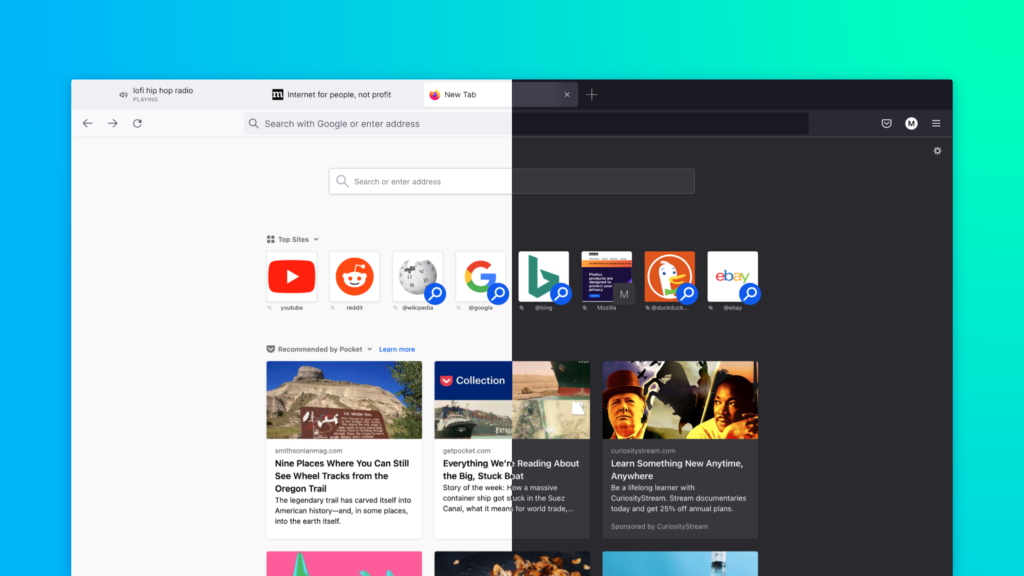
- Simplified unencumbered navigation: The first step to going anywhere online is the toolbar, just type in the URL and press return/enter, and you’re off. In some ways this area serves as your car’s dashboard that you look at every time you get behind the wheel. We kept it simple and focused on these three key areas of the toolbar: 1) Navigation – back, forward and refresh 2) Address Bar – privacy shield (so you know your ambient information is always protected), security lock and where to type in your URL. 3) Frequently Used Settings – reader mode, zoom level and bookmark. Our intent was to make it easier for people to focus on the frequently used items in this area and easily get to where they needed to go.
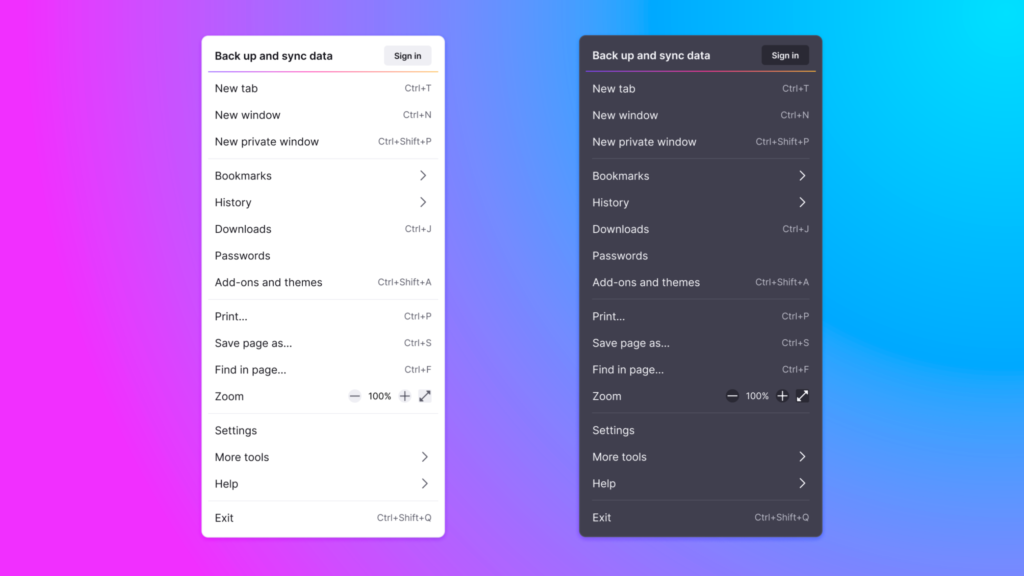
- Streamlined clutter-free menus: There are many ways to get to your preferences and settings, and we found that the two most popular ways were: 1) the hamburger menu – button on the far right with three equal horizontal lines – and 2) the right-click menu. So, we prioritized the content based on what people clicked on when they visited the menu. We made the labels less cryptic and clear and easier to understand, and we removed some icons so that it was easier for people to see at a glance where they wanted to go.
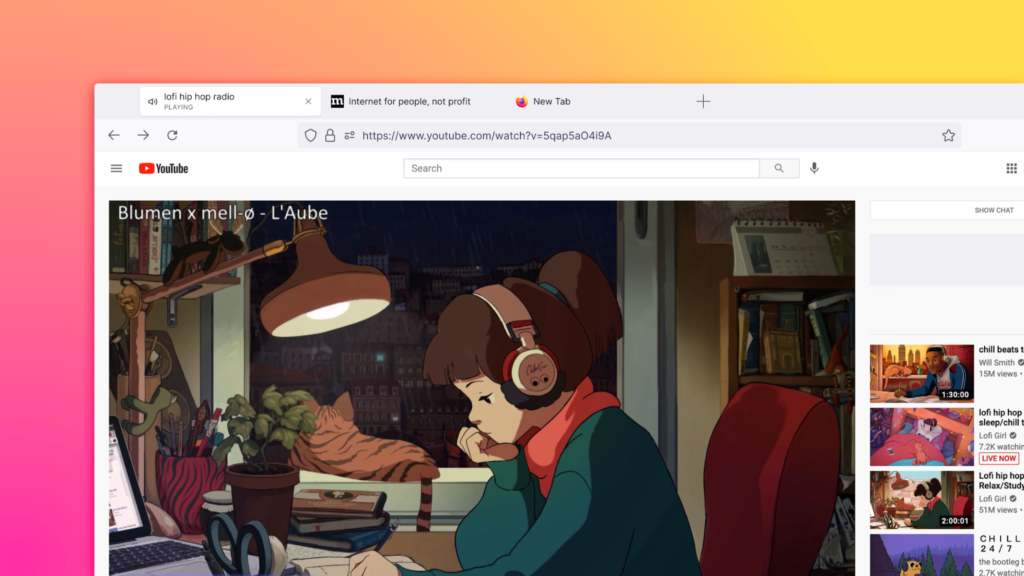
- Productivity-inspired new tab design: Tabs. We use them every day. They signal where you are, but we need them to do more work. Everything from conveying information about what video is playing to where your next Zoom meeting is. It’s no surprise that more than 50% of people have 4 tabs or more open. We redesigned these tabs so that they floated neatly, and we added the visual indicators, like blocking autoplay videos until you’re ready to visit that tab. We detached the tab from the browser to invite you to move, rearrange and pull out tabs into a new window to suit your flow, and organize them so they’re easier for you to find.
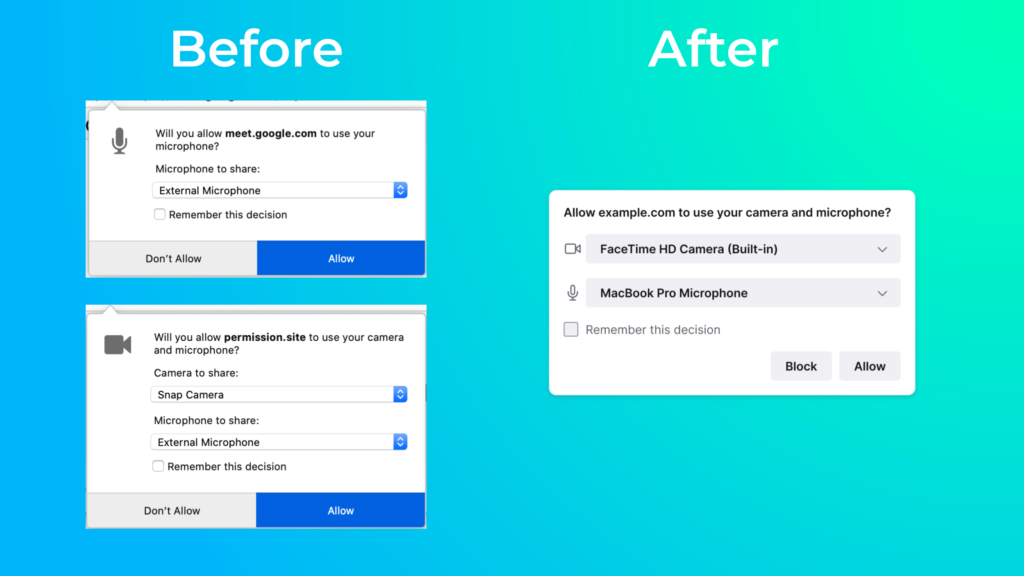
- We shushed notifications: Your web experience shouldn’t be bogged down by a bunch of notifications, and if you have to be given a heads-up on something, it should look good and not be a distraction. You’ll see consolidated the panels so you can respond more quickly and get back to why you were online in the first place faster. We specifically reduced some of the frustration and re-prompting associated with getting in and out of Google Meet meetings. Thanks to this pared down interface, you can get to all your web calls and meetings with fewer clicks.