I thought I would document how I do branching in git because it’s clearly the best a perfectly acceptable way to do it, especially if you use GitHub.
Step 1: git checkout -b /
(That’s it.)
maps to the GitHub (or Bugzilla, or Chromium, or Roblox customer support, etc.) issue number.
1 for me. But if, for whatever reason, you want to get wild and pivot off into a totally different direction, or set a new , you just increment that integer and still have some kind of transparent relationship with the bug task at hand.
For example:
git checkout -b parsing_html_with_regex_in_the_year_2021/2
As a side benefit, when you go to write a commit message you don’t have to go hunting for the bug number in your N^2 + 1 open tabs (where N is the number of hours you’ve been working on the patches), because it’s in the branch name.
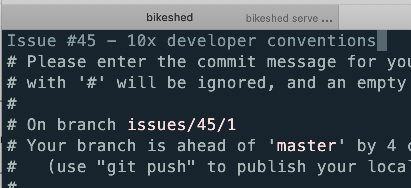
(For no good reason, for GitHub issues I like to prefix it with issues/, I guess I just like the symmetry with the GitHub URL.)
I started doing this about 10 years ago when I worked at Opera. I don’t know if it was a widely used convention, or I just copied it off someone, but it’s pretty good, IMHO.
https://miketaylr.com/posts/2021/01/how-i-do-git-branches.html