Kaspersky’s web protection feature will block ads and trackers, warn you about malicious search results and much more. The complication here: this functionality runs in the browser and needs to communicate with the main application. For this communication to be secure, an important question had to be answered: under which doormat does one put the keys to the kingdom?
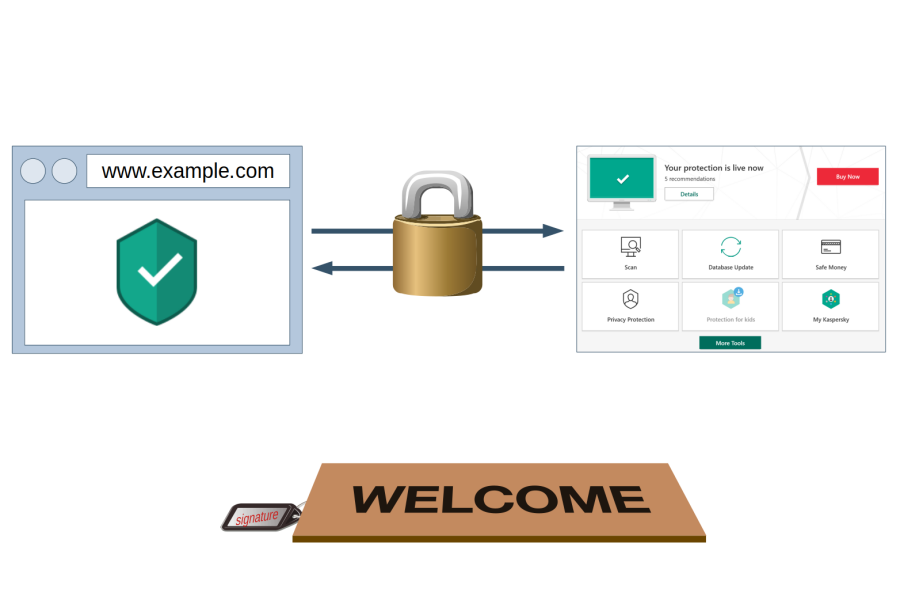
Note: Lots of technical details ahead. If you only want a high-level summary, there is one here.
This post sums up five vulnerabilities that I reported to Kaspersky. It is already more than enough ground to cover, so I had to leave unrelated vulnerabilities out. But don’t despair, there is a separate blog post discussing those.
Summary of the findings
In December 2018 I could prove that websites can hijack the communication between Kaspersky browser scripts and their main application in all possible configurations. This allowed websites to manipulate the application in a number of ways, including disabling ad blocking and tracking protection functionality.
Kaspersky reported these issues to be resolved as of July 2019. Yet further investigation revealed that merely the more powerful API calls have been restricted, the bulk of them still being accessible to any website. Worse yet, the new version leaked a considerable amount of data about user’s system, including a unique identifier of the Kaspersky installation. It also introduced an issue which allowed any website to trigger a crash in the application, leaving the user without antivirus protection.
Why is it so complicated?
Antivirus software will usually implement web protection via a browser extension. This makes communication with the main application easy: browser extensions can use native messaging which is trivial to secure. There are built-in security precautions, with the application specifying which browser extensions are allowed to connect to it.
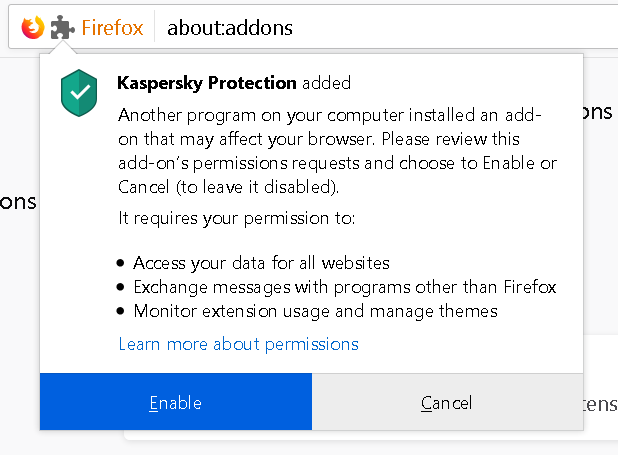
But browser extensions are not the only environment to consider here. If the user declines installing their browser extension, Kaspersky software doesn’t simply give up. Instead, it will inject the necessary scripts into all web pages directly. This works even on HTTPS sites because, as we’ve seen earlier, Kaspersky will break up HTTPS connections in order to manipulate all websites.
In addition, there is the Internet Explorer add-on which is rather special. With Internet Explorer not providing proper extension APIs, that add-on is essentially limited to injecting scripts into web pages. While this doesn’t require manipulating the source code of web pages, the scripts still execute in the context of these pages and without any special privileges.
So it seems that the goal was to provide a uniform way for these three environments to communicate with the Kaspersky application. Yet in two of these environments Kaspersky’s scripts have exactly the same privileges as the web pages that they have been injected into. How does one keep websites from connecting to the application using the same approach? Now you can hopefully see how this task is challenging to say the least.
Kaspersky’s solution
Kaspersky developers obviously came up with a solution, or I wouldn’t be writing this now. They decided to share a secret between application and the scripts (called “signature” in their code). This secret value has to be provided when establishing a connection, and the local server will only respond when receiving the correct value.
How do extensions and scripts know what the secret is? Chrome and Firefox extensions use native messaging to retrieve it. As for the Internet Explorer extension and scripts that are injected directly into web pages, here it becomes part of the script’s source code. And since websites cannot download that source code (forbidden by same-origin policy), they cannot read out the secret. At least in theory.
Extracting the secret
When I looked into Kaspersky Internet Security 2019 in December last year, their web integration code was leaking the secret in all environments (CVE-2019-15685). It didn’t matter which browser you used, it didn’t matter whether you had browser extensions installed or not, every website could extract the secret necessary to communicate with the main Kaspersky application.
From injected scripts
As mentioned earlier, without a browser extension Kaspersky software will inject its scripts directly into web pages. Now JavaScript is a highly dynamic execution environment, it can be manipulated almost arbitrarily. For example, a website could replace the WebSocket object by its own and watch the script establish the connection to the local server. Of course, Kaspersky developers have thought of this scenario, so they made sure their script runs before any of the website scripts do. It will also make a copy of the WebSocket object and only use that copy then.
Yet this approach is far from being watertight. For example, the website can simply make sure that the same script executes again, this time in a manipulated environment. It needs to know the script URL for that, but it can download itself and extract the script URL from the response. Here is how I’ve done it:
fetch(location.href).then(response => response.text()).then(text =>
{
  let match = /]*src="([^"]+kaspersky[^"]+\/main.js)"/.exec(text);
  if (!match)
    return;

  let origWebSocket = WebSocket;
  WebSocket = function(url)
  {
    let prefix = url.replace(/(-labs\.com\/).*/, "$1");
    let signature = /-labs\.com\/([^\/]+)/.exec(url)[1];
    alert(`Kaspersky API available under ${prefix}, signature is ${signature}`);
  };
  WebSocket.prototype = origWebSocket.prototype;

  let script = document.createElement("script");
  script.src = match[1];
  document.body.appendChild(script);
});
From Internet Explorer extension
The Internet Explorer extension puts the bar slightly higher. While the scripts here also run in an environment that can be manipulated by the website, their execution is triggered directly by the extension. So there is no script URL that the website can find and execute again.
On the other hand, the script doesn’t keep a copy of every function it uses. For example, String.prototype.indexOf() will be called without making sure that it hasn’t been manipulated. No, this function doesn’t get to see any secrets. But, as it turns out, the function calling it gets the KasperskyLabs namespace passed as first parameter which is where all the important info is stored.
let origIndexOf = String.prototype.indexOf;
String.prototype.indexOf = function(...args)
{
  let ns = arguments.callee.caller.arguments[0];
  if (ns && ns.SIGNATURE)
    alert(`Kaspersky API available under ${ns.PREFIX}, signature is ${ns.SIGNATURE}`);

  return origIndexOf.apply(this, args);
};
From Chrome and Firefox extensions
Finally, there are Chrome and Firefox extensions. Unlike with the other scenarios, the content scripts here execute in an independent environment which cannot be manipulated by websites. So these don’t need to do anything in order to avoid leaking sensitive data, they merely shouldn’t be actively sending it to web pages. And you already know how this turns out: the Chrome and Firefox extensions leak API access as well.
The attack here abuses a flaw in the way content scripts communicate with frames they inject into pages. The URL Advisor frame is easiest to trigger programmatically, so this attack has to be launched from an HTTPS website with a host name like www.google.malicious.com. The host name starting with www.google. makes sure that URL Advisor is enabled and considers the following HTML code a search result:
<h3 class="r"><a href="https://example.com/">safespan>a>span>h3>URL Advisor will add an image next to that link indicating that it is safe. When the mouse is moved over that image a frame will open with additional details.
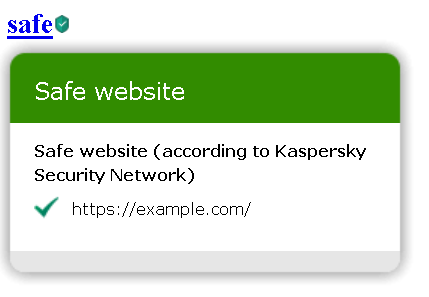
And that frame will receive some data to initialize itself, including a commandUrl value which is (you guessed it) the way to access Kaspersky API. Rather than using the extension-specific APIs to communicate with the frame, Kaspersky developers took a shortcut:
function SendToFrame(args)
{
  m_balloon.contentWindow.postMessage(ns.JSONStringify(args), "*");
}
I’ll refer to what MDN has to say about using window.postMessage in extensions, particularly about using “*” as the second parameter here:
Web or content scripts can use
window.postMessagewith atargetOriginof"*"to broadcast to every listener, but this is discouraged, since an extension cannot be certain the origin of such messages, and other listeners (including those you do not control) can listen in.
And that’s exactly it – even though this frame was created by extension’s content script, there is no guarantee that it still contains a page belonging to the extension. A malicious webpage can detect the frame being created and replace its contents, which allows it to listen in on any messages sent to this frame. And frame creation is trivial to trigger programmatically with a fake mouseover event.
let onMessage = function(event)
{
  alert(`Kaspersky API available under ${JSON.parse(event.data).commandUrl}`);
};
let frameSource = `
https://palant.de/2019/11/25/kaspersky-the-art-of-keeping-your-keys-under-the-door-mat/